
AI SEO Workflow: A Complete Step-by-Step Guide to Using AI for SEO
By Mousume Akter, Founder & Editor, SEORAF · Last reviewed November 21, 2026
An AI SEO workflow is a repeatable sequence of SEO tasks in which AI handles defined parts of the work and a person reviews every stage before anything is published. This guide lays out nine stages, from research to measurement, and shows what AI can do at each one, what it should not decide, and what to check before you move on.
Google does not ban AI-assisted content. Its documentation says generative AI can help with researching a topic and adding structure to original content, but it also says it is critical to manually fact-check and review all AI-generated content before publishing, and that generating many pages without adding value for users may violate its scaled content abuse spam policy. Those two statements shape everything below.
You will get a stage-gate table for the whole process, a matrix showing which tasks to automate, assist or keep human, a verification protocol for AI output, and a pre-publish checklist. This guide is about using AI inside SEO work. Optimizing for AI answers such as AI Overviews is covered briefly in its own section and linked out for depth.
How this guide was built
This guide is based on Google’s published documentation as read on November 20, 2026, mainly Google’s guidance on using generative AI content (last updated October 1, 2026) and Google’s guide to optimizing for generative AI features (last updated July 10, 2026). Where a point comes from Google, I say so and link the page. Where it is a practitioner recommendation, it is labeled as SEORAF’s recommendation.
The examples are fictional and illustrative. They are not case studies, and this guide reports no SEORAF test results. It does not contain affiliate links.
Labels used in this guide: “Google-documented” means a statement from a Google Search Central page I opened. “Published research” means a third-party study, with its limits noted. “SEORAF recommendation” means a practitioner judgment, not a Google rule.
What Is an AI SEO Workflow?
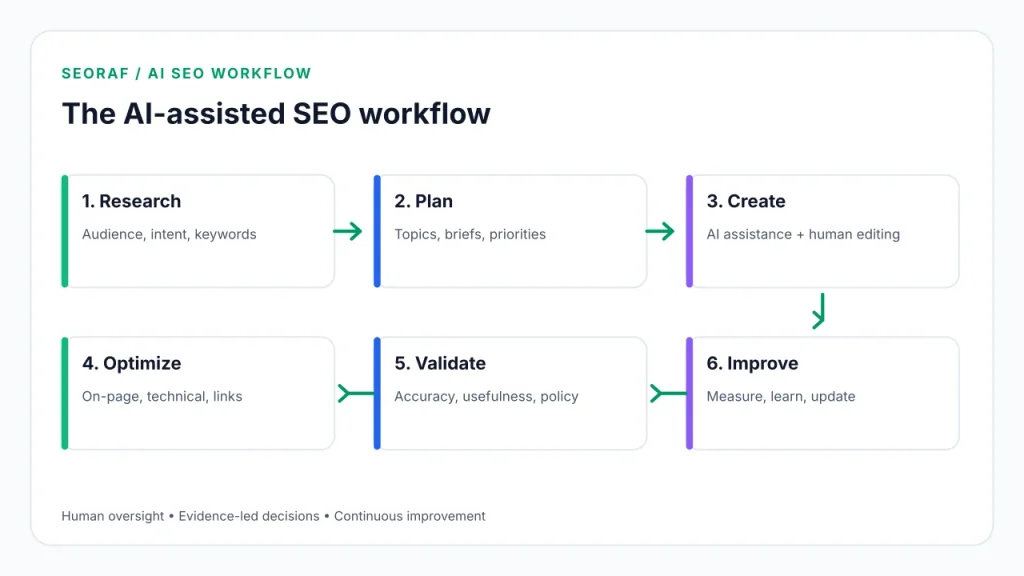
An AI SEO workflow is a documented sequence of SEO tasks in which AI performs defined parts of the work and a person reviews the result at each stage before it moves on. The goal is not to automate SEO. It is to know which steps AI can speed up, which it cannot be trusted with, and what must be checked before a page goes live.
Workflow versus ad hoc prompting
Asking a chatbot for a meta description is using AI. A workflow is different because it has inputs, constraints, checkpoints and outputs that someone can repeat, audit and improve. If two people on a team would handle the same task differently and nobody could say which version is right, you have habits, not a workflow.
AI for SEO versus SEO for AI search
Two different ideas travel under the label “AI SEO.” This guide covers the first. The second is addressed briefly in the section on AI search optimization and GEO.
| Aspect | AI for SEO (this guide) | SEO for AI search |
|---|---|---|
| Main question | How do I use AI to do SEO work more efficiently and safely? | How do I make my content eligible and useful in AI answers? |
| Typical tasks | Research, clustering, briefs, drafts, metadata, audits, reporting | Content quality, technical eligibility, measurement in AI features |
| Where Google addresses it | Guidance on using generative AI content | Guide to optimizing for generative AI features |
| Google’s framing | Acceptable when it meets quality and spam standards | Treated as part of SEO, with no separate requirements |
Table 1: Two meanings of “AI SEO.” The last row is Google-documented.
Google’s generative AI guide explains that “AEO” and “GEO” are terms for work aimed at improving visibility in AI search experiences, and says that, from Google Search’s perspective, optimizing for generative AI search is optimizing for the search experience, and thus still SEO. For how the feature itself works, see how Google’s AI Overviews work.
The four parts of every stage
Each stage in this guide has the same four parts. I call the combination a stage gate. This is SEORAF’s framework, not Google terminology.
- Input: what you must have before the stage starts.
- AI task: the specific work AI is allowed to do.
- Human gate: the review that must pass before the next stage.
- Output artifact: the record the stage leaves behind, such as a source log or an approved brief.
How AI Changes the Modern SEO Workflow
AI changes how fast certain tasks get done and where errors can enter. It does not change what makes a page worth ranking.
Where AI speeds up the work
- Summarizing and organizing sources you have already gathered.
- Grouping keyword lists by apparent intent and topic.
- Condensing the structure of competitor pages you have read.
- Drafting outlines, section drafts and metadata options.
- Suggesting internal link candidates from a URL list you supply.
- Summarizing crawl exports and performance data for triage.
What does not change
Pages still need to be crawlable, indexed and eligible to appear with a snippet. Google’s generative AI guide says its AI features are rooted in core Search ranking and quality systems, so established SEO practice stays relevant. It also says that creating content people find unique and useful will likely influence presence in generative AI search over the long run more than the other suggestions in the guide.
What Google’s 2026 documentation adds
| Date shown or reported | What happened | Source type and limitation |
|---|---|---|
| July 10, 2026 | Google’s guide to optimizing for generative AI features shows this as its last-updated date. | Google-documented page; this is the page’s update date, not a claimed publication date |
| June 3, 2026 | Google announced Search Generative AI performance reports in Search Console. | Google Search Central announcement |
| October 1, 2026 | Google’s guidance on using generative AI content shows this as its last-updated date. | Google-documented page; consult the live page for the current wording |
| May 2026 (industry report) | Industry coverage discussed clarification that Google’s spam policies also apply to generative AI responses in Search. | Secondary reporting (PPC Land); check Google’s documentation updates for the primary record |
Table 2: Selected 2026 documentation dates relevant to AI-assisted SEO. Dates are identified as page update dates or announcement dates, not assumed publication dates.
New failure modes
A generative language model can produce plausible text without independently verifying whether each statement is true. Some AI products add web search, retrieval or connected data sources, but those features do not make every generated claim reliable. Output can still contain inaccuracies, often called hallucinations. A confident paragraph can contain an invented statistic, a fake quotation or a misdescribed policy. Add to that commodity content, which restates what is already online, and scaled content abuse, where many pages exist mainly to capture query variations. Those are the risks this workflow is built to contain.
What published research can and cannot tell you
Third-party studies show that AI-assisted pages appear in search results, but they should be read carefully. A July 2026 Ahrefs study, as summarized by Search Engine Journal, analyzed about 150,000 pages from the top 10 results of 100,000 searches in June 2026. By Ahrefs’ own AI detector, 54.7% of top-three pages scored under 20% AI-generated text and 5.3% scored 100%. Higher detector scores also lined up with lower positions and with fewer pages found in the index.
The limits matter. Ahrefs says its detector is imperfect and does not work like anything Google might use, and the index figures are Ahrefs’ own signals, not confirmed Google data. Search Engine Journal notes that the samples did not evaluate content depth, originality or factual accuracy. An earlier 2025 Ahrefs study of 600,000 pages found essentially no correlation, but it used a different sample and depth, so the two are not directly comparable. The practical reading: a detector score is a reason to look more closely at a page, not proof that it is weak, and none of this establishes that AI use causes lower rankings. Quality, originality and review remain the variables you control.
Human-Led vs AI-Assisted SEO Workflow
Not every task carries the same risk. A useful split is to decide in advance which tasks a human leads, which AI assists under review, and which should stay human-only. The matrix below is SEORAF’s recommendation. Google does not publish a task-by-task allocation.
The task allocation matrix
| Task | Mode | Reason | Required human gate |
|---|---|---|---|
| Audience, positioning and topic strategy | Human-led | Depends on business context and judgment | Owner decision |
| Keyword ideation and clustering | AI-assisted | Pattern work AI handles well | Validate in SEO tools and the live SERP |
| Search volume and difficulty | Tool data, not AI | A language model alone cannot verify live SEO metrics | Read the tool’s figures directly |
| Summarizing competitor pages | AI-assisted | Saves reading time | Check the summary against the page |
| Content brief | AI-assisted | Structured synthesis | Editor approves |
| First draft of general explanations | AI-assisted | Speeds drafting | Full editorial review |
| Statistics, quotes, product facts, policies | Human-verified | Highest hallucination risk | Check every item against the primary source |
| Medical, legal or financial claims | Expert-led | Errors can harm readers | Qualified expert review |
| First-hand experience and opinion | Human-only | AI has no experience to report | Author supplies it, truthfully |
| Titles, meta descriptions, alt text | AI-assisted | Options generated quickly | Verify accuracy and fit |
| Structured data | AI-assisted | Syntax drafting | Validate and match visible content |
| Internal link candidates | AI-assisted | Needs a real URL list | Approve each link |
| Technical audit triage | AI-assisted | Summarizes large exports | Verify each finding |
| Publishing approval | Human-only | Accountability | Named approver |
| Interpreting performance | AI-summarized, human-interpreted | AI may invent causes | Analyst checks the data |
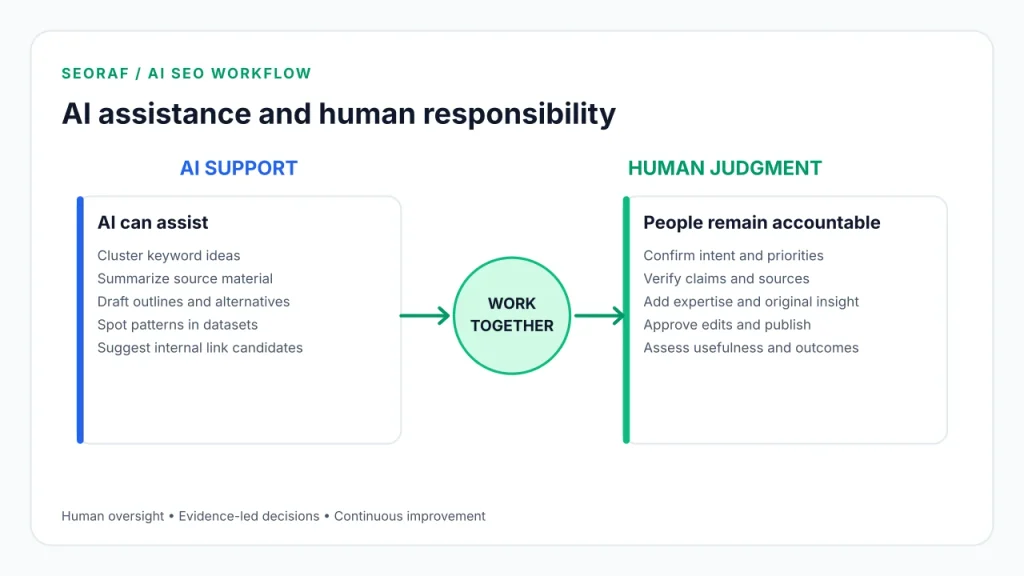
Table 3: Automate, assist or keep human. SEORAF recommendation.
Why higher-risk tasks need more human control
Google says generative AI can be useful for research and for adding structure to original content, and that review of its output is critical. Putting those together, SEORAF’s recommendation is to scale the intensity of review to the cost of being wrong. A wrong meta description is a minor problem. A wrong dosage, tax rule or legal statement is not. For those topics, involve a qualified expert rather than relying on a generalist editor.
A solo publisher’s split versus a team’s
A solo publisher is the strategist, the editor and the fact-checker, so the gates must be lightweight and written down. A team can separate roles: one person briefs, one edits, one verifies, one approves. The stages are the same. What changes is how many people hold the gates, and the temptation for one person to skip review because “it looks fine.”
Complete AI SEO Workflow: Step by Step
The workflow has nine stages. A cross-cutting layer for AI search applies across stages 3 to 7 and stage 9, and is not a separate stage.
The nine stages at a glance
The stage-gate table
| Stage | Input | AI task | Human gate | Output artifact | Main failure to prevent |
|---|---|---|---|---|---|
| 1. Research foundation | Topic, first-party data, official sources | Summarize and organize gathered sources | Verify claims against primary sources | Source log and claim register | Importing invented facts |
| 2. Keyword and intent | Seed topics, tool data | Ideate, cluster, label intent | Validate in tools and live SERP | Validated keyword and intent map | Trusting AI as a data source |
| 3. SERP and competitor | Pages you have actually read | Summarize structure and subtopics | Check summaries; judge real gaps | Gap worksheet | Copying a commodity outline |
| 4. Plan and brief | Research, intent map, gaps | Draft brief and outline | Editor approves | Approved brief | Drift, cannibalization, no original input |
| 5. Draft and review | Approved brief, sources | Draft sections under constraints | Layered editorial review and fact-check | Reviewed draft and QA log | Publishing unchecked output |
| 6. On-page | Reviewed draft | Generate title, meta and alt options | Verify accuracy and fit | Verified metadata | Misleading or inaccurate snippets |
| 7. Technical | Crawl data, page templates | Triage findings, draft structured data | Validate and confirm against visible content | Prioritized tickets, validated markup | Wrong or non-matching markup |
| 8. Internal links | Real URL inventory | Suggest link candidates | Approve each link | Approved link plan | Forced or irrelevant links |
| 9. Monitor and refresh | Search Console, analytics | Summarize data, flag anomalies | Analyst verifies causes | Report and refresh log | Invented explanations |
Table 4: The stage-gate table. SEORAF framework. The rules behind the gates come from Google’s documentation, cited in each stage below.
Running it as an SOP
- Put the stage-gate table in a shared document and name an owner for each gate.
- Keep each output artifact in one folder per page, so a reviewer can see how a decision was reached.
- Record what AI was asked to do at each stage and which tool was used.
- Review the SOP whenever Google updates the documentation it depends on.
A minimum version for solo publishers
If nine stages feels heavy, start with five habits: gather and log sources before prompting, validate keyword claims in a tool, approve a written brief before drafting, fact-check every claim and every metadata field before publishing, and record changes in an update log. Expand from there.
Stage 1: AI-Assisted SEO Research
The goal of this stage is to collect and organize what you will rely on, before anyone writes a sentence. AI is useful here as a summarizer and organizer of material you supply. It is a poor source of facts.
Define the research question and scope
Write one sentence describing what the page must help a reader do or understand, and one sentence describing what it will not cover. A narrow scope prevents the sprawl that AI drafts tend toward.
Gather first-party and official sources first
- Search Console queries and pages for related content you already publish.
- Questions from readers, support messages or comments, where you have them.
- Official documentation, standards and primary research on the topic.
Use AI to summarize and organize, with a source log
Paste or upload the sources you gathered and ask AI to extract key points, flag contradictions and list open questions. Do not ask it to supply statistics or citations from memory. Keep a source log recording each URL, the date you read it and what you took from it.
Build a claim register
A claim register lists every factual statement the page will make, where it came from and whether a person has verified it. The rule: no AI-supplied claim enters the brief until its status says verified.
| Claim | Source URL | Status | Verified by and date |
|---|---|---|---|
| Example: “Google lists structured data among items to fact-check.” | Google’s generative AI content guidance | Verified | Editor, Nov 20, 2026 |
| Example: a statistic offered by an AI draft with no source | None given | Not verified, do not use | n/a |
Table 5: Claim register template with illustrative rows.
Stage 2: AI Keyword Research and Search Intent Analysis
AI can broaden and organize your keyword thinking. It cannot tell you how many people search a phrase or how hard a result is to win. Treat its output as hypotheses to test.
What AI can and cannot do here
| AI output | What it cannot tell you | Where to verify |
|---|---|---|
| A list of related queries | Whether anyone searches them | Keyword tool and Search Console data |
| Keywords grouped by topic | Whether Google treats them as one intent | The live SERP for each query |
| An intent label (informational, commercial and so on) | What currently ranks and why | Read the top results yourself |
| “Low competition” opinions | Real ranking difficulty | SERP analysis; see finding low-competition keyword opportunities |
Table 6: AI keyword output and how to validate it.
Cluster by intent, then map each cluster to one page
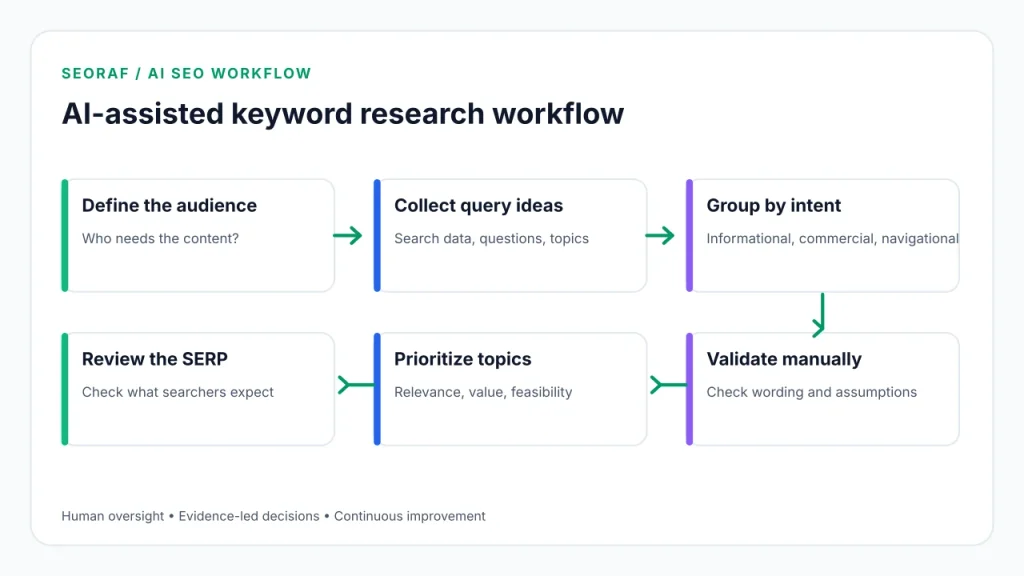
Ask AI to group queries by the job the searcher wants done, then check your existing content before creating anything new. The aim is one primary intent per URL. Google’s generative AI guide says you do not need to worry about missing every long-tail variation, because its systems understand synonyms and general meaning, and it warns that creating separate content for each variation mainly to manipulate rankings can violate its scaled content abuse policy. Cluster to decide what one strong page should cover, not to justify many thin ones.
Validate before you commit
- Check each candidate in a keyword tool for volume and difficulty. Where a tool shows nothing, record “no data,” not a guess.
- Search the query yourself and note what kinds of pages rank and which search features appear.
- Confirm the intent label matches what the results show.
- Search your own site for overlap and decide whether to extend an existing page instead.
Worked example (illustrative)
The following is a fictional example for a made-up bicycle maintenance blog. It shows the decisions, not results. No search data is implied.
| Candidate query (fictional) | AI-suggested intent | Checked in tool and SERP? | Decision |
|---|---|---|---|
| how to adjust a rear derailleur | How-to | Yes (hypothetical) | Primary query for the page |
| rear derailleur not shifting | Troubleshooting | Yes (hypothetical) | Covered as a section of the same page |
| best derailleur adjustment tool | Commercial | Yes (hypothetical) | Separate future page, not this one |
Table 7: Illustrative keyword mapping. Fictional.
Stage 3: SERP and Competitor Analysis
The aim is to learn what readers already get from the results and what is missing, not to rebuild the same page. AI can condense what you have read. It cannot tell you what is missing unless you give it the pages.
Capture the SERP
Record the date, the query, the top results you reviewed and the search features you saw. SERPs change, and a dated record lets you re-check later.
Extract structure and subtopics from pages you have read
Open each page. Then ask AI to summarize its structure, the questions it answers, the formats it uses and the sources it cites. Compare each summary with the page. AI can misread or omit sections, and a summary of a page you did not read is a guess.
Find real gaps: missing, outdated, unsupported
| Topic | Who covers it (pages read) | Depth | Evidence quality | Gap or opportunity |
|---|---|---|---|---|
| Record each subtopic | List pages and dates | None, light or thorough | Sourced, unsourced, dated | What a reader still cannot get |
Table 8: Gap-analysis worksheet template.
The commodity test
A tempting shortcut is to merge every competitor’s headings into one “super outline.” That produces a page that restates what is already available. Google’s generative AI guide contrasts commodity content, built on common knowledge that could come from anyone, with non-commodity content that offers a unique expert or experienced view. Before approving an outline, ask:
- What does this page offer that the top results do not?
- Could an AI model produce this section from general knowledge alone?
- What original asset, first-hand input or expert review will the page include?
Do not copy competitor wording or structure. Use the analysis to decide what to add, correct or explain better.
Stage 4: AI-Assisted Content Planning
Planning turns research into a brief that an AI draft can follow without drifting. A good brief also records what a human must supply.
Decide the page’s single job
State the one primary intent the page serves. If the page tries to be a tutorial, a tool comparison and a news explainer, it will do none well.
Place it in a topic cluster
Decide which page is the hub, which are supporting pages, and where this page sits. Topical authority is an industry concept, not a Google term, and no plan can promise it. A coherent cluster mainly helps readers move between related answers. See increasing organic traffic for the wider strategy.
Write the brief
| Field | What to record | Illustrative entry (fictional) |
|---|---|---|
| Page job | One sentence | Help a beginner adjust a rear derailleur safely |
| Primary intent | How-to | How-to with troubleshooting |
| Audience | Who and their level | Home mechanics, beginners |
| Required sources | Verified material only | Manufacturer documentation |
| Human-only input | What only a person can supply | Author’s own photos, if they exist |
| Original asset | Diagram, checklist or table | Step checklist |
| Claims needing verification | Pointers to the claim register | Any torque value or part compatibility |
| Out of scope | What the page will not cover | Buying guides |
| Approver | Named person | Editor |
Table 9: Brief template with a fictional example.
Specify what only a human can add
Google’s generative AI guide encourages a unique point of view and asks creators to consider what in-depth experience they can bring, rather than recycling what others have already said. If the author has none to offer on a topic, the honest options are to bring in someone who does, or to choose another topic. Do not simulate experience.
The approval gate
Drafting does not start until an editor has approved the brief. This is the cheapest point at which to catch a wrong angle, a duplicate of an existing page or a claim nobody can support.
Stage 5: Content Creation and Human Editorial Review
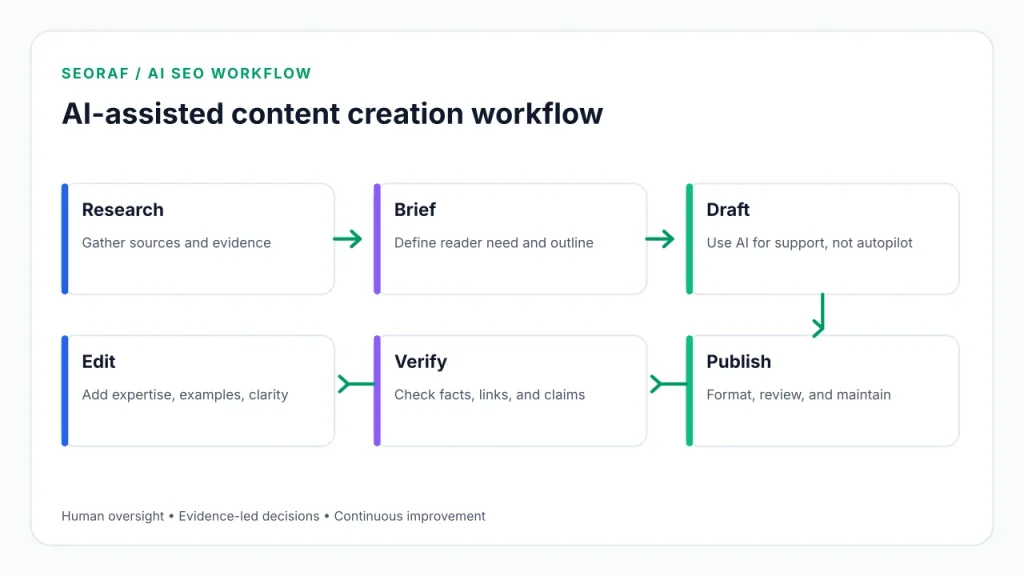
This is the stage where most of the risk sits, and the one Google’s documentation addresses most directly. Drafting is fast. Review is where the quality comes from.
Draft one section at a time under the brief
Supply the approved brief, the verified sources and a style guide. Ask for one section at a time, and tell the model to use only the supplied sources for facts. Long single-pass drafts tend to drift in tone and repeat themselves, so section-level drafting makes review easier. This is a SEORAF recommendation, not a Google requirement.
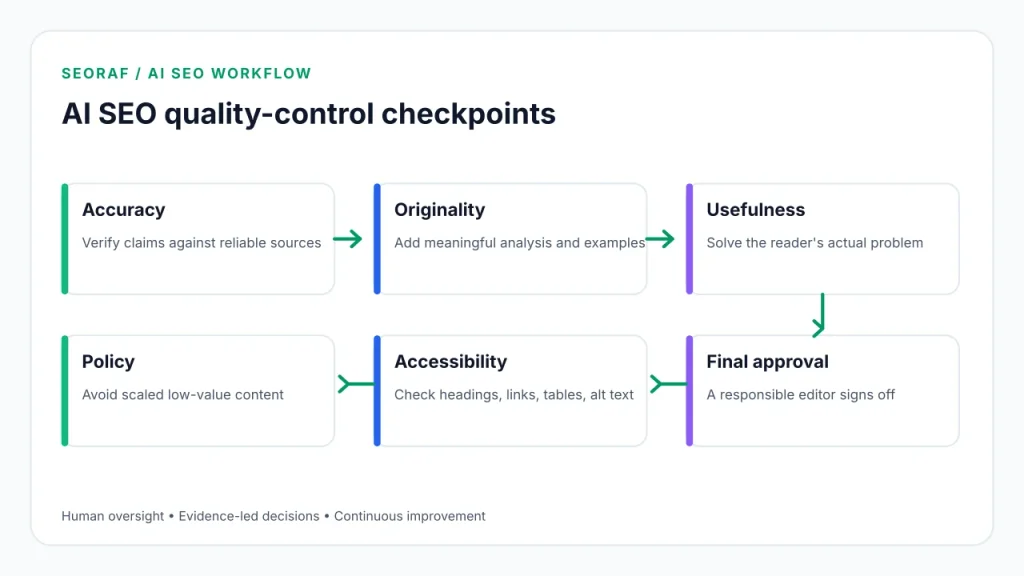
The four review layers
| Layer | Question | Typical fix |
|---|---|---|
| Accuracy | Is every claim true and sourced? | Verify, correct or delete |
| Originality and experience | Does this add anything beyond common knowledge? | Add genuine input or cut the section |
| Intent fit | Does it answer the reader’s actual question? | Reorder, cut tangents |
| Tone and clarity | Is it plain, specific and free of filler? | Edit for the reader |
Table 10: The four editorial review layers. SEORAF recommendation.
The fact-check protocol
- Extract every factual claim from the draft into the claim register.
- For each, find the primary source and read the relevant passage yourself.
- Mark it verified, corrected or removed.
- Re-read the draft for statements that were never in the register.
- Confirm every link points to a page that says what you claim it says.
Rejection criteria: reject any draft passage that contains an unsupported statistic, a quote you cannot trace, a citation you cannot open, a claim of personal experience the author does not have, or generic advice that adds nothing.
What Google’s review requirement covers
Google-documented: Google’s guidance on using generative AI content (the page shows October 1, 2026 as its last update) calls manual fact-checking and review of all AI-generated content for accuracy and trustworthiness critical before publishing. It says the review also applies to metadata that can appear in Search results, namely title elements, meta description elements, structured data and image alt text. For structured data, it adds that markup must comply with Google’s general structured data guidelines and be validated. The guidance links to the Search Quality Rater Guidelines for how raters evaluate scaled content abuse (section 4.6.5) and main content created with little to no effort, originality or added value (section 4.6.6), and notes that rater ratings do not directly influence ranking.
Google describes E-E-A-T (experience, expertise, authoritativeness and trust) in its helpful content guidance. It says E-E-A-T itself is not a specific ranking factor, that its systems use a mix of factors that can identify content with good E-E-A-T, and that trust is the most important aspect. Treat it as a way of reviewing a draft, not a score you can optimize. For related guidance on writing pages that persuade responsibly, see writing content that converts.
Disclosure and bylines
Google’s guidance suggests giving readers context on how content was created, in a way that makes sense for your audience, particularly when content is generated automatically. Its helpful content guidance on how content was created covers the idea. Disclose accurately and in proportion: say what AI did and what a person reviewed. As a SEORAF recommendation, do not list an AI system as the author of advice content, and never claim a person tested something they did not.
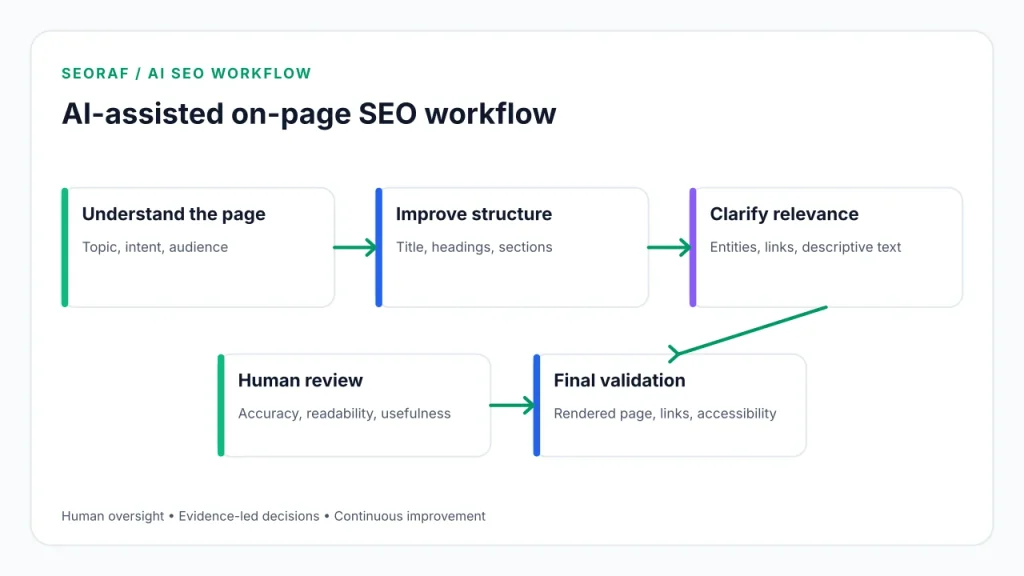
Stage 6: On-Page SEO Optimization
On-page work is where AI saves the most routine effort and where small errors reach Search results directly.
Titles and meta descriptions
Ask AI for several options, then choose one that accurately describes the page and fits the intent. Google may not use your title element or meta description exactly as written, so treat them as proposals. See Google’s documentation on title links and snippets. Never accept a description that promises something the page does not deliver.
Headings and answer-first structure
Google’s generative AI guide recommends organizing content with clear paragraphs, sections and headings for human readers, and says there is no ideal page length. Put the answer to the main question near the top, then elaborate. Write for the reader, not for a feature.
Alt text and media
AI can draft alt text for an image if you describe it accurately, but you must confirm it matches the image. Google publishes a guide to writing alt text. Google’s generative AI guide notes that its generative AI features can surface relevant images and video, so useful original visuals are worth including. See Google’s image SEO documentation.
On-page verification table
| Element | AI can draft | A human must verify |
|---|---|---|
| Title element | Several options | Accuracy, intent fit, no overpromising |
| Meta description | Several options | Matches page content, no invented claims |
| Headings | Alternatives | Logical hierarchy, reader usefulness |
| Image alt text | Description from your input | Matches the actual image |
| Structured data | Markup syntax | Validity and match with visible content (Stage 7) |
Table 11: On-page elements and their verification. Google names titles, meta descriptions, structured data and alt text as items to review.
Stage 7: Technical SEO Workflow
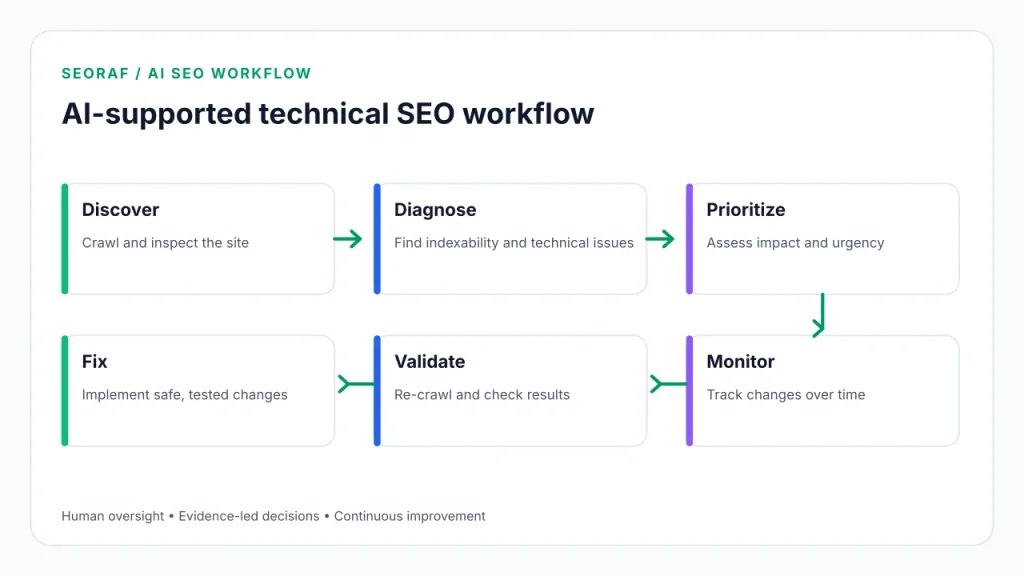
AI can help summarize technical data and draft markup. It cannot confirm that a page is indexed or that your code is valid, so every output needs a tool or a person to check it.
Eligibility basics
Google-documented: a page must be indexed and eligible to appear in Google Search with a snippet, and meet Google’s technical requirements, to be eligible for generative AI search features. Google also provides a Search Console control for managing a site’s inclusion in Search generative AI features. Eligibility is not a guarantee that a page will be selected for or appear in a particular AI answer. This is separate from whether a property has access to a performance report in Search Console. Meeting technical requirements also does not guarantee crawling, indexing or serving. Make sure content is crawlable and links use crawlable markup, as described in Google’s guidance on crawlable links.
Audit triage with AI
- Export crawl data from your crawler. For background, see how SEO crawlers work.
- Give AI the export and ask it to group issues by type and suggest a priority order, stating its reasoning.
- Verify each high-priority finding in the crawler or the live page before filing a ticket.
- Write tickets with the URL, the evidence and the expected fix. Do not forward unverified AI claims to developers.
For a complete audit method, see running a technical SEO audit. On very large sites, Google points to its guide to optimizing your crawl budget; see also crawl budget on large websites.
Structured data: draft, validate, confirm
AI can write JSON-LD quickly. Run it through Google’s Rich Results Test where the feature is supported, then confirm the markup describes content that is actually visible on the page. Google’s guidance says to follow its general structured data guidelines. Its generative AI guide also says structured data is not required for generative AI search and that no special schema exists for it, though it remains useful for rich-result eligibility.
One practical caution: industry reporting says Google ended FAQ rich results in May 2026, so adding FAQPage markup to chase a visible result is no longer worthwhile for most sites (Search Engine Journal). Check Google’s current structured data documentation before relying on any markup type.
Duplicates and canonicals
Producing content at volume creates duplicate and near-duplicate pages. Google’s guide notes that duplicate content can be a poor user experience and can waste crawling resources, and suggests reducing it if you have time. AI can help list suspected duplicates from an export. A person decides which URL is canonical and whether pages should be merged.
Stage 8: Internal Linking and Content Architecture
Internal links connect a page to the rest of the site for readers and for crawlers. AI can suggest candidates quickly, but only a reviewer can judge whether a link helps.
Map the cluster
List the hub page, its supporting pages and the intent each serves. If two pages answer the same question, merge or differentiate them before adding links. Google’s guide notes that a high quantity of pages does not make a site higher quality or more relevant, which argues for fewer, stronger pages.
Generate candidates from a real URL list
Give AI an actual inventory of your URLs and titles. Never ask it to guess URLs, because it may invent addresses that do not exist. Ask for link candidates with a one-line reason for each.
Human approval rules
- The link helps the reader at that point in the text.
- The anchor text describes the destination naturally. Avoid repeating an exact-match phrase on every link.
- The destination exists, returns a normal page and is the best page for that topic.
- The link does not push a page to compete with another page for the same intent.
Keep one intent per URL and log changes
Record each link you add, to which page and why. The log makes later pruning and refreshes safer, and helps you spot cannibalization early. For curated starting points across the site, see SEORAF resources.
AI Search Optimization and GEO
Google’s guide says that optimizing for generative AI search is optimizing for the search experience, and so still SEO. For that reason this guide does not add a separate workflow for it.
What Google says
Google-documented: AI Overviews and AI Mode are rooted in core Search ranking and quality systems. Google names two techniques. Retrieval-augmented generation, also called grounding, relies on Search’s ranking systems to retrieve relevant, up-to-date pages from the Search index so that responses are better grounded. Query fan-out generates a set of related queries to fetch additional results. In Google’s own example, a query about fixing a lawn full of weeds might fan out into queries about the best herbicides, removing weeds without chemicals and preventing weeds. Google adds that creating separate content for each possible variation primarily to manipulate rankings or generative AI responses violates its scaled content abuse policy.
What not to do
| Common tactic | What Google’s guide says for Google Search |
|---|---|
| Creating llms.txt or other special machine-readable files | Not needed; Google Search does not use them. Creating them for other services is fine and neither helps nor harms visibility in Google Search. |
| “Chunking” content into tiny pieces | No such requirement; make pages for your audience. There is no ideal page length. |
| Rewriting content just for AI systems | Not needed; AI systems understand synonyms and general meaning. |
| Seeking inauthentic mentions | Not as helpful as it seems; Google’s core ranking systems focus on high-quality content and its spam systems apply. |
| Adding special schema for AI features | Not required; there is no special schema.org markup for generative AI search. |
Table 12: Tactics Google says you can ignore for Google Search. Google-documented.
Where this already fits in the workflow
- Stages 3 and 4: write non-commodity content with a unique point of view.
- Stage 5: keep it accurate, because AI features draw on pages for grounding.
- Stage 6: add useful images and video where they help.
- Stage 7: keep pages crawlable, indexed and snippet-eligible.
- Stage 9: measure with Search Console.
Other AI platforms and honest uncertainty
Other AI assistants have their own retrieval and citation systems, and Google’s documentation does not describe them. Claims about how to win citations there are practitioner observation, not documented fact. If you are weighing third-party “AEO” or “GEO” advice, Google points to its guidance on evaluating third-party SEO advice. No one can guarantee inclusion in any AI answer, and this guide makes no such promise. For the Google feature in depth, see how Google’s AI Overviews work and tools that track AI Overviews.
Stage 9: SEO Monitoring and Performance Analysis
Monitoring closes the loop. It tells you what to keep, what to fix and what to retire.
What to track
Google-documented: Google points site owners to the Generative AI performance report in Search Console to measure how content appears in generative AI features. See Google’s documentation for the report. Google’s June 3, 2026 announcement says the reports give dedicated views of impressions in features such as AI Overviews and AI Mode, with generative AI features in Discover covered too. Industry coverage reports that the Search report breaks impressions down by page, country, device and date, and that it does not currently include clicks or queries, which remain in the standard Performance report (Search Engine Journal). Report availability and rollout can vary by property; check what is actually available in your Search Console account. A performance report measures reported visibility and is not an eligibility control. Read Google’s announcement of the reports for the official description.
AI-assisted analysis, with limits
AI can summarize data you export and flag unusual movements. It must not explain why something happened unless the data supports it. Treat every proposed cause as a hypothesis to test. Be cautious with third-party tools that claim access to internal Google metrics. Google’s guide says no third-party tool has access to its internal ranking or AI systems.
Measurement map
| Question | Where to look | Limits |
|---|---|---|
| Is the page indexed? | Search Console indexing reports | Indexing is never guaranteed |
| How often do pages appear in AI Overviews and AI Mode? | Generative AI performance report | Impressions; clicks and queries are reported elsewhere |
| What queries and clicks do pages get? | Standard Performance report | Does not isolate AI features on its own |
| What do visitors do on the site? | Your analytics platform | Source attribution can be incomplete |
| How do rankings move? | A rank tracker | Estimates, not Google data |
Table 13: A measurement map. See also setting up an SEO KPI dashboard and an SEO report template.
Refresh and re-verify
Pages age. Schedule reviews, and re-check any page that cites a policy, a price or a feature. Re-verify this workflow whenever Google updates its pages: its guides changed in July and October 2026. Retire or consolidate pages that no longer earn their place; see pruning outdated content.
| Date | Page | What changed | Claims re-verified | Reviewer |
|---|---|---|---|---|
| Record | URL | Edit summary | Yes or no, with sources | Name |
Table 14: Refresh and re-verification log template.
AI SEO Tools by Workflow Stage
This section lists tool categories, not products. Features and pricing change often, and I have not tested or verified any specific product for this guide. For named tools, check each vendor’s official documentation and pricing pages on the day you decide. See content optimization tools and, for tracking, tools that track AI Overviews.
Tool categories by stage
| Stage | Tool category | What to verify before choosing |
|---|---|---|
| 1. Research | General-purpose AI assistants; reference managers | Data handling, whether it can work only from your supplied sources |
| 2. Keywords | SEO suites and keyword tools | Data source, update frequency, regional coverage |
| 3. SERP analysis | SERP and content-analysis tools | How results are collected and dated |
| 4 to 5. Planning and drafting | AI assistants, content editors | Citation behavior, exports, style controls |
| 6. On-page | Content optimization tools | What the score measures, and its limits |
| 7. Technical | Crawlers, validators | Export formats, rendering support |
| 8. Internal links | Crawlers, link-suggestion features | Whether suggestions use your real URLs |
| 9. Monitoring | Search Console, analytics, rank trackers, AI-visibility trackers | Methodology; Google says third-party tools lack internal Google metrics |
Table 15: Tool categories by stage. No product ranking is implied.
Selection criteria
- Where does the data come from, and how recent is it?
- Can you export your work and leave without losing it?
- What does the tool do with your content and data?
- Does the vendor document its limits, or only its benefits?
- Is the pricing clear on the vendor’s own page?
Using general-purpose assistants safely
Before pasting client data, unpublished material or personal information into any AI tool, check what its terms say about storing and reusing inputs. As a SEORAF recommendation, keep a short rule about what may and may not be pasted. Google’s guide advises evaluating third-party tools’ advice against its official guidance, and its guidance on third-party SEO advice is a useful standard.
Practical AI SEO Workflow Examples
These examples are illustrative and fictional. They show the artifacts each stage produces, not outcomes. They are not case studies.
Example 1: a new article, from brief to publish
Setting: a fictional bicycle maintenance blog planning a page on adjusting a rear derailleur.
| Stage | What happens | Artifact |
|---|---|---|
| 1 | The editor collects the manufacturer’s documentation and reader questions, and asks AI to summarize them | Source log; claim register |
| 2 | AI proposes related queries; the editor validates them in a tool and the SERP | Keyword and intent map |
| 3 | The editor reads three top pages, notes that none explains the safety steps clearly | Gap worksheet |
| 4 | The brief lists the safety checklist as the original asset | Approved brief |
| 5 | AI drafts sections; an AI-supplied torque figure is flagged as unverified and removed until checked against the manufacturer | Reviewed draft; QA log |
| 6 to 8 | Metadata, alt text and markup verified; internal links approved | Verified metadata; link plan |
| 9 | Page added to the monitoring sheet | Refresh log entry |
Table 16: Illustrative new-article workflow. Fictional.
Example 2: refreshing an existing page
The same fictional blog finds, through a scheduled review, that an older page cites outdated guidance. The editor lists every claim on the page, re-verifies each against current sources, and asks AI only to suggest clearer wording for sections that changed. The update log records the edit and the sources re-checked. The page is not rewritten wholesale, and no new pages are created for minor query variations.
Example 3: a solo publisher’s minimum workflow
- Write down sources and the questions the page must answer.
- Check keywords in a tool; skip any AI claim about volume.
- Draft with AI one section at a time, using only the logged sources.
- Fact-check every claim and every metadata field.
- Publish, then add a dated entry to the update log.
Common AI SEO Workflow Mistakes
| Mistake | Why it matters | Fix |
|---|---|---|
| Publishing AI output without fact-checking, including metadata | Google calls review critical and includes titles, meta descriptions, structured data and alt text | Run the Stage 5 protocol and the on-page table |
| Creating a page for every query variation | May breach the scaled content abuse policy | One strong page per intent |
| Treating AI as a source of search data | A language model alone cannot verify live search volumes or rankings | Validate in tools and the live SERP |
| Merging all competitors into one outline | Produces commodity content | Apply the commodity test |
| No first-party data or sources supplied | Invites hallucination | Supply sources; log them |
| Chasing llms.txt, chunking or special schema for Google | Google says they are not needed | Focus on quality and technical basics |
| Inventing experience or authority | Undermines trust, which Google calls the most important aspect of E-E-A-T | Use only genuine experience |
| Skipping refreshes | Claims and policies go stale | Scheduled re-verification |
| Relying on third-party “AI ranking” claims | No outside tool sees Google’s internal metrics | Use Search Console as the main source |
| Pasting confidential data into AI tools | Data-handling risk | Set and follow a paste policy |
Table 17: Common mistakes, reasons and fixes.
AI SEO Workflow Checklist
A SEORAF checklist derived from the stage gates and Google’s review guidance. Copy it into your own document.
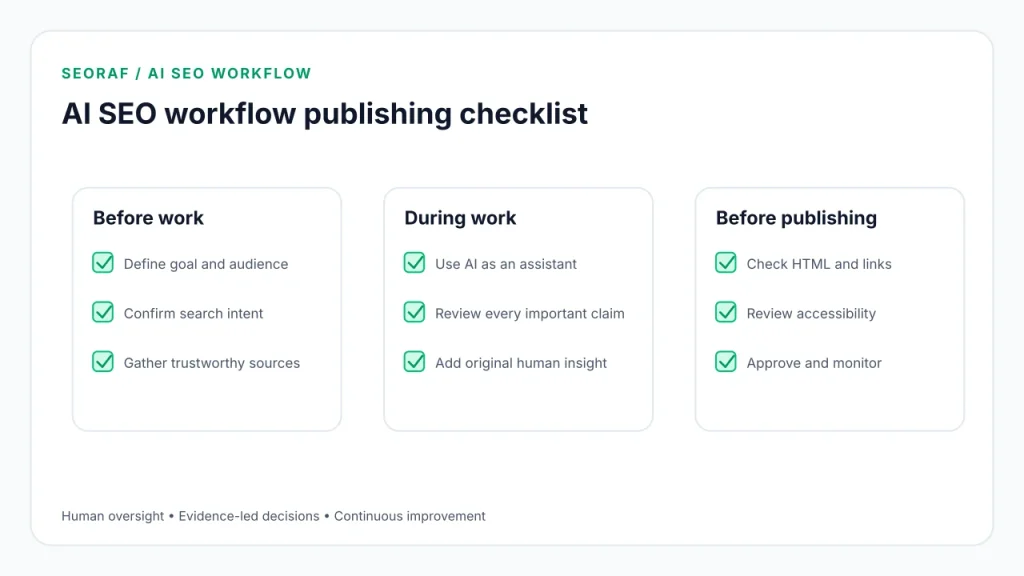
Before drafting
- ☐ The page has one stated job and one primary intent.
- ☐ Sources are logged with URLs and dates read.
- ☐ AI keyword suggestions were validated in a keyword tool and against the live SERP.
- ☐ Competitor pages were actually read, not only summarized.
- ☐ The brief states what a human will add and who approves it.
- ☐ The page does not duplicate another URL’s intent.
Before publishing
- ☐ Every factual claim is in the register and verified.
- ☐ No unsupported statistics, untraceable quotes or unopened citations remain.
- ☐ Any personal experience stated is genuine.
- ☐ Title, meta description and alt text are accurate and reviewed.
- ☐ Structured data is valid and matches visible content.
- ☐ The page is crawlable, indexable and snippet-eligible.
- ☐ Internal links are approved and point to live pages.
- ☐ A named person approved publication.
- ☐ An accurate AI-use disclosure is in place where appropriate.
After publishing
- ☐ The page is in the monitoring sheet with a review date.
- ☐ Search Console is checked for indexing and impressions.
- ☐ The update log has a dated entry.
- ☐ Google’s relevant pages are re-checked on a schedule.
Frequently Asked Questions
Does Google penalize AI-generated content?
Google’s documentation does not ban AI-assisted content. It says generative AI can help with research and structure, and it targets scaled content that exists mainly to manipulate rankings and does not help users, however it is produced. It also says AI output must be manually fact-checked and reviewed before publishing. See Google’s guidance.
Do I have to fact-check AI-written titles, meta descriptions and schema?
Yes. Google’s guidance says the review applies to title elements, meta description elements, structured data and image alt text, which can appear in Search results.
Can AI do keyword research on its own?
It can brainstorm related queries and group them by apparent intent. A language model alone cannot provide verified search-volume or keyword-difficulty figures. Some AI products connect to external data sources, but you should verify the provider, date, region and methodology in the underlying SEO tool.
Do I need llms.txt or special schema for AI Overviews?
Not for Google Search, according to Google’s generative AI guide. It says Google Search does not use llms.txt, and that no special schema.org markup is needed for AI features.
What is the difference between AI SEO and GEO?
“AI SEO” can mean using AI to do SEO work, which is this guide’s subject, or optimizing for AI answers. GEO refers to the second. Google says optimizing for generative AI search is still SEO.
How do I measure AI Overviews performance?
Use the Generative AI performance report in Search Console. As of the reporting I reviewed, it shows impressions, and clicks and queries remain in the standard Performance report. Confirm what your property shows.
How should I disclose AI use?
Google’s guidance suggests giving readers context on how content was created where it suits your audience. State plainly what AI did and what a person reviewed, and do not overstate either.
What should I never automate?
As a SEORAF recommendation: strategy decisions, final fact-checks, claims on medical, legal or financial topics without expert review, statements of personal experience, and the decision to publish.
Conclusion
AI can make SEO work faster, but speed is not the objective. The objective is pages that are accurate, original and useful, and a process that proves it. In a good AI SEO workflow, AI accelerates defined tasks, and people own the facts, the experience, the judgment and the decision to publish.
A sensible first step is to run the workflow on a single page and record what the review caught. Use the stage-gate table as your SOP and the checklist as your gate. Revisit both when Google updates its guidance. No process guarantees rankings, traffic or income, and this guide does not promise any.
Sources and Further Reading
Google documentation
- Google Search’s guidance on using generative AI content on your website (last updated October 1, 2026)
- Optimizing your website for generative AI features on Google Search (last updated July 10, 2026)
- Google spam policies: scaled content abuse
- Google Search Essentials
- Google Search technical requirements
- Creating helpful, reliable, people-first content
- Guidance on third-party SEO tools and advice
- Structured data general guidelines
- Optimizing your crawl budget
- Writing alt text
- Introducing Search Generative AI performance reports in Search Console (June 3, 2026)
- Search Console Help: Generative AI performance report
- Search Console Help: inclusion in Search generative AI features
- Google Search Central documentation updates
- Google Search and AI-generated content (2023)
- Search Quality Rater Guidelines (PDF)
Industry reporting and research
- Ahrefs: Google doesn’t punish AI content (July 2026 study)
- Ahrefs: AI-generated content does not hurt your Google rankings (2025 study)
- Search Engine Journal: Heavily AI-flagged pages still rank across Google’s top 10
- Search Engine Journal: Google reports AI search impressions
- Search Engine Journal: Google drops FAQ rich results
- Search Engine Roundtable: Google updates AI content guidelines
- PPC Land: Spam policies cover AI Overviews and AI Mode (reporting on Google’s changelog)
Last reviewed November 21, 2026. Google’s documentation changes, so re-check the Google pages above before relying on any detail here.