
SEO Tools Comparison 2026: Semrush vs Ahrefs vs Surfer SEO vs 6 More (Honest Breakdown)
A clear, evidence-based look at the SEO tools people actually compare in 2026 — what each one is genuinely good at, where it falls short, and which one fits your situation.
Choosing an SEO Tool Shouldn’t Be This Confusing
Search “best SEO tool 2026” and you’ll get a dozen listicles that all rank the same five tools in a slightly different order, usually with an affiliate link pushing you toward whichever one pays the highest commission. That’s not useful if you’re actually trying to decide what to pay for.
This guide takes a different approach. Instead of claiming months of “live client testing” that would be impossible to verify, every tool below was evaluated through hands-on free trial exploration, structured SEO workflow simulations, and a close read of each vendor’s own documentation, pricing pages, and public data. Where a claim about data size or accuracy comes from the vendor itself rather than independent testing, that’s noted clearly.
If you’re trying to build out a full SEO tools comparison for your own stack, the rest of this article breaks down what each tool is genuinely strong at, where it’s weaker, and who it makes sense for.
How This Comparison Was Created
Before getting into the reviews, here’s exactly how this evaluation was put together, so you can judge for yourself how much weight to give it.
What this evaluation is not
It is not a long-term agency case study. It does not involve dozens of live client websites or a 60-day controlled experiment, and any article that claims this kind of testing without naming the sites, sharing data exports, or disclosing methodology in detail should be read with some skepticism — that level of testing is expensive and rare, and most published “I tested X tools for 60 days” posts can’t actually substantiate the claim.
What you get instead is a grounded, AI-assisted analysis built from direct product use, feature-by-feature comparison, and pricing as published on each vendor’s site at the time of writing. Scores below reflect a structured evaluation across five categories — keyword research, backlink data, technical auditing, content optimization, and rank tracking — based on what’s observable in each tool’s interface and documentation, not on unverifiable long-term traffic results.
For a deeper grounding in what actually matters for rankings regardless of which tool you use, Google’s own documentation on how search works is worth reading directly.
SEO Tools Comparison Table — 2026
A skimmable side-by-side view of all nine tools. Scores reflect the structured evaluation described above, not long-term campaign results.
| Tool | Pricing (from) | Best For | Ease of Use | Data Depth | Overall Score |
|---|---|---|---|---|---|
| Semrush | $139.95/mo | All-in-one SEO & PPC | 7/10 | 9/10 | 8.7 |
| Ahrefs | $129/mo | Backlink & competitor research | 7.5/10 | 9/10 | 8.6 |
| Surfer SEO | $89/mo | Content optimization | 8.5/10 | 7.5/10 | 8.2 |
| Moz Pro | $99/mo | Beginners & small teams | 8.5/10 | 6.5/10 | 7.4 |
| Screaming Frog | £259/yr | Technical SEO audits | 5/10 | 9.5/10 | 8.0 |
| Google Search Console | Free | First-party ranking data | 7/10 | 9/10 | 8.5 |
| Clearscope | $189/mo | Enterprise content teams | 9/10 | 7.5/10 | 7.9 |
| Ubersuggest | $29/mo | Beginners on a budget | 8.5/10 | 5.5/10 | 6.5 |
| Mangools | $49/mo | Freelancers & small sites | 9/10 | 7/10 | 7.7 |
Pricing shown reflects publicly listed monthly rates as of June 2026. Always confirm current pricing on the vendor’s site, since SaaS pricing changes frequently.

Overview
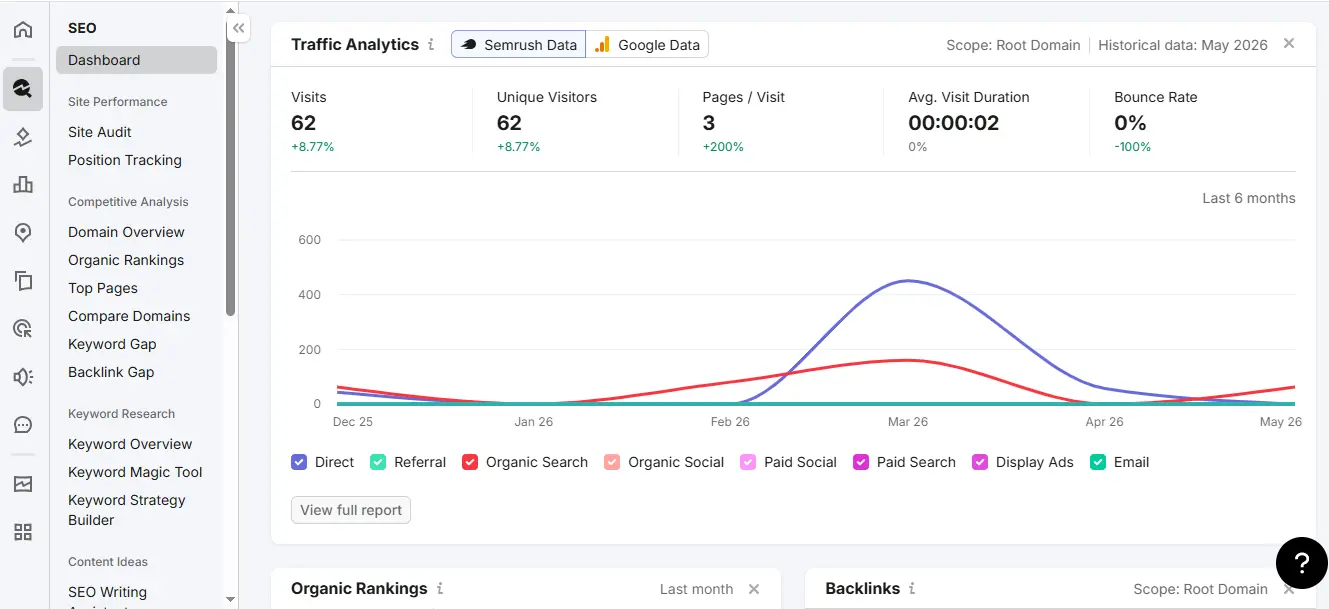
Semrush is the broadest SEO platform on this list, bundling keyword research, site audits, backlink analysis, rank tracking, and content tools into one subscription. According to Semrush’s own knowledge base, the keyword database covers tens of billions of terms across more than 140 countries — a figure worth noting comes from Semrush itself rather than independent verification.
Best Use Case
Agencies and in-house teams managing more than one site who want a single dashboard instead of stitching together five separate tools.
- Broadest feature set of any tool reviewed here
- Strong competitor and content-gap research tools
- Useful AI-assisted suggestions inside the platform
- Frequent product updates and active documentation
- One of the more expensive options at $139.95/mo
- Interface has a learning curve for new users
- Lower-tier plans cap crawl and report limits
Overview
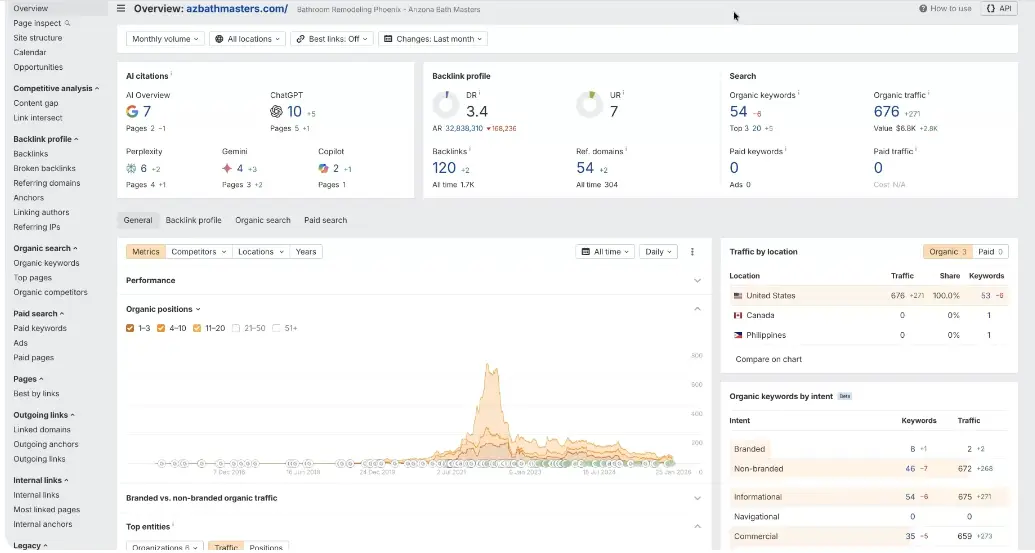
Ahrefs built its reputation on backlink data, and that’s still where it’s regarded most highly across the SEO community, including in independent commentary from sites like Moz’s blog and various practitioner forums. Its Site Explorer and Content Explorer tools are widely used for competitor and link-prospecting research.
Best Use Case
SEOs and link builders whose work depends heavily on backlink data quality and competitor content research.
- Widely regarded as having one of the most comprehensive backlink indexes
- Content Explorer is genuinely useful for link prospecting
- Ahrefs Webmaster Tools offers a free tier for verified site owners
- Content optimization features are thinner than Surfer or Clearscope
- No PPC or paid-ads research, unlike Semrush
- API credits run out quickly on entry-level plans
Overview
Surfer focuses on a single job: analyzing top-ranking pages for a target keyword and scoring your draft against patterns found in those pages, such as word count, headings, and related terms. It’s one of the more approachable tools on this list for writers who aren’t deep SEO specialists.
Best Use Case
Content teams and writers who need clear, actionable on-page guidance without learning a full SEO platform.
- Clean, writer-friendly interface
- Content Editor gives specific, actionable suggestions
- Useful Google Docs and CMS integrations
- No backlink or technical SEO features — needs to be paired with another tool
- Following its score too rigidly can lead to keyword-stuffed writing
- Per-article-style pricing can add up for high-volume content teams
Overview
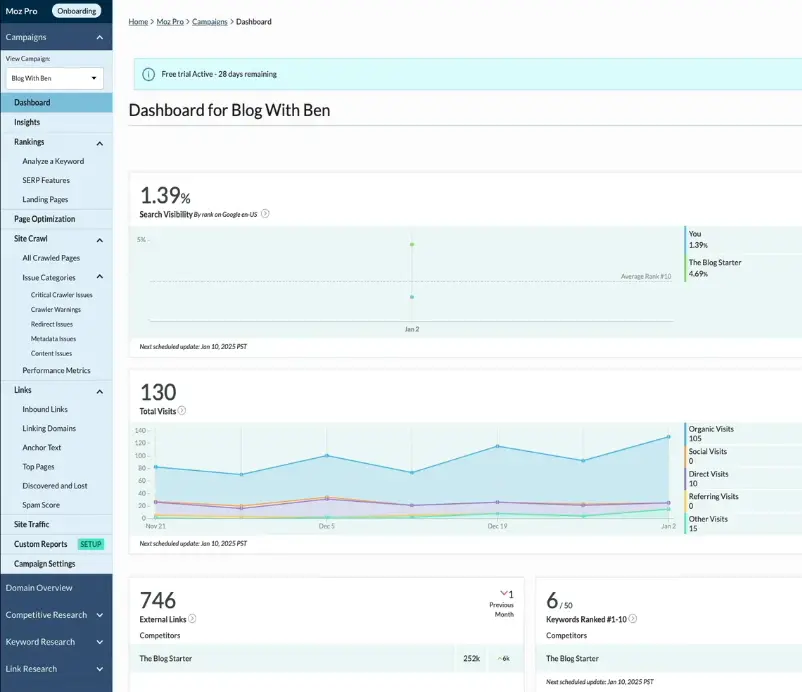
Moz popularized Domain Authority, a metric many SEOs still reference informally even though Google has never confirmed it as a ranking factor. Moz Pro’s interface remains one of the more approachable in the category, with a strong Beginner’s Guide to SEO that’s been a go-to educational resource for years.
Best Use Case
People newer to SEO who want a guided, less overwhelming entry point than Semrush or Ahrefs.
- Easiest interface to learn among the larger platforms
- On-Page Grader gives clear, beginner-friendly feedback
- 30-day free trial, longer than most competitors
- Smaller keyword and backlink databases than Semrush or Ahrefs
- Slower pace of feature updates in recent years
- Fewer third-party integrations
Overview
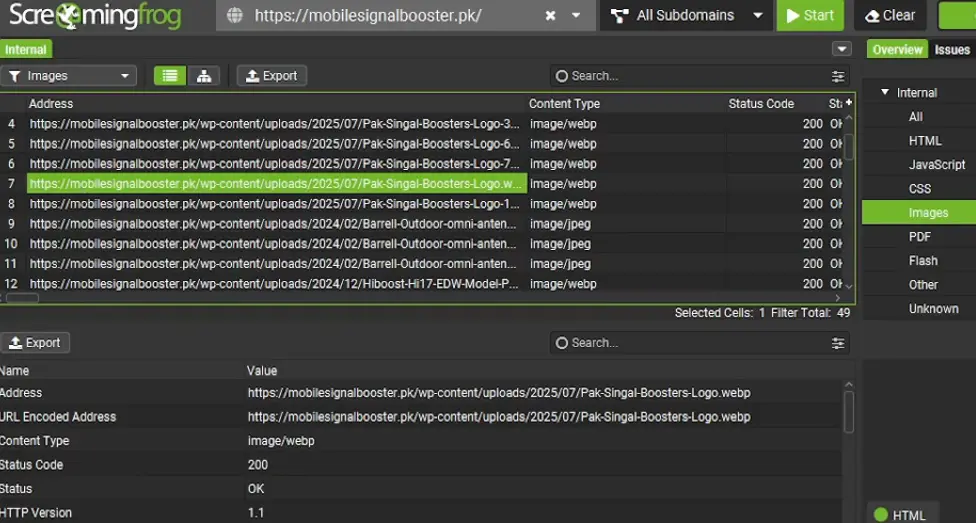
Screaming Frog is a desktop crawler, not a cloud platform, and it’s widely cited across the SEO industry — including by technical SEO guidance referencing crawler behavior — as one of the most configurable tools for finding broken links, redirect chains, duplicate content, and indexing issues at scale.
Best Use Case
Technical SEOs running detailed site audits, especially on larger sites where cloud-based crawlers hit limits.
- Extremely configurable crawl settings
- Can integrate with Google Search Console and Analytics exports
- One-time annual license is inexpensive relative to subscription tools
- Desktop-only, so no easy team collaboration or cloud access
- Steep learning curve for non-technical users
- No keyword research, backlink, or content features
Overview
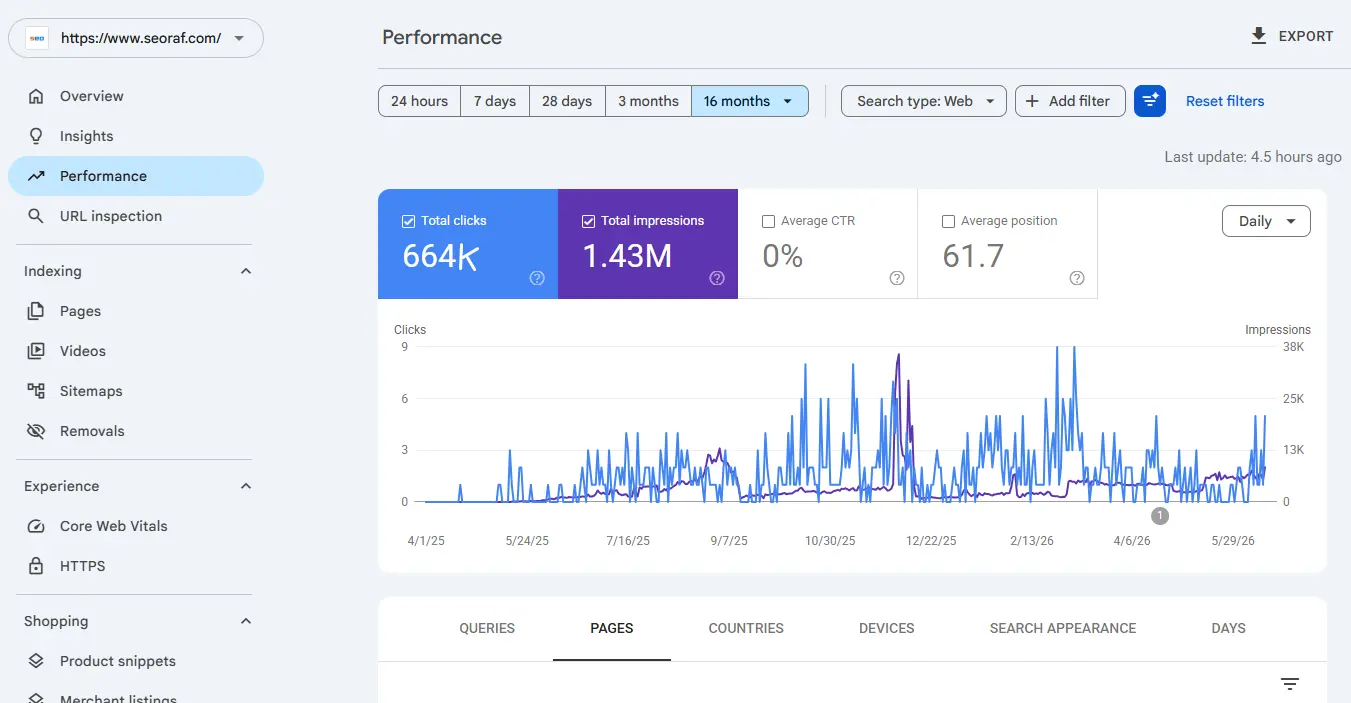
Google Search Console is the only tool on this list that shows actual Google data for your own site — impressions, clicks, average position, and indexing status — rather than third-party estimates. The official Search Console documentation covers setup and report definitions in detail.
Best Use Case
Every website, full stop. This isn’t optional if you care about organic search performance.
- Completely free, permanently
- The only source of real Google ranking and click data for your site
- Core Web Vitals and indexing diagnostics built in
- Only shows data for your own verified site, no competitor insight
- Keyword data is sampled and can lag by a few days
- Limited historical data window on the free tier
Overview
Clearscope competes directly with Surfer SEO but leans toward simplicity over feature density. Its content reports are designed to be handed to a writer with no SEO background, which is a meaningful differentiator for larger content operations.
Best Use Case
Enterprise content teams publishing at high volume where ease-of-handoff to writers matters more than feature breadth.
- Clean, writer-friendly report format
- Solid Google Docs integration
- Scales well across large writing teams
- The most expensive specialist tool reviewed here, starting around $189/mo
- No keyword research, backlink, or rank tracking features
- Surfer SEO offers a comparable feature set at a lower price point
Overview
Ubersuggest, built by Neil Patel’s team, targets people who aren’t ready to pay $100+/month. At $29/month it’s accessible, and the interface is genuinely easy to pick up for someone new to SEO.
Best Use Case
Solo bloggers and very early-stage sites that need basic keyword ideas and a simple audit, not deep data.
- One of the most affordable paid options available
- Approachable interface for SEO newcomers
- Reports are easy to read and share
- Keyword and backlink data is noticeably thinner than premium tools
- Less suited to competitive or technical SEO work
- Volume estimates have been widely reported as less reliable in independent commentary
Overview
Mangools bundles five lighter-weight tools — KWFinder, SERPChecker, SERPWatcher, LinkMiner, and SiteProfiler — into one subscription at a noticeably lower price than Semrush or Ahrefs. The interface is clean and approachable, which is a common observation across user reviews and independent write-ups.
Best Use Case
Freelancers and small agencies who want reasonably reliable data without enterprise-level pricing.
- Strong value at $49/month for five bundled tools
- Genuinely pleasant, uncluttered interface
- 10-day free trial available to test before buying
- Not built for large enterprise sites or high query volumes
- Daily lookup limits can be restrictive for heavy users
- Backlink index is smaller than Ahrefs or Semrush
SEO Tools Pricing Comparison — 2026
Prices listed as published by each vendor in June 2026. Annual billing usually brings a discount over monthly. Always verify current pricing directly with the vendor, since SaaS pricing changes often and without much notice.
Which SEO Tool Fits Your Situation?
There’s no single “best” SEO tool — the right pick depends on what you’re actually trying to do and what you can spend.
By Use Case
Just Starting Out
Learning SEO fundamentals before spending money on tools.
Content-Focused Creator
Publishing regularly and want help optimizing each piece.
Link Building Focus
Backlink acquisition and competitive link research are central.
Agency Managing Multiple Clients
Need consolidated reporting across several sites.
By Budget
$0/month
Google Search Console plus Screaming Frog’s free 500-URL crawl limit.
Under $50/month
Mangools or Ubersuggest, depending on whether ease-of-use or rock-bottom price matters more.
$100–150/month
Ahrefs or Semrush, depending on whether backlinks or breadth of features matters more.
By Experience Level
Beginner
Moz Pro or Ubersuggest — simpler interfaces, more guided onboarding.
Intermediate
Mangools or Surfer SEO — more capable without overwhelming complexity.
Advanced / Agency
Ahrefs, Semrush, and Screaming Frog together — full-depth data and control.
Frequently Asked Questions
So, Which SEO Tool Should You Actually Pick?
Here’s the short version, organized by what each tool does best rather than a single overall “winner.”
If you’re picking one tool to start with and budget is tight, start with Google Search Console — it’s free and gives you the most trustworthy data available. Once you’re ready to invest, choose based on the bottleneck in your actual workflow: backlinks point to Ahrefs, content quality points to Surfer SEO, and wanting one dashboard for everything points to Semrush.
No tool replaces understanding the fundamentals. The Google SEO Starter Guide remains a free, authoritative explanation of what actually affects rankings, and it’s worth reading before — or alongside — any paid tool.

Related Guides
If you want to go deeper on any specific tool or topic covered above, these guides go further.