
SEO Software Guide
SEO Software Explained: How It Works & How to Choose
SEO software helps website owners, marketers, agencies, and SEO professionals research keywords, monitor rankings, audit websites, analyze backlinks and competitors, optimize content, and report on search performance. It collects and analyzes search-related data so users can identify opportunities, investigate problems, and measure changes over time. The right platform depends on your website size, SEO goals, workflow, required data, and budget.
SEO Software • Updated September 2026
What Is SEO Software?
SEO software is a category of digital tools designed to help website owners, marketers, agencies, and SEO professionals research, monitor, analyze, and improve organic search performance. Instead of manually collecting data from search results, websites, backlinks, and competitors, SEO software automates many repetitive SEO tasks and organizes the results into reports, dashboards, and actionable insights.
Depending on the platform, SEO software may include keyword research, rank tracking, technical SEO auditing, backlink analysis, competitor research, content optimization, local SEO, reporting, and visibility monitoring. Some products specialize in one area, while all-in-one platforms combine several capabilities under one subscription.
The key distinction is that SEO software does not replace SEO strategy. It provides the data and analysis needed to make better decisions about what to optimize, which opportunities to prioritize, and how performance changes over time.
How SEO Software Works
SEO software works by collecting, processing, storing, and presenting search-related data so that SEO professionals can identify problems, discover opportunities, and measure changes over time. The exact process varies by platform, but most SEO software follows the same basic workflow: data collection, processing and analysis, storage, and reporting. Some platforms collect data by crawling websites, while others analyze search engine results, backlink databases, keyword datasets, or information connected through APIs.

For example, a rank tracking system checks a website’s position for a defined set of keywords at scheduled intervals. Each check becomes a historical data point, allowing the software to show whether rankings are improving, declining, or remaining stable. Depending on the platform, rankings may be collected for different countries, cities, devices, or search engines. This makes it possible to monitor search visibility consistently without manually checking every keyword.
Site audit software uses a different type of crawling process. It requests pages from a website and follows internal links to discover additional URLs. During the crawl, it can examine elements such as status codes, redirects, canonical URLs, indexability signals, title tags, headings, internal links, and other technical SEO factors. The collected information is then compared against predefined rules and presented as an issue list that helps users prioritize technical improvements.
Backlink analysis works on a much larger scale. Platforms maintain their own web indexes or use external datasets to identify links between websites. When a backlink is discovered, the platform may record information such as the linking page, destination URL, anchor text, discovery date, and other characteristics. Because every provider has a different crawler, database, and update schedule, backlink counts can vary substantially between SEO software platforms.
Keyword research tools use another layer of data. They combine sources such as search behavior estimates, historical observations, clickstream or third-party datasets, and proprietary modeling to estimate metrics including search volume, competition, traffic potential, and related queries. These figures should be treated as estimates rather than exact measurements. Two platforms can therefore report different values for the same keyword without either dataset necessarily being incorrect.
After collecting and processing the data, SEO software stores observations so they can be compared over time. Dashboards, charts, alerts, exports, and reports turn that underlying dataset into information users can act on. This is also why SEO software should generally be used for identifying patterns and making informed decisions rather than treating every metric as an exact representation of Google’s internal data.
The same principle applies when evaluating different types of SEO tools. A platform may be excellent for keyword research but less useful for technical auditing, while another may provide deeper crawling or backlink data. Understanding how the underlying data is collected helps explain why the best SEO software depends on the specific tasks, scale, and accuracy requirements of the user.
Major Capabilities of SEO Software
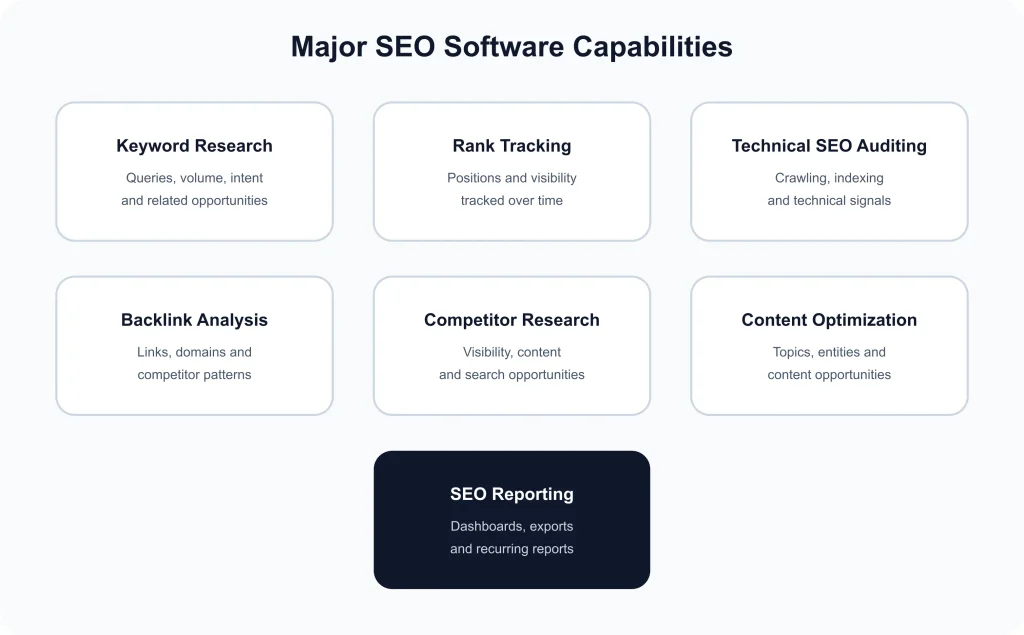
The major capabilities of SEO software are built around the repetitive research, measurement, analysis, and monitoring tasks required for search engine optimization. While individual platforms differ in scope and data quality, most SEO software focuses on a combination of keyword research, rank tracking, technical SEO auditing, backlink analysis, competitor research, content optimization, and SEO reporting. Understanding what each capability actually does makes it easier to compare platforms without choosing one simply because it has the longest feature list.
Keyword Research
Keyword research tools help identify the queries people use when searching for information, products, or services. Depending on the platform, they can provide estimated search volume, keyword difficulty, search intent, related terms, historical trends, and competitor rankings. This data helps SEO teams decide which topics deserve attention and which search opportunities are realistic for a particular website. Keyword estimates should be treated as directional data rather than exact measurements because different platforms use different data sources and estimation methods.
Rank Tracking
Rank tracking monitors where a website’s pages appear for selected keywords over time. A useful rank tracker can segment results by country, location, device, search engine, landing page, or keyword group. Historical tracking is particularly valuable because a single ranking check provides only a snapshot, while recurring measurements reveal trends, gains, losses, and significant changes that may require investigation.
Technical SEO Auditing
Technical SEO audit features crawl a website and identify issues that may affect crawling, indexing, usability, or search visibility. Common checks include broken links, redirect problems, duplicate pages, missing metadata, canonicalization issues, sitemap accessibility, and other technical signals. For foundational guidance, Google’s official crawling and indexing documentation provides the underlying search documentation that SEO software should be interpreted against.
Backlink Analysis
Backlink analysis examines links pointing to a website and can help identify referring domains, linking pages, anchor text, new or lost links, and competitor link patterns. Because no commercial backlink index contains every link on the web, backlink metrics are best used for comparative analysis and opportunity discovery rather than treated as a complete inventory.
Content Optimization and Competitor Research
Modern SEO software may also analyze competing pages, content topics, entities, keyword coverage, and other signals to identify opportunities for improving existing or planned content. These features can support content briefs and optimization workflows, but recommendations should be reviewed against search intent, audience needs, factual accuracy, and the website’s actual business goals. For a broader overview of available platforms and categories, see SEORAF’s SEO Tools hub.
SEO Reporting
Reporting brings data from multiple SEO capabilities into a format that teams, stakeholders, or clients can understand. Depending on the platform, reports may combine rankings, organic visibility, technical issues, backlinks, traffic-related metrics, and progress over time. Automated reporting is especially useful for agencies and larger teams because recurring reports reduce manual data collection and make performance changes easier to communicate.
Key Features Common Across SEO Software
Most SEO software platforms share a core set of features that help users collect, organize, monitor, and interpret search performance data. While individual products differ in depth and accuracy, these common capabilities form the foundation of most SEO workflows.
- Project management — Organizes websites, keywords, competitors, audits, and other SEO data within separate projects or campaigns.
- Scheduled monitoring — Automatically checks rankings, site health, backlinks, or other tracked metrics at recurring intervals.
- Historical data — Stores previous observations so users can identify trends, compare periods, and measure changes over time.
- Data export and integrations — Allows SEO data to be exported or connected with reporting, analytics, and other marketing systems.
- Alerts and reporting — Highlights important changes and turns collected SEO data into dashboards or scheduled reports.
These features make SEO software useful for both ongoing monitoring and larger-scale SEO analysis, although the available limits and depth vary significantly between platforms.
Use Cases for SEO Software
The value of SEO software depends on how it is used. Different websites and teams need different levels of research, monitoring, automation, and reporting. A solo publisher may need a simple way to discover content opportunities, while an agency may need to manage dozens of campaigns from one workspace. The right use case should therefore guide the software choice rather than the size of a feature list.

| Use case | Typical requirements |
|---|---|
| Content publisher | Keyword discovery, topic research, ranking monitoring, competitor analysis, and content performance tracking. |
| Small business | Local search monitoring, website audits, keyword tracking, competitor research, and straightforward reporting. |
| In-house SEO team | Technical monitoring, content optimization, rank tracking, competitive research, and recurring performance analysis. |
| SEO agency | Multiple projects, larger crawl and keyword limits, scheduled reports, client reporting, and team access. |
| Enterprise SEO | Large-scale crawling, multiple domains, historical data, integrations, advanced reporting, and workflow controls. |
Content Research and Planning
Content teams use SEO software to identify topics, search queries, related terms, ranking opportunities, and competing pages before creating new content. This can make editorial planning more evidence-based and help teams prioritize subjects with meaningful search potential. For broader tool categories and workflows, see the SEORAF SEO Tools hub.
Technical SEO Monitoring
Website owners can use crawling and audit features to identify technical conditions that deserve investigation, including broken links, redirect issues, crawlability problems, missing metadata, and other page-level signals. These tools are useful for finding patterns across many URLs, while Google’s crawling and indexing documentation provides the primary guidance for how Google Search discovers and processes web content.
Agency and Multi-Site Management
Agencies often use SEO software to keep client projects organized and monitor multiple domains from a centralized system. Useful capabilities can include separate projects, scheduled audits, competitor tracking, historical performance data, automated reporting, and multiple user accounts. In this environment, usage limits can become more important than individual features.
Competitive and Performance Analysis
Marketing teams can also use SEO software to compare their search visibility with competing websites, investigate ranking changes, identify content gaps, and monitor backlink trends. These datasets should be interpreted as estimates because platforms use different databases, crawling schedules, geographic sources, and calculation methods.
Ultimately, the strongest use case is one where the software reduces repetitive research and gives the team reliable data for decisions. Choosing based on actual workflow requirements helps avoid paying for capabilities that will rarely be used.
Benefits of Using SEO Software
The main benefit of SEO software is that it turns repetitive SEO work into a more organized and measurable process. Instead of collecting ranking, keyword, technical, and competitive data manually, teams can use a centralized platform to monitor changes and identify areas that need attention. This becomes increasingly valuable as a website grows and the amount of SEO data becomes too large to review consistently by hand.
Save Time on Repetitive SEO Tasks
Automated crawling, scheduled rank checks, keyword discovery, and recurring reports reduce the amount of manual data collection required from an SEO team. The time saved can then be redirected toward activities that require human judgment, such as improving content, evaluating search intent, and deciding which technical issues should be addressed first.
Monitor Changes Over Time
SEO performance is rarely determined by a single ranking check. Historical tracking allows users to compare current results with previous observations and identify patterns in visibility, rankings, or technical health. This makes it easier to distinguish a temporary fluctuation from a sustained change that deserves investigation.
Work With Larger Amounts of Data
A useful SEO software platform can process information across hundreds or thousands of URLs, keywords, and competitors. That scale makes tasks such as identifying ranking opportunities, checking site-wide issues, and comparing competitors much more practical than manual analysis.
Make SEO Decisions More Consistent
Structured reports and repeatable measurements give teams a common reference point when evaluating SEO performance. However, software should support—not replace—professional judgment. Google’s SEO Starter Guide emphasizes creating useful content and making sites accessible to search engines, while software mainly helps teams measure and investigate the conditions surrounding those goals.
Limitations of SEO Software
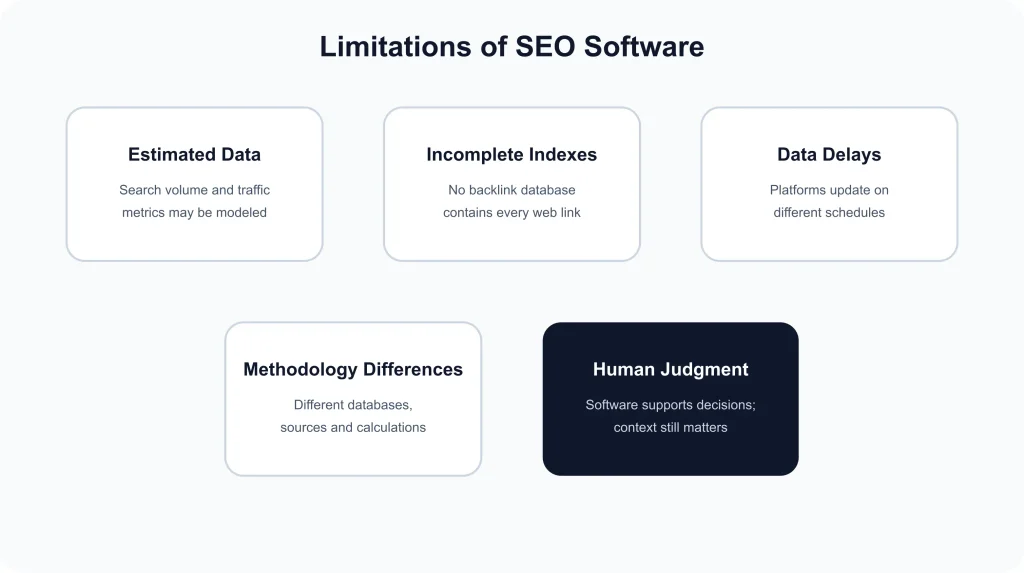
SEO software can make search optimization more efficient, but its data should not be treated as a perfect representation of Google’s search systems or the entire web. Most platforms rely on their own crawlers, databases, third-party data, sampling, and statistical models. As a result, the numbers shown in an SEO dashboard are useful for analysis and comparison, but they should be interpreted within the methodology and coverage of the specific platform.
SEO Data Is Not Always Exact
Search volume, traffic estimates, ranking forecasts, and other third-party metrics are often estimates rather than guaranteed measurements. Two SEO software platforms can therefore produce different values for the same keyword or website without either dataset necessarily being unusable. Differences in data sources, geographic coverage, update frequency, and calculation methods can all affect the result.
Backlink Databases Are Incomplete
No commercial backlink index can be assumed to contain every link that exists on the web. Crawlers discover links at different rates, and some pages may be inaccessible, temporarily unavailable, or outside a platform’s crawl coverage. Backlink metrics are therefore best used to identify patterns and opportunities rather than as an absolute count of every link pointing to a website.
Software Cannot Replace SEO Judgment
An SEO tool can identify a technical warning, ranking decline, keyword opportunity, or competing page, but it cannot fully understand a company’s objectives, audience, brand positioning, resources, or business priorities. Deciding whether an issue actually matters requires context and human evaluation. Google’s SEO Starter Guide similarly focuses on helping website owners create useful, accessible content rather than following software-generated scores as an end in themselves.
Data Can Have a Delay
Many SEO platforms update rankings, crawls, backlink indexes, and other datasets on scheduled cycles. A dashboard may therefore show the most recently collected information rather than the exact state of a website or search result at this moment. This makes SEO software particularly useful for identifying trends and recurring patterns, but less suitable as the sole source for confirming a change immediately after it occurs.
The practical approach is to treat SEO software as a decision-support system. Use its data to discover patterns, prioritize investigations, and measure progress, then validate important findings with the website itself and relevant first-party search data where available.
SEO Software Pricing Factors
SEO software pricing can vary significantly because platforms charge according to the amount of data, projects, users, and automation a customer needs. A low-cost plan may be sufficient for one website, while an agency or enterprise team may need substantially higher limits. Comparing the headline monthly price alone can therefore give an incomplete picture of the actual cost.
Tracked Keywords and Rankings
Rank tracking limits are one of the most common pricing variables. Plans may restrict the number of keywords that can be monitored, the frequency of ranking updates, or the search locations and devices included. Before choosing a plan, estimate how many keywords genuinely need ongoing tracking rather than selecting a tier based on its maximum allowance.
Projects, Websites, and Crawl Limits
The number of websites or projects you manage can have a major effect on cost. Technical SEO platforms may also limit how many pages can be crawled during a billing period. A single-site user and an agency managing multiple client domains can therefore have very different requirements even when they use similar features.
Users, Seats, and Reporting
Team size is another important cost factor. Some platforms include only one user in the base subscription and charge extra for additional seats. Agencies may also need scheduled reports, client access, branded reports, exports, or API access. These additions can make the effective cost considerably higher than the advertised entry price.
Historical Data and Advanced Features
Historical rankings, competitor datasets, content analysis, advanced integrations, and larger data exports may be restricted to higher plans. These features matter most when the software is being used for long-term analysis or larger SEO operations.
Billing frequency can also affect the final price. Annual plans sometimes cost less than paying month to month, but the discount should be considered alongside the commitment period and actual usage. For a broader comparison of software categories and capabilities, explore SEORAF’s SEO software reviews .
The most useful pricing comparison is therefore based on total required capacity: keywords, websites, crawled pages, users, reporting needs, data access, and billing term. A cheaper plan is not necessarily better if its limits repeatedly interrupt the SEO workflow.
How to Choose SEO Software
Choosing SEO software is easier when the decision starts with your actual SEO workflow rather than a comparison of feature counts. The best platform is not necessarily the one with the largest database or longest feature list. It is the one that provides the data, limits, integrations, and workflows needed to accomplish your most important tasks consistently.
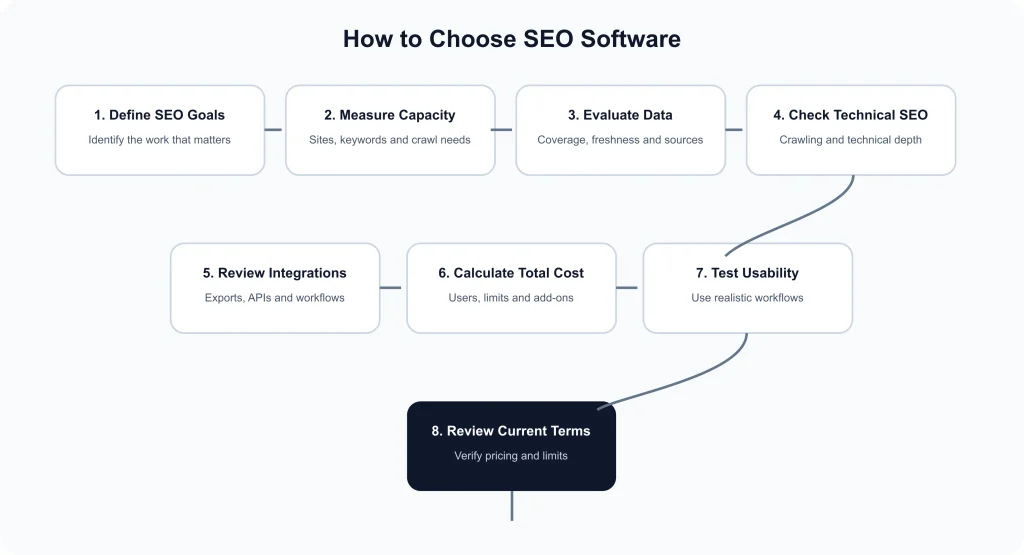
- Define your primary SEO objective. Start by identifying the work the software must support. Your priorities might be keyword research, rank tracking, technical auditing, backlink analysis, content optimization, competitor research, or reporting. If one activity represents most of your workload, give that capability more weight than features you are unlikely to use.
- Determine how many websites you manage. Count your current sites and consider realistic growth over the next year. A platform that works well for one domain may become restrictive when projects, client websites, or regional versions increase. Check both project limits and the number of pages or URLs included in relevant crawling features.
- Estimate your keyword tracking requirements. Calculate the keywords that genuinely require ongoing monitoring. Include important locations and devices if local or international rankings matter. Avoid paying for a large keyword allowance simply because the number looks impressive; unused capacity does not improve SEO performance.
- Compare data quality and coverage. Look beyond the interface and investigate how the platform collects its data. Important considerations include backlink coverage, keyword databases, geographic availability, historical information, update frequency, and the distinction between measured data and estimated metrics.
- Check technical SEO capabilities. If site auditing is a major requirement, examine crawl limits, JavaScript handling, redirects, canonicalization checks, indexable URL analysis, internal linking reports, and export options. A feature being listed on a pricing page does not necessarily mean it is equally capable across every plan.
- Evaluate integrations and data access. Consider whether the platform can connect with the systems your team already uses. Useful options may include exports, APIs, dashboards, spreadsheets, analytics platforms, or search performance data. Fewer manual transfers can make a significant difference in larger workflows.
- Calculate the real team cost. Include additional users, reporting features, API access, higher crawl limits, and other paid add-ons when comparing plans. The advertised starting price should be treated as a reference point, not necessarily the final operating cost.
- Test usability before committing. A powerful SEO tool is less useful if the team struggles to find, interpret, or export its data. When a trial or demo is available, use it with a realistic project and test the workflows that will actually be performed after purchase.
- Review the vendor’s current terms. Pricing, usage limits, included features, and trial conditions can change. Verify important commercial details directly before subscribing, especially when the decision involves an annual commitment or multiple team members.
All-in-One vs. Specialized SEO Software
An all-in-one platform can be convenient when a team needs several SEO capabilities and wants to manage them from one interface. Specialized software can make more sense when a particular workflow—such as technical crawling, backlink research, or rank tracking—requires greater depth than a general platform provides. The better choice depends on whether breadth or specialization creates more value for the specific workflow.
Match the Tool to Your SEO Maturity
Beginners often benefit from straightforward interfaces and clear reporting, while experienced SEO teams may place greater value on granular data, historical coverage, exports, automation, and integrations. Enterprise teams may additionally require multiple users, governance controls, large-scale crawling, and support. Choosing according to operational maturity helps prevent both unnecessary spending and premature platform limitations.
Before making the final decision, create a short requirements list containing your websites, tracked keywords, expected crawl volume, team members, reporting needs, integrations, and budget. Then compare each platform against those requirements rather than relying on overall ratings alone. This approach produces a more defensible software choice and makes future upgrades easier to evaluate.
Signs You’ve Outgrown Your Current Plan
An SEO software plan may stop being suitable when its limits begin interfering with normal work. Common warning signs include reaching the keyword tracking limit, running out of project capacity, or exceeding the number of pages available for scheduled site crawls. Frequent restrictions on exports, historical data, users, or reporting can also indicate that the current subscription no longer matches the workflow.
Before upgrading, identify the exact constraint and confirm whether it is temporary or recurring. If the same limit is reached regularly, compare the next plan with alternatives rather than automatically accepting an upgrade. This helps ensure that the additional SEO software capacity solves a real operational problem instead of simply increasing the monthly cost.
Practical Examples
The right SEO software can look very different depending on the website and workflow. A useful way to evaluate a platform is to consider what the user actually needs to accomplish rather than comparing every available feature.
Solo Website Example
A solo publisher managing one website may primarily need keyword research, a manageable set of tracked keywords, competitor monitoring, and occasional technical checks. A lower-cost platform can be sufficient when the site has a limited number of important pages and the SEO workflow does not require extensive reporting or multiple user accounts.
Agency Example
An SEO agency managing several client websites has a different requirement. It may need separate projects, larger keyword limits, recurring site audits, competitor monitoring, historical data, scheduled reports, and multiple team members. In this situation, project capacity and reporting workflows can become more important than having every advanced feature available.
Ecommerce Example
An ecommerce business with thousands of product and category URLs may place greater emphasis on crawling capacity, technical issue detection, internal linking analysis, keyword tracking, and integration with its wider marketing workflow. A platform that performs well on a small site may become restrictive when URL volume increases.
Enterprise Example
Large organizations often need to monitor multiple domains, markets, or brands while giving different teams controlled access to SEO data. They may also prioritize automation, integrations, historical reporting, and scalable crawling over a low entry price. The best choice is therefore the platform whose capacity matches the organization’s actual operating model.