
Technical SEO Basics: A Complete Beginner’s Guide
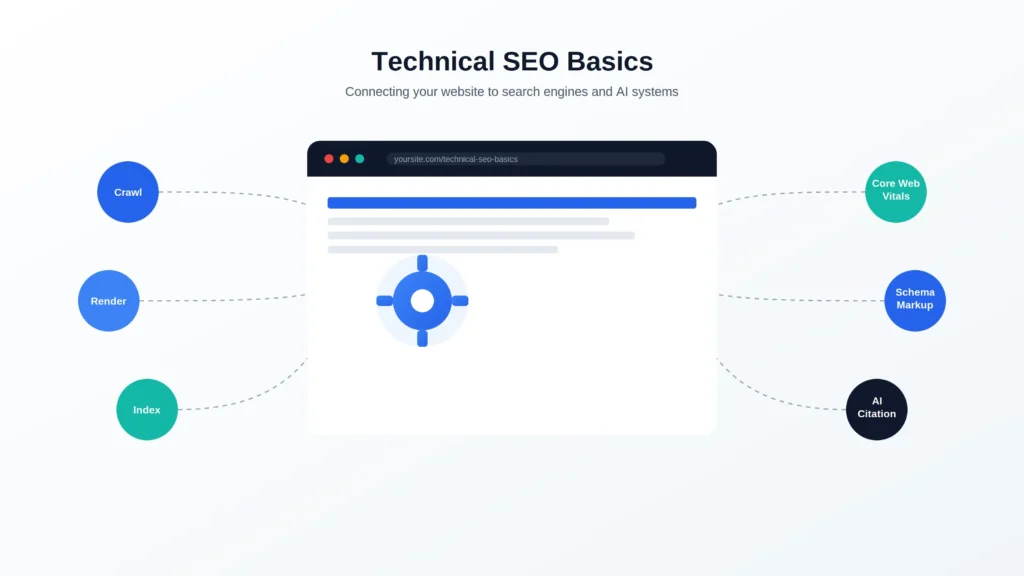
Quick Answer: Technical SEO is the process of optimizing a website’s infrastructure so search engines and AI systems can crawl, render, index, and understand its pages. It covers elements like site architecture, page speed, structured data, and security. Without a solid technical foundation, even the best content struggles to rank or get cited in AI-generated answers. This guide walks through the core elements, shows you what to prioritize, and points you to deeper resources for each area.
Technical SEO has a reputation for being the intimidating part of SEO — full of acronyms, code, and terminology that doesn’t come up anywhere else in marketing. It doesn’t need to be. At its core, technical SEO answers one question: can search engines actually access and understand your site?
This guide covers what technical SEO is, how it differs from on-page and off-page SEO, the core elements you need to know, and a practical framework for deciding what to fix first. If you’re new to technical SEO, or you need a shared reference point before handing work off to a developer, this is the place to start.
Last updated: July 2026. Reviewed against current Google Search Central documentation.
What Is Technical SEO?
Definition: Technical SEO is the practice of optimizing a website’s technical foundation — its code, structure, and server behavior — so search engines can efficiently crawl, render, index, and rank its pages. It also determines whether AI systems like Google AI Overviews, ChatGPT, and Perplexity can access and cite your content.For Google’s official definition and best practices, see the Google Search Central Technical SEO documentation.
Technical SEO doesn’t touch your words. It touches everything that determines whether search engines and AI systems can reach those words in the first place.
Why Technical SEO Matters (Rankings + AI Citation)
Search engines can’t rank content they can’t find, render, or interpret. If a page is blocked by robots.txt, times out during rendering, or returns the wrong HTTP status code, it doesn’t matter how good the writing is — it’s invisible to search.
This matters even more now that search results include AI Overviews and AI Mode, and separate AI tools like ChatGPT and Perplexity generate answers by retrieving and citing web content. [External Source: Google Search Central] These systems still depend on the same underlying mechanics: a page has to be crawlable and its content has to be extractable before it can be understood, ranked, or cited.
Key takeaway: Technical SEO is the prerequisite for visibility everywhere — traditional search results, AI Overviews, and AI chat tools alike.
Who Needs to Understand Technical SEO
You don’t need to be a developer to work with technical SEO, but you do need enough fluency to spot issues and communicate them clearly. This guide is written for:
- SEO professionals building foundational knowledge
- Marketers and site owners managing their own sites
- Developers who need SEO context for technical decisions
- Agencies and enterprise teams standardizing shared terminology
Technical SEO vs. On-Page SEO vs. Off-Page SEO
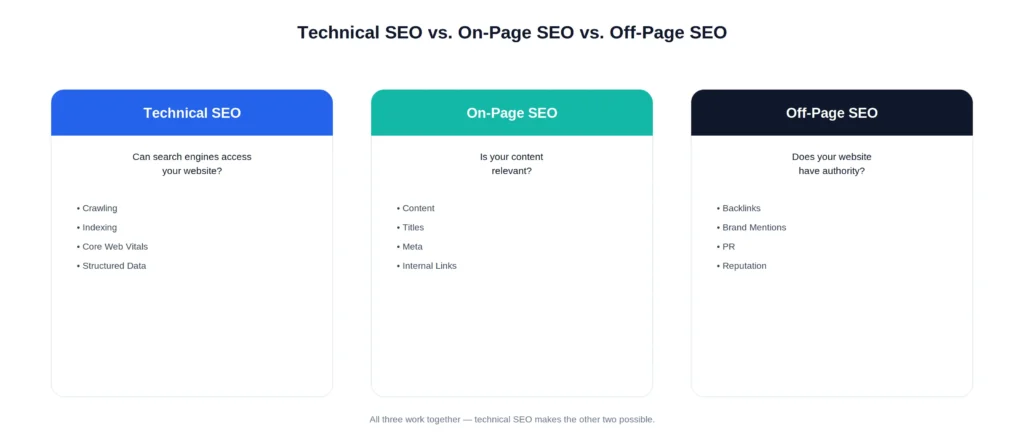
SEO is generally split into three categories: technical SEO controls whether search engines can access and understand a site, on-page SEO controls the relevance and quality of the content itself, and off-page SEO builds external authority and trust. All three work together, but they solve different problems.
| Type | What It Covers | Example Tasks |
|---|---|---|
| Technical SEO | The technical foundation that allows search engines to access and understand a site | Fixing crawl errors, optimizing Core Web Vitals, implementing structured data |
| On-Page SEO | The content and relevance signals on a page | Keyword research, content writing, title tags, meta descriptions |
| Off-Page SEO | External signals that build authority and trust | Backlinks, brand mentions, digital PR |
How the Three Types Work Together
Think of a site like a stage production. Technical SEO is the backstage work — lighting, sound, staging — that makes the performance visible at all. On-page SEO is the performance itself: the content your audience actually engages with. Off-page SEO is the audience’s word-of-mouth and reviews afterward, building the show’s reputation.
None of the three works well in isolation. A technically flawless site with thin content won’t rank. Brilliant content on a site search engines can’t crawl won’t either.
Key takeaway: Technical SEO doesn’t replace good content or authority-building — it’s the condition that allows both to actually count.
How Search Engines Find and Understand Your Site
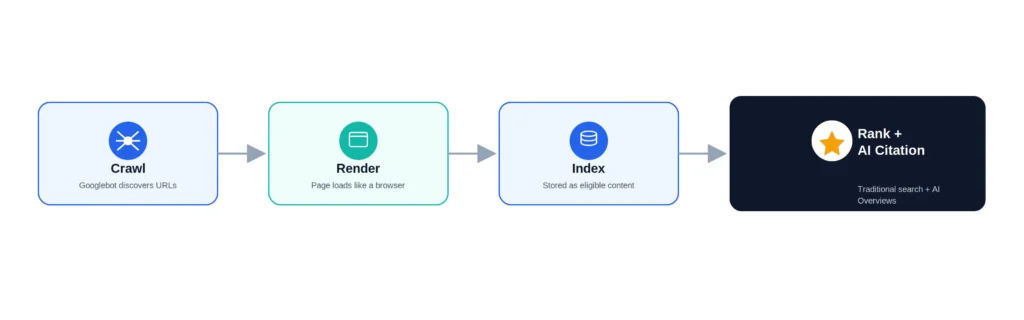
Definition: Getting a page found and understood by search engines happens in four stages: crawling, rendering, indexing, and ranking/citation. Technical SEO is the discipline of optimizing each of these stages so pages move through the pipeline successfully.
Crawling
Crawling is the process by which search engines discover pages by following links from pages they already know about. Automated programs such as Googlebot perform this discovery process by continuously following internal and external links across the web. If a page has no internal links pointing to it and isn’t included in an XML sitemap, search engines may take much longer to discover it—or may not discover it at all. For a deeper explanation of how Google crawls websites, see the Google Search Central Crawling Documentation.
In practice, a technical SEO audit often starts here: compare your crawled-page count against your actual published-page count and investigate any significant gap. A large difference usually indicates orphan pages, crawl inefficiencies, or an overly restrictive robots.txt configuration. Review Google’s official Robots.txt documentation to ensure important pages aren’t accidentally blocked from crawling.
Rendering
Rendering is the step where search engines load a fetched page the way a browser would, including running any JavaScript, in order to see the final content. Content that only appears after JavaScript executes can be missed or delayed if rendering doesn’t happen cleanly. Learn more in Google’s JavaScript SEO documentation.
A quick way to sanity-check this: view a page’s rendered HTML through the URL Inspection Tool in Search Console and compare it against what a user sees in the browser. If key content is missing from the rendered version, that’s a rendering problem, not a content problem.
Indexing
Indexing is the step where search engines decide whether a rendered page gets stored in their index and made eligible to appear in results. This step involves canonicalization — choosing the “master” version of a page when duplicates exist — and evaluating whether the content is unique and valuable enough to index. [Internal Link: Indexing and Canonical Tags]
Ranking and AI Citation
Ranking and AI citation are the outcomes that depend on everything before them: only indexed pages are eligible to rank in search results or be cited in AI-generated answers. Relevance and quality signals are layered on top of this technical foundation — but none of those signals matter if a page never made it past crawling and indexing.
Key takeaway: Crawlability and indexability are gatekeeping steps. Everything else in SEO — content quality, authority, relevance — only matters once a page clears them.
The Core Elements of Technical SEO
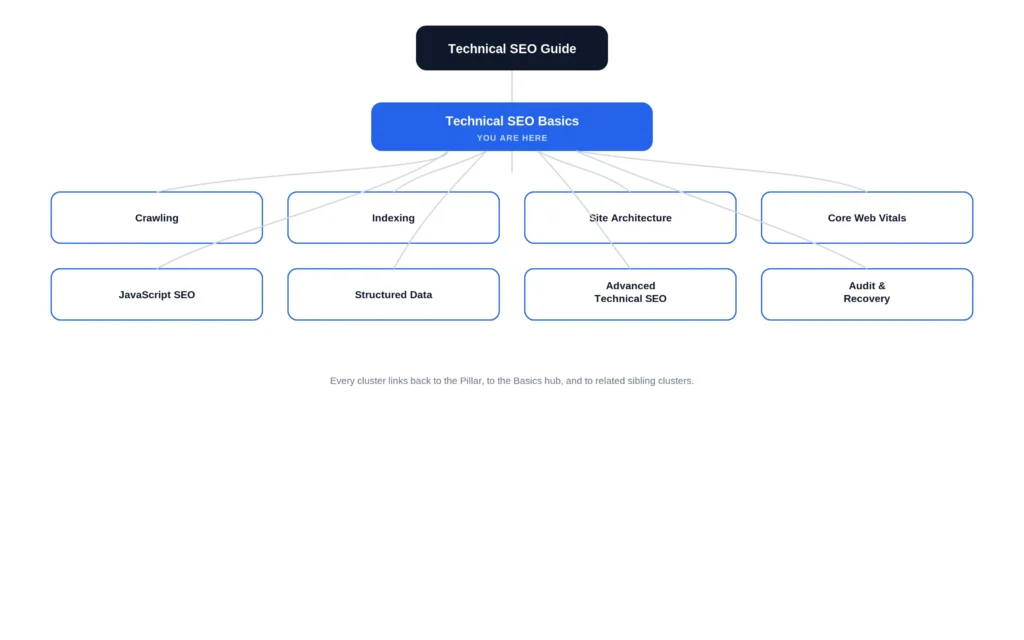
Definition: Technical SEO is made up of eight interconnected elements: crawling, indexing, site architecture, Core Web Vitals, JavaScript SEO, structured data, security, and international SEO. Together, these determine whether a page gets discovered, stored in a search index, correctly understood, and ultimately eligible to rank or be cited by AI systems. Each element below links to a full SEORAF guide if you want to go deeper.
Crawling and Crawl Budget
Crawl budget is the number of pages a search engine will crawl on your site within a given timeframe. For most small-to-mid-sized sites, this isn’t a major constraint. For large sites — hundreds of thousands or millions of pages — it matters, because search engines won’t crawl everything equally often. [External Source: Google Search Central]
Best practice: Use your XML sitemap to highlight important pages and robots.txt to keep crawlers away from low-value ones (like filtered/faceted URLs).
A common scenario: an ecommerce site with faceted navigation generates thousands of filtered URL combinations (color, size, price). Left unmanaged, crawlers spend budget on these low-value combinations instead of the pages that actually need to rank. Blocking or canonicalizing the faceted variants is usually the fix.
[Internal Link: Crawl Budget Optimization]
Indexing and Canonicalization
Not every crawled page gets indexed. Duplicate content, thin pages, or pages marked noindex may be crawled but excluded from the index. Canonical tags tell search engines which version of a duplicate or near-duplicate page to treat as authoritative.
Common mistake: Using canonical tags inconsistently across paginated or parameterized URLs, which sends conflicting signals about which page should be indexed.
[Internal Link: Canonical Tag Guide]
Site Architecture and Internal Linking
Site architecture is how your pages are organized and connected. A clear hierarchy — homepage → category pages → individual content pages — helps both users and search engines understand where content lives and how it relates.
Example: A publisher site organized as Homepage → Topic Hub → Cluster Article gives search engines an obvious path to every piece of content and gives readers a logical way to browse related material.
Best practice: Aim for any important page to be reachable within three to four clicks from the homepage. Deeply buried pages get crawled less often and pass less internal link equity.
Key takeaway: Architecture isn’t just navigation — it directly shapes how efficiently a site gets crawled and how link equity flows to your most important pages.
[Internal Link: Website Structure SEO]
Core Web Vitals and Page Experience
Core Web Vitals measure real-world page experience: Largest Contentful Paint (LCP, loading speed), Cumulative Layout Shift (CLS, visual stability), and Interaction to Next Paint (INP, responsiveness). These are measurable, user-centered signals — not abstract scores.
Example: A product page with a large hero image that loads slowly will show a poor LCP score, even if the rest of the page performs well — image optimization is often the single highest-impact fix.
Common mistake: Optimizing for a lab tool’s score instead of the actual field data that reflects real user experience.
Key takeaway: Core Web Vitals are about real users on real devices, not a synthetic score to chase in isolation.
[Internal Link: Core Web Vitals Explained]
JavaScript SEO and Rendering
Sites built with heavy client-side JavaScript (common in React and similar frameworks) can create indexing delays or gaps if content only appears after scripts execute. Server-side rendering or hybrid rendering approaches reduce this risk.
Example: A single-page application that renders its main content only after a client-side API call may show search engines a mostly empty page on first fetch, delaying or preventing proper indexing.
Best practice: Use server-side rendering (SSR) or static generation for content-critical pages, and reserve pure client-side rendering for interactive elements that don’t need to be indexed.
Key takeaway: If your framework renders content client-side, verify what search engines actually see — don’t assume it matches what users see in the browser.
[Internal Link: JavaScript SEO Guide]
Structured Data
Structured data (usually JSON-LD) gives search engines explicit, machine-readable context about your content — what type of page it is, what it’s about, and how its pieces relate. It supports both traditional rich results and AI systems’ ability to interpret content accurately.
Verification note: Google discontinued FAQ rich results for most websites in Google Search. However, FAQPage structured data can still help search engines better understand your content and page relationships when implemented correctly. Google has not officially stated that FAQPage schema directly improves AI Overviews or AI citation visibility. Therefore, implement FAQPage schema to accurately describe your content and enhance structured understanding—not with the expectation of earning rich results or guaranteed AI visibility.
Key takeaway: Implement structured data because it accurately describes your content, not because it guarantees a specific SERP feature — feature availability changes over time.
[Internal Link: Schema Markup Guide]
Security (HTTPS)
HTTPS is a baseline requirement, not a differentiator at this point. Sites without valid HTTPS create trust and user-experience problems, and some browsers actively warn users away from unencrypted pages.
Common mistake: Migrating to HTTPS but leaving internal links, canonical tags, or sitemap entries pointing to the old HTTP versions, creating mixed signals about which version is canonical.
Key takeaway: HTTPS alone won’t improve rankings, but its absence actively works against you on trust and user experience.
International SEO (Hreflang)
If you serve multiple languages or regions, hreflang tags tell search engines which version of a page to show to which audience. This is a more advanced topic covered in full detail elsewhere.
[Internal Link: Advanced Technical SEO]
Summary:
- Crawling — can search engines find your pages?
- Indexing — are the right versions being stored?
- Architecture — is your site organized logically?
- Core Web Vitals — is the experience fast and stable?
- JavaScript SEO — does content survive rendering?
- Structured Data — is your content machine-readable?
- Security — is the connection trustworthy?
- International SEO — are the right pages shown to the right audiences?
Technical SEO Priority Ladder: What to Fix First
Definition: The Technical SEO Priority Ladder is a six-step sequence for deciding what to fix first: crawlability, indexability, site architecture, Core Web Vitals, structured data, and advanced issues, in that order. Technical SEO covers many elements, but they don’t carry equal weight — some issues block everything downstream, while others are refinements that only matter once the fundamentals are solid.
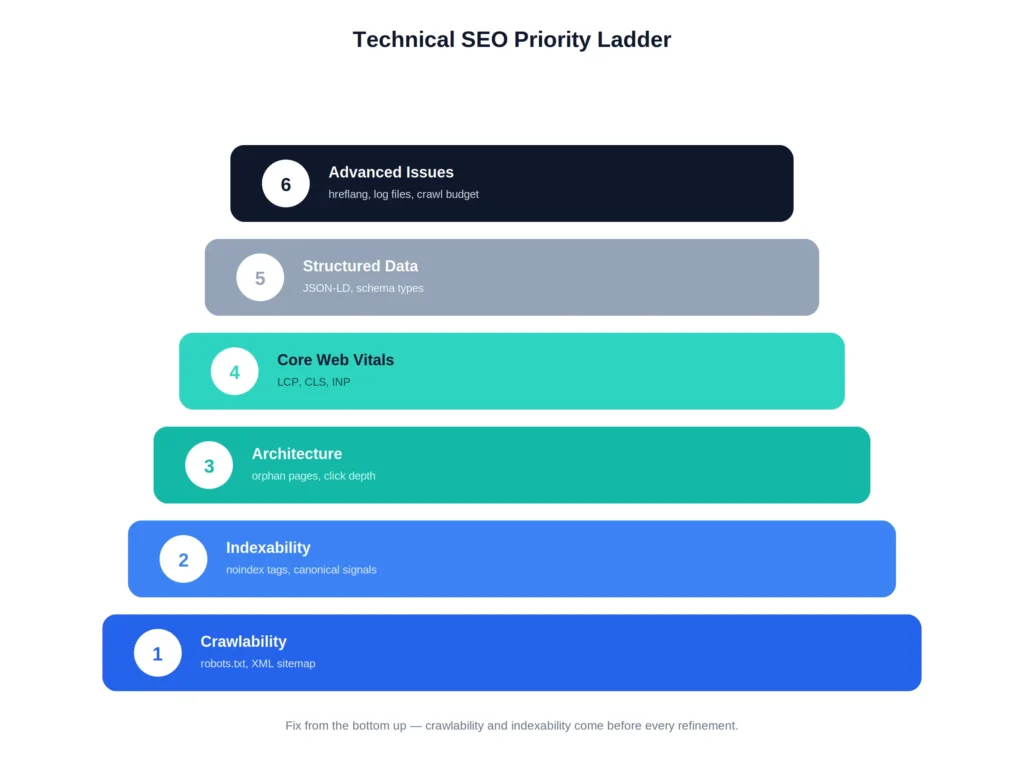
Step 1 — Confirm Crawlability
Check robots.txt isn’t blocking important pages, and confirm your XML sitemap is current and submitted in Search Console. Nothing else matters if search engines can’t reach your pages.
Step 2 — Confirm Indexability
Check for accidental noindex tags, conflicting canonical signals, and duplicate content issues. Use the URL Inspection Tool to confirm indexing status on key pages.
Step 3 — Fix Architecture
Address orphan pages, overly deep click-depth, and unclear internal linking. This step compounds — better architecture makes every future crawl more efficient.
Step 4 — Optimize Speed and Core Web Vitals
Once crawling and indexing are solid, focus on LCP, CLS, and INP. These affect user experience and are measurable, direct signals.
Step 5 — Add Structured Data
Layer in structured data to help search engines and AI systems interpret your content more precisely.
Step 6 — Handle Advanced Issues
Hreflang, log file analysis, and advanced crawl budget strategy come last — they matter most for large or international sites and offer diminishing returns for smaller ones until the fundamentals are solid.
Expert Tip: If you only have time to fix one thing this month, fix crawlability and indexability first. Every other technical SEO investment is wasted on pages search engines can’t reach.
Key takeaway: Sequence matters. Fixing Core Web Vitals on a page that isn’t indexed is effort spent on the wrong problem.
Does Technical SEO Still Matter for AI Search?
Yes. AI-driven search experiences — Google AI Overviews, AI Mode, ChatGPT, Claude, Gemini, Perplexity — still depend on being able to access, parse, and extract content from web pages. A page that isn’t crawlable or indexable isn’t eligible to be cited, no matter how well-written it is.
Why Crawlability Determines AI Citation Eligibility
AI systems that cite live web sources still rely on crawling and indexing (or a comparable retrieval process) to surface content. Poor rendering, blocked resources, or unclear structure make it harder for these systems to extract accurate information — the same way it makes ranking harder in traditional search.
The exact retrieval mechanics differ by system, and not every AI platform discloses how it sources content. [Verification Required: platform-specific retrieval methodology for tools outside Google Search] What’s consistent across all of them is that a page has to be reachable and parseable before it can be cited at all — that part isn’t in dispute.
How Google Frames AI Search Optimization (“Still SEO”)
Google has stated that optimizing for AI features in Google Search, including AI Overviews and AI Mode, follows the same core SEO principles used for traditional search. Technical fundamentals—such as crawlability, indexability, structured data, page experience, and clear site architecture—remain essential for helping search engines understand and surface your content. Rather than treating AI optimization as a separate strategy, build a technically robust website that is easy for both search engines and AI systems to access and interpret.
Key takeaway: Don’t treat AI search optimization as a new category of work. Treat it as a reason to take technical SEO fundamentals more seriously, not less.
Common Technical SEO Mistakes to Avoid
- Treating technical SEO as a one-time project. Sites change constantly — new pages, redesigns, plugin updates. Technical SEO needs ongoing monitoring, not a single audit.
- Chasing speed scores instead of real user data. A perfect lab score doesn’t guarantee good field performance. Prioritize Core Web Vitals field data over synthetic test scores.
- Ignoring mobile rendering. Google uses mobile-first indexing, meaning the mobile version of your site is what gets evaluated. A desktop-only fix doesn’t count.
- Assuming content quality alone overcomes technical blockers. No amount of writing quality fixes a page search engines can’t crawl or index.
- Implementing schema for the wrong reason. Structured data should reflect your actual content accurately — not be added purely to chase a rich result that may not even be available for that content type. [External Source: Google Search Central]
- Fixing symptoms instead of root causes. A page ranking poorly after a redesign is often traced back to a single overlooked issue — a canonical tag pointing to the wrong URL, a redirect chain left over from migration — rather than a broad ranking penalty. Diagnose before you rewrite content or rebuild pages.
Essential Technical SEO Tools
Free Tools
| Tool | What It Does |
|---|---|
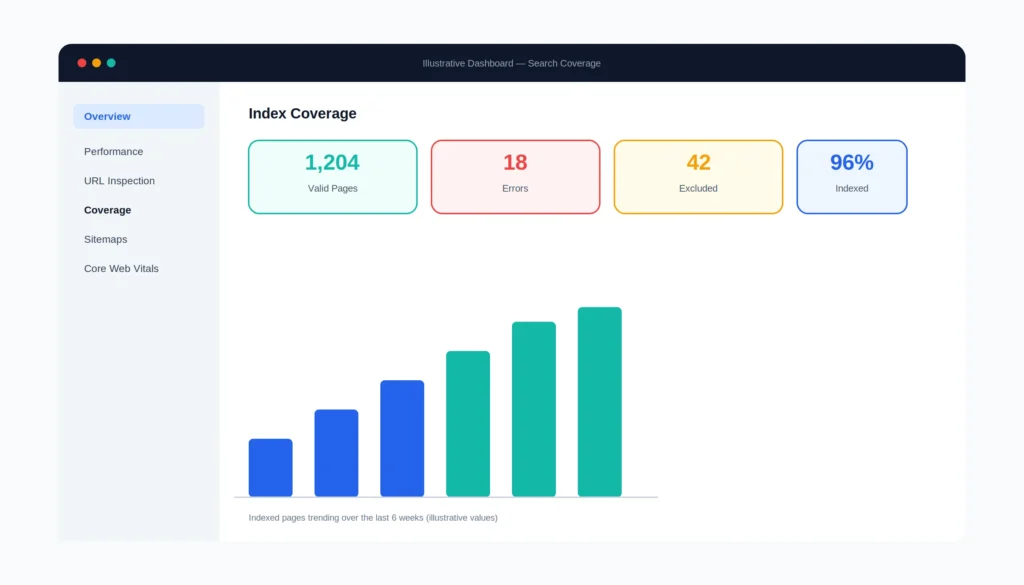
| Google Search Console | Monitors indexing status, crawl errors, and — increasingly — AI Overview and AI Mode impression data |
| PageSpeed Insights | Reports Core Web Vitals and page speed recommendations |
| Rich Results Test | Validates structured data implementation |
Paid / Enterprise Tools
| Tool | What It Does |
|---|---|
| Screaming Frog | Site-wide crawling and technical audit |
| Sitebulb | Visual, audit-focused site crawler |
| Semrush / SE Ranking | Ongoing technical SEO monitoring across large sites |
[Internal Link: Technical SEO Tools]
Technical SEO Basics Quick-Start Checklist
- [ ] Confirm robots.txt isn’t blocking important pages
- [ ] Submit and verify your XML sitemap in Search Console
- [ ] Check for accidental
noindextags on key pages - [ ] Review canonical tags for consistency
- [ ] Run a Core Web Vitals check via PageSpeed Insights
- [ ] Confirm HTTPS is implemented site-wide
- [ ] Validate structured data with the Rich Results Test
- [ ] Check mobile rendering matches desktop content
[Internal Link: Technical SEO Checklist]
Frequently Asked Questions
What is technical SEO in simple terms?
Technical SEO is making sure search engines can find, load, and understand your website. It’s the behind-the-scenes work that determines whether your content is even eligible to rank.
What are the main elements of technical SEO?
Crawling, indexing, site architecture, Core Web Vitals, JavaScript SEO, structured data, security, and international SEO are the core areas most sites need to manage.
Is technical SEO hard to learn?
The fundamentals aren’t difficult to grasp conceptually. It becomes more complex as sites scale in size, use heavier JavaScript frameworks, or serve multiple countries and languages.
How is technical SEO different from on-page SEO?
Technical SEO governs whether search engines can access and understand your site. On-page SEO governs the relevance and quality of the content itself. Both are necessary; neither substitutes for the other.
Does technical SEO still matter for AI search?
Yes.Technical SEO remains essential because AI-powered search experiences—including AI Overviews and AI Mode—rely on pages that can be crawled, rendered, indexed, and understood. Optimizing your site’s technical foundation helps search engines accurately process your content, making it more likely to appear in both traditional search results and AI-powered search experiences.
What tools do I need to get started with technical SEO?
Google Search Console and PageSpeed Insights are free and sufficient to start. Paid crawlers like Screaming Frog become useful as site size and complexity grow.
How often should technical SEO be reviewed?
At minimum, quarterly — more often for large or frequently updated sites, and immediately after major site changes like redesigns or migrations.
What should I fix first in a technical SEO audit?
Crawlability and indexability first, then site architecture, then Core Web Vitals, then structured data, then advanced issues like hreflang and log file analysis.
Conclusion
Technical SEO isn’t a separate, intimidating discipline — it’s the foundation that makes every other SEO and content effort possible. If search engines and AI systems can’t crawl, render, and index your pages, nothing else you do matters.
Start with the fundamentals: confirm your site is crawlable and indexable, clean up your architecture, then work through speed, structured data, and advanced issues in that order. Use the Priority Ladder above as your sequencing guide, not a checklist to complete all at once.