
SE Ranking Free Trial: 14 Days, No Credit Card Required (2026)
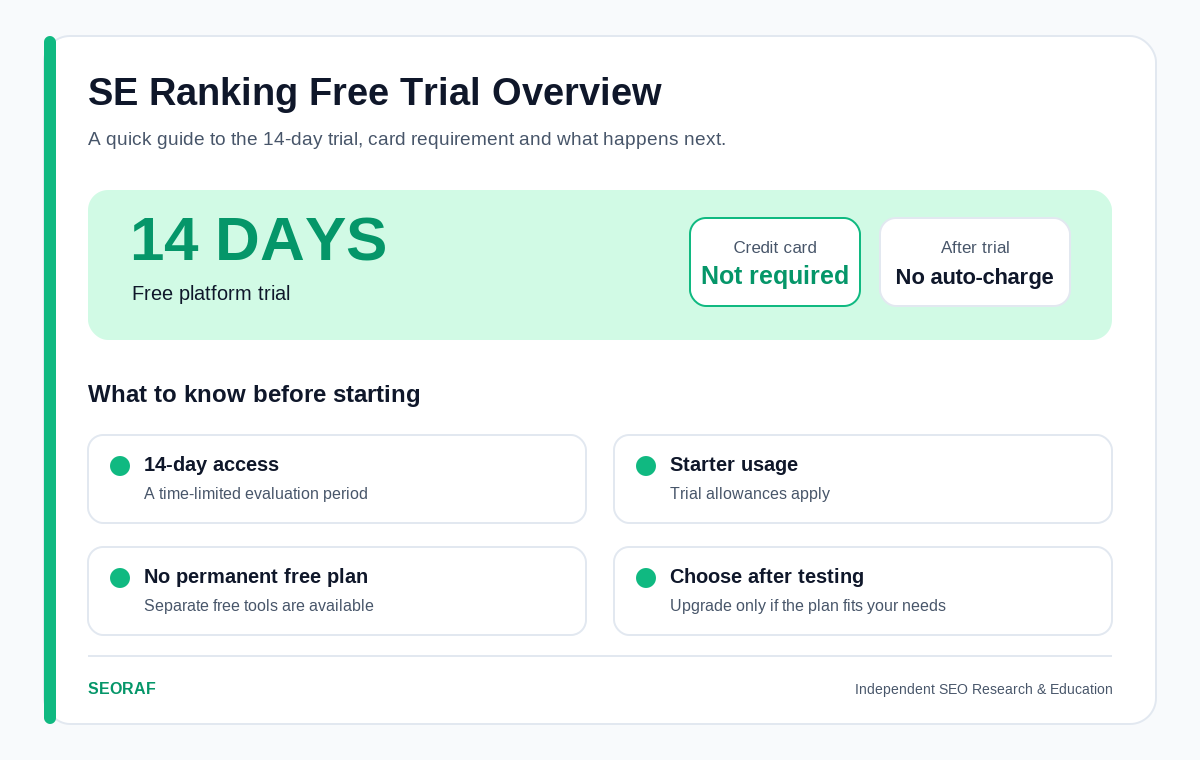
SE Ranking’s free trial lasts 14 days and does not require a credit card. Its pricing page describes the trial as fully functional with “starter usage”: up to 10 projects, 750 tracked keywords per day, 20 AI prompts per day, and AI competitive research for up to 3 domains with unlimited reports. However, SE Ranking’s Help Center trial-limits table currently lists 5 projects, not 10. Because the two official pages conflict, confirm the project allowance shown in your account before planning a test. The trial does not turn into a paid subscription, and SE Ranking does not offer a permanent free plan for the full platform.
Last verified: November 19, 2026, against SE Ranking’s official pricing page and Help Center, plus Semrush’s official trial and billing pages for the comparison. SE Ranking’s pricing page and Help Center currently disagree on the trial project limit, so confirm account-specific limits before relying on them.
Affiliate disclosure: SEORAF is an independent SEO research and education site. Links to SE Ranking on this page are affiliate links, and SEORAF may earn a commission if you buy a plan after your trial, at no extra cost to you. This does not change what is reported here. See the affiliate disclosure for details.
How to read this guide: this article is based on SE Ranking’s published pages, not on a hands-on trial by SEORAF. Statements marked “SE Ranking states” come from the vendor. Statements marked “SEORAF analysis” are SEORAF’s own reasoning. Where something is not documented, the guide says so.
| Question | Answer | Source |
|---|---|---|
| Is it free? | Yes. No payment is taken, and the trial does not renew into a subscription. | SE Ranking help center |
| How long? | 14 days | SE Ranking pricing page |
| Credit card required? | No | SE Ranking pricing page |
| Trial allowance | 750 tracked keywords/day, 20 AI prompts/day, AI competitive research for 3 domains; project allowance is listed as 10 on the pricing page and 5 in the Help Center | SE Ranking pricing page and Help Center (project-limit discrepancy) |
| After the trial | Access becomes inactive until you choose a paid plan | SE Ranking help center |
Before you sign up: the trial is free for 14 days and needs no card, but it runs on starter caps such as 750 tracked keywords per day. SE Ranking’s official pages disagree on whether the trial includes 5 or 10 projects, so check the allowance displayed in your account. There is no permanent free plan for the full platform once the trial ends. The trial can help you assess rank tracking, audits and AI visibility workflows on your own sites.
Start Your SE Ranking Free Trial
Affiliate link: SEORAF may earn a commission if you later buy a plan, at no extra cost to you.
Is the SE Ranking Free Trial Really Free?
Yes, in the sense that matters most: you are not billed. SE Ranking’s help center says the trial does not renew into a paid subscription and that you will not be charged when it ends. The trial simply expires, and your access becomes inactive.
What “free” covers
The trial gives you access to the platform at starter usage levels. SE Ranking’s Help Center lists trial access to rank tracking, competitive and keyword research, backlink research, website audits, On-Page Checker, SERP Analyzer, API, reporting, integrations and selected add-ons. Some features have their own limits, and some data exports and historical-data functions are unavailable. SEORAF analysis: treat the trial as a limited-volume evaluation, not as an unrestricted version of every paid workflow.
What “free” does not mean
It is not a free plan. When the 14 days end, you cannot keep using the platform without paying. SE Ranking does publish a separate set of free SEO tools. Its page says no account is required and describes free daily checks with limits, so treat them as standalone tools, not an extension of your trial.
How Long Is the SE Ranking Free Trial?
SE Ranking states that the trial is 14 days. Its public pages don’t explain exactly how the 14 days are counted, for example whether the sign-up day is day one. The simplest way to avoid surprises is to check your trial status under Billing in your account, which SE Ranking’s help center points to for this purpose, and to treat day 12 as your decision deadline.
Some partner and promotional pages advertise their own trial wording. The terms SE Ranking itself publishes on its pricing page are 14 days with starter usage, so if another page promises something different, rely on what the sign-up screen actually shows you.
Does SE Ranking Require a Credit Card?
No. SE Ranking’s pricing page states that no credit card is required to start the 14-day trial. The Help Center also says the trial does not renew into a paid subscription and that you will not be charged when it ends. You therefore do not need to cancel the trial to prevent an automatic renewal.
Who can sign up (eligibility)
SE Ranking’s sign-up form asks you to use a work email address and also offers sign-up with a Google work account. SE Ranking’s published pages don’t explain what happens if you try a personal address from a free email provider. If that’s all you have, check the form first, or ask SE Ranking support, before you plan your test around it.
Some third-party guides say each business email can only claim one trial. The SE Ranking pages checked for this guide don’t state a limit, so treat that as unconfirmed.
How to Start the SE Ranking Free Trial
The sign-up form is short. SE Ranking’s pages show these steps, though the exact fields vary slightly between its sign-up pages:
- Open SE Ranking through one of the links on this page, or go to its site directly, and choose the option to start the free 14-day trial.
- Enter your work email and a password, or sign up with a Google work account. Some versions of the form also ask for your first and last name.
- Agree to SE Ranking’s Terms of Service and Privacy Statement, then submit the form.
- Open your dashboard and add your first project. Since the trial allowance is counted in projects, a project is where most of your testing will happen.
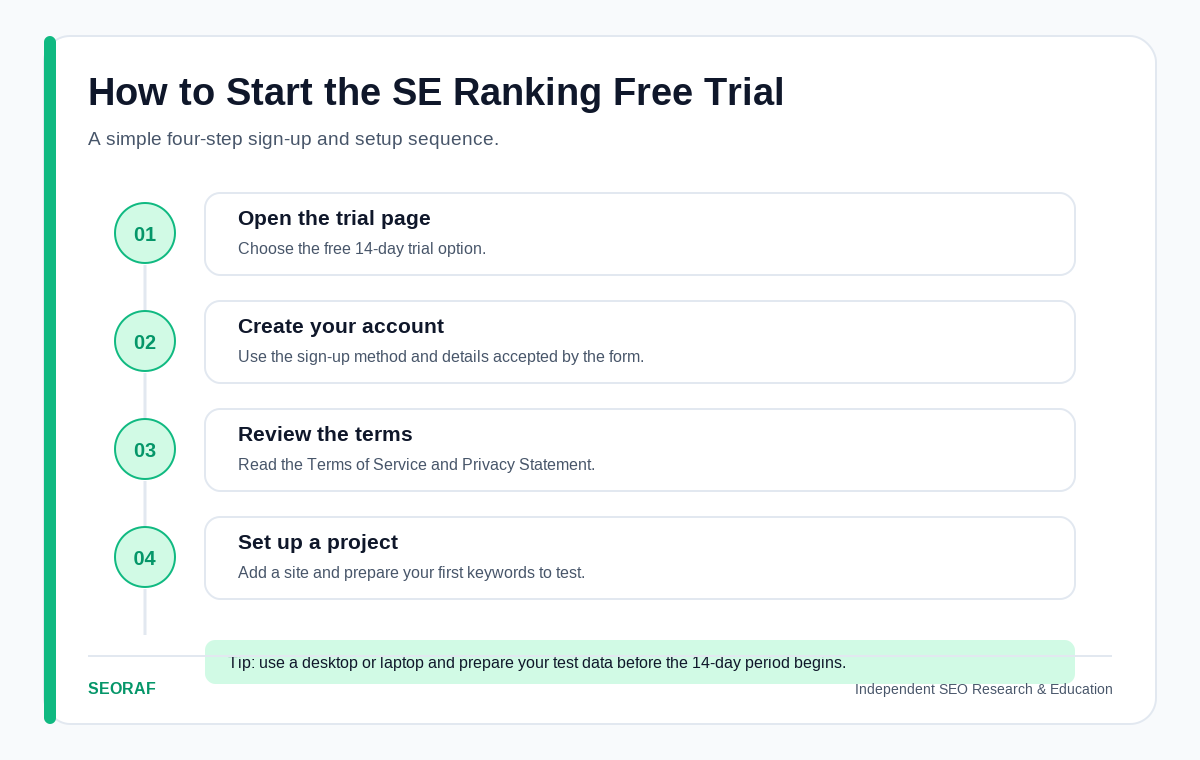
SE Ranking’s sign-up page also notes that the platform is best suited to desktop devices, so plan your testing on a laptop or desktop.
Before you click: a preparation checklist
SEORAF analysis: a 14-day clock rewards preparation. Gather these first:
- A keyword list of 750 or fewer terms, grouped by site. That’s the daily tracking cap in the trial.
- Up to 10 site URLs you want to track or audit.
- Up to 3 competitor domains for the AI competitive research allowance.
- Access to Google Search Console and Google Analytics, because SE Ranking lists these as supported integrations on its pricing page.
- A short list of questions the trial must answer, such as “Do the rankings match what I see?” or “Can I produce a client report quickly?”
With your keyword list, site URLs and questions ready, the 14 days are easier to use well. SE Ranking doesn’t document what happens to trial projects afterward, so plan to export anything you want to keep.
Affiliate link. It opens SE Ranking in a new tab, where its current trial terms apply.
What’s Included in the SE Ranking Free Trial
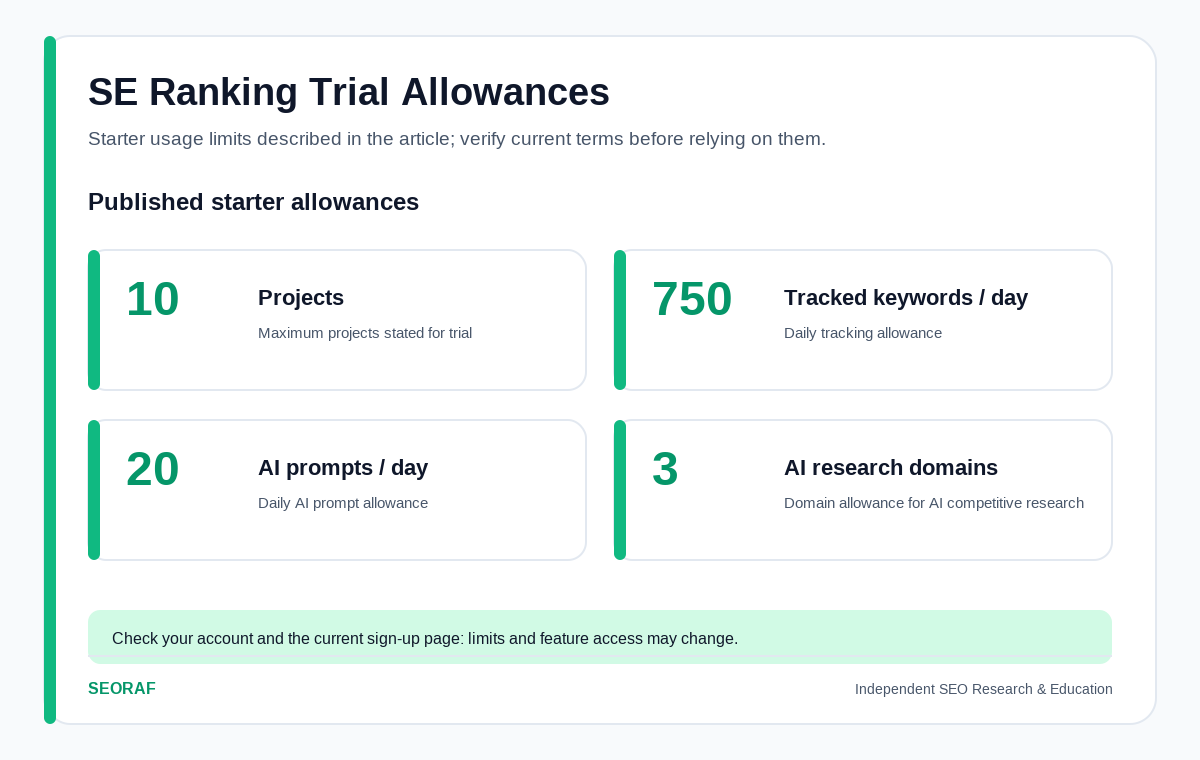
Allowances SE Ranking states
| Item | Trial allowance |
|---|---|
| Projects | 5 in the Help Center trial table; up to 10 on the pricing page. Confirm the allowance in your account. |
| Tracked keywords | 750 per day |
| AI prompts | 20 per day |
| AI competitive research | Up to 3 domains, with unlimited reports |
Tools worth testing first
SE Ranking’s pricing page describes the trial as fully functional, and its Help Center lists the tools and feature allowances below. Availability can still vary by limit, so confirm each workflow in your account:
- Rank tracking across major search engines. Test it with keywords you already know your positions for.
- Website audit and on-page checks. Run one site through it and see whether the issues it finds are issues you’d act on.
- Keyword, competitor and backlink research. SE Ranking lists these as unlimited on paid plans. Check how much of that is available in the trial.
- AI Visibility tracking for how your brand appears in AI answers, within the 20-prompt daily allowance.
- Integrations with Data Studio, Matomo, Google Analytics and Search Console.
Trial features and exclusions documented by SE Ranking
SE Ranking’s Help Center provides a more detailed trial-limits table than the pricing page. It lists API access, 100,000 API credits, the Agency Pack, AI Search, report builder access, integrations and selected content and local marketing allowances as available during the trial. It also lists some restrictions: competitive, keyword and backlink research data export is unavailable; historical data for competitive and keyword research is unavailable; keyword database expansion and extra client seats are unavailable. The Help Center lists 5 projects, while the pricing page lists up to 10, so confirm the project limit in your account. If a specific add-on or workflow determines your purchase, test it directly rather than relying on a general feature label.
SE Ranking Free Trial Limitations
Hard caps
The limits that SE Ranking states are the ones in the table above. SEORAF analysis: if you test several sites, the 750-keyword daily cap and the 10-project limit are the two you are most likely to reach.
What 14 days can’t tell you
SEORAF analysis: the trial has built-in blind spots that don’t reflect on the tool.
- Ranking movement. Two weeks is too short to judge whether SE Ranking helps you improve rankings. It can only show whether its data looks accurate and usable.
- Scale. Paid plans start at 2,000 tracked keywords per day, so the trial can’t show how SE Ranking handles your full workload. Test accuracy and workflow, then extrapolate.
- Long-term data. Historical data builds over time, and SE Ranking lists project-lifetime history as a Growth feature.
- Support quality. You may not need support during a short trial.
Account rules to know
SE Ranking states that only one active session is allowed per login, and that someone else signing in will prompt you to hand off the session. If a team is evaluating together, SE Ranking recommends adding seats instead of sharing a login, and the trial’s seat allowance isn’t published.
SE Ranking Free Trial vs Paid Plans
SE Ranking currently sells two self-serve plans, Core and Growth, plus a custom Enterprise tier. As of November 8, 2026, its pricing page lists Core at $103.20 per month with annual billing (it shows $129 without the annual saving), and Growth at a higher price. For current plan prices, add-ons and billing details, see SEORAF’s SE Ranking pricing guide.
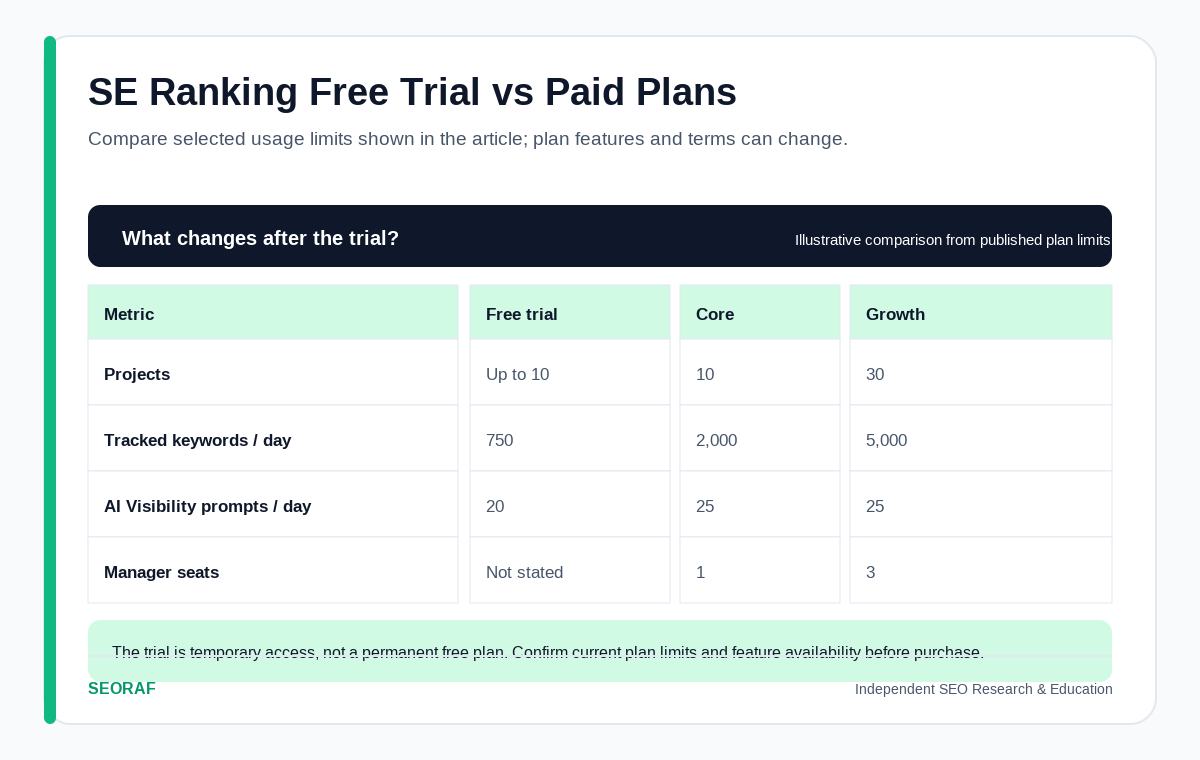
| Item | Free trial | Core | Growth |
|---|---|---|---|
| Projects | 5 in the Help Center; up to 10 on the pricing page | 10 | 30 |
| Tracked keywords per day | 750 | 2,000 | 5,000 |
| AI Visibility prompts per day | 20 | 25 | 25 |
| Manager seats | 3 (including account owner), according to Help Center | 1 | 3 |
| Audit pages | 5,000 per account; max. 1,000 per project, according to Help Center | 250,000 per month | 2 million per month |
| API access and credits | API access; 100,000 credits. Trial MCP access is not specified in the Help Center table. | 25K credits, MCP included | 100K credits, MCP included |
What changes when you upgrade
The main differences are ongoing capacity, plan-level features and the length of access. Moving to Core raises daily keyword tracking from 750 to 2,000. Growth adds project-lifetime historical data, guest links, page changes monitoring, dedicated customer support and personalized onboarding. The Help Center also lists some of these collaboration and monitoring features as available in the trial with limits, so the trial may let you inspect a limited version without matching the full paid-plan capacity. SE Ranking says plan features are tied to each tier, so you can’t buy a Growth feature on a Core plan.
SE Ranking describes the trial as “starter usage.” Its Help Center lists guest links as available and page changes monitoring for up to 5 pages, but it does not list project-lifetime historical data as available. The trial therefore provides a limited preview of some collaboration and monitoring features, not necessarily the full Growth experience. Check the limits shown in your account early if these features matter to your decision.
Choosing between Core and Growth after the trial
SEORAF analysis: decide by usage, not by price. Count your projects, your daily keyword volume, the people who need access, and whether you need project-lifetime history or client-facing sharing. If your trial usage stayed well under 2,000 keywords and 10 projects and one person runs it, Core’s limits are the relevant ones. If you manage many client sites or need collaboration features, check Growth.
The trial can’t preview everything on Core or Growth, and SE Ranking’s pages don’t confirm whether Growth-only features can be tested. If one specific feature decides your purchase, confirm it on SE Ranking’s pages before you pay.
Check Available Trial Features
Affiliate link. Not sure yet? Read SEORAF’s SE Ranking review first.
A 14-Day Test Plan for the SE Ranking Free Trial
SEORAF analysis: this is a suggested workflow, not a record of a test SEORAF ran. Each step ends with a question you can answer yes or no. Some steps use tools the trial description doesn’t list, so skip any you can’t find in your account.
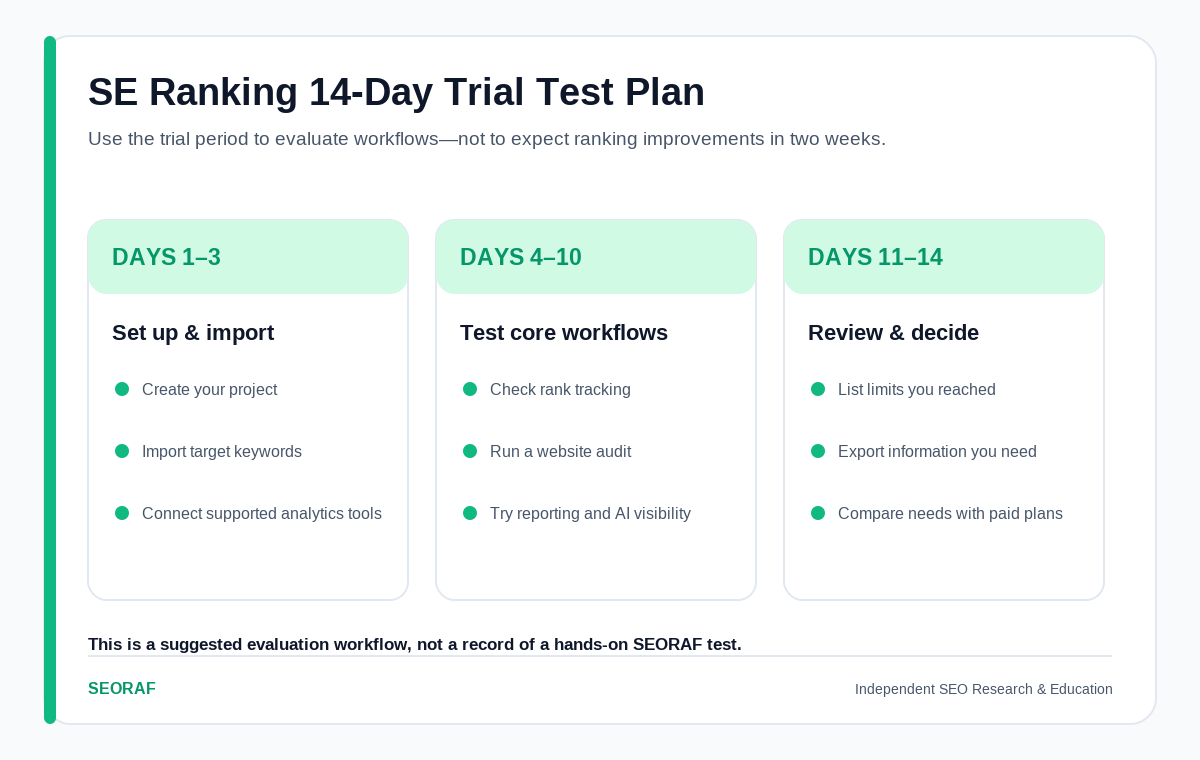
Days 1 to 3: set up and import
- Add your main site as a project and import your keyword list. Did the setup match what you expected?
- Connect Google Search Console and Google Analytics if you use them. Does the data appear without friction?
- Add one competitor and run the AI competitive research. Are the insights new to you?
Days 4 to 10: stress-test the jobs you’d actually pay for
- Rank tracking: compare SE Ranking’s positions with what you see in Search Console for the same queries. Are the differences small enough to trust?
- Audit: run a site audit and pick three issues. Would you act on them?
- Reporting: build one report you’d send to a client or manager. Is it faster than your current method?
- AI Visibility: run your 20 daily prompts on topics you care about. Is the output useful to you?
Days 11 to 14: decide and export
- List the limits you hit. If 750 keywords wasn’t enough, ask whether Core’s 2,000 would be.
- Save notes and any data the account allows you to export. SE Ranking’s Help Center says some competitive, keyword and backlink research exports are unavailable during the trial, and it does not clearly state how all trial projects and data are retained after expiry. Do not assume every report or project can be recovered later.
- Decide before day 14 so you don’t lose momentum.
How to Cancel the SE Ranking Free Trial
You don’t need to. SE Ranking states that the trial does not renew into a paid subscription, so there is nothing to cancel and no charge to avoid. To check your trial status, go to Billing in your account and find the active trial.
If you later buy a plan and want to cancel it, SE Ranking’s help center describes the steps: go to Billing, then Current plan, click Cancel subscription and confirm on the next screen. Auto-renewal is disabled immediately, and the plan stays active until the end of the current billing period. Add-ons bought as part of the same bundle are canceled with the main plan, while separately purchased add-ons must be canceled individually.
What Happens When the SE Ranking Free Trial Ends?
SE Ranking states that the trial expires automatically and that access becomes inactive. You are not charged. Nothing in SE Ranking’s pricing page or help article says what happens to the projects you created during the trial, so assume the worst case and export what you need before the end.
If you upgrade
SE Ranking says you can upgrade or downgrade at any time from your account’s billing settings using Change plan. Annual plans are billed upfront, and free assisted migration is available with annual subscriptions. Annual billing is listed as saving 20% compared with monthly billing. For current promotions, see SEORAF’s SE Ranking discount guide.
If you don’t
You simply stop having access. SE Ranking’s help center says that after a paid subscription expires, projects remain stored for 60 days but stay inactive until you sign up for a paid plan again. That statement is about paid subscriptions, and SE Ranking’s help article doesn’t say the same applies to trials.
Refunds
This is the point where money is actually at stake. Because the trial can’t auto-charge, the real decision is the purchase. SE Ranking’s pricing page states that payments are non-refundable, except where the service wasn’t delivered as promised or a special promotion says otherwise. Some third-party pages describe a 14-day refund window. That may reflect a promotion or older terms, and SEORAF could not confirm it from SE Ranking’s pages, so rely on SE Ranking’s own wording. Read SE Ranking’s current terms before paying, especially for an annual plan billed upfront.
Who Should Try the SE Ranking Free Trial?
SEORAF analysis: the trial is worth starting if you can answer “yes” to at least one of these.
- Freelancers and small agencies who track keywords across several sites and need to know whether SE Ranking’s reporting saves time.
- In-house marketers who want one platform for rank tracking, audits and keyword research and want to see how it fits their workflow.
- Anyone evaluating AI visibility tracking who wants to see how SE Ranking presents brand mentions in AI answers.
- Teams moving off another tool who want to test migration. SE Ranking’s pricing page describes import options for projects and ranking history.
You may get less from the trial if:
- You need more than 750 tracked keywords daily and want to judge performance at that scale. The trial can’t show it.
- You depend on Growth-only or add-on features that may not be testable in the trial.
- You only need a one-off check. SE Ranking’s free tools or another tool’s free plan may be enough.
For an overall verdict on the platform, read SEORAF’s SE Ranking review. If you want to compare other tools first, see SEORAF’s SE Ranking alternatives guide.
SE Ranking Trial vs Semrush Trial
| Tool | Standard trial | Card required? | Free plan? | Source |
|---|---|---|---|---|
| SE Ranking | 14 days | No | No (separate free tools only) | SE Ranking pricing page |
| Semrush | 7 days | Not clearly stated in the official trial summary | Yes, with reduced limits | Semrush official trial page and billing FAQ |
Semrush’s official trial page currently advertises a seven-day trial, and its billing FAQ says a free account is available with reduced limits. Semrush’s official materials surfaced for this guide do not clearly state the card requirement in the trial summary, so this article does not label the trial as card-free or card-required. Semrush’s Help Center says trial subscriptions convert to the selected plan unless canceled, so read the checkout terms and cancellation deadline carefully. Partner pages may advertise different promotions. For feature and pricing differences, read SEORAF’s SE Ranking vs Semrush comparison or browse SEORAF’s best SEO software guide.
SE Ranking Free Trial FAQ
Can I extend the SE Ranking free trial?
SE Ranking’s published pages describe a 14-day trial and don’t mention extensions. Don’t plan around one.
Can I use a personal email address?
SE Ranking’s sign-up form asks for a work email. Its published pages don’t say how personal addresses are handled, so check the form before you rely on one.
Can I upgrade during the trial?
SE Ranking says you can change plans anytime from Billing. SE Ranking’s pages don’t say how that interacts with a running trial.
Can my team share one trial login?
SE Ranking says only one active session is allowed per login and recommends adding seats or using guest links for shared access.
Is there a free plan after the trial?
SE Ranking’s pricing page lists a 14-day trial and no permanent free plan. Separate free tools exist, but they are not the full platform.
Can I get a demo instead?
SE Ranking’s pricing page offers free demo requests for teams that want a guided look before choosing.
Can I test agency or API features in the trial?
This isn’t documented in the trial description. SE Ranking lists the Agency Pack and API as paid add-ons, so confirm in your account before relying on them.
Is there a discount after the trial?
SE Ranking lists a 20% saving for annual billing. For promotions beyond that, see SEORAF’s discount guide.
Is the SE Ranking Free Trial Worth Starting?
If you’re curious about SE Ranking, the trial removes most of the risk. It’s free, runs 14 days and doesn’t ask for a card, so the only cost is your time. The most valuable use of that time is a prepared test: bring your own keywords and sites, check rank tracking against Search Console, and write down the limits you hit. Keep in mind the points the trial can’t answer, such as long-term ranking movement and performance at full scale, and read the refund terms before paying for a plan.
A free trial with no card lowers the risk of trying SE Ranking, but no SEO tool can promise rankings or traffic, and paid plans have limited refunds. Decide with your own keywords and data.
Start Your SE Ranking Free Trial
Affiliate link: SEORAF may earn a commission if you later buy a plan, at no extra cost to you. Prefer to compare first? See SEORAF’s SE Ranking alternatives guide.
How This Guide Was Verified
This article was checked on November 19, 2026 against the official sources below. SEORAF did not run a hands-on trial for this guide, so it contains no screenshots, test results or personal experience claims. Where SE Ranking’s pricing page and Help Center disagree, the article identifies the discrepancy instead of presenting one figure as settled. Third-party guides were not used as the basis for the trial-limit claims.
- SE Ranking pricing and subscription page (trial allowances, plan limits, refund policy, billing FAQ)
- SE Ranking Help Center: how to cancel your subscription (trial expiry, cancellation steps, data retention for paid plans)
- SE Ranking Help Center: account and project settings FAQ (detailed trial limits, available tools and trial exclusions)
- SE Ranking sign-up page (form fields and work-email requirement)
- Semrush official free trial page (seven-day trial)
- Semrush Help Center: billing FAQ (free-account limits and trial billing information)
Prices, limits and trial terms can change. SE Ranking’s pricing page and Help Center currently differ on the trial project allowance. Confirm the latest terms and the limits displayed in your account before you buy.