
Content Calendar Ideas for SMBs: A Practical Framework and Idea Bank
Many small business content calendars don’t fail because the owner ran out of ideas. They fail because the calendar was never sized to what the business could actually sustain.
If you’re looking for content calendar ideas for SMBs, you’ve probably seen the advice: post daily, be on five platforms, follow an 80/20 rule, and use a dedicated scheduling tool. Some of that advice is written with larger marketing teams in mind. If you’re running a small business — often as one person wearing five hats — following it exactly can become unsustainable within a matter of weeks.
This guide gives you both halves of what you actually need: a planning framework sized to your real capacity, and an organized bank of content ideas you can drop straight into it. It also shows how to connect your calendar with SEO, keyword research, semantic coverage, AI search, lead generation, and email capture without turning your content plan into an unnecessarily complicated marketing system.
Quick answer: The best content calendar for an SMB is the smallest system that consistently connects useful topics to a clear business goal. Start with one primary goal, choose only the channels you can maintain, build around a small set of content pillars, map important topics to search intent, and repurpose strong ideas across formats.
What Is a Content Calendar?
A content calendar is a schedule that maps out what content you’ll create, where you’ll publish it, and when. At minimum, it answers three questions for every piece of content: what is it, where does it go, and when does it go live.
For a small business, a content calendar can span blog posts, social media updates, email newsletters, video, downloadable resources, and other useful formats — organized in one place so you’re not planning each channel from scratch every week.
What a Content Calendar Actually Includes
A working content calendar typically tracks:
- The topic or working title of each piece of content
- The content type (blog post, social post, email, video, etc.)
- The channel it’s published on
- The publish date
- Who owns the task, even if that’s just you
- The status (idea, drafted, scheduled, published)
- What goal the piece supports — this one gets skipped often, and it shouldn’t
Content Calendar vs. Editorial Calendar vs. Marketing Calendar
These three terms get used interchangeably, which causes real confusion. Here’s the actual distinction:
- Editorial calendar — focuses specifically on written content, usually blog posts and long-form articles.
- Marketing calendar — covers all marketing activity, including paid ads, promotions, product launches, and events, not just content.
- Content calendar — sits in between. It covers content across formats and channels (blog, social, email, video) but not broader marketing activities like ad spend or event logistics.
For many small businesses, this distinction matters less in practice than in theory — you’ll likely run one combined calendar. Just be aware that if you bring in an agency or a new hire, they may use these terms more precisely than you’re used to.
Why SMBs Need a Different Approach
A lot of content calendar advice is written by people who work at agencies or on in-house teams with several dedicated people. That advice isn’t wrong — it’s just built for a different set of constraints than most small businesses have.
The Resource Reality
If you’re a small business owner or a one-person marketing hire, your reality probably looks like this:
- No dedicated designer — content needs to work with a phone camera and plain text
- No dedicated copywriter — you’re writing this yourself, probably in between other tasks
- A limited or nonexistent tool budget — free tools need to actually work, not just be a stepping stone to a paid plan
- You are often both the planner and the person who executes the plan, which changes what “batching content” realistically looks like
None of this means you can’t run an effective content calendar. It means the plan has to start from your actual capacity, not from a template built for a five-person team.
Why Enterprise Frequency Advice Doesn’t Transfer
Frequency benchmarks like “post on Instagram five times a week” or “post on LinkedIn daily” are often built with more dedicated content resources in mind than many small businesses have available. Applying those benchmarks directly to a business with one person handling content — alongside everything else — can lead to either burnout or a return to inconsistent, reactive posting — the pattern a content calendar is meant to help prevent.
The frequency that works for your business is the one you can maintain for months, not the one that looks impressive in a blog post.
The Capacity-First Planning Framework
This is the core process for building a content calendar that survives contact with a busy week. It starts from capacity, not from a wishlist of channels and post types.

Step 1: Define One Real Goal
Before you generate a single idea, decide what this content calendar is actually for. Not a list of goals — one primary goal.
Common goals for SMBs include:
- Generating leads or inquiries
- Building local visibility and trust
- Supporting SEO and organic search traffic through consistent, keyword-informed publishing
- Keeping existing customers engaged and retained
- Establishing expertise in a specific niche
If your goal is lead generation, your calendar should lean toward content that answers buyer questions and showcases results. If it’s local visibility, community and local-event content matters more. Trying to serve every goal equally usually means serving none of them well.
Step 2: Audit What You Already Have
Before creating another list of ideas, review what already exists.
- Which topics have already been covered?
- Which pages or posts still need updating?
- Which customer questions are not yet covered?
- Which content could be repurposed?
- Which topics deserve a stronger or more comprehensive page?
This is where content gap analysis becomes useful. The goal is not to copy competitors. It is to identify genuinely useful topics your audience needs that your current content does not adequately cover.
For search-focused planning, connect this audit with a proper keyword research process.
Step 3: Choose Channels Based on Capacity, Not Ambition
Pick channels based on two things: where your actual customers spend time, and how many channels you can maintain without letting any of them go stale.
A good rule of thumb: it’s often better to run two channels consistently than five channels inconsistently. An abandoned or rarely updated profile may undermine customer trust more than not having a profile there at all.
Step 4: Set a Frequency You Can Sustain
Rather than adopting a fixed number pulled from a generic benchmark, set your frequency using this logic:
- Start with the lowest frequency you’d be comfortable defending to a customer who checks your page — “we post weekly,” not “we try to post but it’s random”
- Confirm you can sustain that frequency during your busiest month, not just your calmest one
- Increase frequency only after you’ve held a lower one consistently for a few months
Consistency at a lower, sustainable frequency may build more trust with an audience than sporadic bursts followed by long gaps, since a predictable publishing cadence is generally easier for customers to rely on than an unpredictable one.
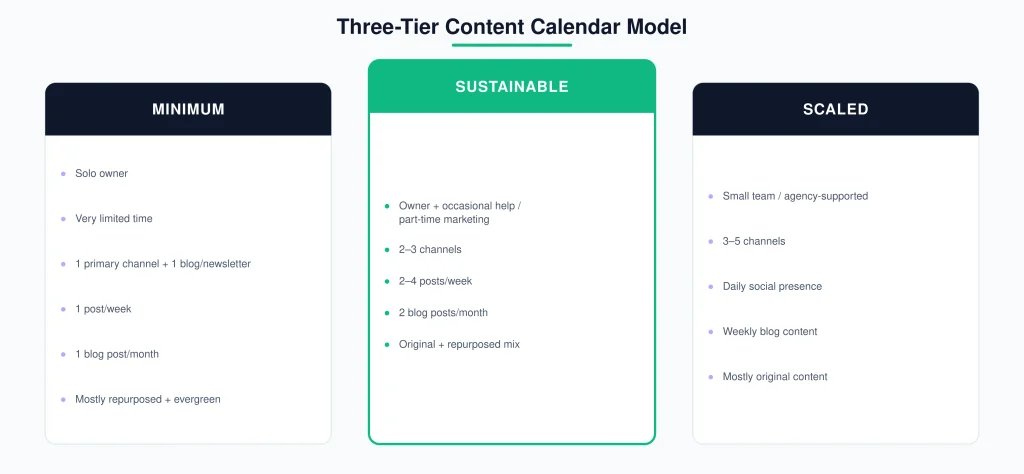
The Three-Tier Content Calendar Model
The right calendar size depends on your actual team, not a universal standard. Pick the tier below that matches your current capacity.
| Minimum | Sustainable | Scaled | |
|---|---|---|---|
| Best for | Solo owner, very limited time | Owner plus occasional help, or a part-time marketing hire | Small team (2–4 people) or agency-supported |
| Channels | 1 primary channel + 1 blog or newsletter | 2–3 channels | 3–5 channels |
| Frequency | 1 post/week, 1 blog post/month | 2–4 posts/week, 2 blog posts/month | Daily social presence, weekly blog content |
| Content mix | Mostly repurposed and evergreen content | Mix of original and repurposed content | Mostly original content, some repurposed |
| Review cadence | Quarterly | Monthly | Monthly with weekly check-ins |
Pick the tier that matches your current reality, not the one you hope to grow into next quarter. You can move up a tier once the lower one has been running smoothly for a while — moving up before that usually means abandoning the calendar altogether during a busy stretch.
Pre-Calendar Checklist
Before you start filling in dates, confirm each of these:
- One primary goal defined
- Existing content audited for gaps and update candidates
- Channels selected based on capacity, not aspiration
- A tier chosen — Minimum, Sustainable, or Scaled
- A frequency set that survives your busiest month
- A review date already on the calendar, not left to “whenever”
Example: A Solo Local Business, One Week
To make this concrete, here’s a hypothetical illustration — not a real client or case study, just a worked example showing how the pieces connect.
Imagine a solo-owned hair salon operating at the Minimum tier, with a primary goal of local visibility.
| Day | Content | Type | Channel | Goal |
|---|---|---|---|---|
| Monday | Before-and-after photo from the weekend | Social post | Local visibility | |
| Wednesday | Quick tip: “How to make a blowout last longer” | Social post | Engagement/expertise | |
| Friday | “How to choose the right hair color for your skin tone” | Blog post (monthly) | Website blog | SEO/local visibility |
That’s it — one channel plus a blog, three touchpoints a week, all tied back to a single stated goal. No forced daily posting, no five-platform spread.
Example: Unsustainable vs. Right-Sized
Unsustainable (copied from enterprise advice): Daily posts across Instagram, Facebook, LinkedIn, and TikTok, plus two blog posts a week — attempted by one person also running the business day-to-day.
Right-sized (Minimum tier): One weekly Instagram post, one monthly blog post, both tied to a single visibility goal — maintained consistently for six months before adding a second channel.
In this illustration, the smaller, right-sized version produces less content, but it’s the one more likely to still be in place several months later.
Building Your Content Mix
Once your tier and frequency are set, the next decision is what kind of content fills those slots.
Content Pillars — What They Are and How Many You Need
A content pillar is a recurring theme your content rotates around. Pillars solve a specific problem: without them, you tend to either repeat the same topic too often or run out of ideas entirely.
For many SMBs, three to four pillars are enough. More than that becomes hard to maintain at a small scale; fewer than that gets repetitive quickly.
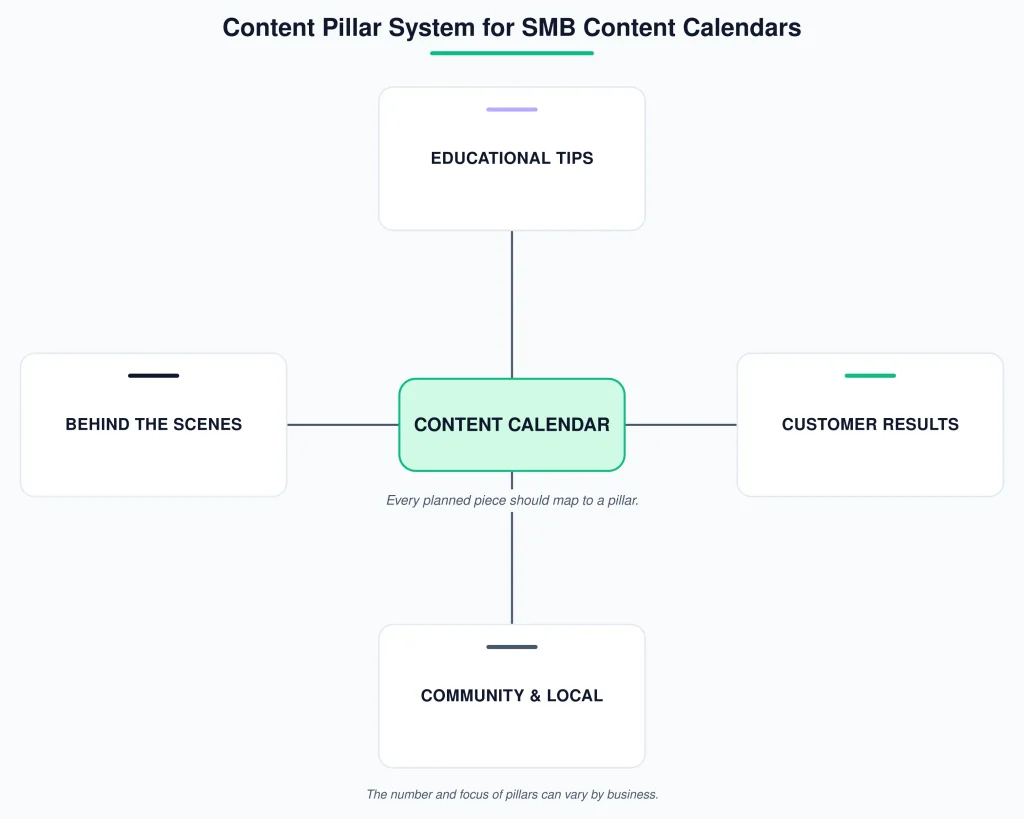
Example pillars for a local service business:
- Educational tips related to your service
- Behind-the-scenes team and process content
- Customer results or testimonials
- Community and local involvement
Every piece of content you plan should map to one of your pillars. If an idea doesn’t fit any pillar, that’s a sign either the idea is off-strategy or you’re missing a pillar — and a reason to revisit your content mix.
The 80/20 Heuristic — And When to Adjust It
You’ll frequently see an 80/20 split recommended: 80% value-driven content (educational, entertaining, community-focused) and 20% promotional content. This is a widely used content-marketing heuristic, not a fixed rule — treat it as a starting ratio rather than a requirement.
For many SMBs, a less promotional mix leaves more room for educational, useful, and community-focused content. If you’re running a short-term promotion or launch, it’s reasonable to shift the ratio temporarily — just don’t let “temporarily” become permanent.
Content Calendar Ideas by Funnel Stage
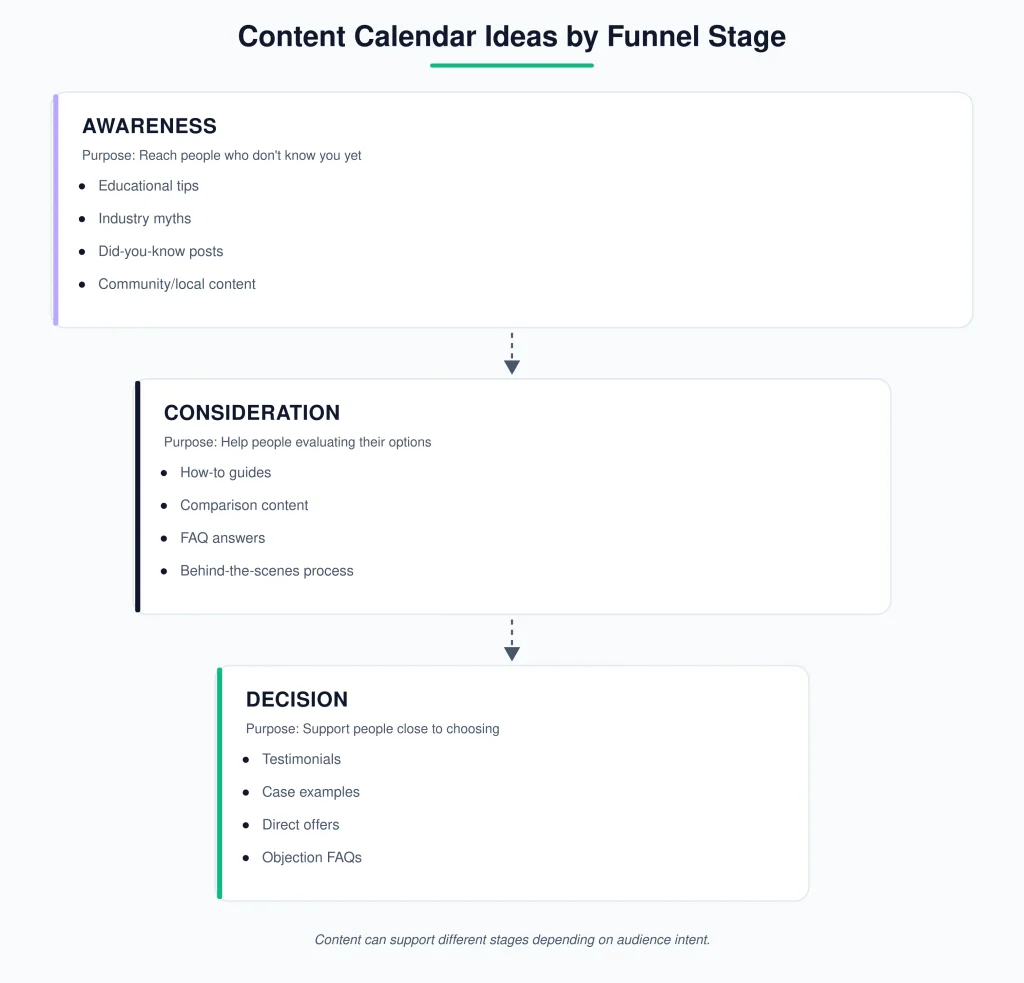
Organizing ideas by funnel stage — rather than as one long undifferentiated list — makes it easier to see what your calendar is missing. A calendar full of awareness content with nothing for people closer to buying is a common, fixable gap.
| Funnel stage | Purpose | Example idea types |
|---|---|---|
| Awareness | Reach people who don’t know you yet | Educational tips, industry myths, “did you know” posts, community/local content |
| Consideration | Help people evaluating their options | How-to guides, comparison content, FAQ answers, behind-the-scenes process content |
| Decision | Support people close to choosing | Customer testimonials, case examples, direct offers, “why choose us” content |
Awareness-Stage Ideas
- A quick tip related to your industry that solves a small, common problem
- A myth-busting post correcting a common misconception in your field
- A “did you know” fact relevant to your product or service
- Local event participation or community involvement posts
- A seasonal or timely post tied to a relevant holiday or industry moment
Consideration-Stage Ideas
- A how-to guide walking through a process your customers care about
- A comparison post — two approaches, two product types, or DIY vs. professional
- An FAQ post answering a question you get asked repeatedly
- Behind-the-scenes content showing how you do the work, which builds trust in your process
- A blog post targeting a specific question your customers search for
Decision-Stage Ideas
- A customer testimonial or review highlight
- A before-and-after showcasing a real result, with permission and without fabricated numbers or outcomes
- A direct explanation of what makes your business different from alternatives
- A limited-time offer or seasonal promotion, used sparingly per the 80/20 heuristic above
- An FAQ addressing common objections such as price, timeline, or process
Content Calendar Ideas by Business Type
The funnel-stage ideas above apply broadly. Here’s what changes depending on the type of small business you run — these are additions, not a repeat of the list above.
E-Commerce SMBs
- New arrival or restock announcements
- Styling or usage guides showing products in context
- Seasonal collection tie-ins planned around known sales periods
- User-generated content from customers using the product
- “How to choose between X and Y” product comparison content
Local and Service-Based SMBs
- Local event sponsorships or participation
- Staff spotlights and “meet the team” content
- Before-and-after work samples
- Community partnerships or collaborations with other local businesses
- Seasonal service reminders tied to your industry’s calendar, such as maintenance reminders or seasonal bookings
Solo Owners and One-Person Teams
- Lean into formats that don’t require design work: plain-text posts, phone photos, short written tips
- Repurpose one piece of long-form content, like a blog post, into several smaller posts instead of creating everything from scratch
- Batch a month of simple posts in a single sitting rather than creating daily
- Favor evergreen topics that don’t need frequent updating over timely posts that require constant attention
For the broader site-architecture side of planning, see SEORAF’s internal linking template for a separate framework on connecting related pages.
Content Calendar Template and Structure
What Columns to Include and Why
| Column | Purpose |
|---|---|
| Date | When the content goes live |
| Topic | The working title or subject |
| Content type | Blog, social post, email, video, etc. |
| Channel | Where it’s published |
| Pillar | Which content pillar it supports |
| Owner | Who’s responsible, even if it’s just you |
| Status | Idea, drafted, scheduled, or published |
| Goal/CTA | What action or outcome it supports |
You don’t need every column from day one. Start with Date, Topic, Channel, and Status — the rest can be added once the basic habit is established.
Spreadsheet vs. Dedicated Software: How to Decide
Use this simple decision guide rather than a feature-by-feature comparison:
- Minimum tier (solo, 1–2 channels): a spreadsheet — Google Sheets or Excel — is genuinely enough. Dedicated software adds a learning curve without a corresponding benefit at this scale.
- Sustainable tier (occasional help, a few channels): a free or low-cost scheduling tool becomes worth it mainly for the built-in publishing function, not the calendar view itself.
- Scaled tier (a small team): dedicated software earns its cost through collaboration features — shared visibility, approval steps, and assigned ownership — that a spreadsheet struggles to support once more than one person is involved.
This guide intentionally doesn’t rank or compare specific tools by name here, since tool features and pricing change often — a dedicated comparison of content calendar tools is better handled as its own resource, kept current separately from this planning guide.
Keeping the Calendar Alive: Batching, Repurposing, and Review
A content calendar that isn’t maintained becomes exactly the kind of abandoned, inconsistent presence it was meant to prevent. This section covers the part most guides skip: what happens after the calendar is built.
Batching Content Creation on a Small Team
Batching means creating multiple pieces of content in one sitting instead of daily. For a solo owner, this might mean spending two hours once a month writing captions for every post that month, then scheduling them. For a small team, it might mean one person drafting a week’s worth of content and another reviewing it in a single session.
Batching reduces how often you have to “switch on” content-creation mode, which is often a significant hidden time cost in maintaining a calendar.
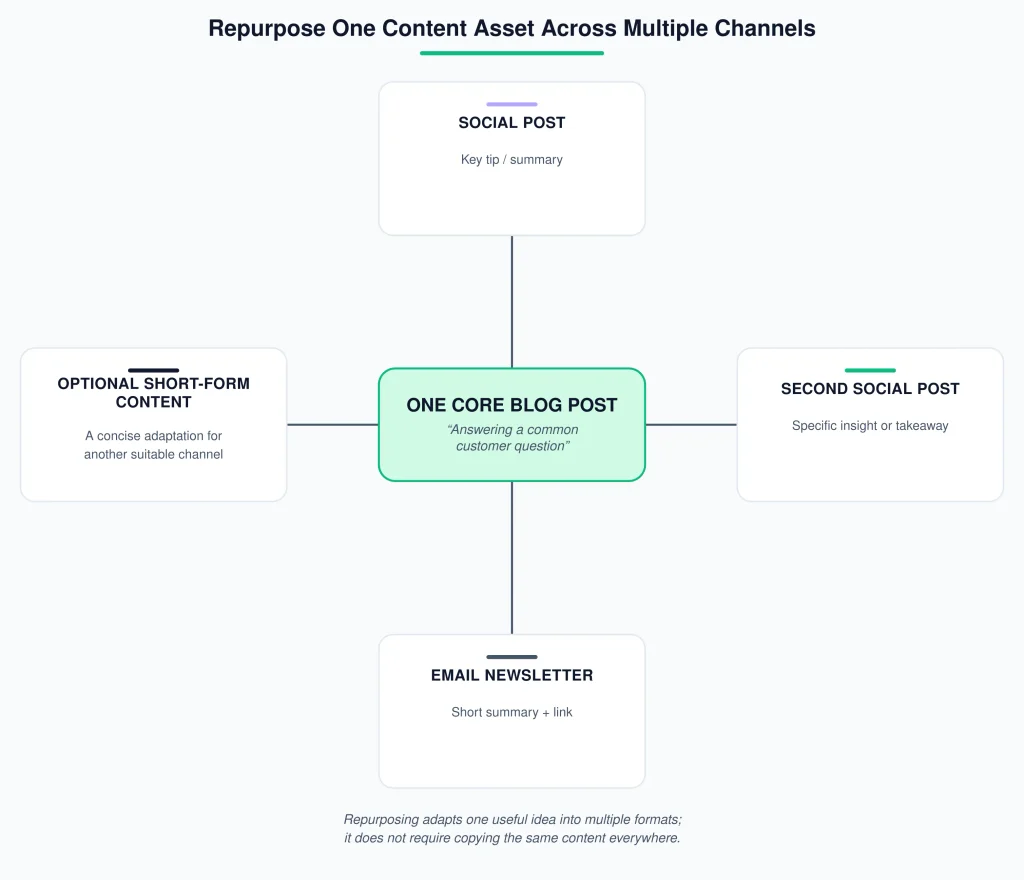
Repurposing One Asset Into Several Pieces
Rather than generating a new idea for every single slot, one well-made piece of content can fill several. For example:
- Original asset: a blog post answering a common customer question
- Repurposed into: a social post summarizing the key tip, a second social post quoting one specific line from the post, and a short email newsletter blurb linking back to the full article
Depending on the piece, one blog post can often fill several calendar slots across different channels, without needing a separate idea for each one.
A Simple Monthly Review Method
At the end of each month, spend fifteen minutes answering three questions:
- What got published, and what got skipped or delayed? If things were regularly skipped, your frequency may be set too high for your current capacity.
- Which pieces got a noticeably better response than others, based on what you can see in your own channel analytics?
- Is there a topic customers have asked about this month that isn’t yet on next month’s calendar?
This turns “review and iterate” from a vague piece of advice into a simple monthly habit.
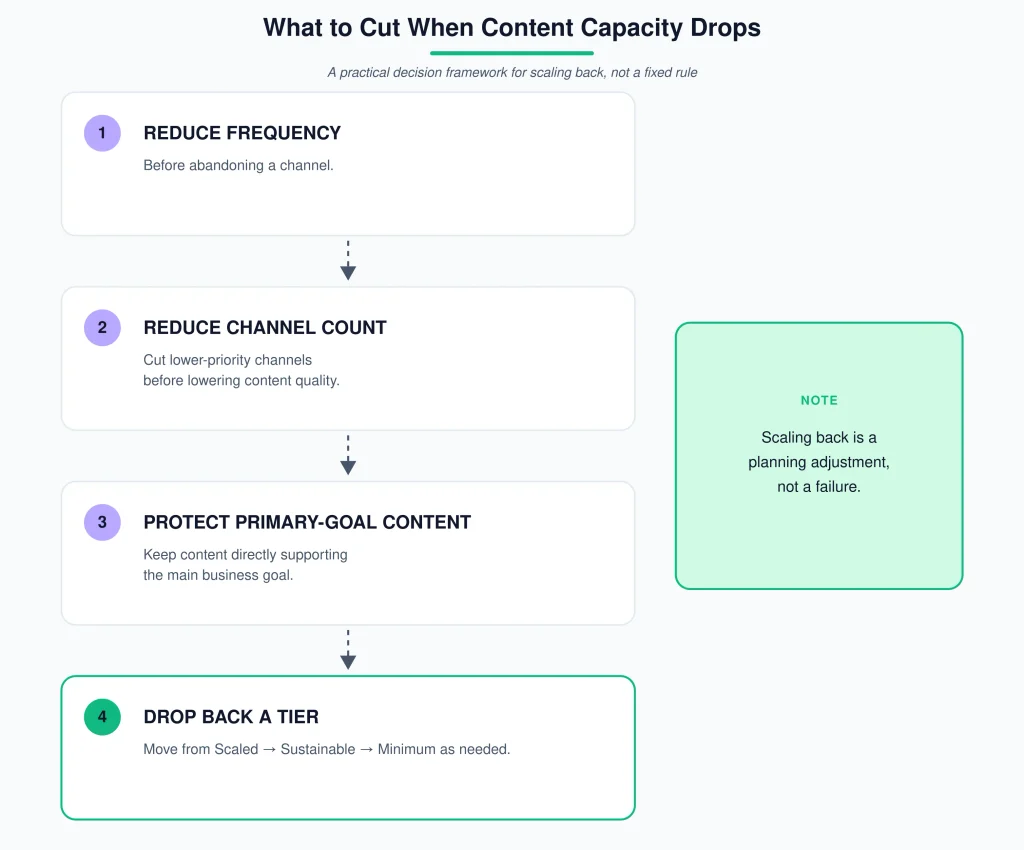
What to Cut When Capacity Drops
Much content calendar advice focuses mainly on scaling up. Real SMB life also involves scaling back — a slow season, a staffing change, an unexpectedly busy month. When that happens, cut in this order:
- Reduce frequency before cutting channels entirely. Going from four posts a week to two on the same channel preserves more consistency than abandoning a channel outright.
- Cut channels before cutting quality. A rushed, lower-quality post on every channel may undermine trust more than a well-made post on fewer channels.
- Protect your primary goal’s content last. If your calendar supports lead generation, that content should be the last thing cut, even if secondary content like general engagement posts gets paused first.
- Drop back a tier rather than abandoning the calendar. Moving from Sustainable back to Minimum for a season is a reasonable adjustment — abandoning the calendar altogether means starting the whole planning process over later.
Common Content Calendar Mistakes SMBs Make
- Copying frequency benchmarks meant for larger teams, then feeling like a failure when they’re not sustainable — the fix is the capacity-first approach above, not more willpower.
- Treating the calendar as a fix for a strategy problem it can’t solve. If your actual issue is unclear positioning or not knowing your audience, a more organized posting schedule won’t fix that — the calendar organizes execution, it doesn’t replace strategy.
- Skipping the content audit and generating ideas from scratch every time, which leads to repeating topics without realizing it.
- Building every column and process from day one, rather than starting simple and adding structure as the habit sticks.
- Never scheduling the review, so “review and iterate” never actually happens.
Frequently Asked Questions
Can one person realistically manage a content calendar?
Yes, at the Minimum tier. One channel plus a monthly blog post, batched once a month, is a realistic and sustainable setup for a solo owner. It’s often smaller than typical generic advice suggests, but a sustained smaller calendar may hold up better over time than an abandoned ambitious one.
How far in advance should I plan content?
A month at a time is a reasonable default for most SMBs — far enough ahead to batch content and plan around known events or seasons, without locking in so far ahead that the plan becomes stale or irrelevant.
What if I run out of content ideas?
Go back to your content pillars and your audit findings before generating brand-new ideas. Idea drought often comes from having too few pillars or not revisiting the questions your customers actually ask, rather than a genuine shortage of topics.
Do I need a content calendar if I only post on social media?
Yes. The same planning logic — goal, pillars, sustainable frequency — applies even with a single channel. A content calendar isn’t only for businesses running blogs and email alongside social; it’s just as useful for keeping one channel consistent.
Choose Your Next Step
If the calendar is clear but the website still has unresolved SEO or conversion issues, use the free SEO audit tool for a page-level check. If you need a broader diagnostic, see the SEO Audit Service. These are optional next steps—not requirements for using the framework above.
Key Takeaway
The goal of a content calendar isn’t to produce more content — it’s to produce a sustainable amount of the right content, tied to a clear goal, at a pace your business can actually maintain. If you take one thing from this guide, use the Three-Tier Model to pick the calendar size that matches your real capacity today, not the one you’d need for the business you hope to have next year. You can always scale up once the smaller version is running smoothly.
Sources and Further Reading
- Google Search Central: AI Features and Your Website — Google states that AI Overviews and AI Mode use the same foundational SEO practices and require indexed, eligible pages; there is no special AI Overview schema or separate technical requirement.
- Google Search Central: Optimizing for Generative AI Features on Google Search — guidance on useful, people-first content, semantic HTML, crawlability, and avoiding unsupported AEO/GEO hacks.
- Google Search Central: Link Best Practices — guidance on crawlable anchors, descriptive internal links, and using external links as appropriate citations.
- Google Search Central: Creating Helpful, Reliable, People-First Content — guidance on originality, sourcing, expertise, trust, and factual accuracy.
- W3C WAI: Tables Tutorial — structural guidance for accessible data tables using header cells and appropriate scope relationships.