
SEO Software Guides
SEO Software Pricing & Plans: What You’ll Pay in 2026
SEO Pricing & Plans can range from free access to four-figure monthly subscriptions, but the headline price is only part of the real cost. Projects, tracked keywords, users, crawl credits, API access, AI-search monitoring, historical data, and billing terms can all affect what you actually pay. This guide explains how SEO software pricing works, how to compare plans fairly, and what to check before choosing a subscription.
Pricing checked: September 10, 2026
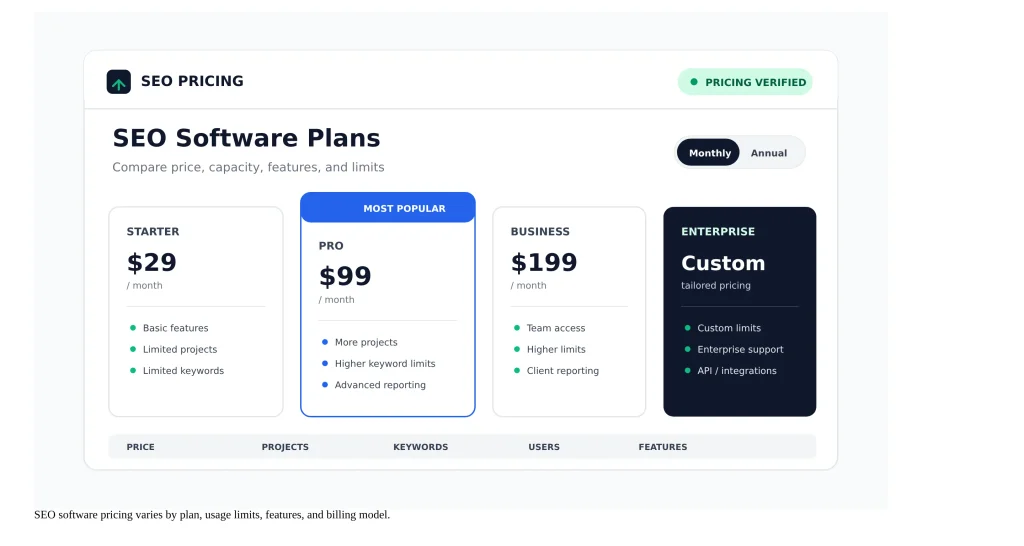
SEO Pricing & Plans: How SEO Software Pricing Works
SEO software is usually priced according to a combination of product access, usage, data volume, users, and business needs. Two tools can both advertise a similar monthly starting price while giving you very different amounts of rank tracking, crawling, keyword research, reporting, historical data, or team access.
That is why the right question is not simply “Which tool is cheapest?” A better question is “Which plan gives me the capabilities and limits I actually need at a predictable total cost?”
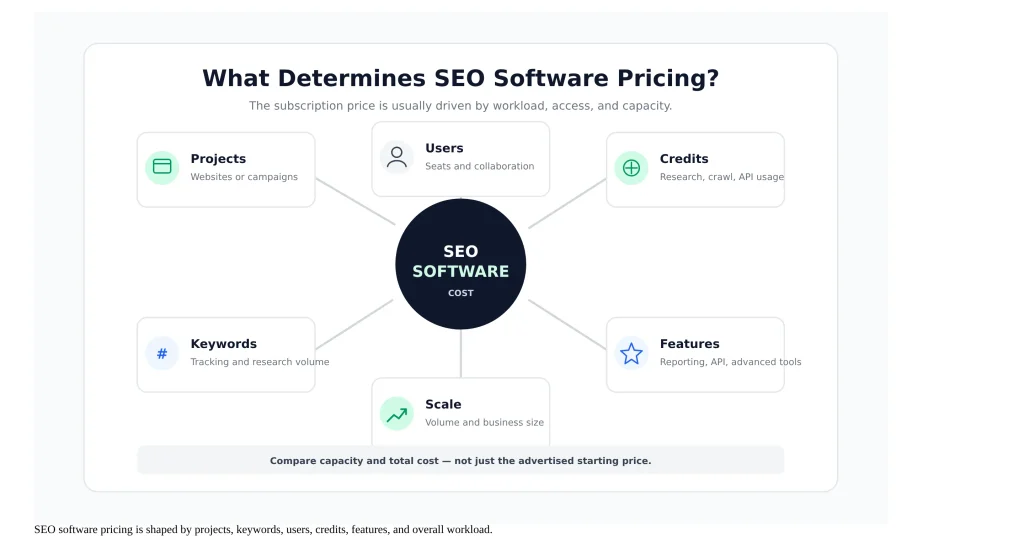
What determines the price?
The biggest pricing variables usually include the number of websites or projects you can manage, tracked keywords, user seats, research credits, crawl limits, data exports, historical data, reporting features, API access, and advanced automation.
Some platforms also separate newer AI-search capabilities from their traditional SEO functionality. Depending on the vendor, AI-search monitoring may be included in a plan or offered as an additional capability.
Why headline prices can be misleading
A low entry price may be useful for a small website but inadequate for a consultant managing several properties. A higher-priced plan can also be poor value when most of its additional limits are irrelevant to your workflow.
SEORAF rule: Compare the plan’s usable capacity, not only its advertised monthly price.
What to compare before looking at price
- How many projects or websites you need to manage
- How many keywords you track
- How often rankings update
- How much crawling or research data you consume
- Whether additional users cost extra
- Whether API or advanced reporting is required
- Whether AI-search visibility features are relevant to your workflow
Common SEO Software Pricing Models
SEO platforms do not all sell access in the same way. Understanding the pricing model makes plan comparison much easier.
Subscription pricing
Subscription software charges on a recurring monthly or annual basis. This is the most common model for modern SEO platforms. The subscription normally unlocks a defined set of features and usage limits.
Per-seat or team pricing
Some platforms include one user and charge for additional seats. This matters when multiple people need direct account access rather than simply receiving exported reports.
For example, Ahrefs currently includes one user on its core paid plans and charges separately for additional users. That makes user count a real part of the total subscription cost for teams. See Ahrefs pricing.
Credit-based pricing
Credits are often used to control expensive or data-intensive actions such as research queries, exports, API requests, AI checks, or other high-volume operations.
A plan with a low monthly price may therefore become expensive if your normal workflow frequently exceeds included credits.
Tiered pricing
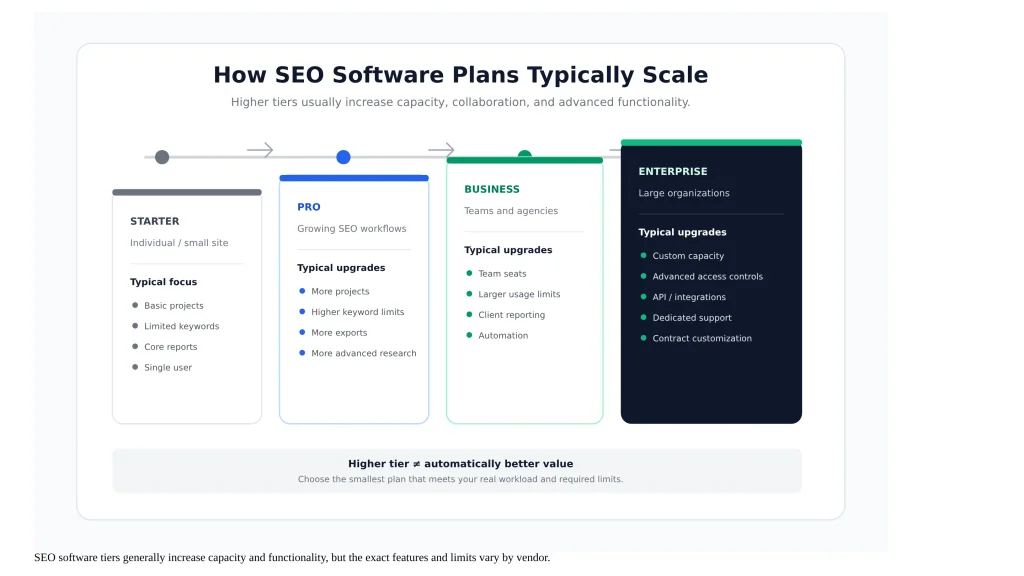
Tiered plans divide the product into levels. Lower tiers usually target individuals or smaller workloads, while higher tiers add capacity, automation, collaboration, reporting, advanced data, or enterprise controls.
Custom enterprise pricing
Larger organizations may need custom limits, contracts, security controls, integrations, or support arrangements. Enterprise pricing is therefore often quote-based rather than presented as a single public monthly price.
Plans and Feature Tiers
Most SEO software pricing pages use plan levels to separate basic access from higher-volume or more advanced workflows. The plan names are not standardized, so a “Pro” plan at one vendor should not automatically be considered equivalent to a “Pro” plan somewhere else.
What usually changes between tiers?
Common differences include project capacity, tracked keywords, historical data, crawl capacity, report limits, user seats, API access, white-label features, and advanced research capabilities.
Common differences between SEO software tiers
| Pricing dimension | What to check |
|---|---|
| Projects | How many websites or campaigns can you manage? |
| Keywords | How many keywords can be tracked, and how often are they updated? |
| Users | How many people are included, and what do extra seats cost? |
| Crawling | How many pages or crawl credits are included? |
| Historical data | How much historical information can you access? |
| Reporting | Are scheduled, branded, or client-facing reports included? |
| API | Is API access included or sold separately? |
| AI-search features | Are AI-search or visibility capabilities included, limited, or add-ons? |
How to know whether you need the next tier
Move up only when the higher tier solves a real constraint. Paying for unused capacity is not automatically a sign of a better subscription.
A useful upgrade test is:
- Identify the limit you are currently hitting.
- Confirm the next plan actually removes that limitation.
- Calculate the annual cost difference.
- Check whether a different platform solves the same problem more efficiently.
Usage Limits You Need to Check
Usage limits are often more important than the subscription price itself. They define how much work you can actually perform before reaching a cap, purchasing extra capacity, or upgrading.
Keyword tracking limits
Check both the number of tracked keywords and the update frequency. A plan that supports hundreds of keywords with weekly updates is not equivalent to a plan that provides the same keyword count with more frequent monitoring.
Project and website limits
Some plans restrict the number of websites, campaigns, or projects. Freelancers and agencies should pay particular attention because their number of active properties can grow faster than expected.
Crawl limits
Site auditing can be constrained by crawl credits, pages per month, maximum pages per project, or other vendor-specific limits.
API and export limits
API access is frequently separated from ordinary product access. Even when API functionality is available, row limits, credit allowances, request limits, or additional charges can apply.
What happens when you hit a limit?
The answer depends on the vendor. A platform may block additional usage, require an upgrade, sell add-on capacity, or allow additional consumption under a pay-as-you-go model.
Do not assume: “Unlimited” in one part of a product means every related workflow is unlimited. Always check the detailed limits table.
Free vs. Paid SEO Tools
Free SEO tools can be genuinely useful, particularly for site owners who need basic diagnostics, search performance data, or occasional research. The trade-off is usually limited data, fewer projects, lower usage allowances, or fewer advanced workflows.
Free does not always mean limited in the same way
Some free products are permanent free tiers. Others are temporary trials or free versions with strict daily or monthly limits.
Google’s Search Console is a useful example of a free search-performance data source. It provides first-party data about how a verified site appears in Google Search, making it fundamentally different from a commercial third-party SEO database.
Free plan vs. free trial
Free plan vs. free trial
| Feature | Free plan | Free trial |
|---|---|---|
| Duration | Usually ongoing | Time-limited |
| Purpose | Basic recurring use | Evaluate paid functionality |
| Capacity | Usually limited | May expose more paid features temporarily |
| Upgrade required | No | After the trial period if you want continued paid access |
When free is enough
Free tools can be enough when your work is occasional, your site count is small, and you mainly need basic diagnostics or first-party search data.
When paid software becomes worthwhile
A paid platform becomes easier to justify when you need recurring rank tracking, large-scale keyword research, competitive analysis, backlink data, automated reporting, historical datasets, or higher-volume crawling.
How Free Trials Work
Free trials are useful, but their conditions differ widely. A trial may have a time limit, restricted features, usage caps, or specific billing terms.
Check the trial conditions
Before starting a trial, verify the trial duration, whether a payment method is required, what functionality is included, and what happens when the trial ends.
Current examples show why vendor-specific verification matters. SE Ranking currently advertises a 14-day free trial and states that no credit card is required. Semrush currently offers a free trial on its SEO plans, while the exact trial conditions should be checked on the current offer page before signup. SE Ranking pricing and Semrush pricing.
Use a trial to test your real workflow
Do not spend the entire trial browsing features. Test the actions you expect to perform every month: keyword tracking, site auditing, competitor research, reporting, exports, integrations, and any AI-search monitoring you actually need.
Check what happens at the end
Confirm whether access expires, converts to a paid plan, or falls back to a free account. Also determine how your projects and data are handled after the trial or after a downgrade.
Monthly vs. Annual Billing
Annual billing often reduces the effective monthly price, but it also commits more cash upfront. Monthly billing costs more in many cases but can reduce commitment when you are still evaluating a platform.
Compare like with like
Never compare a monthly list price from one vendor with an annual-billed monthly-equivalent from another and label them both simply as “monthly pricing.”
Examples of current billing differences
| Vendor | Public monthly figure | Annual billing example | Important note |
|---|---|---|---|
| Ahrefs | $129/mo for Lite | Annual billing saves up to 17% | Additional users and add-ons can increase total cost |
| Semrush | $139/mo for the current SEO plan shown | $117.33/mo billed annually | The billing basis must be shown with the number |
| SE Ranking | $129/mo for Core | $103.20/mo billed annually | Current pricing page advertises 20% annual savings |
Verification note: Prices above reflect the vendor pricing pages checked on September 10, 2026. Prices, plans, taxes, promotions, currencies, and availability can change.
When monthly billing is smarter
Monthly billing can make sense when you are evaluating a new platform, running a short campaign, working with uncertain workloads, or avoiding a larger upfront commitment.
When annual billing is smarter
Annual billing can be more economical when the tool is already embedded in your workflow and you can reasonably predict that you will use it throughout the year.
Check cancellation and renewal terms
A cheaper annual subscription is not automatically better if the tool does not fit your workflow. Read the current cancellation, renewal, refund, and downgrade rules before committing.
SEO Pricing & Plans Comparison
When comparing SEO Pricing & Plans, look beyond the monthly subscription and review projects, tracked keywords, users, crawl capacity, reporting, and other limits.The table below is a pricing snapshot, not a universal ranking. It focuses on current publicly displayed entry-level pricing and highlights the billing context so the numbers can be interpreted correctly.
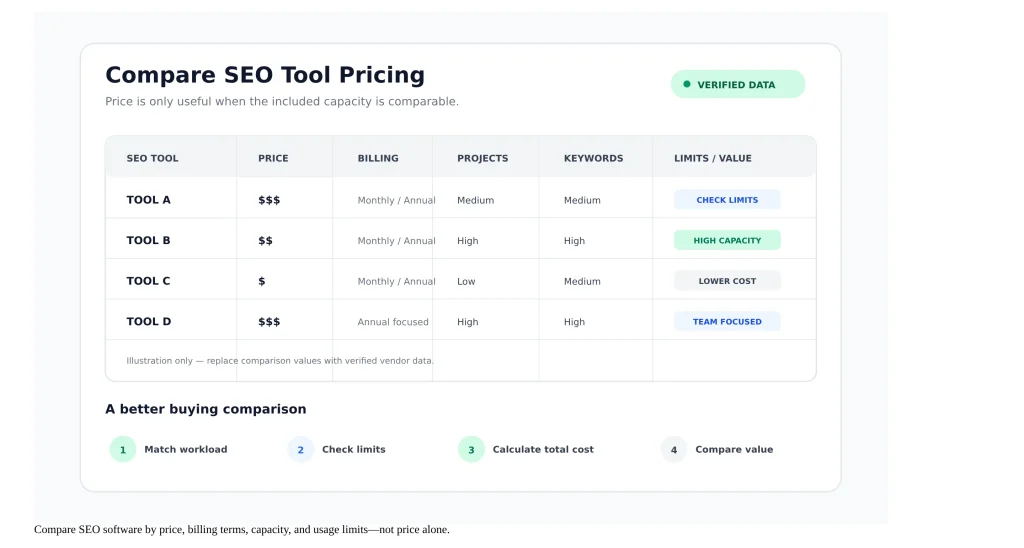
Current pricing snapshot
Selected SEO software pricing verified September 10, 2026
| Tool | Entry paid price shown | Billing context | Selected included limits | Trial / free option |
|---|---|---|---|---|
| Ahrefs Official pricing | $129/mo | Lite monthly list price | 5 projects, 750 tracked keywords, 100,000 crawl credits/mo, 5 tracked AI prompts | Ahrefs Free available |
| Semrush Official pricing | $117.33/mo | Billed annually; $139 monthly shown | 5 websites, 500 tracked keywords, AI-search tracking included in the current SEO plan | Free trial offered |
| SE Ranking Official pricing | $103.20/mo | Billed annually; $129 monthly shown | 10 projects, 2,000 keywords, 100 prompts, 250,000 audit pages/mo | 14-day trial; no credit card required |
The comparison shows why a simple “cheapest SEO tool” label is misleading. SE Ranking’s current Core plan has a lower annual-billed monthly equivalent than Ahrefs Lite, while Semrush’s current SEO plan shows a separate annual-billed price and a higher month-to-month figure. Their included limits and feature packaging are different, so price alone does not establish equivalent value.
How to read the comparison
Start with the workload you need to support, then check whether the plan includes enough capacity. For example, if you need more tracked keywords than the entry tier allows, the relevant comparison is not the two vendors’ entry prices. It is the price of the first plan at each vendor that actually meets your keyword requirement.
Best comparison method: Match the same workload across vendors before comparing price.
Why plan-level comparisons are better than brand-level comparisons
SEO software brands usually have several paid tiers. Saying that one brand “costs more” than another without specifying the plan and workload can create a false impression.
A more useful comparison asks: Which plan handles my projects, keywords, reporting, users, data requirements, and workflow at the lowest predictable total cost?
SEO Software Budget by User Type
The right budget depends on workload rather than job title. A freelancer managing one small site has very different requirements from an agency handling dozens of client campaigns.
Solo consultants and freelancers
Start by calculating how many projects, keywords, reports, and research tasks you perform each month. Avoid buying team or enterprise capacity unless the workflow genuinely needs it.
A practical priority order is: rank tracking → keyword research → site auditing → competitor research → reporting → advanced automation.
In-house SEO teams
In-house teams should consider collaboration, project capacity, historical data, reporting, and integrations in addition to basic research limits.
If several people need account access, include additional user costs in your annual budget rather than comparing only the base subscription.
Agencies
Agencies need to evaluate client count, projects, keyword volume, reporting, user seats, white-label requirements, and the cost of expanding capacity.
A plan that looks inexpensive for one internal website can become expensive when multiplied across client workloads.
Enterprise buyers
Enterprise buyers should evaluate security, access management, integrations, API capacity, data retention, contractual terms, support, and customized limits.
Public list prices may not represent the final negotiated commercial arrangement, so enterprise comparisons should separate public pricing from custom pricing.
How to Choose the Right SEO Software Plan
Choosing an SEO subscription becomes easier when you work backward from actual requirements.
- Define the workload. Count websites, projects, tracked keywords, users, reporting needs, and typical research volume.
- Identify hard limits. Write down the limits that could stop your workflow: keyword caps, crawl limits, project limits, seats, credits, exports, or API access.
- Choose the smallest plan that meets those requirements. Do not pay for capacity simply because a higher tier has more features.
- Calculate the real annual cost. Include additional users, add-ons, expected overages, and any required feature packages.
- Check the exit terms. Review renewal, cancellation, refund, downgrade, and data-retention conditions.
- Re-evaluate after actual use. Your ideal plan can change as keyword counts, project counts, and reporting requirements grow.
A simple decision framework
SEO software plan selection framework
| Question | What the answer determines |
|---|---|
| How many projects? | Project tier |
| How many keywords? | Rank-tracking capacity |
| How much crawling? | Audit capacity |
| How many users? | Seat cost |
| Need client reporting? | Reporting or agency features |
| Need automation/API? | API or advanced plan |
| Need AI-search monitoring? | Included feature vs. add-on |
| Predictable annual usage? | Monthly vs. annual billing decision |
Frequently Asked Questions
How much does SEO software typically cost?
There is no single standard price. Current public plans can range from free access to hundreds of dollars per month, with enterprise arrangements potentially costing more. The meaningful comparison is the price of the plan that supports your actual workload and limits.
What’s the difference between a free trial and a free plan?
A free plan is generally available on an ongoing basis with limited functionality or usage. A free trial is temporary and is usually designed to let you evaluate paid functionality before deciding whether to subscribe.
Do SEO tools charge per user or per project?
It depends on the vendor. Some plans limit projects, some limit users, and some use both. Check both dimensions because the base subscription may not represent the total cost for a team.
Is annual billing always cheaper than monthly?
Annual billing can have a lower effective monthly cost, but the exact discount varies by vendor and plan. Compare the current monthly list price with the annual-billed monthly equivalent rather than assuming every tool uses the same discount.
What features are usually locked behind higher-tier plans?
Higher tiers commonly increase projects, keywords, crawl capacity, users, historical data, reporting, exports, API access, or advanced automation. The exact feature gates are vendor-specific.
Is there a genuinely free SEO tool worth using?
Yes. Free tools can be very useful for specific tasks. Google Search Console is especially valuable for first-party Google Search performance data, while many commercial platforms also offer limited free access.
How much should a small business budget for SEO software?
Start from the workload rather than choosing a fixed percentage of revenue. A small business should calculate the number of projects, keywords, users, audits, reports, and research tasks it actually needs and then compare plans that meet those requirements.
What happens to my data if I downgrade my plan?
Policies vary by provider. Before downgrading, check whether projects remain stored, which data becomes inaccessible, and whether existing reports or historical information are retained.
Why are some SEO platforms adding AI-search visibility features?
Major SEO platforms are expanding into measurement of visibility across AI-powered search experiences. The packaging differs by vendor: some include the functionality in current plans while others use separate limits or add-ons.
Pricing Verification & Editorial Methodology
SEORAF treats software pricing as a time-sensitive commercial fact. Prices, plans, limits, promotions, taxes, currencies, and product packaging can change after publication.
For this page, pricing examples were checked against current vendor pricing pages on September 10, 2026. Vendor claims are presented as vendor-documented facts rather than as SEORAF’s personal testing results.
Where a vendor shows both monthly and annual billing, those figures are labeled according to their billing basis. SEORAF does not treat an annual-billed monthly equivalent as identical to a month-to-month subscription.
The purpose of this page is to help readers compare pricing structures and buying considerations. It is not a guarantee that one tool will produce better SEO results than another.
Commercial disclosure: Some links on SEORAF may be affiliate links. If a qualifying purchase generates a commission, it does not change the evaluation criteria or the editorial conclusions on this page.
Continue Your SEO Software Research
Last reviewed: September 10, 2026
Pricing and plan details can change. Verify the vendor’s current pricing page before purchasing.