
SEORAF / SEO Basics/What Is SEO
What Is SEO? Search Engine Optimization Explained
Search engine optimization (SEO) is the practice of making a website easier for search engines to find, understand, and trust, so its pages can appear in unpaid (organic) search results for relevant searches. SEO earns visibility through page quality and site accessibility, not by paying for placement.
This guide explains the definition and core concepts: how SEO works, how search engines find and rank pages, and the main areas of SEO. It is an overview, not a step-by-step tutorial.
How does SEO work?
SEO works by improving three things: whether search engines can access a page, whether they can understand what it covers, and whether it’s a more helpful, trustworthy answer than the alternatives. A weakness at any one stage limits results at the others.
A search engine’s goal is to match a person’s question with the most helpful page it knows about. Everything in SEO supports that match. It helps to think of it as three jobs:
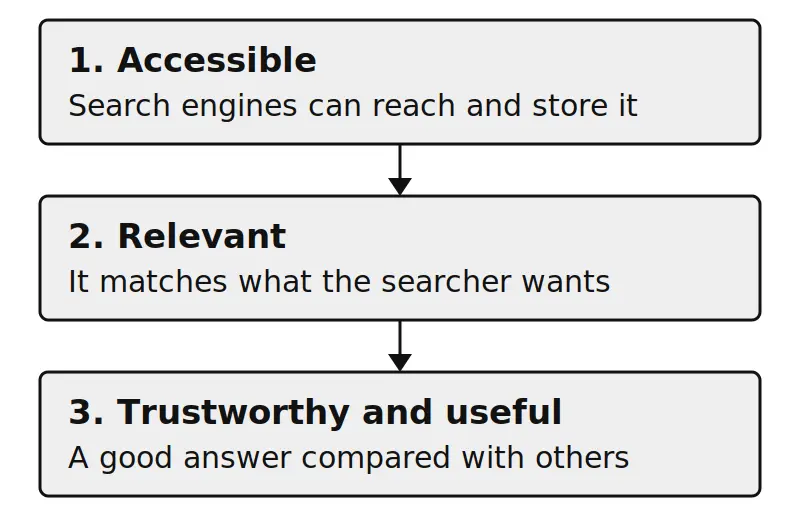
The three jobs of SEO
| Job | The question it answers | Where it’s covered |
|---|---|---|
| Be accessible | Can the search engine reach and store this page? | Crawling, indexing, and technical SEO |
| Be relevant | Does the page clearly match what the person wants? | Search intent and on-page SEO |
| Be trustworthy and useful | Is this page a good answer compared with others? | Ranking concepts and off-page SEO |
A brilliant page that search engines can’t crawl won’t appear. A crawlable page that answers the wrong question won’t satisfy anyone.
How do search engines crawl, index, and serve pages?
Search engines generally process pages in three stages: crawling (discovering pages), indexing (understanding and storing them), and serving (choosing which stored pages to show for a query).
This guide uses Google’s public documentation as its reference. Other search engines follow similar concepts but differ in details, and not every page makes it through every stage.
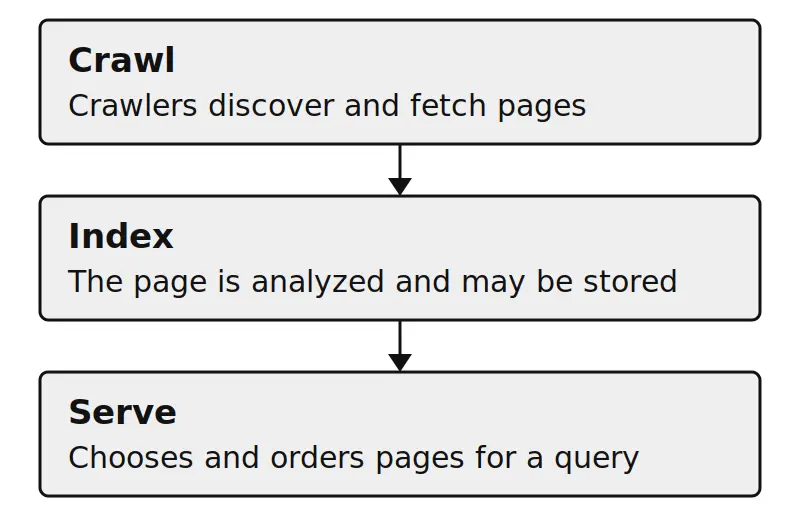
- Crawling: automated programs called crawlers find pages by following links and reading sitemaps.
- Indexing: the search engine analyzes a page’s content and signals, and may store it in its index.
- Serving: when someone searches, the engine selects and orders indexed pages using its ranking systems.
What happens at each stage,and how it commonly fails
| Stage | What happens | A common failure |
|---|---|---|
| Crawling | Crawlers discover and fetch the page | Blocked by robots.txt, or no links point to it |
| Indexing | The page is analyzed and stored | Noindex tag, thin or duplicate content |
| Serving | The page is chosen and ordered for a query | Another page matches the intent better |
What’s the difference between crawling and indexing?
Crawling is finding and fetching a page. Indexing is deciding to store it so it can appear in results. A page can be crawled and still not indexed. robots.txt mainly controls whether crawlers may fetch a page. To keep a page out of Google’s results, use noindex, and don’t also block that page in robots.txt, or Google may never see the instruction.
Why isn’t my page showing up in Google?
The most common causes are blocked crawling, a noindex instruction, no internal links pointing to the page, thin or duplicate content, or the page simply being new. Google Search Console’s Page Indexing report and URL Inspection tool show which applies.
- Blocked crawling: check robots.txt and any technical restrictions.
- Noindex: look for an instruction left over from drafting.
- No internal links: link to the page from related pages so crawlers can find it.
- Thin or duplicate content: make sure the page adds something original and substantial.
- A new page: there’s no fixed timeline for discovery and indexing, so allow time before troubleshooting.
How do search rankings work?
Google ranks pages using many automated systems that weigh factors such as relevance, content quality, trust signals, links, page experience, and context. It doesn’t publish a complete formula or fixed list of ranking factors, and the systems change over time. Other search engines differ in the details.
- Relevance: Does the page match what the query is really asking? Words on the page matter, but so does the topic the page covers and how completely it covers it.
- Content quality and helpfulness: Google says its ranking systems aim to prioritize helpful, reliable content created to benefit people, not content created mainly to manipulate rankings. Original information and clear explanations help, and where appropriate, first-hand experience and clear evidence supporting claims make content more helpful and trustworthy.
- Trust and expertise: Google describes experience, expertise, authoritativeness, and trust (E-E-A-T) as qualities its systems try to identify, with trust the most important. Google says E-E-A-T is not itself a ranking factor, and quality raters don’t decide how individual pages rank.
- Links: Links help search engines discover pages, and Google uses links as one factor in judging relevance. Links created mainly to manipulate rankings can count as link spam under its spam policies.
- Page experience: Google says its core ranking systems look to reward content that provides a good page experience, considered across several aspects rather than any single metric. Pages that load reasonably fast, work well on mobile, and are easy to use also serve visitors better.
- Context: The same query can return different results depending on location, language, and device.
- Spam policies: Google publishes rules against manipulative tactics, and sites that violate them may rank lower or not appear in results at all.
For the full picture, see Google’s guide to its Search ranking systems.
What is search intent?
Search intent is the goal behind a search: what the person wants to learn, find, compare, or do. It strongly shapes which types of pages are likely to satisfy, and therefore rank for, that search.
Two people can type similar words with very different goals. Someone searching for a definition wants an explanation. Someone searching for a product wants to compare or buy. A page that doesn’t match the dominant intent will struggle, however well it’s optimized.
Searches are often grouped into four broad types. This is a common industry framework, not an official Google classification, and real searches can mix intents:
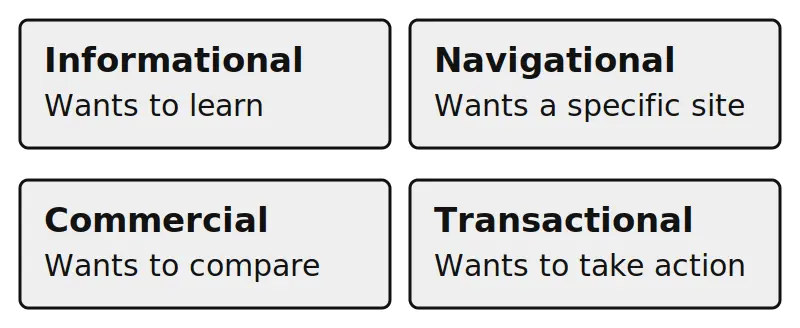
Four broad types of search intent
| Intent | What the searcher wants | Example style of query | Fitting page type |
|---|---|---|---|
| Informational | To learn or understand | “what is…”, “how does…” | Guide or explainer |
| Navigational | To reach a specific site | A brand or site name | The brand’s own page |
| Commercial | To compare before deciding | “best… for…”, “X vs Y” | Review or comparison |
| Transactional | To take an action | “buy…”, “book…”, “download…” | Product, service, or sign-up page |
To check the intent behind a phrase:
- Search it and look at the top results.
- Note the dominant format, such as guides, product pages, or comparisons.
- Build the page type searchers are already being shown.
This very page is an example. “What is SEO” is a definitional query, so it leads with a direct answer and then adds depth for readers who want it.
What are the main types of SEO?
SEO is commonly divided into on-page SEO (content and page elements), technical SEO (crawlability and site performance), and off-page SEO (links and mentions from other sites). Local SEO is a specialized branch for location-based searches.
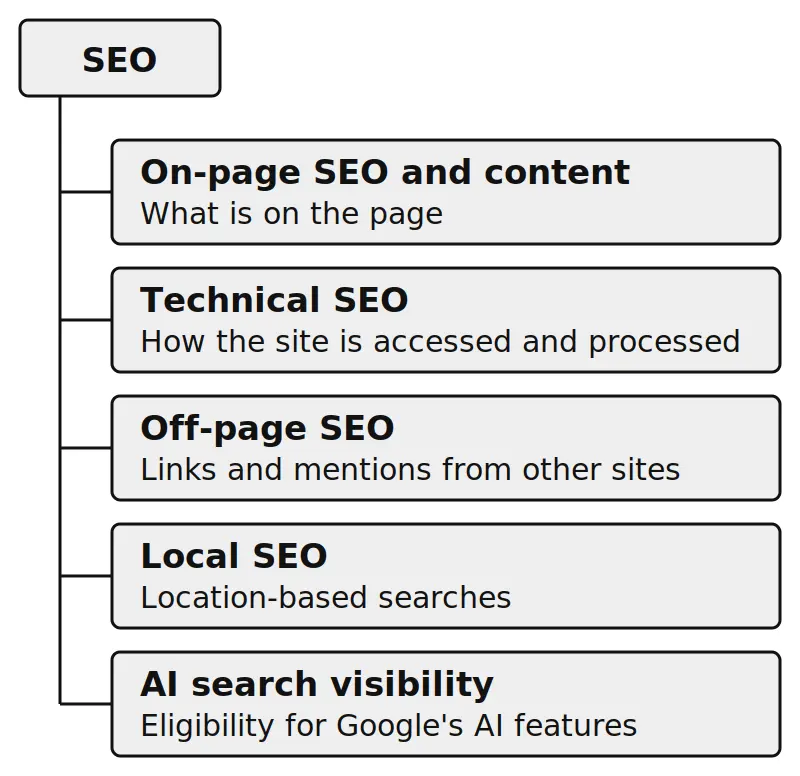
The major areas of SEO
| Area | What it covers | Example task |
|---|---|---|
| On-page SEO and content | The content and elements on a page you control | Writing a clear title and headings that match what people search |
| Technical SEO | How well search engines can access and process your site | Fixing pages that are accidentally blocked from crawling |
| Off-page SEO | Signals from outside your site, mainly links and mentions | Earning a link because another site found your resource useful |
| Local SEO | Visibility for location-based searches (see Google’s guidance on business details) | Keeping business information accurate across the website and relevant business profiles. |
| AI search visibility | Being eligible to appear in AI-generated answers and summaries | Keeping pages indexable and snippet-eligible, with clear, helpful, well-sourced content |
A note on that last row: AI features change how some results look, but Google says its generative AI features are rooted in its core Search ranking and quality systems, so the fundamentals in this guide still apply.
Google’s guide to AI features and your website states that to be eligible to appear as a supporting link in AI Overviews or AI Mode, a page must be indexed and eligible to be shown in Search with a snippet, and that there are no additional technical requirements.
Site owners can also manage a site’s inclusion in these features using the Search generative AI control in Search Console. Meeting the technical requirements doesn’t guarantee that a page will appear in AI features, since Google decides when an AI feature is shown at all. How AI search evolves is still uncertain, so treat confident predictions with caution.
What’s the difference between SEO and SEM?
SEO earns unpaid placement in search results through page quality and accessibility. SEM (search engine marketing) is often used to mean paid search advertising, where you pay for ad placement. Some writers use “SEM” more broadly to include SEO, so check how a source defines it.
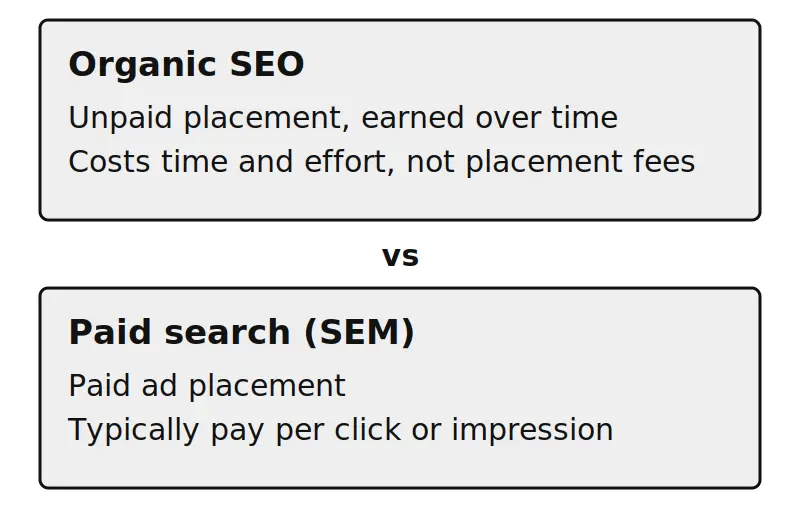
SEO compared with paid search advertising
| Aspect | SEO | SEM (paid search) |
|---|---|---|
| Cost model | No payment for placement; costs time and effort | Typically pay per click or impression |
| Speed | Gradual, judged over months | Can begin as soon as campaigns run |
| Placement | Organic results | Ads |
| After you stop | Pages may keep appearing, though results can change | Ads stop when spend stops |
SEO in practice: two illustrative examples
These are simplified scenarios to show how the ideas connect. They’re not real case studies.
Example 1: A blog post that explains a how-to topic
A small business publishes a guide on choosing a garden hose. Walking through the three jobs:
- Accessible: The post is linked from the blog’s main page, so crawlers can find it. A noindex tag left over from drafting would keep it out of the index, so the owner checks that.
- Relevant: People searching this topic want practical guidance, so the post opens with a direct recommendation, then explains the factors, using headings that mirror how people phrase questions.
- Trustworthy and useful: A page like this is more helpful when its author has actually used the products discussed, says so, explains trade-offs honestly, and includes specifics instead of repeating generic advice.
If the post still doesn’t perform, the owner works backward: Is it indexed? Does it match what the top results offer? Is anything materially better elsewhere?
Example 2: A local service business
A plumber wants to be found by people in their town. Here the mix of areas is different:
- Local SEO matters most: an accurate business profile, consistent contact details, and reviews from real customers.
- On-page SEO supports it: a clear page for each service and each area served, written for the customer’s actual problem.
- Technical SEO helps ensure the site can be crawled, processed, and accessed effectively.
Both examples use the same logic but weight the areas differently. That’s a useful lesson: SEO priorities depend on what you’re trying to achieve and what people are searching for.
Common SEO misconceptions
“SEO is just keywords.” Keywords help engines understand what a page is about, but stuffing them in doesn’t create a good page, and unnatural repetition is covered by Google’s spam policies. Search engines look at the whole page and whether it satisfies the searcher.
“SEO is a one-time setup.” Sites change, competitors publish, and search engines update their systems. SEO is closer to ongoing maintenance than a one-off project.
“Following the rules guarantees the first position.” No one can promise a specific ranking. Be wary of anyone who does. Good SEO improves your chances, but the results page is competitive and you don’t control it.
“More content or more links is always better.” Volume doesn’t substitute for quality. Google’s helpful-content guidance lists producing lots of content on many topics in hopes some of it ranks as a warning sign, and links created mainly to manipulate rankings can violate its spam policies.
“Paid ads help your organic rankings.” Google states that it doesn’t accept payment to rank pages higher in its organic results. Paid ads and organic listings are separate.
“AI has made SEO obsolete.” Search is changing, but Google says its AI features are rooted in its core Search ranking and quality systems, so the fundamentals in this guide still apply. It’s wise not to treat any single prediction about AI search as settled.
“An SEO tool can do it all for you.” Tools can reveal problems and save time, but they can’t judge whether your content is genuinely helpful or whether it matches what your audience wants. That judgment is yours.
What are the first steps in SEO?
Start by defining a goal, finding what your audience searches for, creating a page that answers it, and confirming search engines can index it. Then link it to related pages and measure results over time.
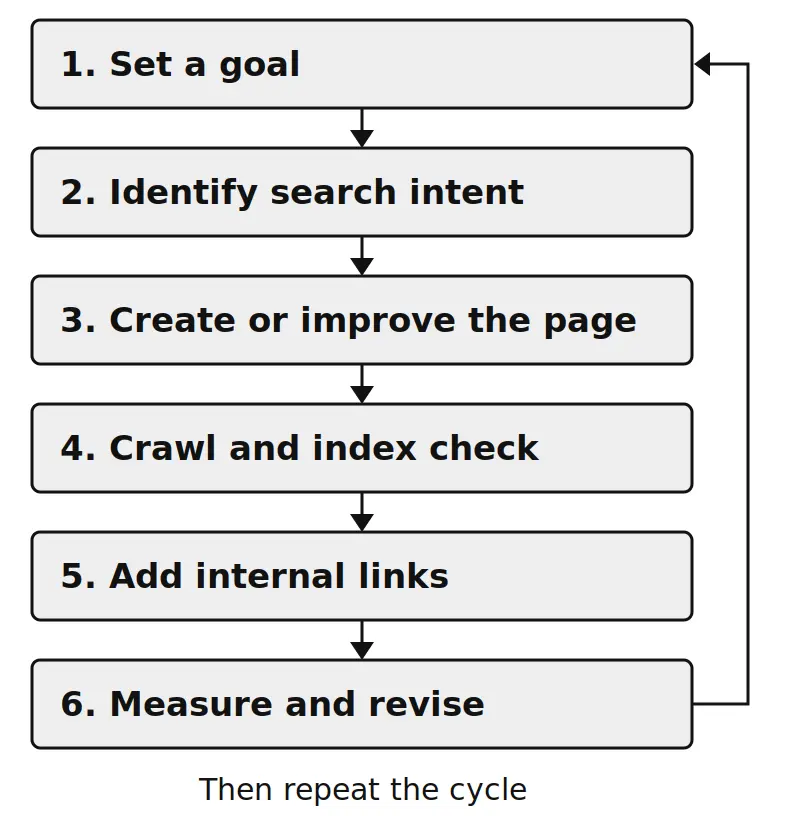
- Set a goal and know your audience. “More sign-ups from people comparing options” is easier to work toward than “more traffic.”
- Find the searches and their intent. Check what already ranks to see the format that satisfies people.
- Create or improve the page. Answer the question clearly and early, then add depth.
- Make sure it can be crawled and indexed. Use Google Search Console to check indexing status.
- Connect it with links. Link to it from related pages on your site.
- Measure, learn, and revise. Results take time, so judge over weeks and months, not days.
This is only an overview. For the full process, see the step-by-step beginner guide.
SEO FAQs
How long does SEO take?
There’s no fixed timeline. Results are usually judged over months, not days, and depend on competition, the state of your site, and content quality. Be cautious of anyone who promises specific dates.
Is SEO free?
You don’t pay search engines for organic placement, but SEO costs time and sometimes tools or professional help. Many core tasks can be done with free resources such as Google Search Console.
Can I do SEO myself?
Yes, for the basics: helpful content, clear titles and headings, internal links, and checking indexing. Hiring help makes more sense for large or technical sites, competitive markets, or when you can’t keep up consistently. If you do hire someone, ask them to explain what they’ll do and how they’ll measure it, and compare their advice with Google’s guidance on evaluating third-party SEO advice.
Where to go next
If you’re ready to put this into practice, these are logical next steps:
- Put it into action: getting started with SEO, the step-by-step beginner guide.
- Keep your process organized: reusable SEO checklists and briefs (email required).
- Go deeper with Google’s own documentation: Search Essentials and the SEO Starter Guide.