
Best Technical SEO Audit Tools in 2026: 10 Tools Compared
By Mousume Akter, Founder & Editor, SEORAF · Last verified: November 25, 2026
Disclosure. SEORAF is an independent SEO knowledge resource, not an agency, and I don’t sell rankings. Some links on this page are affiliate links, marked with an asterisk (). If you buy through one, SEORAF may earn a commission at no extra cost to you. Right now, the affiliate links on this page are SE Ranking* and Seobility*. Commissions do not decide which tools are included, how they are ordered, or what I write about them. Every tool follows the same review template. Read the full affiliate disclosure.
How I researched this. I did not run these tools. This guide is based on Google’s documentation, official vendor pricing and help pages reviewed for this update, and clearly labeled third-party sources. I did not run original tests or independent benchmarks, and I don’t use scores or “winner” badges. Where a plan detail, limit, or feature could not be confirmed from an official source, I mark it as unverified and recommend checking the vendor’s current plan page before purchase.
A technical SEO audit tool will happily report hundreds of “issues” on a healthy website. Most are harmless. A few quietly stop Google from crawling or indexing pages that matter. The hard part is not finding problems. It is choosing a tool whose limits fit your site, then knowing which findings to trust.
That choice is harder than it looks. Tools measure limits in different units, from URLs per crawl to monthly crawl credits. Issue counts mean different things from vendor to vendor. Pricing pages change, and many comparison lists repeat old numbers. This guide compares ten tools on what their official pages document, explains the trade-offs honestly, and shows how to run and validate an audit without treating every warning as an emergency.
Quick picks. These are starting points, not rankings:
- Small site, tight budget: Google Search Console plus a free tier (Screaming Frog up to 500 URLs, Seobility Basic, Semrush Free, or Ahrefs Free for verified sites).
- Solo consultant: a desktop crawler plus Search Console.
- Agency with many clients: a cloud suite for scheduled audits, plus a desktop crawler for deep dives.
- Large or JavaScript-heavy site: check crawl limits and rendering availability first, then validate in Search Console.
- You also need rank tracking and backlinks: a suite that bundles them.
- Slow pages: PageSpeed Insights plus Search Console’s Core Web Vitals report.
Jump to: What it is · How they work · How I evaluated · Comparison · Reviews · Free vs paid · Features · Which tool fits · Run an audit · Prioritize · Limitations · FAQs
What is a technical SEO audit tool?
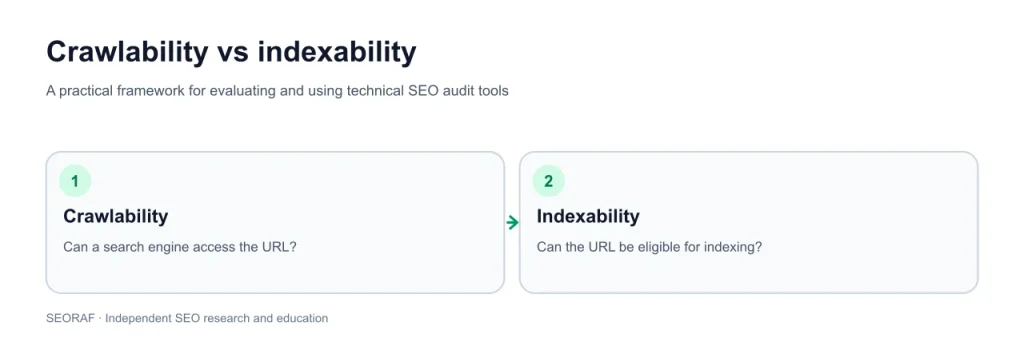
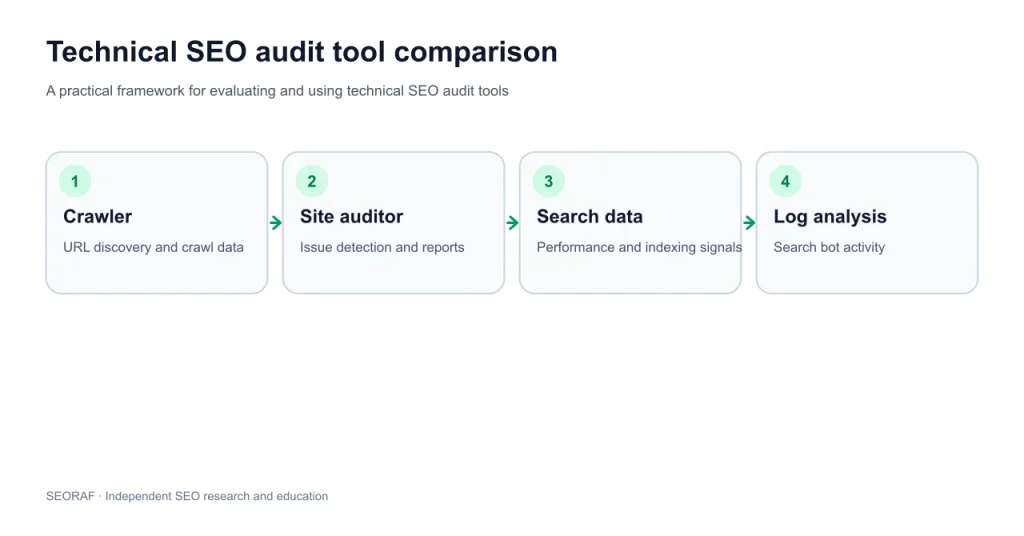
A technical SEO audit tool checks whether search engines can crawl, render, and index your pages, and flags problems that get in the way. Four kinds of tool get lumped together under the name:
- Crawlers fetch your pages the way a bot does and report what they find: status codes, redirects, links, directives, metadata. Screaming Frog and Sitebulb are examples. For the mechanics, see our SEO crawler guide.
- Site audit modules are crawlers built into a larger SEO suite, such as Semrush, Ahrefs, SE Ranking, and Seobility. They add scheduling and reporting, but usually come with account-level limits.
- Google’s first-party tools, Search Console and PageSpeed Insights, show what Google reports about your site or measures on a page. They don’t crawl your site on demand.
- Monitoring and enterprise platforms, such as JetOctopus and Lumar, are built for large sites and ongoing change detection.
What a tool can and cannot tell you
A crawler shows what a bot can fetch from your server. It cannot show what Google actually did. Search Console is Google’s first-party source for the search performance and indexing information it makes available about your verified property. Google also says third-party tools don’t have access to its internal ranking data and can’t guarantee performance (Google: third-party SEO tools). So a tool’s “health score” is the vendor’s own measure, not a Google metric.
That matters for how you read results. A flag is only a lead. It becomes a confirmed SEO problem when you verify it, when it affects pages that should be indexed, and when Google’s documentation describes a mechanism for it. Even then, it is a crawling, indexing, or eligibility problem, not a guaranteed ranking loss.
How technical SEO audit tools work
From crawl to report
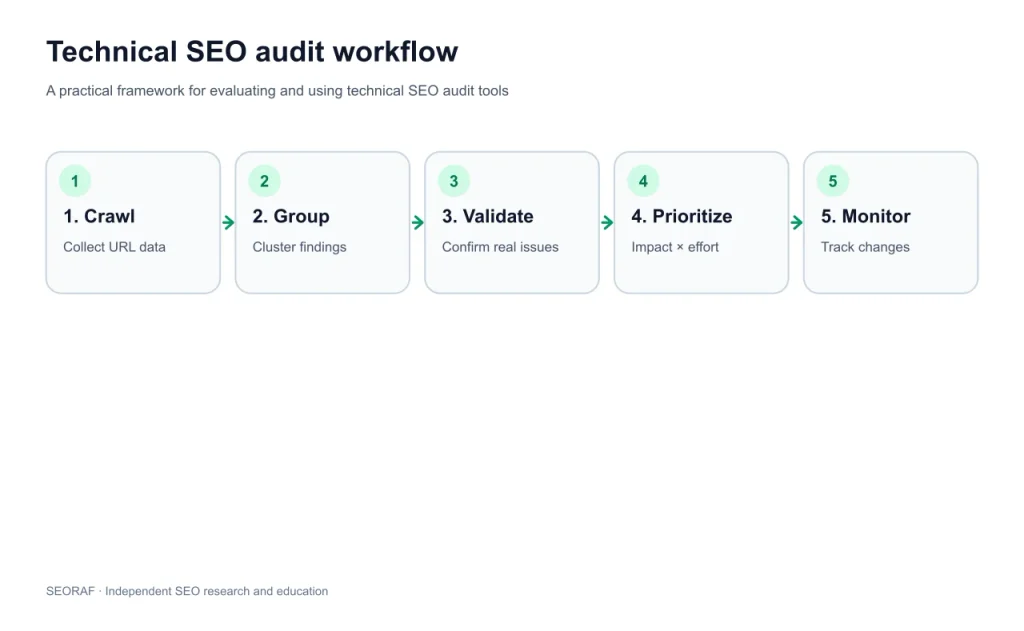
Most tools follow the same pipeline. They start from a URL, a sitemap, or a URL list. They fetch each page, optionally render JavaScript, extract links and signals, apply rules, and group the results into reports. What differs is where it runs (your computer or the vendor’s servers), how much it can crawl, and how it explains and prioritizes results.
The crawler’s view vs. Google’s view
Google’s own pipeline has stages: discovery, crawling, rendering, indexing, and serving. A tool only approximates the first few.
- Googlebot reads a limited amount of each URL. A March 2026 Google post says Googlebot currently fetches up to 2MB per URL, excluding PDFs (Google Search Central).
- Google queues pages for rendering with an up-to-date Chromium, but non-200 pages may be skipped, and server-side rendering is still recommended for critical content (Google: JavaScript SEO basics).
- A tool’s renderer is not Google’s renderer. When a rendering finding matters, confirm it with Search Console’s URL Inspection.
How I evaluated these tools
I compared tools on eight criteria, using only documentation and published pricing:
- Crawl scope and limits
- JavaScript rendering, and whether it depends on your plan
- Indexability and directive coverage
- Explanation and prioritization of findings
- Integrations (Search Console, Google Analytics, Sheets, Looker Studio)
- Scheduling and comparison between crawls
- Pricing model and transparency
- Fit for different site sizes and users
Evidence labels. I mark where information comes from:
- [G] Google-documented
- [V] Vendor-stated (official pages)
- [P] Practitioner observation (third-party commentary, not verified)
- [S] SEORAF recommendation (my reasoning, not a vendor claim and not tested)
- [NV] Not independently verified
I do not present independent benchmark research or claim that a study proves one tool is better. Vendor feature counts are treated as vendor claims, not comparable performance evidence.
What this guide does not do.
- I don’t rank tools by issue counts. Vendors say Screaming Frog checks for 300+ issues, Semrush 140+ checks, Ahrefs 170+ issues, and Seobility 300+ factors. Each defines “check” differently, so the numbers can’t be compared.
- I don’t give scores or winners.
- I don’t claim hands-on testing.
- I don’t cover enterprise platforms in depth. That’s the job of Best Technical SEO Software.
How I chose the ten. I picked tools with documented technical-audit capability and public limits or pricing (or a clear role as a Google reference tool), spanning small sites to enterprise. Two of the ten, Search Console and PageSpeed Insights, are not full-site crawlers, and I say so wherever it matters. This is not a survey of the whole market. Moz Pro, Sitechecker, Netpeak Spider, Oncrawl, and Botify exist, and I haven’t reviewed them here.
Best technical SEO audit tools compared
Pricing note. Prices in this comparison are the amounts recorded in the original research snapshot, not a live checkout quote. Currency, tax, billing period, promotions, and plan names can change. Where the current official page does not expose a stable price or exact allowance, I say so rather than treating an old figure as guaranteed. Confirm the final amount and crawl allowance on the vendor’s checkout page before purchase.
At-a-glance comparison
| Tool | Type | Entry price as displayed [V] | Free access [V] | Key limit [V] | JavaScript rendering |
|---|---|---|---|---|---|
| Google Search Console | Google first-party | Free | Free | Verified properties only; example lists capped at 1,000 URLs | URL Inspection shows Google’s rendered view [G] |
| PageSpeed Insights | Google lab + field, one URL | Free web tool | Free | One URL or origin per test | Lighthouse lab load [G] |
| Screaming Frog SEO Spider | Desktop crawler | £199/year per licence (1–4 licences) | Free version: 500 URLs | Free version URL cap | Paid licence required for JavaScript rendering [V] |
| Sitebulb | Desktop + Cloud crawler | Price varies; check live vendor selector | 14-day free trial | Lite: 10,000 URLs; Pro: 500,000 default cap | JavaScript crawling on all plans [V] |
| Semrush Site Audit | Suite module | SEO plan $117.33/mo billed annually ($139 monthly) | Free plan (100 pages); 7-day trial | Pages per audit and per month, by tier | Higher tiers only |
| Ahrefs Site Audit | Suite module | Lite $129/mo | Ahrefs Free (verified sites) | Crawl credits and max pages per project | [NV] |
| SE Ranking Website Audit | Suite module | Core $103.20/mo billed annually ($129 monthly) | 14-day trial, no card | 250k pages/month on Core | Described; plan availability [NV] |
| Seobility | Suite module | Premium €59.90/mo | Free Basic; 14-day paid-plan trial | 25,000 pages per crawl on Premium | Listed; plan availability [NV] |
| JetOctopus | Cloud crawler + logs | Pro $549/mo | 7-day trial, no card | 1M crawled URLs/month on Pro | JS crawl mode listed |
| Lumar | Enterprise platform | Quote only | Demo | Quote | [NV] |
Crawl limits, plan gating, and free access
| Tool | Limit unit | Vendor-stated limits | Tier-dependent features |
|---|---|---|---|
| Screaming Frog | URLs per crawl | Free: 500; a licence removes the cap | Advanced features need a licence |
| Sitebulb | URLs per audit/plan | Lite: 10,000 URLs; Pro: 500,000 default (can be raised up to 2 million, subject to hardware); Cloud uses flexible plans | Pro adds scheduling, audit comparison, PDF reports |
| Semrush | Pages per audit and per month | Pro-level: 100,000/month, 20,000 per audit; Guru-level: 300,000/20,000; Business-level: 1,000,000/100,000; Free: 100 pages | JS rendering on Guru- and Business-level |
| Ahrefs | Crawl credits per month; max pages per project | 100k / 500k / 1.5M / 5M+ credits (Lite to Enterprise); 25k / 50k / 250k / 5M pages per project | HTTP authentication on Advanced; always-on audit add-ons |
| SE Ranking | Pages per account/month; max per project | Core 250k / 250k; Growth 2M / 1M | Page changes monitoring on Growth |
| Seobility | Pages per crawl; projects | 25k / 50k / 100k pages (Premium to Agency); 3 / 7 / 20 projects; Free: 100 pages | Team accounts on higher plans |
| JetOctopus | Crawled URLs/month; log lines | Pro 1M URLs, 5M log lines; Ultra 3M, 10M | Unlimited is custom |
Notes on the tiers. Semrush’s Site Audit help documentation uses the legacy tier labels Pro, Guru, and Business, while its current pricing page may use different plan names. Do not assume a one-to-one mapping from an older tier to a current plan unless Semrush confirms it in current documentation or checkout. The exact crawl allowance for the entry SEO plan should be confirmed before buying. Ahrefs Free gives verified site owners limited Site Audit access; check the current Ahrefs help documentation for the exact allowance.
Which source answers which audit question
| Audit question | Best source | Why |
|---|---|---|
| Is this URL indexed? Which canonical did Google choose? | Search Console URL Inspection | Google’s own data [G] |
| Why aren’t these URLs indexed? | Page indexing report | Gives reasons by status [G] |
| How is Googlebot crawling my host? | Crawl Stats report | Aimed at advanced users and larger sites [G] |
| What does the server return for each URL? | Crawler (or curl -I for one URL) | A bot-style fetch |
| Which internal links point to redirects or errors? | Crawler | Needs a full crawl |
| Which pages have no internal links? | Crawler plus sitemap/Search Console/analytics URL lists | A crawl alone can’t find pages nothing links to |
| Does rendered HTML differ from raw HTML? | Crawler with rendering, confirmed in URL Inspection | Tool renderer isn’t Google’s |
| Do real users get good Core Web Vitals? | Search Console report or PageSpeed Insights field data | Field data [G] |
| Why is one page slow in a test? | Lighthouse or PageSpeed Insights lab data | Debugging |
| Is my structured data eligible for a rich result? | Rich Results Test, URL Inspection | Google’s checks [G] |
Technical SEO audit tool reviews
Each review follows the same template. “Vendor documents” lists claims from official pages. “My assessment” is [S]: my reasoning, not testing.
1. Google Search Console
- Best for: every site owner, as the baseline.
- Google documents: a free service to monitor, maintain, and troubleshoot your site’s presence in Google Search. URL Inspection shows index status, runs live tests, and lets you request crawling. The Page indexing report shows why URLs aren’t indexed. Crawl Stats and the Core Web Vitals report are available too (About Search Console).
- Limits: works for properties you verify. It reports on URLs Google knows about, so it can’t reveal pages Google hasn’t discovered. The Page indexing example list is limited to 1,000 URLs. Google says sites under 500 pages probably don’t need the Page indexing report (Page indexing report), and Crawl Stats is for advanced users with larger sites (Crawl Stats).
- My assessment: Google’s first-party source for the Search Console data available about your verified property, at no cost. It is not a substitute for a crawler: it won’t map your internal links or redirect chains.
- Not ideal for: finding orphan pages or auditing sites you don’t own.
- Go deeper: Google Search Console guide.
2. Google PageSpeed Insights
- Best for: diagnosing speed on specific pages.
- Google documents: it assesses page performance on mobile and desktop using lab data from Lighthouse and field data from the Chrome User Experience Report (CrUX), reported at the 75th percentile over 28 days (About PageSpeed Insights). If a URL lacks enough field data, it can fall back to origin-level data.
- Limits: tests one URL or origin at a time. It is not a crawler. Google notes lab and field data can differ.
- Pricing: Free web tool; no paid subscription is required to run a PageSpeed Insights test.
- My assessment: useful for turning a Core Web Vitals report into specific fixes. Low-traffic pages may have no field data.
- Not ideal for: sitewide audits.
3. Screaming Frog SEO Spider
- Best for: hands-on specialists who want a configurable desktop crawler.
- Vendor documents: a crawler that audits for over 300 SEO issues, running on Windows, macOS, and Linux. The free version crawls 500 URLs; a licence removes the cap and unlocks advanced features. Licences are annual, at £199 per licence for 1–4 licences, with lower per-licence prices for larger bands (pricing, overview). When a licence expires, the tool returns to the free version. The vendor lists JavaScript rendering among licensed features (FAQ).
- Limits and access: the official pricing page lists £199 per user per year for one to four licences. The free version is limited to 500 URLs. JavaScript rendering is a licensed feature; confirm the current feature matrix before relying on it. Currency selection may change the displayed amount.
- My assessment: a flat per-user annual fee with no monthly page budget is simple to predict. Because it runs on your computer, large crawls depend on your hardware.
- Not ideal for: teams wanting scheduled cloud crawls and shared dashboards.
4. Sitebulb
- Best for: consultants and small teams who want guided, prioritized findings.
- Vendor documents: all plans include JavaScript crawling, Google Analytics, Search Console and Google Sheets integrations, duplicate-content detection, and crawl maps. Lite is limited to 10,000 URLs. Pro has a default 500,000-URL audit limit and adds audit comparisons, scheduled audits, and customized PDF reports. Sitebulb Cloud starts at two users with flexible crawling plans. The vendor advertises a 14-day free trial and a 15% saving with yearly billing. MCP access is listed (pricing).
- Limits and access: the public pricing page uses selectable currencies and billing periods, so check the live plan selector before purchase. The Pro crawl ceiling can be raised up to 2 million URLs, but hardware capability matters. The current page lists a 14-day trial; confirm eligibility and terms at signup.
- My assessment: JavaScript crawling on every plan removes one plan gate. Lite’s 10,000-URL limit is materially lower than Pro’s default 500,000-URL limit, so match the plan to the site. Vendor materials use different counts for hints and issues; do not compare those counts across products.
- Not ideal for: sites above the Lite cap if you don’t want to move to a higher plan.
5. Semrush Site Audit
- Best for: teams already using Semrush.
- Vendor documents: Site Audit is included in Semrush’s SEO plans. Semrush’s help center lists limits by tier: Pro-level 100,000 pages per month and 20,000 per audit; Guru-level 300,000 and 20,000; Business-level 1,000,000 and 100,000; and 100 pages on the free plan. JavaScript rendering is available on Guru- and Business-level plans. You can import a list of URLs to crawl, and a Looker Studio connector exists (Site Audit help, crawl limits). Semrush states 140+ checks.
- Pricing: SEO $117.33/month billed annually ($139 monthly), Starter $165.17 ($199), Pro+ $248.17 ($299), Advanced custom. There is a free plan and a seven-day trial (pricing).
- My assessment: per-tier limits are clearly published. Page budgets are monthly, so repeated recrawls use them up. Plan names differ between the pricing page and help center, so confirm which tier you’re buying.
- Not ideal for: anyone who needs only an audit and doesn’t want a full suite.
6. Ahrefs Site Audit
- Best for: Ahrefs subscribers and owners of verified sites.
- Vendor documents: Ahrefs states 170+ issues. Plans list crawl credits per month (100,000 on Lite, 500,000 on Standard, 1.5 million on Advanced, from 5 million on Enterprise) and max pages per project (25,000, 50,000, 250,000, 5 million). Ahrefs Free gives verified site owners limited Site Audit access. Always-on audits and Project Boost add-ons are listed, and HTTP authentication is on Advanced (pricing). Its audit crawler is AhrefsSiteAudit, which obeys robots.txt; only verified owners can allow it to ignore robots.txt (Ahrefs bots).
- Pricing: Lite $129, Standard $249, Advanced $449, Enterprise $1,499 per month as displayed. Ahrefs says it doesn’t run discounts. I didn’t capture billing-term details.
- Limits: JavaScript rendering was not confirmed from the official Ahrefs pages reviewed for this comparison; treat it as unverified and ask Ahrefs to confirm the current capability before choosing a plan.
- My assessment: credits and per-project caps are clearly documented. The free tier is useful if you own the site.
- Not ideal for: large crawls on the lowest plan.
7. SE Ranking Website Audit
- Best for: agencies and multi-project teams who also want rank tracking.
- Vendor documents: Core includes 10 projects and 250,000 pages per month in audits; Growth includes 30 projects and 2 million pages per month, with a maximum of 1 million pages per project (250,000 on Core). Growth adds page changes monitoring. Integrations include Looker Studio (Data Studio), Matomo, Google Analytics, and Search Console, and MCP access is listed (pricing).
- Pricing: Core $103.20/month billed annually ($129 monthly); Growth $223.20 ($279). An Agency Pack add-on is $69/month, billed annually only, and adds white-label reporting. There is a 14-day trial with no card required.
- Limits: SE Ranking’s audit page describes JavaScript rendering, but the pricing page doesn’t say which plans include it.
- Affiliate note: SE Ranking* is an affiliate link. See also SE Ranking vs. Semrush.
- Not ideal for: users who need only an audit and no suite.
8. Seobility
- Best for: small businesses and freelancers.
- Vendor documents: Seobility describes 300+ checked factors per page and 50+ reports, with scheduled crawls and CSV/PDF exports. Its pricing page lists click-distance analysis, detection of internal links pointing to redirects, an AI-bot access report that checks which pages robots.txt blocks for AI crawlers, and uptime monitoring of your start URL (website audit, pricing). It also lists a JavaScript crawling option; plan availability couldn’t be confirmed.
- Pricing: Premium €59.90/month, Professional €99.90, Agency €209.90, billed monthly (20% off annually), plus VAT. Pages per crawl: 25,000, 50,000, 100,000. Projects: 3, 7, 20.
- Free and trial: the free Basic plan has one project, a limited audit, and 100 pages per crawl, with no card. Paid plans have a 14-day trial that asks for a payment method but doesn’t charge you if you cancel in time. Some third-party pages still cite older free-plan limits.
- Affiliate note: Seobility* is an affiliate link. See our Seobility review.
- My assessment: the entry price is low, but crawl ceilings are smaller than the larger suites.
- Not ideal for: sites over 100,000 pages.
9. JetOctopus
- Best for: large or JavaScript-heavy sites that want crawling and log analysis together.
- Vendor documents: Pro includes 1 million crawled URLs per month and 5 million log lines; Ultra 3 million and 10 million; Unlimited is custom. A JavaScript crawl mode is listed, with Search Console and GA4 connections and a seven-day trial with no card (pricing).
- Pricing: Pro $549/month, Ultra $1,089 as displayed. I didn’t capture billing terms. An older third-party review cites a lower base plan that the current page no longer shows.
- My assessment: the entry price puts it out of reach for most small sites. For platform-class analysis, see Best Technical SEO Software.
- Not ideal for: small sites and occasional audits.
10. Lumar
- Best for: enterprise teams that want a platform covering SEO and related areas.
- Vendor documents: formerly Deepcrawl; its demo page lists SEO, GEO/AEO, site speed, accessibility compliance, and custom website analytics (request a demo). Pricing is by request.
- Limits: I couldn’t verify crawl limits or JavaScript rendering from official pages.
- My assessment: without public pricing or limits, the only fair way to compare it is a structured demo using the same test URLs you use for other tools.
- Not ideal for: anyone who needs public pricing to decide.
Free vs. paid technical SEO audit tools
| Tool | What’s free | Main constraint |
|---|---|---|
| Search Console | Everything | Verified properties; report limits |
| PageSpeed Insights | Single-URL testing | Not a crawler |
| Screaming Frog | Crawl up to 500 URLs | Cap; advanced features need a licence |
| Ahrefs | Ahrefs Free for verified sites | Limited allowance |
| Semrush | Free plan: 100 pages | Small page budget |
| Seobility | Basic: 1 project, 100 pages per crawl, limited audit | Small crawls, fewer features |
| SE Ranking | 14-day trial, no card | Trial only |
| Sitebulb | 14-day free trial | No permanent free plan |
| JetOctopus | 7-day trial, no card | Trial only |
| Lumar | Demo | Quote |
When free is probably enough [S]. A small site, an occasional check, and someone willing to verify findings in Search Console. Google itself says that if your site has fewer than 500 pages, you probably don’t need the Page indexing report.
When paying makes sense [S]. You need crawls bigger than the free caps, scheduled recrawls, JavaScript rendering that sits behind a paid tier, client reporting, or multiple projects.
One-URL free checkers. Free web checkers that test a single page are fine for a quick look, but they won’t show sitewide patterns such as redirect chains or orphan pages.
Hidden costs. Watch for annual licence renewals, monthly crawl budgets that don’t roll over, per-user seat charges, add-ons, and tax. A free account that reverts when you cancel is also a cost of switching.
Essential features to look for
Use this as a pre-purchase checklist. For each row, check the vendor’s own documentation rather than a review.
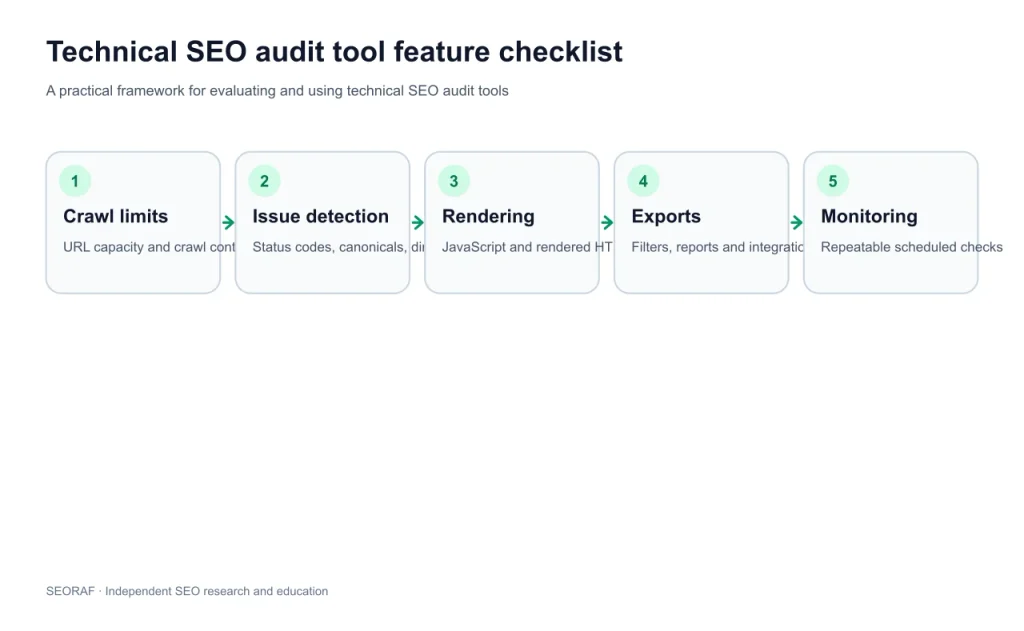
| Feature | Why it matters | How to verify before buying |
|---|---|---|
| Crawl limits (units and resets) | A cap can silently truncate an audit | Read the limit unit; ask whether recrawls consume budget |
| JavaScript rendering | JS-heavy sites need rendered HTML | Check whether it’s included in your tier |
| Indexability and directives (noindex, robots.txt, canonicals) | Core of any audit | Look for per-URL reasons, not just counts |
| Redirects and status codes | Chains, loops, errors | Confirm chain and loop reporting |
| Internal links and orphans | Discovery and structure | Check whether orphans need extra URL sources |
| Hreflang and structured data | Common in international or rich-result sites | Confirm which types are checked |
| Explanations and prioritization | Saves time for non-experts | Review sample reports |
| Scheduling and crawl comparison | Catches regressions | Note which plan includes it |
| Integrations (Search Console, Analytics, Sheets, Looker Studio) | Combine crawl and Google data | List exactly what connects |
| Exports and white-label reports | Client delivery | Check plan gating |
| AI-assistant (MCP) access | Emerging, vendor-specific | Treat as optional |
| Pricing transparency | Avoids surprise costs | Look for public limits and billing terms |
Which technical SEO audit tool fits your website?
These are my recommendations [S], tied to the documented limits above. They are starting points, not verdicts, and none is “best.” Re-check limits before buying.
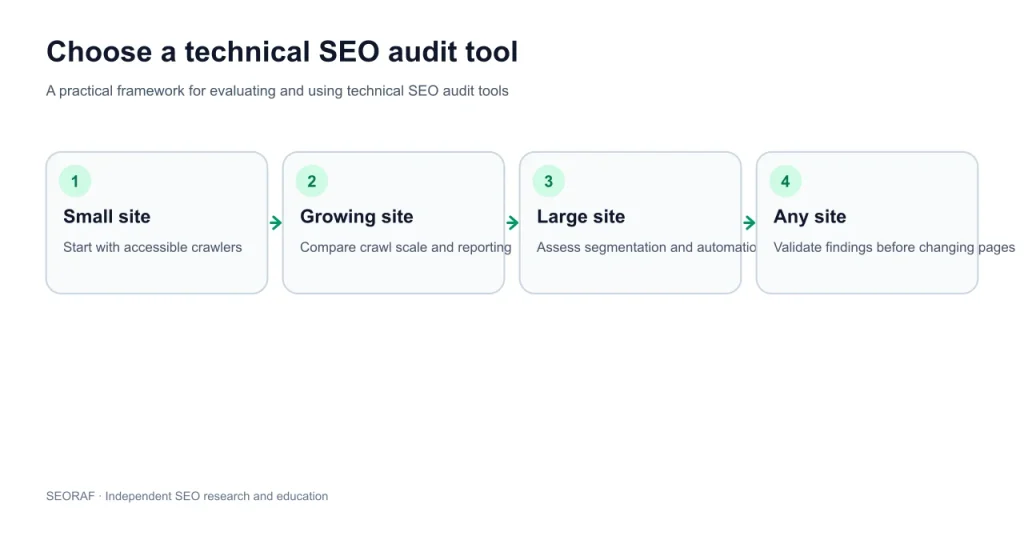
| Situation | Starting point | Why | Verify |
|---|---|---|---|
| Under about 500 pages | Search Console plus a free tier | Free caps likely cover the whole site; Google says the Page indexing report may be unnecessary here | Free caps (500 URLs, 100 pages) |
| About 500–10,000 pages | Screaming Frog licence, Sitebulb Lite, Seobility Premium, SE Ranking Core, or an entry Semrush plan | A full crawl fits most entry plans | Sitebulb Lite’s 10,000 cap |
| About 10,000–100,000 pages | Higher Seobility plans, SE Ranking, higher Semrush tiers, Ahrefs Standard or Advanced | Caps begin to bind | Ahrefs per-project caps; Semrush per-audit limits |
| About 100,000 pages to 1 million | SE Ranking Growth, Semrush Business-level, Ahrefs Advanced, JetOctopus Pro, Sitebulb Cloud | Per-project and monthly budgets matter | How recrawls use budgets |
| Beyond that, or enterprise | Lumar, JetOctopus Ultra, Ahrefs or Semrush Enterprise | Governance, support, scale | Quote terms |
| JavaScript-heavy site | Tools with documented rendering (Sitebulb, higher Semrush tier, JetOctopus), then validate in URL Inspection | Rendering support varies by tool and tier | Tier and cost |
| Agency | Cloud suite plus a desktop crawler | Project counts and reporting matter | Per-seat and white-label costs |
| Need rank tracking and backlinks too | A suite | Audit-only tools don’t include them | Whether you’d use the extras |
These size bands are my illustration, not Google thresholds. Google’s crawl budget guidance targets very large or frequently updated sites (crawl budget guide); see our crawl budget guide.
Pairing tools. A common approach [S] is a crawler for investigation plus Search Console for Google’s own view of the same URLs. It works because they answer different questions (see the table above).
By audience, and why
- Beginners: Search Console plus one free tier (Seobility Basic, Semrush Free, or Screaming Frog’s 500-URL version). Free access costs nothing, and Google’s data tells you whether a flag matters. If your site exceeds the caps, crawl key templates and treat results as a sample.
- Small business owners: if you want ongoing monitoring without running desktop software, a cloud plan such as Seobility Premium or SE Ranking Core fits. If you audit occasionally, an annual Screaming Frog licence may cost less overall. Compare in your own currency.
- Freelancers: Screaming Frog and/or Sitebulb plus Search Console. Per-user licences avoid per-client project limits, and Sitebulb Pro lists scheduling and PDF reports.
- Agencies: project counts, seats, and reporting drive cost. A suite such as SE Ranking (10 or 30 projects) for scheduled audits, plus a desktop crawler, is a reasonable pairing.
- Large sites: pick a tool whose per-project or monthly limit fits your URL count, and pair it with Crawl Stats.
- Enterprise teams: run a structured pilot of two or three tools on the same URL set and criteria. Pricing is quote-based and no independent benchmarks exist, so higher price doesn’t mean better.
- Free-only users: Search Console, PageSpeed Insights, Screaming Frog free, Ahrefs Free (if you own the site), Seobility Basic, and Semrush Free. Each shows something different, and none replaces a full crawl on a large site.
Audit vs. rank tracking vs. backlinks. A technical audit answers “can search engines crawl, render, and index this site?” Rank tracking answers “where do my pages appear?” Backlink tools answer “who links to me?” Suites such as Semrush, Ahrefs, SE Ranking, and Seobility bundle them. Don’t pay for a suite tier just to get an audit, and don’t expect an audit tool to explain rankings.
When you outgrow these ten. Large or complex sites may need platforms such as Lumar and JetOctopus (reviewed above), Conductor Monitoring (formerly ContentKing), Botify, or Oncrawl. I haven’t reviewed the last two. See Best Technical SEO Software.
How to run a technical SEO audit with a tool
This is the tool-run version of an audit. For the full method, checklist, and report template, read our technical SEO audit guide.
Before you crawl
Define what should be indexed and what shouldn’t (for example, a cart should not). Confirm Search Console access. Decide your scope: hostnames, sections, and templates. That list is your yardstick for judging every finding.
Configure the crawl
| Setting | What it changes | Risk if wrong |
|---|---|---|
| Crawl speed | Server load | Slow or overloaded site |
| Respect robots.txt | Whether blocked URLs are fetched | Hidden problems, or noise |
| Rendering mode | Whether JavaScript runs | Missing JS content, or wasted budget |
| Starting URLs | Coverage | Missed sections |
| Include/exclude and parameter rules | Crawl size | Truncated or runaway crawls |
| Plan limits | Where the crawl stops | A partial audit that looks complete |
Start with a standard HTML crawl, then run a JavaScript-rendered crawl where the site relies on client-side rendering [S]. Record every setting so you can reproduce the crawl.
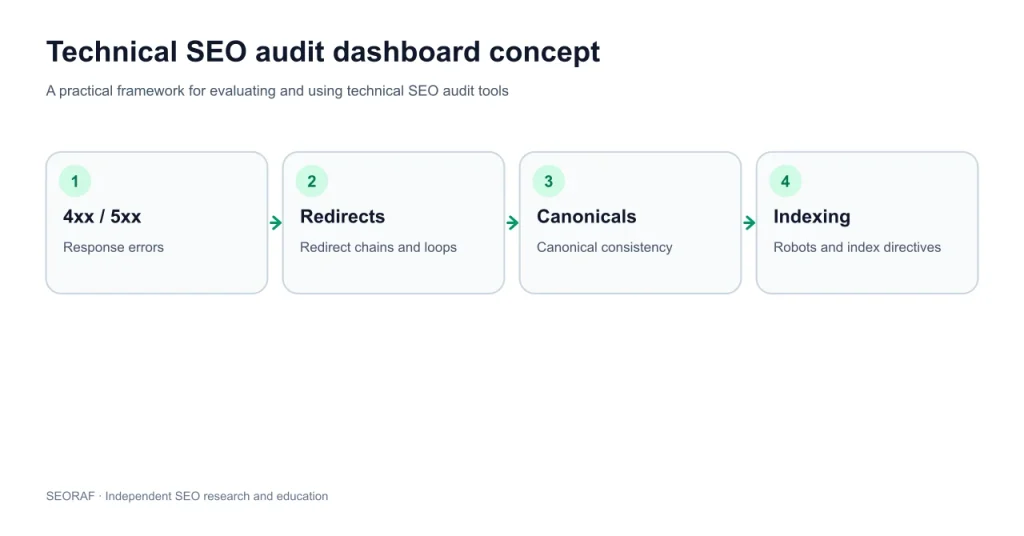
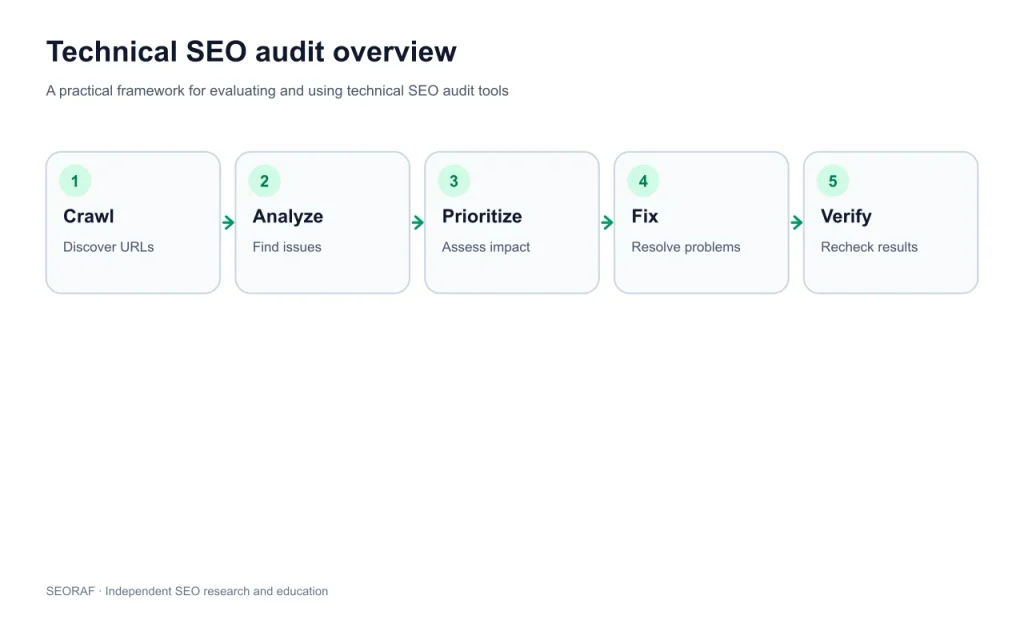
The tool-run audit in ten steps
- Review coverage. Compare the crawled URLs with your sitemap and Search Console. Did the crawl hit a cap? Googlebot reads up to 2MB per URL [G], so check HTML size on heavy pages.
- Check indexability. Review noindex, robots.txt blocks, and canonicals against your intent. A noindex only works if Google can crawl the page; robots.txt can’t deindex [G].
- Inspect redirects and errors. Google follows up to 10 redirect hops by default, treats 404 and 410 alike, and slows crawling when a site returns server errors [G].
- Investigate canonicals. rel=canonical is a strong signal, not a command; Google chooses the canonical [G]. Make canonical tags, internal links, sitemaps, and redirects agree.
- Review internal links. Fix broken links and links to redirects. Links should be
<a href>elements [G]. Finding orphan pages requires comparing the crawl against other URL sources. - Evaluate sitemaps and robots.txt. Google ignores sitemap priority and changefreq values and enforces a 500 KiB robots.txt limit [G]. Keep sitemaps to canonical, indexable URLs.
- Examine JavaScript rendering. Compare raw and rendered HTML, then confirm in URL Inspection.
- Review structured data. Missing required properties make a page ineligible for that rich result [G]. Test with the Rich Results Test.
- Check Core Web Vitals. Use field data first: Google’s “good” targets are LCP of 2.5 seconds or less, INP of 200 ms or less, and CLS of 0.1 or less, measured at the 75th percentile [G]. Good scores don’t guarantee top positions.
- Validate, prioritize, report, and monitor (next sections).
Validate every finding
| Finding type | Reproduce with | Confirm with Google data |
|---|---|---|
| Status code or redirect | Browser DevTools or curl -I | Page indexing report reasons |
| Indexability | View source and response headers | URL Inspection |
| Canonical | View source | URL Inspection (declared vs. Google-selected) |
| Rendering | Tool rendering mode | URL Inspection rendered HTML |
| Speed | Lighthouse | Core Web Vitals report (field) |
| Structured data | Rich Results Test | Rich result reports after release |
How to prioritize issues from tool reports
Severity labels are not priorities
A tool’s severity label or health score is the vendor’s own scoring. Semrush, for example, documents its score as a function of errors and warnings relative to checks performed. Google says “Not indexed” is not necessarily bad (Page indexing report), and a warning on a page that shouldn’t be indexed is not a problem.
A four-question triage lens [S]
For each finding pattern, ask:
- Scope: does it affect URLs that should be crawled, indexed, or served?
- Mechanism: does Google documentation describe how it affects crawling, indexing, eligibility, or user experience?
- Reach: one URL, a section, or a whole template?
- Confirmation: is it confirmed in Google’s own data?
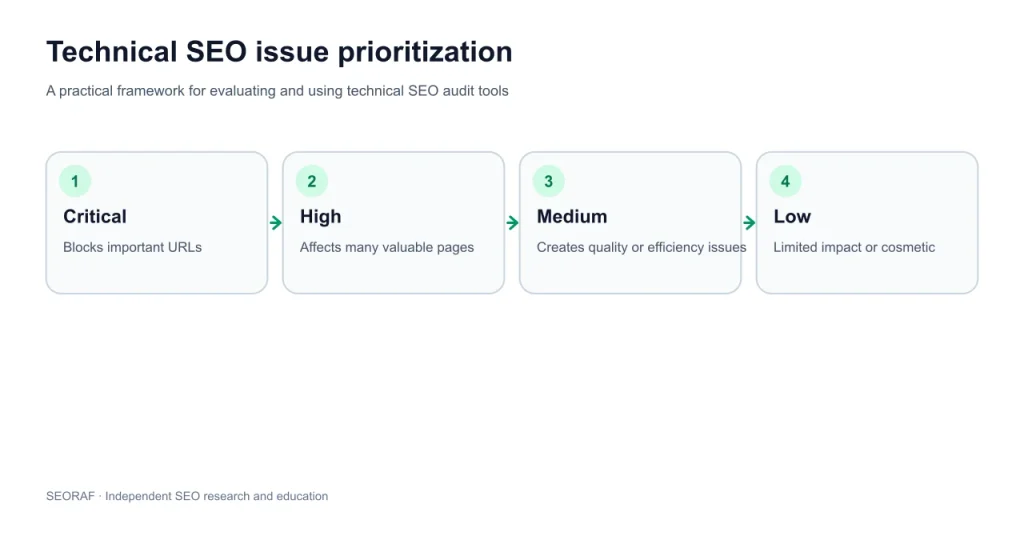
| Tier | Meaning | Examples |
|---|---|---|
| P1: Critical | Confirmed; blocks crawling, indexing, or serving of important URLs | Unintended noindex or robots block on key templates; persistent site-wide server errors |
| P2: High | Confirmed; affects many URLs or key templates | Conflicting canonicals on main templates; redirect chains in main navigation; Poor field Core Web Vitals on key templates |
| P3: Medium | Verified; limited reach or indirect | Broken internal links; important orphan pages; missing required structured-data property |
| P4: Low | Warnings or hygiene | Optional property gaps; tool heuristics |
| Monitor / no action | Intentional or false positive | Cart noindex; internal search blocked |
Group findings by template, then estimate effort (low, medium, high). The best first targets are P1 or P2 items that are cheap to fix.
Common false positives
| Tool flag | Often fine when… | Real when… |
|---|---|---|
| Noindex URLs | Cart, internal search, thank-you pages | An important page is noindexed |
| Blocked by robots.txt | Admin or cart paths | A needed page or resource is blocked |
| “Not indexed” in Search Console | Duplicates, deliberate exclusions | Important URLs are excluded for a fixable reason |
| Canonicalized URLs | Parameter duplicates pointing to the main URL | The canonical target is wrong |
| Broken external links | The target site blocks bots | The resource is really gone |
| Orphan page | An intentional landing page | An important page is unlinked |
| Poor lab score | Field data is Good | Field data confirms |
| Raw vs. rendered differences | The rendered view contains the content | Google’s rendered view lacks content |
| Missing hreflang return link | (Rarely fine) | Google ignores annotations that don’t point to each other, so that pair doesn’t work [G] |
| Heuristic thresholds (title length, click depth) | Tool limits, not Google rules | A real usability problem |
Report and monitor
Write each finding with evidence, class, tier, effort, owner, and a validation step. Report what’s confirmed, likely, and unknown, and make no ranking predictions. After fixes, recrawl, re-inspect samples in URL Inspection, and watch Page indexing, Crawl Stats, and Core Web Vitals reports. Google needs time to recrawl, and Core Web Vitals reflect a 28-day window, so don’t judge a fix after a day.
Common limitations and mistakes
Limitations built into every tool
- A crawl is not Google’s view.
- A tool’s renderer isn’t Google’s renderer.
- Counts, severity labels, and scores are vendor-defined.
- Plan caps can truncate a crawl without making it look incomplete.
- Field data needs enough real-user traffic.
Mistakes that waste audit time
- Treating every flag as a problem.
- Trusting a health score as if Google produced it.
- Comparing tools by check counts.
- Crawling a production site too fast.
- Auditing once and never monitoring.
- Fixing low-tier issues before confirmed ones.
AI-readiness checks: documented vs. vendor-defined
Some tools now advertise “AI readiness.” Seobility, for example, reports which pages robots.txt blocks for AI crawlers, and Semrush and Lumar market AI-related features. Google’s guidance on its AI features says no special markup or files are needed for Google Search (Google: generative AI features guide). Pages must be indexed and eligible for snippets. Treat vendor AI scores as extras, not requirements. See our guides on Google’s AI Overviews and the AI SEO workflow.
FAQs
What is the best technical SEO audit tool?
It depends on your site. For most owners, start with Search Console, then choose a crawler by site size, JavaScript needs, and budget. See Which tool fits your website.
Is Google Search Console enough for a technical audit?
It’s essential, but not enough on its own. It shows what Google knows about your URLs, but it won’t crawl your internal links or redirect chains.
Is Screaming Frog free, and what is the limit?
The free version crawls up to 500 URLs. A paid licence removes that cap, at £199 per year for one licence on the official page I checked.
What is the best free technical SEO audit tool?
There isn’t one winner. Search Console and PageSpeed Insights are free; Screaming Frog (500 URLs), Seobility Basic (100 pages per crawl), Semrush Free (100 pages), and Ahrefs Free (verified sites) each have limits. Pick by site size.
What’s the difference between a crawler and a site audit module?
A crawler is a standalone program. A site audit module is the same idea inside a suite, usually with scheduling and account-level page limits.
Can audit tools crawl JavaScript sites?
Some can. Sitebulb documents JavaScript crawling on all plans; Screaming Frog lists it as a licensed feature; Semrush documents it on higher tiers; and JetOctopus lists a JavaScript crawl mode. For Ahrefs, SE Ranking, Seobility, and Lumar, confirm the current feature and plan availability directly before relying on it. Always validate important rendered content with URL Inspection.
Do health scores affect rankings?
No. An audit health score is a vendor-defined metric, not a Google ranking signal. However, technical problems behind that score can affect crawling, indexing, or user experience. Google says third-party tools do not have access to its internal ranking data.
Do I need llms.txt or special markup for AI search?
Google’s guidance says Google Search does not require special markup or files for its AI features. That statement is about Google Search; it does not establish requirements for every other AI platform.
Conclusion
Choosing a technical SEO audit tool is mostly about fit. Start with Search Console, because it shows the search performance and indexing information Google makes available for your verified property. Then pick a crawler whose limits match your site, whose JavaScript rendering is included in the plan you’ll actually buy, and whose price model you can predict. Validate what it finds, fix what’s confirmed first, and ignore the noise.
No tool, and no audit, can guarantee rankings or traffic. What a good audit can do is remove technical obstacles to crawling and indexing and tell you where to look next. For the full method, read the technical SEO audit guide. For platform-scale needs, see Best Technical SEO Software. More resources are on our resources page.
Sources and last-verified log
Google and vendor pages reviewed for this update; plan limits and prices can change. See each linked official page and confirm live checkout details before purchase.
- About Search Console
- Page indexing report
- Crawl Stats report
- Core Web Vitals (Search)
- Page experience
- JavaScript SEO basics
- HTTP status codes and network errors
- Redirects
- Canonicalization
- Block indexing (noindex)
- robots.txt specification
- Build and submit a sitemap
- Localized versions (hreflang)
- Googlebot byte limits (Mar 2026)
- Third-party SEO tools
- Generative AI features guide
- About PageSpeed Insights
Vendors (pricing and limits)
Screaming Frog · Sitebulb · Semrush pricing and Site Audit help · Ahrefs · SE Ranking · Seobility · JetOctopus · Lumar
Change log: Nov 25, 2026: first publication.
Mousume Akter is Founder & Editor of SEORAF, an independent SEO knowledge resource. SEORAF does not sell rankings.