
Best SEO Chrome Extensions in 2026: Picks by Job, Free Limits and Privacy
By Mousume Akter, Founder & Editor, SEORAF · Research last verified November 15, 2026
Affiliate disclosure: SEORAF participates in affiliate programs for some SEO software, which may include companies mentioned here. If you buy through an affiliate link, SEORAF may earn a commission at no extra cost to you. Commissions did not decide which tools are included. See how we evaluated these extensions.
Method note: SEORAF did not hands-on test these extensions. Facts come from official listings, developer pages and cited research, and editorial opinions are labeled as such.
You open a competitor’s page and need five answers fast: what the title tag and canonical say, whether the URL redirects, how JavaScript changes the page, what a keyword is worth, and roughly how much traffic the site gets. SEO Chrome extensions can show most of that without leaving the tab, but the Chrome Web Store returns dozens of tools that look alike, and some vendor-published “best” lists put their own product first.
This guide to the best SEO Chrome extensions in 2026 helps you pick by job instead of by popularity. It covers twelve tools (eleven Chrome extensions and one built into Chrome) and explains for each what it does, what is free, what is paid, which limits apply and what its Chrome Web Store listing says about data handling. It also shows how to avoid installing more extensions than you need, since every extension you add has access you have to think about.
Short answer: there is no single best extension, because the tools do different jobs. In SEORAF’s view, a free page checker plus the Lighthouse panel built into Chrome covers most beginner needs, and keyword, technical or competitor tools are worth adding only when you have a specific job for them. The comparison table and starter stacks below show which tools fit which job.
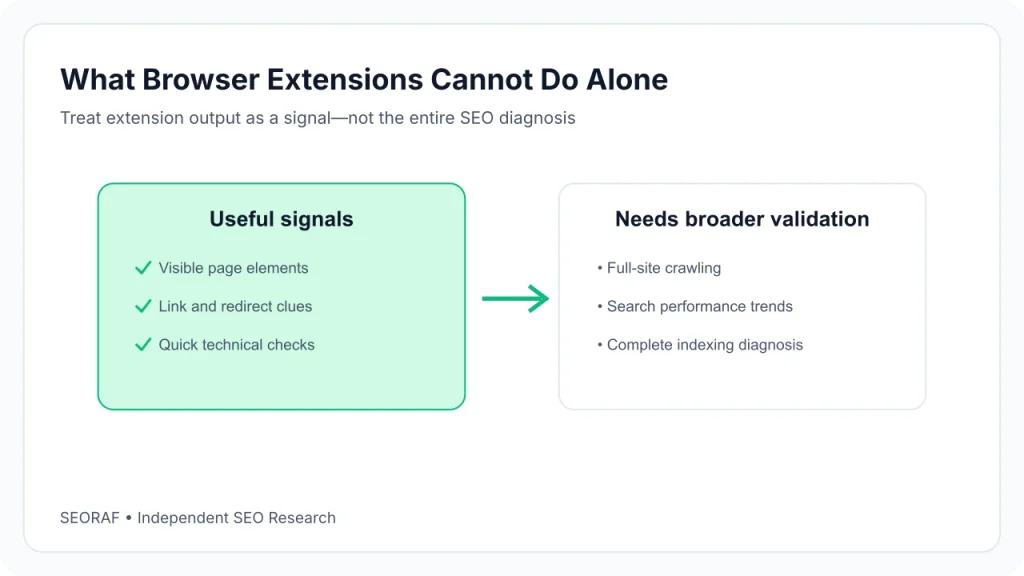
A note on scope: extensions show information about one page or one search at a time. They don’t replace a crawler or a rank tracker, and none of them can promise rankings. They make checking faster. That’s all.
Best SEO Chrome Extensions at a Glance
The table lists each tool’s main job and what is free or paid, based on its Chrome Web Store listing or official page as of November 15, 2026. Details, limits and links are in the reviews below.
| Extension | Main job | What’s free | What’s paid | Best for |
|---|---|---|---|---|
| Detailed SEO Extension | One-click on-page SEO data | Free | None shown on the listing | Quick on-page checks |
| SEO META in 1 CLICK | Meta tags, headings, links, social data | Free | None shown on the listing | Lightweight meta checks (last updated 2024) |
| Ahrefs SEO Toolbar | On-page, link, redirect and SERP tools | Core tools free | Ahrefs subscription adds Ahrefs metrics | Technical checks, existing Ahrefs users |
| Redirect Path | Status codes, redirects and headers | Free | None shown on the listing | Redirect checking and migrations |
| View Rendered Source | Raw vs rendered HTML | Free | None shown on the listing | JavaScript rendering checks (last updated 2023) |
| Lighthouse | Performance, accessibility, best-practice and SEO audits | Free, built into Chrome DevTools | None | Page-level audits without installing anything |
| Keywords Everywhere | Keyword metrics in search results | Free tier (search volume is paid) | Annual credit plans from $84 per year | Keyword volume inside search results |
| Ubersuggest | Keyword and traffic data overlay | Extension free with daily limits | Paid plans on the Ubersuggest site | Budget keyword checks |
| SEOquake | Page audit and SERP overlay | Core reports free; free Semrush account adds metrics | None listed on the extension | Free audits and SERP overlays |
| MozBar | Authority metrics and page audits | Guest and free-account tiers | Moz Pro unlocks more | Link and authority checks |
| Similarweb | Traffic and AI-traffic estimates | Platform free trial (per listing) | Platform plans; see Similarweb | Competitor research on a separate browser profile |
| Wappalyzer | Website technology detection | Extension listed on the Chrome Web Store; confirm current free limits | Paid plans exist; confirm on Wappalyzer’s site | Identifying a site’s tech stack |
Starter Stacks by Reader Type
These pairings are SEORAF’s editorial suggestions, not documented facts. Start small, and add a tool only when you have a job it solves.
- Beginner or blogger: Detailed SEO Extension for page checks, plus the built-in Lighthouse panel for audits.
- Content marketer: Add Keywords Everywhere or Ubersuggest if you want keyword data beside search results and accept the free-tier limits.
- Technical SEO: Ahrefs SEO Toolbar, Redirect Path and View Rendered Source, with Lighthouse for audits.
- Competitor research: MozBar or Similarweb, ideally in a separate Chrome profile (see privacy).
How We Evaluated These Extensions
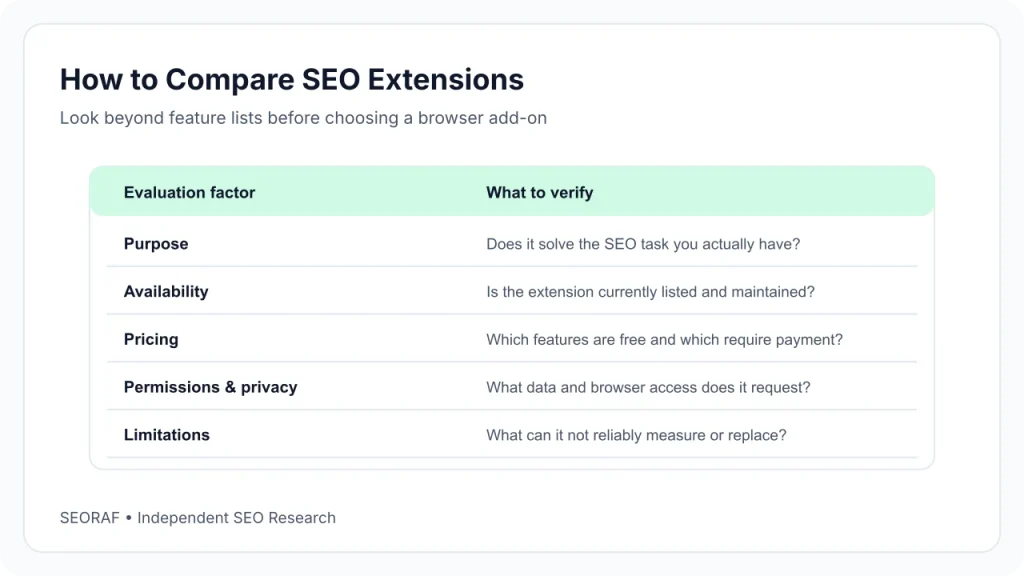
This is a source-based evaluation. SEORAF did not run hands-on tests, so this guide doesn’t say how fast, accurate or reliable any extension feels in daily use. What it does is read each tool’s Chrome Web Store listing, the developer’s official pages and published documentation, then compare them on the same criteria.
Selection Criteria
- Fit for a specific job: on-page checks, technical checks, keyword data, SERP analysis, competitor research or technology detection.
- Clarity about free vs paid: what you get without paying and what needs an account or subscription.
- Maintenance: the “last updated” date on the Chrome Web Store, since an extension that hasn’t changed in years may not keep up with Chrome.
- Disclosed data handling: the data declaration on the listing and the privacy policy it links to.
- Documented limits: credits, daily caps, account tiers and anything the developer says is unavailable.
How Claims Are Labeled
When a feature description comes from a developer’s own listing or website, this guide treats it as a developer’s claim, not as independently confirmed. Statements marked “SEORAF’s view” are editorial opinion. Ratings and user counts change often and differ between sources, so this guide doesn’t quote them. Check the current number on each listing.
Ownership and Affiliate Disclosure
Ownership affects how you read a recommendation, so here is what the listings show: Ahrefs publishes both the Ahrefs SEO Toolbar and the Detailed SEO Extension. Semrush publishes SEOquake. Moz publishes MozBar. Keywords Everywhere’s publisher also publishes SEO Minion (see the free vs paid section).
SEORAF participates in affiliate programs for some SEO software, which may include companies mentioned here. If you buy through an affiliate link, SEORAF may earn a commission at no extra cost to you. Commissions were not a factor in which tools are included or how they are described, and the extensions themselves are free to install. This article makes no promise that any tool will improve your rankings.
How SEO Chrome Extensions Work
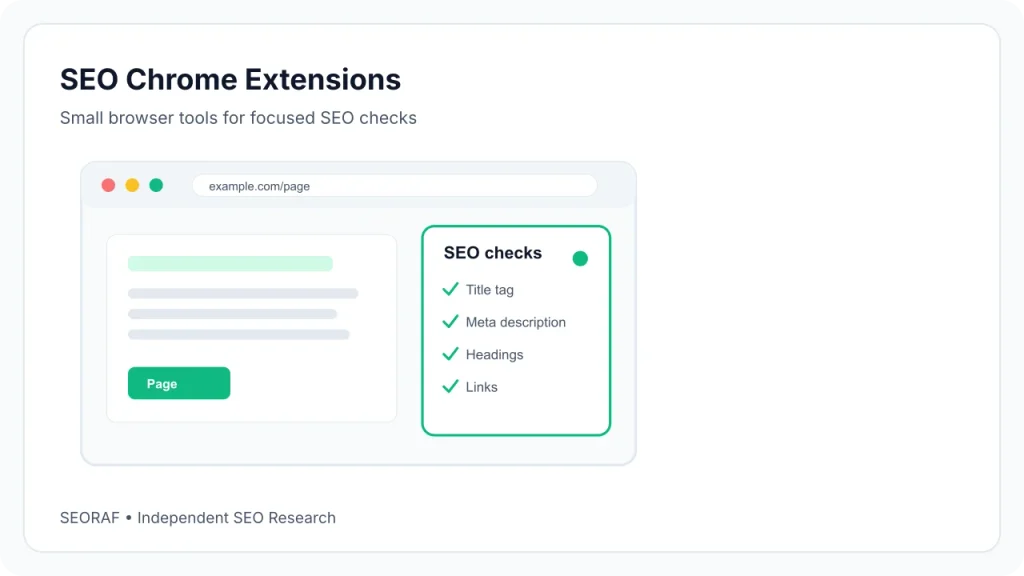
SEO Chrome extensions are browser add-ons that show search-related information about the page or results page you are viewing, such as meta tags, redirects, keyword estimates or authority metrics. Some read the page itself, and others display data from the vendor’s own datasets.
Three Jobs: Read the Page, Check Demand, Estimate Competitors
Most SEO extensions fall into one of three jobs, and mixing them up is why comparisons feel confusing.
- Read the page. The extension reads the page you’re viewing and shows what is in its code: title, meta tags, headings, canonical, robots directives, links, schema or redirects. This data comes from the page itself.
- Check demand. The extension adds keyword data such as search volume or related keywords to search results. This data comes from the vendor’s datasets and is an estimate.
- Estimate competitors. The extension shows authority scores, traffic estimates or backlinks for a site. This data also comes from the vendor’s own index or panel.
Where the Data Comes From
Page-reading data is observable: you can verify it in your browser’s developer tools. Keyword volume, authority scores and traffic numbers are not observable. They are estimates built from each vendor’s own methods, so two tools can show different numbers for the same site. Treat them as directional signals, not as Google’s own data.
What an Extension Cannot Replace
An extension looks at one page or one search results page at a time. It doesn’t crawl your whole site, track rankings over weeks or alert you when something breaks. For that you need a crawler or a platform, which the section on extensions vs all-in-one SEO platforms covers.
Best Chrome Extensions for On-Page SEO
On-page extensions show you what a page says to search engines without opening the source code. Both tools below are free, and both read the page rather than estimating anything.
Detailed SEO Extension: Free One-Click Page Checker
What it is: A free page-level checker. Its Chrome Web Store listing says it pulls back a page’s title tag, meta description and meta robots tag “and much more,” so you don’t have to read the source code. The listing names Ahrefs (AHREFS PTE. LTD.) as the publisher.
How you’d use it: Click the icon on any page to review its on-page elements, whether it’s your draft or a competitor’s article. Reviewers describe additional views for headings, links and schema, but the official listing is brief, so confirm what you need after installing.
Free or paid: Free, and the listing shows no paid tier.
- Strengths (SEORAF’s view): Simple, narrow in purpose, recently updated (version 2.2.7, June 2, 2026) and published by Ahrefs.
- Limitations: The listing gives little detail on features, shows no privacy-policy link (it only declares that no data is collected or used), and sources disagree on whether a Firefox version exists, so this guide doesn’t claim one.
- Best fit: Beginners, bloggers and editors who want quick page checks.
Detailed SEO official site · Detailed SEO on the Chrome Web Store
SEO META in 1 CLICK: Lightweight Meta Viewer
What it is: A free tool from an independent developer at seo-extension.com that shows a page’s metadata in one panel. Its listing names these items: title and description with their lengths, URL and meta-canonical, meta robots, headings in order of appearance, images with and without ALT text, link counts, Open Graph and Twitter data, and robots.txt and sitemap.xml.
Where it differs: It leans toward metadata and social tags, and it points to external tools for deeper analysis. That makes it a good second opinion next to a general page checker, but a weak fit if you want an audit report.
Free or paid: Free, with no paid tier on the listing.
- Strengths (SEORAF’s view): A clear list of what it shows and a developer-declared no-data-collection statement.
- Limitations: The listing’s last update was August 31, 2024. We couldn’t confirm how it handles current Chrome requirements, so check that it works for you. Similarly named listings exist, including one labeled “(V3),” and their relationship to this one isn’t documented. Install only from the link below and check the publisher. The listing also shows no privacy-policy link.
- Best fit: Users who want a minimal metadata view and will confirm it still works.
SEO META in 1 CLICK official site · SEO META in 1 CLICK on the Chrome Web Store
Best Chrome Extensions for Technical SEO
Technical checks answer questions like “where does this URL really end up?” and “does the page look different after JavaScript runs?” These tools read what the browser receives, so they show facts, not estimates.
Ahrefs SEO Toolbar: Free Diagnostics, Paid Metrics
What it is: A multi-tool from Ahrefs. Its Chrome Web Store listing describes on-page checks for titles, meta descriptions, headers, canonical tags and indexation directives, plus link highlighting, redirect tracing, broken-link spotting with CSV export, user-agent switching to view pages as Googlebot would, HTTP headers and page-speed data. It can also switch search regions without a VPN.
Free or paid: The listing says the core tools remain free. Ahrefs metrics such as domain and page-level numbers, keyword counts and traffic estimates need an Ahrefs subscription. Ahrefs’ site also lists Firefox and Safari versions.
- Strengths (SEORAF’s view): Broad free diagnostics in one extension, and it was updated on November 9, 2026 (version 3.2.15).
- Limitations: Authority and traffic metrics require a paid Ahrefs account. On privacy, the listing declares that the developer won’t collect or use your data, while the toolbar’s separate policy page, dated 2019, describes the extension sending your IP address with API requests. We couldn’t reconcile the two, so read both before installing.
- Best fit: Technical SEOs and anyone who already uses Ahrefs.
Ahrefs SEO Toolbar official page · Ahrefs SEO Toolbar on the Chrome Web Store · Ahrefs toolbar privacy policy
Redirect Path: Redirect and Header Checker
What it is: A single-purpose redirect and header checker from Ayima. Its listing says it flags 301, 302, 404 and 500 status codes and client-side redirects such as Meta and JavaScript redirects, and shows other HTTP headers (server type, caching headers) and the server IP address.
Practical use: After a site migration or URL change, browse your old URLs and see whether each one lands on the right page in a single hop. Because it surfaces problems as you browse, it works well for spot checks.
Free or paid: Free, with no paid tier on the listing. Installing means agreeing to Ayima’s end-user license agreement.
- Strengths (SEORAF’s view): Narrow and clear; the changelog states it supports Chrome’s Manifest V3, and version 4.0.0 was updated on May 14, 2026.
- Limitations: It checks the URLs you visit. It isn’t a crawler. The developer says processing happens in your browser and the extension doesn’t contact anyone except for auto-updates. The 4.0 changelog also mentions “support for Ayima AI,” and the listing doesn’t explain what that involves, so check the developer’s page if that matters to you.
- Best fit: Redirect checking for migrations, link audits and troubleshooting.
Ayima official site · Redirect Path on the Chrome Web Store
View Rendered Source: Raw vs Rendered HTML
What it is: A free extension that compares a page’s raw HTML (what the server sends) with the rendered version (after JavaScript changes the page). It shows three views: raw, rendered and the difference. The listing adds a mobile user-agent option and a way to request the raw source as Googlebot.
Why it matters: On sites built with JavaScript frameworks, content that appears in the rendered page may be missing from the raw HTML. Seeing the difference helps you decide whether a page’s content depends on JavaScript.
- Free or paid: Free, with no paid tier on the listing.
- Strengths (SEORAF’s view): It answers one specific question well and the developer declares no data collection.
- Limitations: Version 4.0 was last updated June 6, 2023. Some reviews on the listing say it doesn’t work in certain cases. Verify the publisher and test it on a page you know before relying on it.
- Best fit: Technical SEOs checking JavaScript-heavy pages.
View Rendered Source official site · View Rendered Source on the Chrome Web Store
Lighthouse: The Audit Tool Built Into Chrome
What it is: Not an extension you need to install. Chrome DevTools has a Lighthouse panel that generates a report on Performance, Accessibility, Best Practices and SEO. Each category gets a score and suggestions for improvement.
- Free or paid: Free and open source. A separate Lighthouse Chrome extension has existed; the project says it predates the DevTools panel and offers similar functionality, but we didn’t review its store listing.
- Limitations (from Chrome’s documentation): Results are influenced by your setup, including other load on your device and Chrome extensions, so audits run on different machines aren’t directly comparable. Chrome also recommends its Performance panel over Lighthouse for performance debugging.
- Best fit: Anyone who wants an audit without adding an extension. If you run it, consider a clean profile with no extensions.
Best SEO Chrome Extensions for Keyword Research
Keyword extensions put estimated demand next to search results. Check how many lookups you get free before you rely on one, because both tools below limit them in different ways.
Keywords Everywhere: Keyword Data With Paid Volume
What it is: A freemium extension (published by Axeman Technology Solutions LLP) that shows keyword data on Google, YouTube, Amazon and other sites. Its listing divides features clearly. The free version includes website traffic metrics, SERP technology and profiling data, Moz link metrics, SEO difficulty scores, related and People Also Search For keywords, on-page keyword analysis and Search Console visualization. Search volume, CPC, competition, historical trend charts, keyword import and competitor gap analysis are paid.
Pricing (official plans page): Plans are billed annually: Bronze $84 per year for 100,000 credits, Silver $168 for 400,000, Gold $480 for 2 million and Platinum $1,440 for 8 million. Credits expire after one year, and the oldest are used first. Refunds are offered if you email within a week of a charge. You need an API key, and signing up is free.
- Strengths (SEORAF’s view): A clear free/paid split and published plan prices, with volume data inside the search results you already use.
- Limitations: Volume data is paid, credits expire, and the listing says the extension handles personally identifiable information and location data, with a privacy policy on the developer’s site. Some review sites still quote older credit prices, so confirm on the official page.
- Best fit: Content marketers who check keyword volume often enough to justify a credit plan.
Keywords Everywhere official site · Keywords Everywhere plans and pricing · Keywords Everywhere on the Chrome Web Store
Ubersuggest: Free Keyword Checks With Daily Limits
What it is: The Chrome extension for Ubersuggest, Neil Patel’s SEO tool. Its listing describes keyword volume, CPC and competition on Google, YouTube and Amazon, traffic estimates under search results, average domain-score and backlink data for the top results, and location and language settings. On any site you can open a panel with domain metrics, a six-month traffic chart, and top pages and keywords by country.
Free or paid: The listing says all extension features are free with daily data limits, and that upgrading gives more data. The official pricing page shows plans listed between US$29 and US$99, a promoted lifetime-access offer and a one-time 7-day free trial on monthly plans. Lifetime purchases are non-refundable per that page. We didn’t verify the exact daily limits, lifetime prices or what the free plan includes, and third-party sites disagree, so check the pricing page.
- Strengths (SEORAF’s view): A free way to sample keyword data, backed by a full SEO suite if you upgrade. Updated November 6, 2026 (version 4.0.37.2016).
- Limitations: Daily limits, and data comes from the vendor’s estimates. The listing says the extension handles location and website content.
- Best fit: Beginners and small sites who want free keyword checks before deciding on paid tools.
Ubersuggest official pricing page · Ubersuggest on the Chrome Web Store
Best Chrome Extensions for SERP Analysis
SERP analysis means adding information to Google results: position numbers, metrics under each listing, region changes. Several extensions already covered do this, so this section reviews one tool and points to the rest.
SEOquake: Free Audit and SERP Overlay
What it is: A free on-page checker from Semrush. Its listing describes a quick view and a full report with title, meta description, headings, canonical, indexability and word count, plus an audit covering robots directives, hreflang, XML sitemap availability, image ALT text and structured data. A SERP overlay adds position numbers and Semrush metrics under each Google result for the country and language you choose, and it now covers AI Overviews sources. Other features include link analysis, a keyword density report and side-by-side URL comparison. You can export audits as PDF and data as CSV.
Free or paid: Per the listing, core reports and built-in Semrush metrics (Semrush Rank, estimated US organic traffic, backlink data) work without an account. A free Semrush account adds metrics such as Authority Score and referring domains. No paid tier is described on the extension’s listing.
- Strengths (SEORAF’s view): A wide feature set at no cost, and it was updated on November 11, 2026 (version 4.3.3).
- Limitations: The listing says SEOquake 3 features were reorganized (for example, “Diagnosis is now Audit”). On privacy, the listing declares no data collection, yet the SERP overlay shows Semrush metrics, which implies requests to Semrush. We couldn’t resolve how those fit together, so read the Semrush privacy policy linked from the listing.
- Best fit: Users who want free audits and SERP overlays.
SEOquake official site · SEOquake on the Chrome Web Store
SERP Features in Tools Already Reviewed
- Ahrefs SEO Toolbar: region switching in search results (per its listing).
- MozBar: compares link metrics across a results page and exports them to CSV.
- Ubersuggest and Keywords Everywhere: keyword data beside results.
Best Chrome Extensions for Competitor Research and Technology Detection
These tools show estimates about other sites’ authority, traffic and technology. Estimates differ between vendors, so use them for comparison, not as exact numbers.
MozBar: Authority Metrics by Account Tier
What it is: Moz’s toolbar. Its listing says version 5 was rebuilt from the ground up and shows Domain Authority, Page Authority and a Brand Authority metric, link highlighting, audits for schema, hreflang, robots.txt and sitemaps, and a SERP comparison of link metrics with CSV export.
Access levels (per the listing): Guest mode is free and covers on-page elements, general attributes and internal link details. A free Community account adds DA and PA. Moz Pro subscribers unlock Spam Score, Page Optimization, Domain Analysis and keyword ranking queries. The listing also mentions 48-hour caching to reduce API calls against Moz Pro query limits. We didn’t research Moz Pro pricing here.
- Strengths (SEORAF’s view): Recognized authority metrics and a free tier for basic use. Updated September 20, 2026 (version 5.0.17).
- Limitations: Most useful metrics depend on your account tier. We haven’t quoted a rating because the rating shown differed between sources while we researched it, so check the listing’s current rating and recent reviews. The developer declares no data collection and links to Moz’s privacy policy.
- Best fit: Link research and authority checks, especially for Moz users.
- Disclosure: SEORAF has affiliate relationships with Moz for some of its products. MozBar itself is free to install.
Moz official site · MozBar on the Chrome Web Store
Similarweb: Traffic Estimates and a Data Trade-Off
What it is: The Similarweb browser extension for traffic estimates. Its listing describes website rank, visits over time, traffic sources, top keywords, traffic by geography, and AI chatbot traffic and top prompts. It points to a 7-day free trial of Similarweb’s platform. We didn’t find which metrics are free versus paid.
The privacy trade-off is stated plainly on the listing. To use it you must approve collection of anonymized clickstream data, and the description names All Hosts, WebRequest, WebRequestBlocking, Web Navigation, tabs and storage. The Chrome Web Store labels it as handling personally identifiable information, location, web history and user activity. In February 2026 The Register reported on a security researcher’s study of extensions that collect browsing data, which focused on Similarweb. The report notes Similarweb’s extension privacy policy discloses its browsing-data collection.
- Strengths (SEORAF’s view): Broad competitor data and one of the clearer permissions disclosures among the tools here. Updated October 19, 2026 (version 6.12.26).
- Limitations: Browsing-data collection by design, and plan pricing wasn’t verified.
- Best fit: Competitor research where you’re comfortable with the data trade-off, ideally in a separate browser profile used only for research.
Similarweb official site · Similarweb on the Chrome Web Store · The Register’s report on browsing-data collection
Wappalyzer: Website Technology Detection
What it is: A technology profiler. Its listing says it uncovers the technologies used on websites, including content management systems, ecommerce platforms, web frameworks, server software and analytics tools. It’s useful when you need to know whether a competitor runs WordPress, which analytics tools it loads or what framework builds its pages. The listing is from Wappalyzer Pty Ltd and declares that it handles website content.
Free or paid: This is the part to verify. Reviewers say the extension is free and the free account has a limited number of monthly lookups, with paid plans starting in the hundreds of dollars per month. We couldn’t confirm that on Wappalyzer’s own pricing page, so we don’t quote figures. Check the official site.
- Limitations: Detection is limited to what is visible from the browser, and plan details need checking.
- Best fit: Developers, consultants and SEOs researching a site’s stack.
Wappalyzer official site · Wappalyzer on the Chrome Web Store
Which Extension for Which Job
This is SEORAF’s editorial mapping, based on each tool’s documented features. It is a guide, not a ranking.
| Job | Extensions to consider | Basis |
|---|---|---|
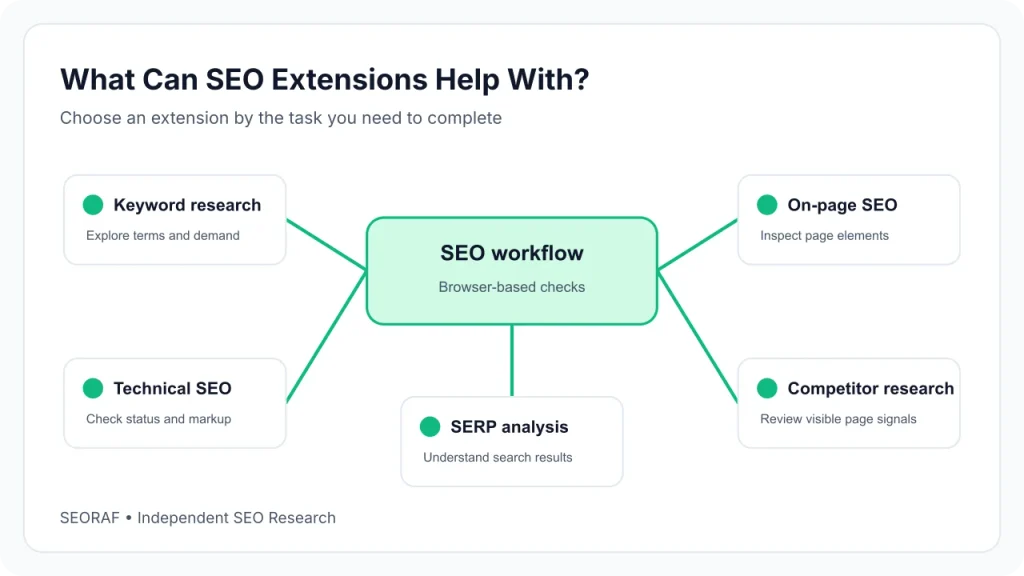
| Keyword research | Keywords Everywhere (paid volume) or Ubersuggest (free with daily limits) | Listings describe keyword metrics in search results |
| Technical SEO | Ahrefs SEO Toolbar, with Lighthouse for audits | Listing: redirects, headers, user-agent switching; Chrome docs: Lighthouse categories |
| On-page SEO | Detailed SEO Extension, or SEO META in 1 CLICK if it still works for you | Listings: title, meta, robots, headings |
| Competitor research | MozBar for authority, Similarweb for traffic | Listings: DA and PA; traffic estimates |
| SERP analysis | SEOquake | Listing: SERP overlay with Semrush metrics |
| Website technology detection | Wappalyzer | Listing: detects CMSs, frameworks, analytics tools |
| Redirect checking | Redirect Path | Listing: flags 301, 302, 404 and 500 responses |
| SEO beginners | Detailed SEO Extension and Lighthouse | SEORAF’s view |
| Professional workflows | Ahrefs SEO Toolbar, Redirect Path and View Rendered Source, plus a competitor tool that matches your data policy | SEORAF’s view |
Free vs Paid SEO Chrome Extensions: What Each Free Tier Includes
Four Kinds of “Free”
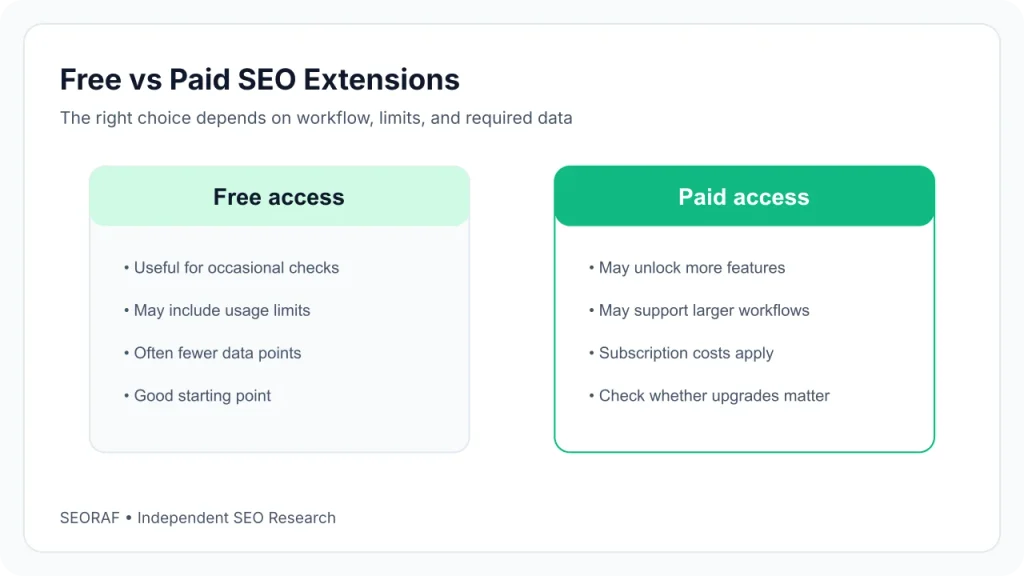
- Free, no account: works as soon as you install it (for example the page-reading tools).
- Free with an account: needs a login, sometimes unlocking extra metrics (MozBar’s Community tier, SEOquake with a free Semrush account).
- Free with limits: daily or monthly caps (Ubersuggest’s daily limits).
- Free tier, paid data: some features are free and the valuable data is paid (Keywords Everywhere).
Free-Tier Reality Table
| Extension | What is free | What is gated | Account |
|---|---|---|---|
| Ahrefs SEO Toolbar | Core tools | Ahrefs metrics | Paid Ahrefs account for metrics |
| Detailed SEO Extension | All listed features | Nothing listed | None indicated |
| Keywords Everywhere | Traffic, Moz link and SEO metrics, widgets and more | Search volume, CPC, competition, trends, keyword import | API key (free to sign up) |
| Ubersuggest | Extension features with daily limits | More data on paid plans | Not stated on the listing |
| SEOquake | Core reports and built-in Semrush metrics | Extra metrics need a free Semrush account | Not needed for core reports |
| MozBar | Guest mode; DA and PA with a free account | Spam Score, Page Optimization, keyword queries | Free account for DA and PA; Moz Pro for the rest |
| Similarweb | 7-day trial of the platform (per listing) | Not specified | Not specified |
| Lighthouse | Everything | Nothing | None |
A paywall example: SEO Minion’s Chrome Web Store listing says it is available only to customers on Keywords Everywhere’s Silver or higher plan, and Keywords Everywhere’s purchase page lists it as a Silver-and-above extra. It’s a useful reminder to read the listing before assuming a tool is free.
When Paying Makes Sense
Pay when a missing number blocks a decision you make regularly, such as keyword volume for every content brief, and when the free tier keeps interrupting your work. If you check keyword data a few times a month, free tiers may be enough. This is a judgment call, and no extension guarantees better results.
SEO Extensions vs All-in-One SEO Platforms
Extensions answer “what is on this page?” and “what does this search show?” Platforms answer “what is wrong across my whole site?” and “how have my rankings changed?”. A crawler checks thousands of URLs, a rank tracker records positions over time, and both send reports without you being in the browser. An extension can’t do that because it only sees the page you’re on.
In SEORAF’s view, extensions suit spot checks and quick research, while platforms suit ongoing monitoring. Several extensions here are the browser front end of a platform: the Ahrefs toolbar, MozBar and SEOquake each show metrics from their company’s data. For a wider look at software options, see SEORAF’s guide to lesser-known SEO tools.
How to Choose the Right SEO Chrome Extension
Decision Criteria
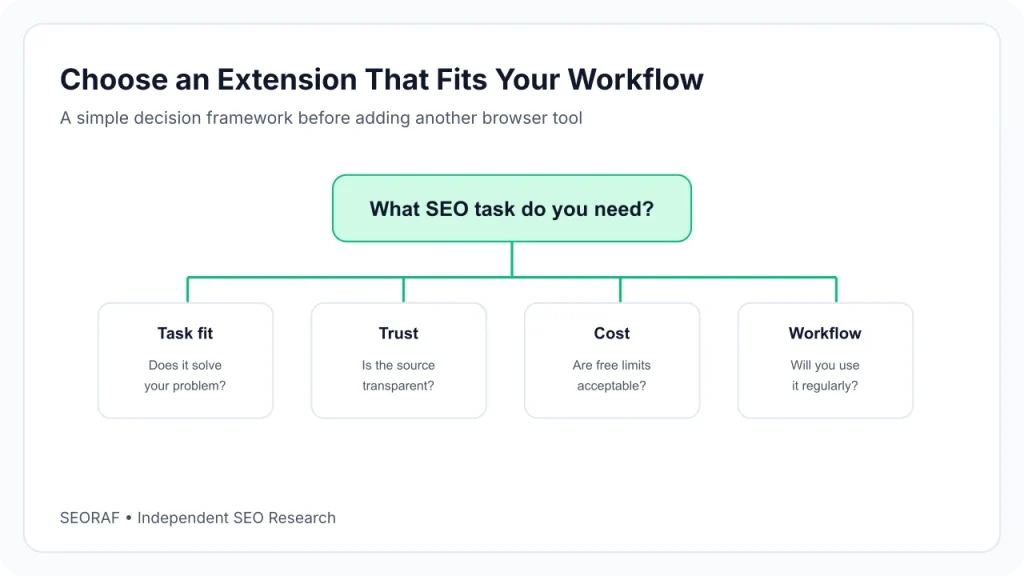
- Name the job first. If you can’t say what question the extension answers, skip it.
- Check the free limits. Read what is free, what needs an account and what is metered before you build a habit around it.
- Check the update date. A listing that hasn’t changed in years deserves a test on a known page.
- Read the data declaration and the policy. They sometimes differ.
- Check overlap. Several tools here show titles, headings and canonicals. You rarely need more than one for that.
Where These Tools Overlap
| Job | Tools in this guide that cover it | Practical note (SEORAF’s view) |
|---|---|---|
| Reading on-page elements | Detailed SEO, SEO META in 1 CLICK, SEOquake, Ahrefs SEO Toolbar, MozBar | One is usually enough. Choose by update date and data handling. |
| Redirects and headers | Redirect Path, Ahrefs SEO Toolbar | Redirect Path does only this. Ahrefs covers it inside a broader toolbar. |
| Keyword data | Keywords Everywhere, Ubersuggest; the Ahrefs toolbar lists keyword ideas among its features | Compare free limits before choosing. |
| SERP overlays | SEOquake, MozBar, Ubersuggest, Keywords Everywhere, Ahrefs SEO Toolbar | Several overlays on one results page can clutter it. |
| Competitor estimates | MozBar, Similarweb, Ubersuggest | Estimates differ by vendor, so don’t mix sources in one comparison. |
| Audits | Lighthouse, SEOquake | Lighthouse needs no install. |
When You Don’t Need an Extension
- You need a one-off check. Chrome’s built-in tools, including the Lighthouse panel, may be enough.
- Your SEO platform already shows the metric in its own interface.
- The extension only repeats something another tool you use already does.
- You can’t get comfortable with what it collects.
How to Avoid Installing Too Many Extensions
- Pick one tool per job. Don’t run two page checkers at once.
- Use a separate Chrome profile for SEO research. It keeps your everyday browsing out of tools that read pages.
- Review installed extensions on
chrome://extensionsevery so often and remove ones you haven’t used. - Prefer a clean profile for audits. Chrome’s documentation says extensions can influence Lighthouse results.
This guide doesn’t give a magic number of extensions to keep, because we found no source that supports one. Fewer is easier to check and trust.
Privacy, Permissions and Browser Security
No extension is “completely safe,” and this guide doesn’t call any of them that. What you can do is understand what an extension is allowed to do, what its developer says it does, and how to reduce your exposure.
Permissions Explained
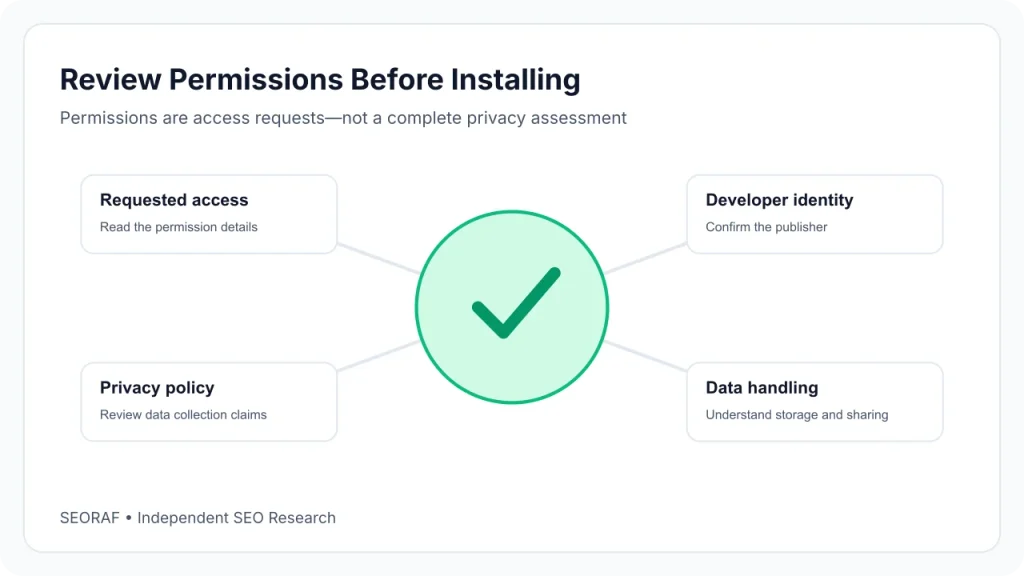
Chrome’s developer documentation explains how permissions work. Access to all sites (patterns such as “all URLs”) shows a warning that the extension can read and change your data on the websites you visit. The activeTab permission is narrower: it gives temporary access to the tab you’re on when you invoke the extension, replaces broad site access in many cases, and shows no install warning. The tabs permission can display a browsing-activity warning. Fewer and narrower permissions mean less exposure if an extension is ever compromised.
Permissions vs Data Practices
A permission is what an extension can do. A privacy disclosure is what the developer says it does. Neither proves what actually happens. The Chrome Web Store listing shows a data declaration, and a developer’s privacy policy is linked from it. The public listing page generally doesn’t list the full permission set, so you’ll see the details in Chrome’s install prompt.
The table shows what each tool’s Chrome Web Store listing declares. These are developer declarations, not proof of behavior, and some declarations and policies read differently (see the Ahrefs SEO Toolbar and SEOquake reviews), so read both.
| Extension | Data declaration on the listing | Privacy policy linked on the listing |
|---|---|---|
| Ahrefs SEO Toolbar | Developer will not collect or use your data | Yes (see the policy note in the review) |
| Detailed SEO Extension | No collection or use disclosed | Not shown |
| SEO META in 1 CLICK | No collection or use disclosed | Not shown |
| Redirect Path | No collection or use disclosed | Yes |
| View Rendered Source | No collection or use disclosed | Not shown |
| Keywords Everywhere | Handles personally identifiable information and location | Yes |
| Ubersuggest | Handles location and website content | Yes |
| SEOquake | No collection or use disclosed | Yes (Semrush privacy policy) |
| MozBar | No collection or use disclosed | Yes |
| Similarweb | Handles personally identifiable information, location, web history and user activity | Yes |
| Wappalyzer | Handles website content | Yes |
| Lighthouse | Built into Chrome DevTools; not a store listing | Not applicable |
Account Access
Many tools unlock more data when you sign in: a Moz account for MozBar, a Semrush account for SEOquake, an Ahrefs subscription for the Ahrefs toolbar, an API key for Keywords Everywhere. Signing in links your browsing activity in that tool to an account. Do it only if you need the extra data.
Updates and Maintenance
Chrome’s published timeline says all remaining Manifest V2 extensions were removed from the Chrome Web Store on August 31, 2026. An extension that hasn’t been updated since 2023 or 2024 isn’t necessarily broken, but it deserves a closer look. Also watch for changes of publisher or ownership: after an update, re-read the developer name and the data declaration.
Responsible Installation Checklist
- Install only from the official Chrome Web Store listing, and confirm the publisher’s name matches the developer’s website.
- Watch for lookalikes with similar names.
- Read the install prompt and decline extensions that ask for more than the job needs.
- Read the data declaration and the linked privacy policy.
- Check the last-updated date.
- Use a separate profile for research tools that collect browsing data.
- Remove extensions you no longer use.
Frequently Asked Questions
What is the best SEO Chrome extension for beginners?
There isn’t one best extension for everyone. In SEORAF’s view, beginners are well served by a simple page checker such as Detailed SEO Extension plus the built-in Lighthouse panel. Add a keyword tool only once you need one.
Are there free SEO Chrome extensions that need no account?
Several tools here are listed as free with no paid tier, including Detailed SEO Extension, SEO META in 1 CLICK, Redirect Path and View Rendered Source. For SEOquake, core reports work without an account. Check each listing, since terms can change.
Are SEO Chrome extensions safe?
No extension can be called completely safe. Check its permissions, data declaration, privacy policy, publisher and update date, and install as few as you need. See the privacy section above.
Do SEO extensions collect browsing data?
It depends on the tool. Some declare no collection, and others, such as Similarweb, disclose collecting web history and user activity. The declaration on each Chrome Web Store listing is the place to start.
How many SEO extensions should I install?
We found no source supporting a specific number. A practical rule is one tool per job, and removing anything you don’t use.
Is MozBar still worth using?
MozBar was updated on September 20, 2026 and its listing describes a rebuilt version 5. Its free tiers cover basic use, and the most useful metrics need a Moz account. Check the listing’s current rating and recent reviews before deciding.
Do these extensions work in browsers other than Chrome?
Ahrefs’ site says its toolbar is also available for Firefox and Safari. For the others, check the developer’s site, because browser support is the developer’s decision.
Final Recommendations
Best Pick by Situation
- Start with one free page checker and the built-in Lighthouse panel, then add tools only for jobs you actually do.
- Add a paid keyword or competitor tool only after the free tier’s limits start blocking real decisions.
- Judge competitor tools on data handling as much as on features, especially Similarweb.
- Ready to install? Use the Chrome Web Store link in each review, then run through the responsible installation checklist.
These are situational suggestions based on documented features and the criteria above, not claims that any tool is best overall. No extension can promise better rankings.
How This Page Is Kept Current
Prices, free limits, update dates and data declarations change. This guide was researched on November 15, 2026, and SEORAF recommends checking each listing before you install.
Sources
- Ahrefs SEO Toolbar, Chrome Web Store and Ahrefs SEO Toolbar policy
- Detailed SEO Extension, Chrome Web Store
- SEO META in 1 CLICK, Chrome Web Store
- Redirect Path, Chrome Web Store
- View Rendered Source, Chrome Web Store
- Keywords Everywhere, Chrome Web Store, plans and purchase terms
- Ubersuggest, Chrome Web Store and Ubersuggest pricing
- SEOquake, Chrome Web Store
- MozBar, Chrome Web Store
- Similarweb, Chrome Web Store and The Register’s report on browsing-data collection
- Wappalyzer, Chrome Web Store
- SEO Minion, Chrome Web Store
- Lighthouse in Chrome DevTools, Chrome documentation and Lighthouse project
- Declare permissions and warn users, Chrome documentation
- Manifest V2 support timeline, Chrome documentation