
SEO Tools by Category: What Each Type Does and Which You Need
By Mousume Akter, Founder & Editor, SEORAF
Browsing SEO tools by category is a practical way to see what each type of tool is designed to do before you compare products. Tools are often grouped by the job they do, such as finding keywords, auditing a site, analyzing links, or tracking rankings. Choosing the job first can help you avoid paying for features that don’t address your problem.
Each section below explains one category, who may use it, and what to check before you commit. This page does not rank, score, or recommend individual tools.
Affiliate disclosure: Some pages linked from SEORAF may contain affiliate links, and SEORAF may earn a commission if you buy through them. SEORAF is an independent SEO knowledge resource. It is not an agency and does not sell rankings.
Not sure where to start? Go to how to choose the right SEO tool category, or scan the table below.
What Are the Common SEO Tools by Category?
Common SEO tool categories include keyword research, competitor analysis, SERP analysis, content optimization, SEO audit, technical SEO, local SEO, backlink analysis, rank tracking, and SEO reporting. A SERP is a search engine results page, the page a search returns. Category boundaries vary, and individual tools may cover more than one category.
Four other groupings work differently. They describe how tools are packaged, priced, or delivered rather than the job they do:
- All-in-one SEO tools bundle several jobs under one subscription.
- Free SEO tools are a pricing and access grouping.
- AI SEO tools are a method or capability grouping.
- SEO Chrome extensions are a delivery format.
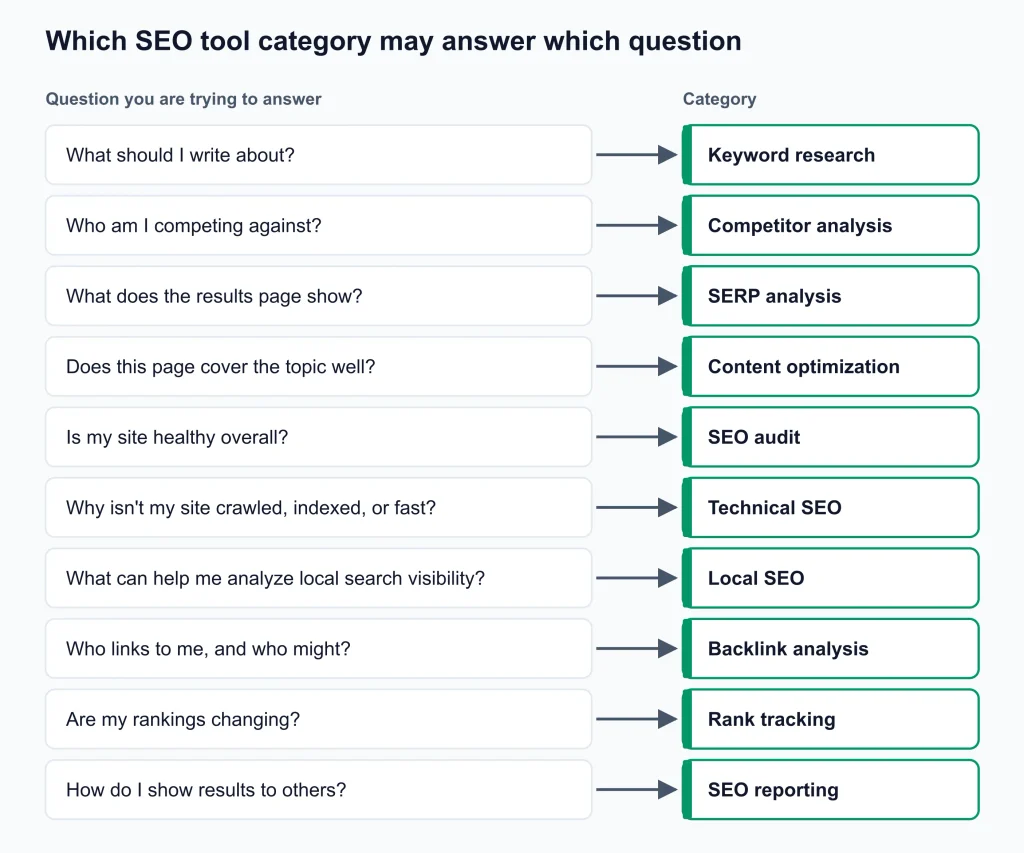
Which SEO tool category may answer which question
| Question you are trying to answer | Category | What it may produce |
|---|---|---|
| What should I write about? | Keyword research | Query lists, grouped topics, competitiveness indicators |
| Who am I competing against? | Competitor analysis | Competitor lists, keyword and content gap reports |
| What does the results page show? | SERP analysis | Result types, SERP features, intent signals |
| Does this page cover the topic well? | Content optimization | Briefs, content scores, edit suggestions |
| Is my site healthy overall? | SEO audit | Issue lists and health checks, sometimes prioritized |
| Why isn’t my site crawled, indexed, or fast? | Technical SEO | Crawl data, rendering checks, log or performance diagnostics, depending on the tool |
| What can help me analyze local search visibility? | Local SEO | Local rankings, citation and review data |
| Who links to me, and who might? | Backlink analysis | Link profiles, referring domains, link opportunities |
| Are my rankings changing? | Rank tracking | Position history, often by keyword, device, and location |
| How do I show results to others? | SEO reporting | Dashboards and scheduled reports |
How SEO Tool Categories Relate
Categories can pass work to each other. The output of one is often useful as the input of the next, which is one reason many people use more than one.
How the output of one category can feed another
| Starts with | Can feed into | Relationship |
|---|---|---|
| Keyword research | Content optimization | Chosen topics can become briefs and drafts |
| Competitor analysis | Keyword research, backlink analysis | Gaps can point to target queries and link sources |
| SEO audit and technical SEO | Rank tracking | Known site issues are worth ruling out before you interpret position changes |
| Rank tracking | SEO reporting | Position history can support progress reports |
| All-in-one tools | Several of the above | Bundle functions, sometimes with less depth in each |
Three boundaries often cause confusion:
- Rank tracking vs. SERP analysis. Rank tracking records where your pages appear over time. SERP analysis examines what a results page contains.
- SEO audit vs. technical SEO. Audit tools tend to offer a broad health check. Technical tools tend to go deeper into areas such as crawling, rendering, and server logs. The line between them varies by tool.
- Keyword research vs. competitor analysis. Keyword research typically starts from topics. Competitor analysis typically starts from sites.
The SEO Workflow
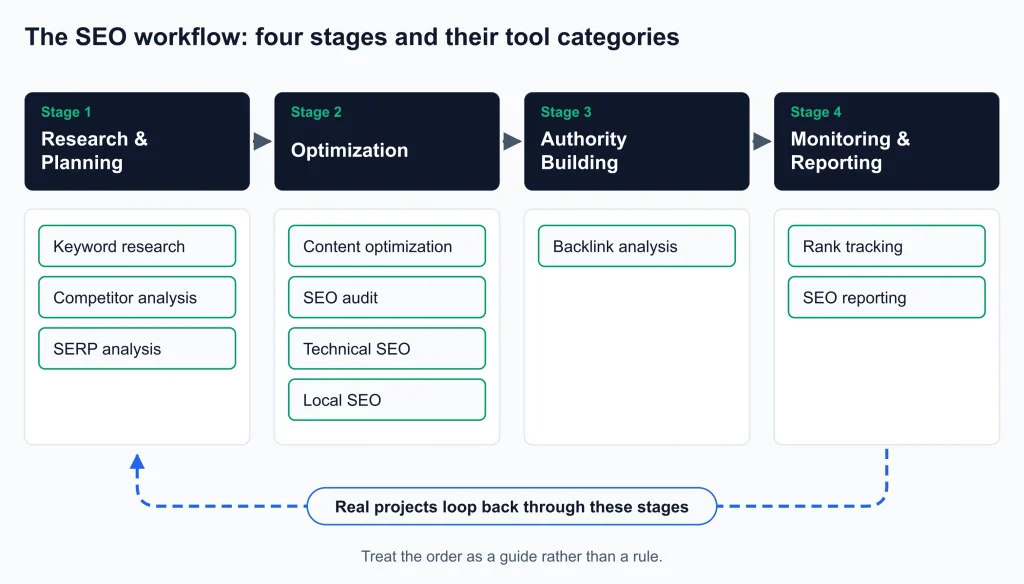
SEO work can be viewed as four stages, and each tool category generally supports one of them:
- Research and planning: keyword research, competitor analysis, SERP analysis
- Optimization: content optimization, SEO audit, technical SEO, local SEO
- Authority building: backlink analysis
- Monitoring and reporting: rank tracking, SEO reporting
Real projects loop back through these stages, so treat the order as a guide rather than a rule.
Research and Planning Tools
Keyword Research Tools
Keyword research tools are designed to show which search queries people use for a topic and to help you judge which may be worth targeting.
- May be used by: content teams, site builders, strategists.
- What to check: data source and freshness, how “difficulty” is defined (definitions vary by tool), keyword grouping, intent labels, SERP feature visibility, keyword limits, and export options.
- Free vs. paid: free options may cover basic discovery. Check query limits and data depth before relying on them.
Competitor Analysis Tools
Competitor analysis tools aim to identify which sites compete for your target queries and what those sites rank for. Your search competitors can differ from your business competitors.
- May be used by: strategists, agencies, teams planning content.
- What to check: how traffic figures are produced and whether they are labeled as estimates, how competitors are discovered, depth of gap analysis, and how much history is available.
- Free vs. paid: estimate quality and history can differ by plan.
SERP Analysis Tools
SERP analysis tools are designed to show what a results page contains for a query, such as result types, features like featured snippets, and the search intent the results may suggest.
- May be used by: strategists, writers, and SEOs deciding what kind of page a query calls for.
- What to check: which SERP features are detected, whether snapshots are saved over time, location and device support, and export options.
- Boundary: SERP analysis inspects the makeup of results. Rank tracking monitors your own positions over time.
Optimization Tools
Content Optimization Tools
Content optimization tools typically compare a page or draft against search intent and the topics that top-ranking pages cover, then suggest improvements.
- May be used by: writers, editors, in-house teams.
- What to check: how recommendations are generated, brief quality, editor or CMS integration, and whether the tool addresses intent or only counts terms. A content score is guidance, not a ranking guarantee.
- Free vs. paid: free tiers may be limited. Check what they include.
SEO Audit Tools
SEO audit tools can scan a website and report issues that may affect search performance. Depending on the tool, these can include broken links, missing metadata, and duplicate content, sometimes with a priority order.
- May be used by: site owners, freelancers, and teams running recurring health checks.
- What to check: which issues are detected, crawl limits, issue prioritization, scheduling, history, and report export.
- Free vs. paid: some free options exist for small sites. Check page limits and how the tool handles larger sites.
Technical SEO Tools
Technical SEO tools help examine how search engines may crawl, render, index, and load a site. Crawling is how search engines discover pages, and indexing is how they store them.
- May be used by: technical SEOs and developers, particularly on larger or more complex sites.
- What to check: crawl limits, JavaScript rendering, log-file support, structured data checks, redirect handling, and performance reporting. Capabilities differ widely between tools.
- First-party sources: Google Search Console and Bing Webmaster Tools provide free indexing and performance data directly from the search engines. Many audit and technical tools can complement them.
Local SEO Tools
Local SEO tools are designed to support visibility in map and local results. Features differ by tool, and some may track local rankings, help manage citations (listings of a business’s name, address, and phone number), or monitor reviews, while others focus on only one of these.
- May be used by: local businesses, multi-location brands, and agencies serving them.
- What to check: which local features are included, location or geo-grid tracking, citation management, review monitoring, multi-location reporting, and Google Business Profile integration. Location limits can affect cost.
Authority and Link Tools
Backlink Analysis Tools
Backlink analysis tools are designed to map which sites link to a page or domain and to surface possible link opportunities. A referring domain is a distinct website that links to you.
- May be used by: link builders, digital PR teams, anyone auditing a link profile.
- What to check: index size and freshness, link-quality signals, how authority metrics are defined (they are tool-specific and not interchangeable), history of new and lost links, and export options.
- Free vs. paid: free checkers often show limited data. Verify what is included.
Monitoring and Reporting Tools
Rank Tracking Tools
Rank tracking tools record where your pages appear in search results for chosen keywords over time. This can help you see changes after an edit, a migration, or an algorithm update, though rankings can vary by location, device, and personalization.
- May be used by: in-house teams, freelancers, and agencies reporting progress.
- What to check: update frequency, location and device support, keyword limits, SERP feature tracking, history, and white-label reporting.
SEO Reporting Tools
SEO reporting tools can combine data from sources such as Google Search Console, Google Analytics, and Google Business Profile into dashboards and scheduled reports. They can reduce manual spreadsheet work. Supported data sources differ by tool.
- May be used by: agencies, freelancers, in-house teams.
- What to check: available data connectors, templates, scheduling, white-label depth, and pricing structure (for example per client, per report, or per seat).
All-in-One SEO Tools
An all-in-one SEO tool, sometimes called a platform or suite, bundles several functions under one subscription. Depending on the product, these may include keyword research, audits, rank tracking, and backlink data. It may suit teams that want one workflow and one bill.
The tradeoff is often breadth versus depth. A specialist tool may go further in one function, while a platform can be simpler to manage. Some teams pair a platform with one or two specialists.
- A platform may fit if you need several functions, want one login for a team, or report to clients from one place.
- Specialists may fit better if one function drives most of your work, or you already own a platform that covers the rest.
Learn more on our SEO software page.
Browse SEO Tools by Price, Method and Format
These three groupings cut across the job-based categories above. A free tool, an AI tool, or a browser extension can fall into any of them.
Free SEO Tools
Free SEO tools are a pricing and access grouping. Free, freemium, and trial plans exist in many categories, each with different limits.
AI SEO Tools
AI SEO tools are a method or capability grouping. AI features may appear inside several categories, such as keyword grouping and content suggestions. Some newer tools focus on brand visibility in AI-generated answers. Measurement approaches vary, so check how a tool collects its data.
Learn more about AI SEO tools.
SEO Chrome Extensions
SEO Chrome extensions are a delivery format. They run inside the browser and may offer quick on-page checks, SERP overlays, or link and markup inspection. They often repeat functions found in the categories above, usually in a lighter form.
For the broader picture, explore our main SEO tools page.
How to Choose SEO Tools by Category
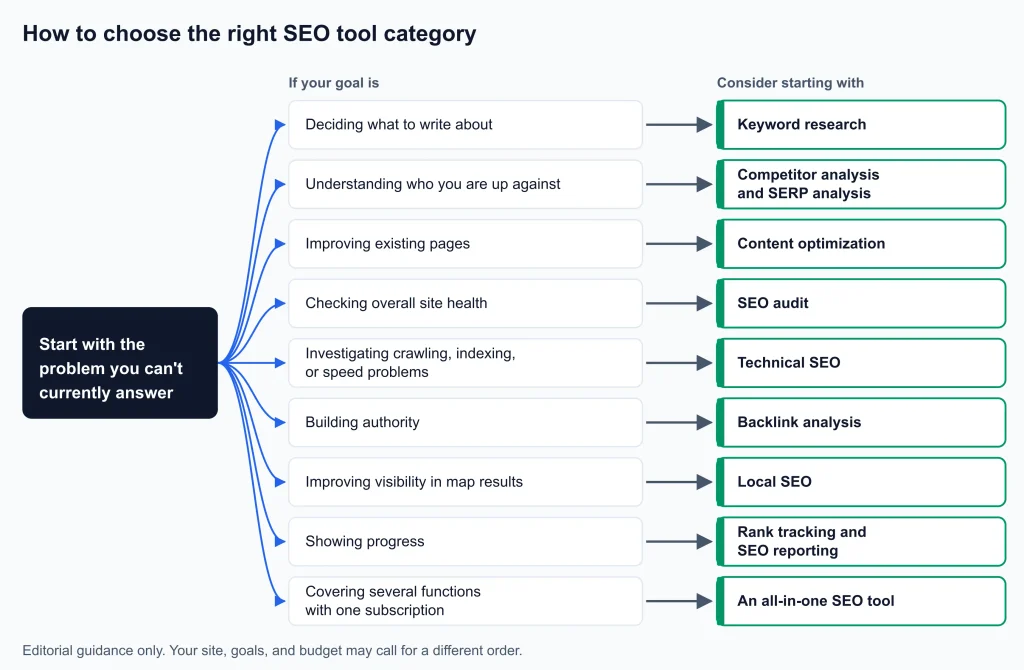
Start with the problem you can’t currently answer, then pick the category that may address it.
Suggested starting category by goal
| If your goal is | Consider starting with |
|---|---|
| Deciding what to write about | Keyword research |
| Understanding who you are up against | Competitor analysis and SERP analysis |
| Improving existing pages | Content optimization |
| Checking overall site health | SEO audit |
| Investigating crawling, indexing, or speed problems | Technical SEO |
| Building authority | Backlink analysis |
| Improving visibility in map results | Local SEO |
| Showing progress | Rank tracking and SEO reporting |
| Covering several functions with one subscription | An all-in-one SEO tool |
One possible starting approach is to explore keyword research and basic site-audit capabilities, including free options.
Possible categories to explore by user type (editorial suggestions, not tested rules)
| You are a | Possible categories to explore |
|---|---|
| Solo site owner | Keyword research, then SEO audit, then rank tracking |
| Freelancer | Keyword research, audit, rank tracking, reporting |
| Agency | All-in-one or specialists, then rank tracking, reporting, backlink analysis |
| In-house team | Keyword research, content optimization, technical SEO, backlink analysis |
This table is editorial guidance only. Your site, goals, and budget may call for a different order.
By budget stage:
- Starting out: consider free plans and the search engines’ own free tools. Browse free SEO tools.
- Growing: consider adding one or two paid specialists where a clear gap exists.
- Scaling: consider an all-in-one tool plus specialists. Explore SEO software.
Before You Buy Any SEO Tool
These checks apply in any category.
- Define the job. Write one sentence on what the tool must do. If you can’t, you may not need it yet.
- Test with your own data. If a free plan or trial is offered, try it on your own site rather than a demo.
- Check the limits. Look at keyword and project limits, users, crawl size, locations, devices, and data history. The limit you hit first may influence which plan you need.
- Understand the data. Ask where it comes from, how fresh it is, and whether figures are measured or estimated.
- Check exports, integrations, and reporting. Confirm the tool works with your reporting and CMS setup.
- Read the billing terms. Check renewal, cancellation, and pricing on the vendor’s own current pricing page. Don’t rely on third-party summaries, including this one, for current prices.
- Judge ease of use and team fit. Consider setup time, learning curve, and who will use it day to day.
- Keep expectations realistic. A tool can support your SEO work. It does not ensure rankings, traffic, or revenue.
Are Free SEO Tools Enough?
Free tools can be enough for some small sites, basic keyword discovery, simple audits, and first-party performance data from Google Search Console and Bing Webmaster Tools. It depends on your goals and the limits of each tool.
Paid tools can become useful if you need larger data sets, longer history, frequent tracking, multiple clients or locations, or team workflows. Compare limits rather than labels, since a free plan may restrict the exact feature you need.
How This Page Is Built
- Categories are grouped by the main job a tool is designed to do. Free, AI, and browser extensions are treated as price, method, and format.
- Checklists describe general questions to ask. They are not findings about specific products.
- This page does not name, rank, or score individual tools, and it does not state prices or product features.
- Affiliate relationships: SEORAF may earn commissions from some links on pages linked from this site, as noted in the disclosure above.
- Author: Mousume Akter, Founder & Editor, SEORAF.
Where to Go Next
- Explore SEO tools for the wider overview.
- Explore SEO software if you want several functions under one subscription.
- Browse free SEO tools if you are testing before spending.
- Learn more about AI SEO tools if you are exploring AI-assisted workflows.