
Backlink Audit Checklist: How to Find and Fix Toxic Links (2026 Guide)
Our comprehensive 2026 backlink audit checklist helps you find and fix toxic backlinks. Protect your rankings and avoid Google penalties with our step-by-step guide for beginners.
Introduction: Is Your Backlink Profile Helping or Harming Your SEO?
Imagine your website is a candidate in a popularity contest. Every backlink pointing to your site is a vote of confidence. The more high-quality votes you get, the more Google trusts you, and the higher you rank. But what if some of those “votes” are coming from shady, unreliable sources?

That’s where a backlink audit comes in. It’s like a health check for your website’s link profile, and our backlink audit checklist is designed to guide you through it. This process helps find and fix the “bad votes,” such as toxic backlinks, that can drag your rankings down or even trigger a Google penalty. While finding easiest backlinks is great, cleaning up the bad ones is just as important.
In this guide, we’ll walk you through a complete backlink audit checklist for 2026. Whether you’re a blogger, a small business owner, or an SEO beginner, this step-by-step process will empower you to clean up your link profile, protect your site from harm, and set the stage for better search engine rankings.
Why Are Backlink Audits Crucial for SEO?
Google’s algorithms are incredibly sophisticated. They don’t just count the number of backlinks; they evaluate their quality. A strong backlink profile is a cornerstone of good SEO. Conversely, a profile filled with toxic backlinks is a major red flag.
Ignoring a bad backlink profile can lead to:
- Ranking Drops: Google may devalue your site if it’s associated with spammy or irrelevant links.
- Google Penalties: In severe cases, you could receive a manual action for “unnatural links,” which can cause your site to vanish from search results.
- Wasted SEO Efforts: All your hard work on on-page SEO and content creation could be undermined by a toxic link profile.
Regular backlink audits are not just a fix-it tool; they are essential preventative maintenance for your website’s long-term health. This backlink audit checklist is your first line of defense.
What Is a Backlink Audit?
A backlink audit is the systematic process of analyzing all the links pointing to your website to identify and remove potentially harmful ones that could negatively impact your search engine rankings. This backlink audit checklist provides the framework for that analysis. For a deeper understanding of what Google looks for, you can read Ahrefs’ ultimate guide to backlinks.
How Google Evaluates Backlinks
Google views links as a measure of authority and trust. Here’s a simplified look at what Google considers, which you can learn more about in their documentation on link spam:
- Relevance: Is the linking website topically related to yours?
- Authority: Is the linking site itself considered trustworthy and authoritative by Google?
- Placement: Is the link placed naturally within the content of a page?
- Anchor Text: This is the clickable text of a link. A natural profile has a diverse mix.
Good vs. Bad Backlinks: A Quick Comparison
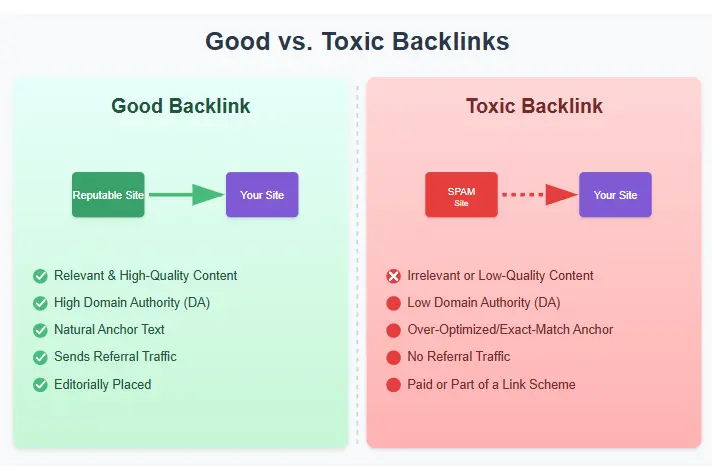
| Feature | Good Backlink | Bad (Toxic) Backlink |
|---|---|---|
| Source | Relevant, authoritative website in your niche. | Irrelevant, low-quality, or spammy website. |
| Traffic | The linking page sends real, relevant referral traffic. | The linking page has zero or bot traffic. |
| Placement | Naturally placed within the body of relevant content. | Stuffed in footers, sidebars, or author bios. |
| Anchor Text | Branded, naked URL, or generic/long-tail phrases. | Over-optimized with exact-match money keywords. |
When Should You Do a Backlink Audit?
A backlink audit isn’t just a one-time task. You should perform one regularly (at least once a year) and immediately if you notice any of the following red flags, which should prompt you to use our backlink audit checklist. It’s also a great companion to a broader technical SEO audit.
1. Your Rankings Have Suddenly Dropped
This is the most obvious trigger. If you see a significant, unexplained drop in your organic rankings or traffic for multiple keywords, a toxic backlink could be the culprit. This is the first item on any backlink audit checklist.
2. You’ve Received a Manual Action
If Google detects a pattern of unnatural links pointing to your site, it may issue a “Manual Action” penalty in your Google Search Console account. You’ll need to perform a thorough audit and remove bad backlinks to recover. Following a detailed backlink audit checklist is critical here.
3. After a Major Google Algorithm Update
Google’s core updates often change how it evaluates links. If your site is negatively impacted after a major update, it’s wise to conduct a backlink analysis to see if your link profile no longer aligns with Google’s new standards. Your backlink audit checklist will help you adapt.
4. You’re Auditing a New Website or Client
If you’ve just acquired a new website or taken on a new SEO client, a full backlink audit should be your first step. You need to know what you’re working with and identify any pre-existing toxic links. This backlink audit checklist is perfect for onboarding.
Backlink Audit Checklist: The Step-by-Step Process
This is the core of our guide. Follow these steps meticulously to conduct a thorough backlink audit. This backlink audit checklist is your roadmap to a cleaner link profile.
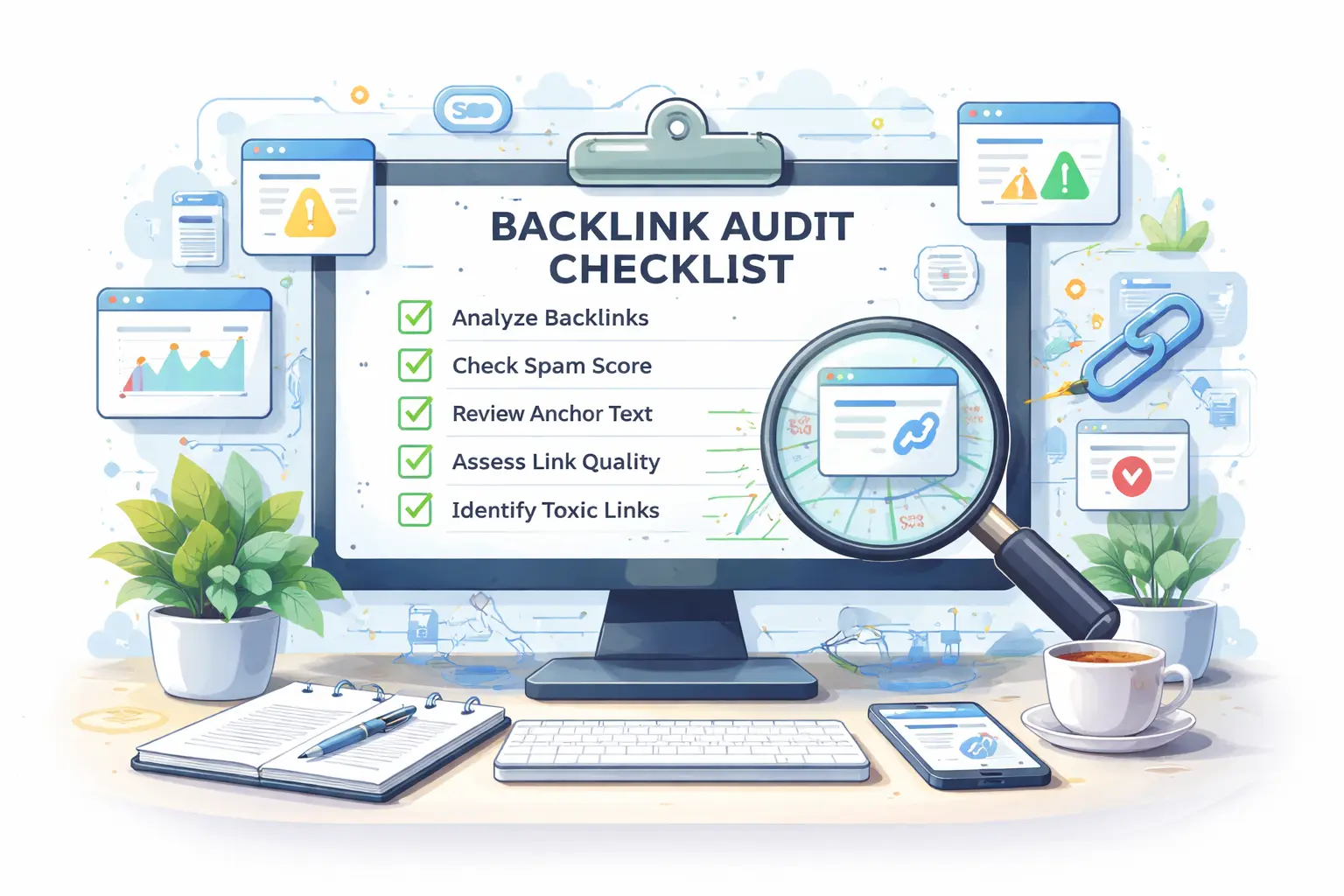
Step 1: Collect Your Complete Backlink Data
The first step in any backlink audit checklist is to gather a comprehensive list of all the backlinks pointing to your site. You can’t audit what you can’t see.
- Google Search Console (GSC): This is the free, essential starting point. Go to the “Links” report and export your data.
- Backlink Analysis Tools: For a complete picture, you need a dedicated SEO tool like Ahrefs or SEMrush. These tools crawl the web more extensively and provide deeper data for your backlink audit checklist.
- Combine Your Data: Export the data from GSC and your chosen tool into a single spreadsheet. This master list is the foundation of your backlink audit checklist.
Step 2: Check the Quality of Referring Domains
It’s more important to evaluate the quality of the *referring domains* than the total number of links. This is a crucial part of the backlink audit checklist.
- Analyze Domain Authority/Rating: Use metrics like Ahrefs’ “Domain Rating” (DR) or Moz’s “Domain Authority” (DA) as a starting point.
- Manually Review Suspicious Domains: For domains with low authority, visit the website directly. Does it look legitimate? Is it topically relevant? This manual check is a vital step in our backlink audit checklist.
Step 3: Analyze Your Anchor Text Distribution
An unnatural anchor text profile is a huge red flag for Google. This step in the backlink audit checklist helps you spot over-optimization. Understanding anchor text is closely related to our keyword research guide.
- Export Your Anchor Text Report: In your backlink tool, generate a report of all anchor texts.
- Look for Over-Optimization: Are 50% of your links using the exact same “money keyword”? This is unnatural.
- What a Healthy Profile Looks Like: A natural profile is diverse. It should be dominated by branded anchors, naked URLs, and generic phrases. Your backlink audit checklist should prioritize this diversity.
Step 4: Identify Toxic or Spammy Backlinks
Go through your list and flag any that exhibit these characteristics of toxic backlinks. This is the heart of the backlink audit checklist. For more examples, SEMrush has a great guide on toxic links.
- Links from PBNs (Private Blog Networks): These are networks of sites built solely to pass link juice.
- Links from Sites in a Different Language/Niche: A link from a Russian gambling site to your English-language gardening blog is almost certainly toxic.
- Links with Over-Optimized Anchor Text: Flag any links using exact-match money keywords, especially from low-quality sites. This is a key finding for your backlink audit checklist.
Step 5: Check Your Dofollow vs. Nofollow Ratio
A healthy backlink profile has a natural mix of both. If your profile is 99% dofollow, it can look unnatural and manipulative. This ratio check is a simple but important part of the backlink audit checklist.
Step 6: Detect Unnatural Link Patterns
Look beyond individual links and identify patterns that suggest spammy behavior. This advanced step on the backlink audit checklist can uncover hidden issues.
- Link Velocity: Did you suddenly gain thousands of links in one week?
- Sitewide Links: These are links that appear on every page of a website, usually in the footer or sidebar.
Step 7: Find Links from Irrelevant Niches
Relevance is key. A link should make sense in the context of the page it’s on. A link from an auto parts store to your bakery is toxic. This contextual review is a non-negotiable part of the backlink audit checklist.
Step 8: Identify Sitewide or Footer Links
Pay special attention to these. A large number of sitewide links from irrelevant sites is a common tactic of spammers. Make sure this is on your backlink audit checklist.
Step 9: Analyze Lost vs. New Backlinks
A good backlink audit isn’t just about removing the bad; it’s also about understanding your link profile’s trajectory. Use your tool’s “New” and “Lost” reports to see what you’ve gained and what you’ve lost. This final step in the backlink audit checklist helps you measure future success.
Essential Backlink Audit Tools
You can’t do a thorough audit without the right tools. Here are the best options for completing your backlink audit checklist. Alongside these, you might also find value in dedicated keyword research tools for bloggers.
- Ahrefs: Widely considered the industry standard for backlink analysis. Its “Site Explorer” gives you an incredibly detailed view of your backlink profile, making it a top choice for any backlink audit checklist.
- SEMrush: Another top-tier tool with a robust “Backlink Audit” feature that automatically flags potentially toxic backlinks, streamlining your backlink audit checklist.
- Moz Pro (affiliate): A fantastic all-in-one SEO suite with a powerful “Link Explorer” tool. Moz Pro’s “Spam Score” is excellent for quickly identifying potentially toxic links during your audit.
- Google Search Console: The only free tool on this list, and it’s non-negotiable. It’s Google’s own data and the foundation of any backlink audit checklist.
- Screaming Frog SEO Spider: A desktop program that’s invaluable for analyzing the outbound links on your own site, which is a related but important task outside the main backlink audit checklist.
How to Remove or Disavow Toxic Backlinks
Once you’ve identified your list of toxic backlinks using the backlink audit checklist, it’s time to take action. This is a two-step process.
Step 1: Try to Remove the Links Manually
Google wants you to make a good-faith effort to remove bad backlinks before you use the disavow tool.
- Find Contact Information: Visit the toxic website and look for a contact page or email.
- Send a Polite Outreach Email: Be courteous, not accusatory.
Subject: Link Removal Request for [Your Website Name]
Hi [Webmaster Name, if available],
My name is [Your Name], and I’m the owner of [Your Website URL].
I’m currently in the process of cleaning up our backlink profile to comply with Google’s quality guidelines. I noticed that you have a link pointing to our site from this page: [URL of the page with your link].
The link appears to be unnatural and could be negatively affecting both of our sites’ standing with Google. Would you be able to remove it?
Thank you so much for your time and help.
Best regards,
[Your Name]
- Track Your Efforts: Keep a spreadsheet of the websites you contacted and the outcome. This is proof of your work, which complements your backlink audit checklist.
Step 2: Use the Google Disavow Tool (As a Last Resort)
⚠️ A Word of Caution: The disavow tool is powerful and should be used with extreme care. Disavowing good links can harm your rankings. Only use it for links you’ve identified as toxic on your backlink audit checklist.
- Format the File: Create a plain text file (.txt). To disavow a domain, use:
domain:spammyexample.com - Upload the File: Go to the Access Google Disavow Tool, select your website, and upload your file.
Common Backlink Audit Mistakes to Avoid
Even with the best backlink audit checklist, it’s easy to make mistakes. Here are the most common ones:
- Mistake #1: Removing Good Links: In their eagerness to clean up, some site owners mistakenly disavow links from legitimate, albeit lower-authority, sites. Your backlink audit checklist should emphasize caution.
- Mistake #2: Overusing the Disavow Tool: Google is already good at ignoring low-value links on its own. Only disavow links that are truly toxic and pose a clear risk. Don’t let your backlink audit checklist become a disavow-everything list.
- Mistake #3: Ignoring Anchor Text Issues: A profile full of over-optimized anchor text can trigger a penalty even if the linking domains are decent. This is a critical part of any backlink audit checklist.
📥 Download Your Free Backlink Audit Checklist (PDF)
This guide is packed with information, but we know you need a practical tool to use as you work. We’ve turned this entire backlink audit checklist into a simple, printable PDF.
We respect your privacy. Unsubscribe at any time.
Conclusion: Make Backlink Audits a Regular Habit
A backlink audit is not a one-time fix; it’s an essential part of ongoing SEO maintenance. By regularly checking your link profile with this backlink audit checklist, you can protect your website from penalties, recover from ranking drops, and build a strong, authoritative foundation that will help you rank higher in 2026 and beyond.
Remember, the goal isn’t just to remove bad backlinks—it’s to cultivate a healthy, natural, and powerful backlink profile that signals trust and authority to Google. Make this backlink audit checklist a regular part of your SEO strategy.
If you feel overwhelmed by the process or have received a manual penalty from Google, our team of SEO experts is here to help. Contact us for a professional SEO audit service and let us handle the heavy lifting for you.
Frequently Asked Questions (FAQ)
A: For most websites, a comprehensive audit once a year is a good practice. However, you should perform a quick check every quarter and immediately if you notice a significant drop in rankings or receive a Google penalty. Using our backlink audit checklist can make this process faster.
A: If you’ve made a good-faith effort to find contact info and have come up empty, document your attempts and proceed with disavowing the link. Google understands that not all webmasters are reachable. Your backlink audit checklist should include a column for tracking outreach attempts.
A: Not at all! A natural backlink profile contains a healthy mix of dofollow and nofollow links. Nofollow links from high-traffic sites like Wikipedia or social media can drive valuable referral traffic and build brand awareness, which indirectly benefits your SEO. A good backlink audit checklist helps you analyze this mix.
A: Google strongly recommends that you first try to remove the links manually. You should only use the disavow tool as a last resort for links you couldn’t get removed. If you ever need to file a reconsideration request, Google will ask for proof of your removal efforts. Your backlink audit checklist is your proof of this work.
A: Absolutely! This backlink audit checklist was specifically designed with beginners in mind. We’ve broken down a complex process into simple, actionable steps that any website owner, blogger, or small business owner can follow to improve their SEO.