
What Is Technical SEO? Complete Beginner’s Guide (2026)
What Is Technical SEO?
Quick Answer: Technical SEO is the practice of optimizing a website’s technical foundation — how it’s built, crawled, rendered, and structured — so search engines can efficiently find, understand, and rank its pages. It doesn’t involve writing content or building links. Instead, it deals with the infrastructure that lets search engines access that content in the first place.
If you’ve ever wondered why some well-written pages never show up in Google while others rank easily, the answer often has nothing to do with the writing itself. It comes down to Technical SEO — whether search engines can actually reach, read, and load your pages properly.
This guide breaks down what Technical SEO is, why it matters, how it differs from other types of SEO, and exactly where to start if you’re new to it.
What Is Technical SEO?
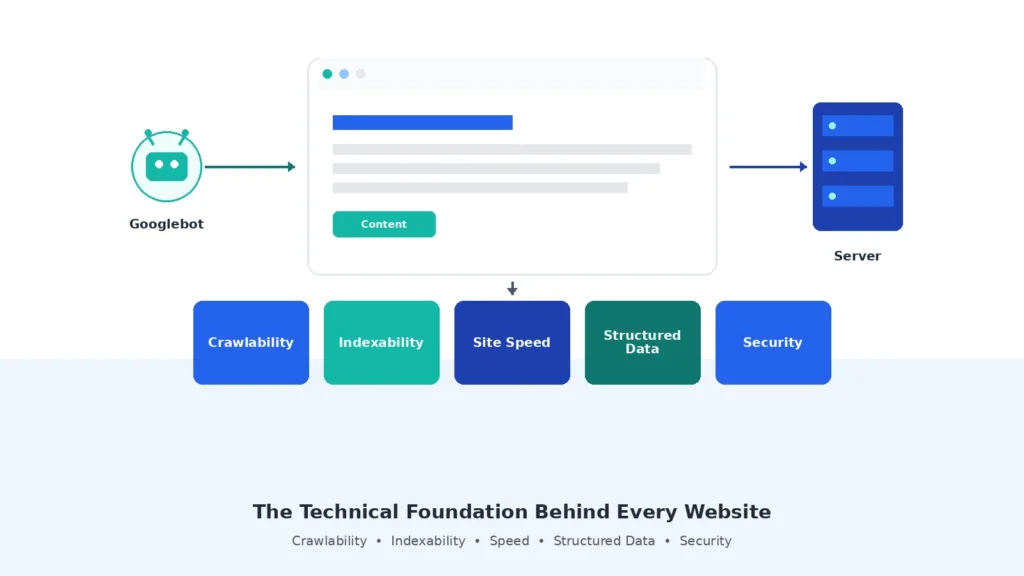
Quick Answer: Technical SEO refers to the behind-the-scenes optimizations that help search engines crawl, render, index, and rank a website. It covers things like site speed, mobile-friendliness, crawlability, and structured data — the technical conditions that make good content actually discoverable.
A Simple Definition
Technical SEO is the part of search engine optimization that has nothing to do with what your content says and everything to do with whether search engines can access it at all.
Think of it this way: you can write the most helpful article on the internet, but if Google’s crawler can’t reach the page, can’t understand its structure, or gives up because it loads too slowly, none of that content matters. Technical SEO exists to remove those barriers.
In practice, it involves things like:
- Making sure Googlebot can crawl your site without hitting dead ends
- Making sure the right pages get indexed (and the wrong ones don’t)
- Making sure pages load quickly and display properly on mobile
- Making sure your site correctly communicates page structure using tools like structured data
The House-Foundation Analogy
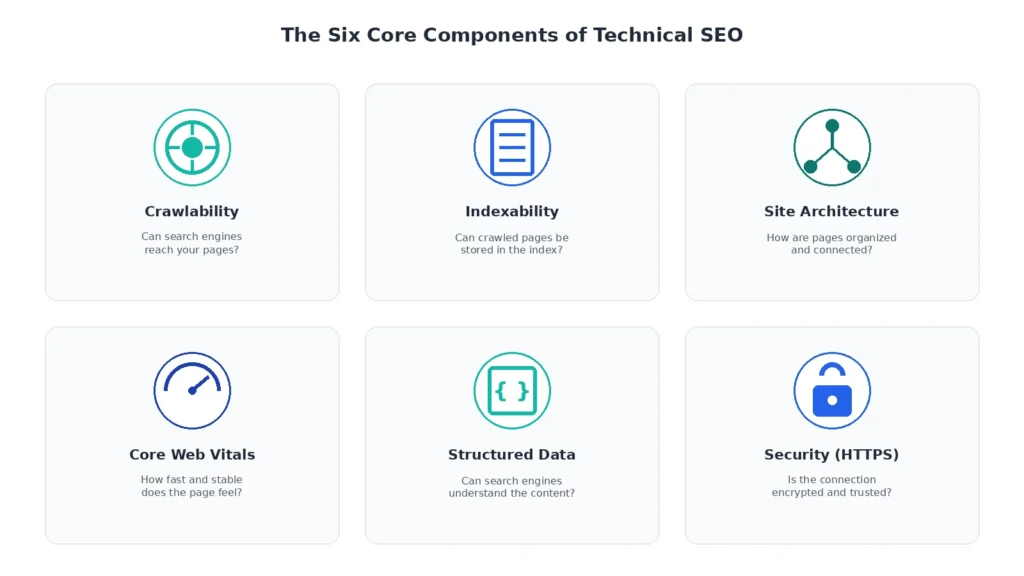
A useful way to think about Technical SEO is to compare a website to a house.
Content and design are like the interior — the paint, the furniture, the things visitors actually notice and enjoy. Technical SEO is the foundation, wiring, and plumbing. Visitors don’t see it directly, but if it’s broken, nothing else works properly. A beautifully decorated house with a cracked foundation still isn’t safe to live in — and a beautifully written website with poor Technical SEO still won’t rank.
This is why Technical SEO is often described as foundational rather than optional. It’s not a bonus step after content is finished; it’s the groundwork that determines whether the content gets a fair chance to be found at all.
Why Technical SEO Matters
Quick Answer: Technical SEO matters because search engines can only rank pages they can successfully crawl, render, and index. Without a solid technical foundation, even excellent content can remain invisible in search results — quietly losing traffic without an obvious cause.
Impact on Visibility and Traffic
Technical SEO problems rarely announce themselves. A slow-loading page doesn’t display an error message — it simply tends to rank lower and lose visitors who leave before it finishes loading. A page accidentally marked “noindex” doesn’t crash — it just never appears in search results, and the traffic loss can go unnoticed for weeks.
This is part of what makes Technical SEO so important: its effects are usually invisible until you specifically look for them. A site that ranks well typically has strong technical fundamentals working quietly in the background, even if no one on the team thinks about them day to day.
What Happens When Technical SEO Is Ignored
When Technical SEO issues pile up unaddressed, the pattern is usually gradual rather than dramatic. Pages stop appearing for search terms they used to rank for. New content takes longer to get indexed. Mobile visitors bounce faster than desktop visitors. Individually, each symptom can look unrelated — but they often trace back to the same root causes: poor crawlability, weak page experience, or structural confusion that search engines can’t resolve.
If you’re wondering which technical elements have the biggest influence on search visibility, explore our Technical SEO Ranking Factors guide. It explains the key signals that help search engines evaluate a website’s technical health and ranking potential.
Technical SEO vs. On-Page SEO vs. Off-Page SEO
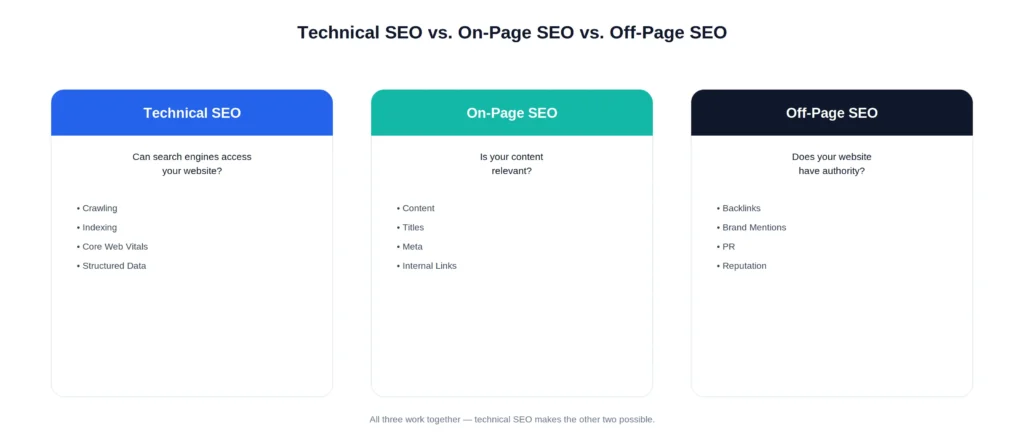
Quick Answer: Technical SEO, On-Page SEO, and Off-Page SEO are three distinct branches of search engine optimization. Technical SEO focuses on a site’s infrastructure, On-Page SEO focuses on the content and HTML elements on a page, and Off-Page SEO focuses on external signals like backlinks. All three work together, but they solve different problems.
Comparison Table
| SEO Type | Focus Area | Example Actions | Primary Goal |
|---|---|---|---|
| Technical SEO | Site infrastructure and accessibility | Fixing crawl errors, improving page speed, configuring robots.txt, adding structured data | Ensure search engines can access and understand the site |
| On-Page SEO | Content and HTML elements on a page | Writing title tags, optimizing headings, improving content quality, using keywords naturally | Ensure the content itself satisfies search intent |
| Off-Page SEO | External signals outside the website | Earning backlinks, building brand mentions, social sharing | Build trust and authority signals from outside the site |
Why the Distinction Matters
Confusing these three disciplines is one of the most common beginner mistakes. Someone might spend hours refining a page’s wording (On-Page SEO) without realizing the page is accidentally blocked from crawling (a Technical SEO issue) — meaning none of that content optimization can even be evaluated by Google.
Understanding which bucket a problem falls into makes troubleshooting far more efficient. If a page isn’t ranking, the first question isn’t always “is the content good enough?” — sometimes it’s “can search engines even see this page properly?”
Understanding which bucket a problem falls into makes troubleshooting far more efficient. If a page isn’t ranking, the first question isn’t always, “Is the content good enough?” — sometimes it’s, “Can search engines even see this page properly?” For a step-by-step framework, see our <a href=”/technical-seo/advanced-technical-seo/technical-seo-strategy/”>Technical SEO Strategy</a> guide.
The Core Components of Technical SEO
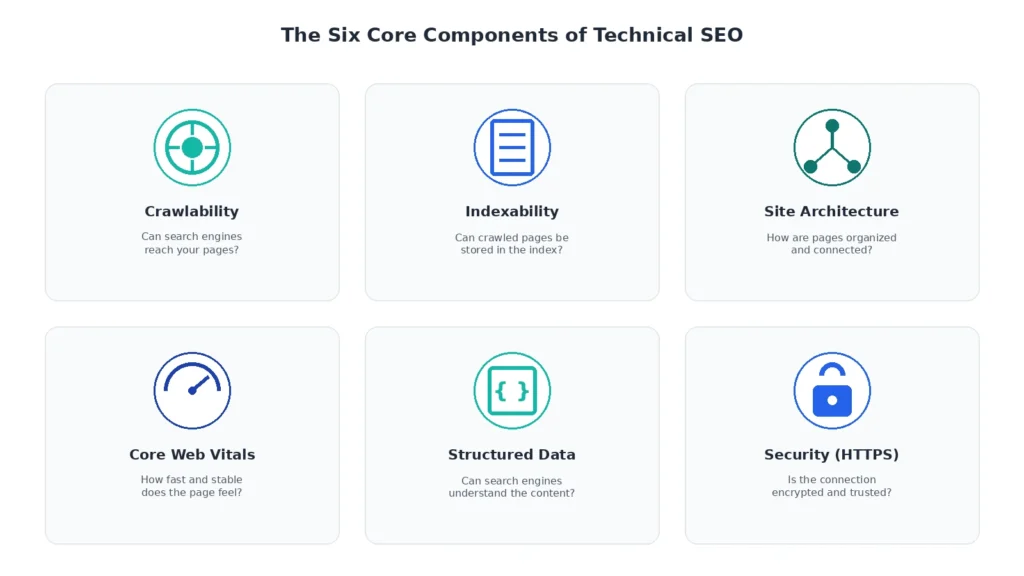
Quick Answer: Technical SEO is made up of several interconnected components: crawlability, indexability, site architecture, page experience (including Core Web Vitals), structured data, and security. Each component addresses a different way search engines interact with a website, and weaknesses in one often create problems in another.
Crawlability
Crawlability refers to whether search engine bots — like Googlebot — can actually reach and read your pages. This depends on things like your robots.txt file, internal linking, and whether pages are accidentally blocked from access.
If a page isn’t crawlable, it doesn’t matter how good it is. Google simply never sees it.
Learn more about how Google discovers and crawls pages in Google’s official Crawling documentation.
Indexability
Indexability is about whether a crawled page is allowed to be stored in Google’s index and shown in search results. A page can be perfectly crawlable and still fail to appear in search if it’s marked “noindex,” treated as duplicate content, or excluded through a canonical tag pointing elsewhere.
Site Architecture
Site architecture is how your website’s pages are organized and connected to each other. A clear, logical structure — where important pages are easy to reach through internal links — helps both users and search engines understand what matters most on your site and how topics relate to one another.
Page Experience and Core Web Vitals
Page experience covers how a page performs for real users, most notably through Core Web Vitals — a set of metrics measuring loading speed, visual stability, and responsiveness. A slow, unstable, or unresponsive page creates friction for visitors and can weigh against a page in search performance.Measure your site’s Core Web Vitals using Google PageSpeed Insights.
To learn how these metrics are measured, what the current thresholds are, and how to improve them, read our Core Web Vitals Explained guide.
Structured Data
Structured data (commonly implemented as JSON-LD schema markup) is a way of explicitly telling search engines what your content means — for example, marking up an article, a product, or a recipe so search engines can display it more richly in search results.
See Google’s Structured Data documentation for supported schema types.
If you’re new to structured data, our Schema Markup Guide explains the most common schema types, implementation methods, and SEO benefits.
Security (HTTPS)
HTTPS encrypts the connection between a visitor’s browser and your website. It’s now considered a baseline requirement rather than an advantage — most modern websites are expected to use it, and its absence can undermine both user trust and search visibility.Google recommends serving all websites over HTTPS.
| Component | What It Controls | Why It Matters |
|---|---|---|
| Crawlability | Whether bots can access pages | Pages must be found before they can rank |
| Indexability | Whether accessed pages get stored in the index | Crawled pages still need to be indexed to appear in results |
| Site Architecture | How pages connect and organize | Helps both users and search engines understand priority and relationships |
| Core Web Vitals | Loading speed, stability, responsiveness | Directly affects user experience and page performance |
| Structured Data | How content meaning is communicated | Enables richer, more accurate search result display |
| Security (HTTPS) | Connection encryption | Baseline trust and safety expectation |
How Technical SEO Works
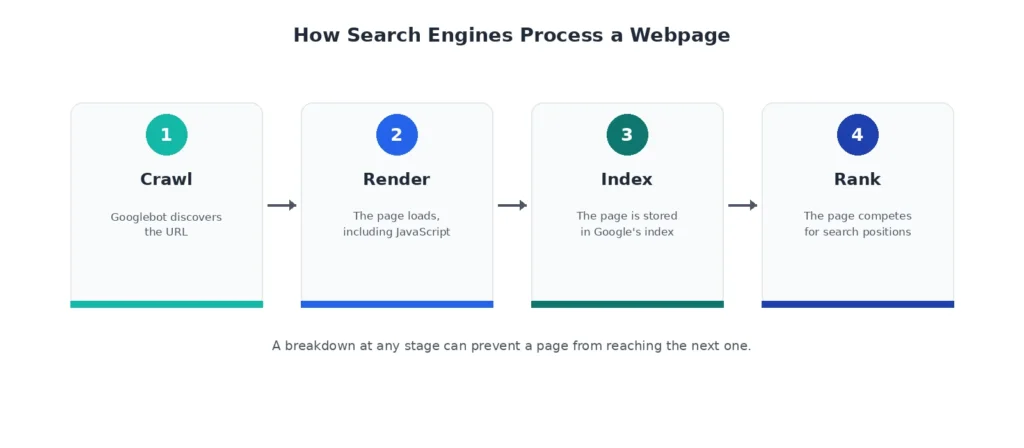
Quick Answer: Technical SEO works by supporting four sequential stages search engines use to process a page: crawling (discovering it), rendering (loading it fully, including JavaScript), indexing (storing it), and ranking (deciding where it appears in results). A breakdown at any stage can prevent a page from ever reaching the next one.
Step 1 — Crawling
Everything starts with Googlebot discovering a URL — usually through internal links, an XML sitemap, or external links pointing to the page. Before proceeding, it checks your robots.txt file to confirm the page is allowed to be crawled.For a detailed explanation of how crawl directives work, see Google’s official robots.txt documentation.
Want to understand how Google discovers new pages and prioritizes URLs? Continue with our Google Crawling Explained guide.
Step 2 — Rendering
Once a page is crawled, it needs to be rendered — meaning the page’s full content, including anything loaded through JavaScript, needs to be processed and displayed the way a browser would show it. If important content depends on JavaScript, how much Google ultimately processes can vary depending on how successfully the page is rendered. Delayed or incomplete rendering may reduce Google’s ability to understand certain content or page elements, although many pages are rendered successfully over time.
Step 3 — Indexing
After rendering, Google decides whether the page qualifies to be stored in its index. This involves checking for duplicate content, evaluating canonical signals, and confirming the page isn’t blocked by a noindex directive.
Learn why some pages appear in Google while others don’t in our Google Indexing Explained guide.
Step 4 — Ranking
Only indexed pages are eligible to rank. At this stage, search engines evaluate relevance, quality, and countless other signals to decide where — if anywhere — the page appears for a given search query.
Common Technical SEO Mistakes Beginners Make
Quick Answer: The most common Technical SEO mistakes beginners make include accidentally blocking important pages with robots.txt, leaving pages set to “noindex” after launch, ignoring mobile performance, allowing slow page speeds, and letting broken internal links accumulate unnoticed.
- Accidentally blocking crawlers — A misconfigured robots.txt file can unintentionally prevent Google from crawling important sections of a site.
- Leaving pages noindexed after launch — Development sites often use noindex tags for testing; forgetting to remove them after going live is a frequent and costly oversight.
- Ignoring mobile performance — Since Google primarily uses the mobile version of a site for indexing, a poor mobile experience can affect overall performance, not just mobile results.
- Slow page speed — Large uncompressed images, unnecessary scripts, and unoptimized code all contribute to slow load times that hurt both user experience and Core Web Vitals scores.
- Broken internal links — Over time, deleted or renamed pages leave behind broken links that waste crawl budget and confuse site navigation.
- Duplicate content without canonicalization — Multiple URLs showing the same content without a clear canonical signal can dilute ranking signals across near-identical pages.
Want to avoid these issues in detail? Read our Common Technical SEO Mistakes guide, where we explain each mistake, why it happens, how to identify it, and the exact steps to fix it.
Technical SEO Basics Checklist
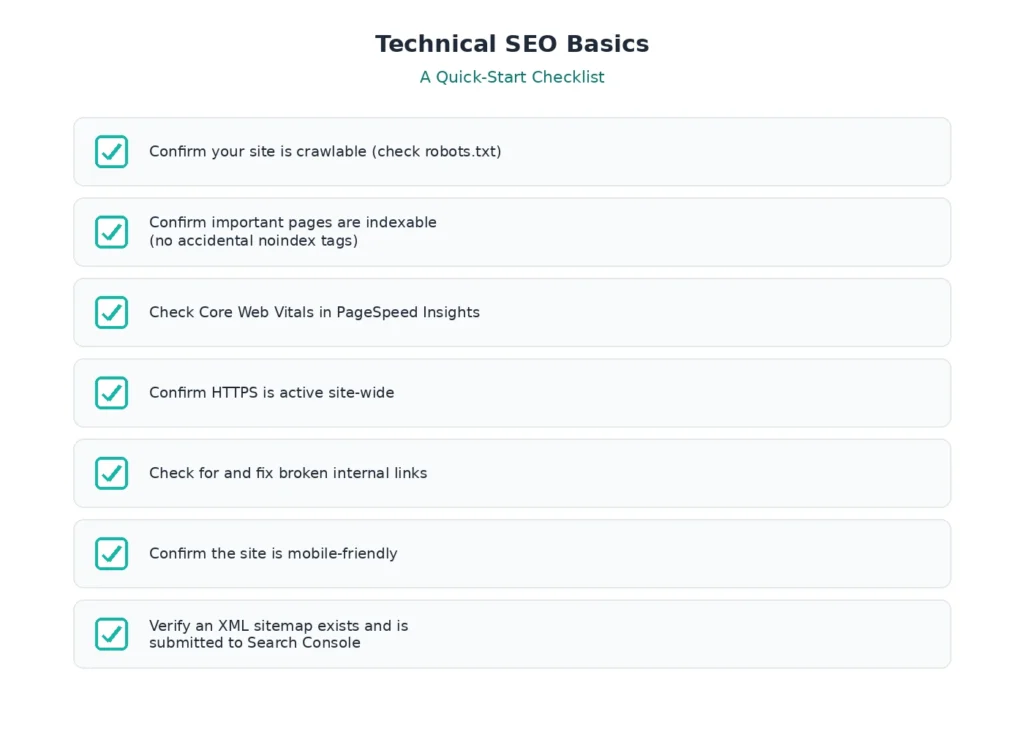
Quick Answer: A basic Technical SEO checklist should confirm that a site is crawlable, indexable, secure, fast, and mobile-friendly — the minimum foundation every website needs before focusing on more advanced technical work.
Technical SEO Basics at a Glance
- Confirm your site is crawlable — check your robots.txt file for accidental blocks
- Confirm important pages are indexable — check for unintended noindex tags
- Check Core Web Vitals performance using PageSpeed Insights
- Confirm HTTPS is active across the entire site
- Check for and fix broken internal links
- Confirm the site displays and functions well on mobile devices
- Verify an XML sitemap exists and is submitted through Google Search Console
Submit your sitemap through Google Search Console.
Key Takeaways:
- Technical SEO is the foundation that determines whether your content can be found at all.
- Crawlability and indexability come before content quality in the troubleshooting order.
- Small, quiet issues (like a stray noindex tag) can cause significant, hard-to-diagnose traffic loss.
Ready to put these concepts into practice? Follow our Complete Technical SEO Checklist for a step-by-step guide to auditing your site’s crawlability, indexability, page experience, and other essential technical elements before moving on to more advanced optimizations.
What to Learn Next in the Technical SEO Hub
Quick Answer: After understanding the basics, the next logical step is learning how search engines crawl websites in more depth, or running a full Technical SEO audit to identify existing issues on your own site.
Now that you understand what Technical SEO is, why it matters, and its core components, there are two natural directions to go next, depending on what you’re trying to accomplish.
If You Want to Start With Crawling
If you want to understand the mechanics behind how Google discovers and processes your site in more depth, the next step is learning about crawling directly. Our <a href=”/technical-seo/crawling/google-crawling-explained/”>Google Crawling Explained</a> guide walks you through how search engines discover URLs, follow links, and decide which pages to crawl first.
If You Want to Start With an Audit
If you’d rather assess your own site’s current technical health right away, moving directly to a structured audit process is the more practical route. Follow our <a href=”/technical-seo/audit-recovery/technical-seo-audit-guide/”>Technical SEO Audit Guide</a> to identify crawl, indexing, speed, and site structure issues step by step.
Continue Learning
If you’re completely new to technical optimization, continue with our <a href=”/technical-seo/basics/technical-seo-for-beginners/”>Technical SEO for Beginners</a> guide, which expands on the concepts introduced in this article with more beginner-friendly examples and practical tips.
Frequently Asked Questions
What is Technical SEO?
Technical SEO is the process of optimizing a website’s infrastructure — including crawlability, indexability, speed, and structure — so search engines can efficiently access, understand, and rank its pages.
Why is Technical SEO important?
Technical SEO is important because search engines can only rank pages they can successfully crawl, render, and index. Without it, even high-quality content can remain invisible in search results.
Is Technical SEO difficult to learn?
Technical SEO can sound intimidating, but most beginner-level tasks — like checking a robots.txt file or reviewing Core Web Vitals — don’t require coding skills and can be learned through practice and the right resources.
What is the difference between Technical SEO and On-Page SEO?
Technical SEO focuses on a site’s infrastructure and accessibility, while On-Page SEO focuses on the content and HTML elements within a page, such as headings and keyword usage. Both are necessary, but they solve different problems.
Can beginners perform Technical SEO?
Yes. Many foundational Technical SEO tasks, such as checking indexability or reviewing page speed, are approachable for beginners using tools like Google Search Console and PageSpeed Insights.
Does Technical SEO affect rankings?
Yes, indirectly and directly. Technical issues can prevent pages from being crawled or indexed at all, and factors like page speed are directly factored into ranking evaluations.
Is Technical SEO a one-time task?
No. Technical SEO requires ongoing monitoring, since new content, site changes, and evolving search engine requirements can introduce new issues over time.
How often should Technical SEO be audited?
There is no universal schedule for Technical SEO audits. A practical approach is to review your site periodically and after major site changes, migrations, redesigns, or unexpected traffic declines. Larger or frequently updated websites may require more frequent monitoring than smaller sites.
Conclusion
Technical SEO is the foundation that determines whether everything else you do in SEO has a chance to work. It’s not about writing better content or earning more links — it’s about making sure search engines can actually crawl, render, index, and rank the pages you’ve already built.
Understanding the core components — crawlability, indexability, site architecture, page experience, structured data, and security — gives you a practical framework for spotting and fixing issues before they quietly cost you traffic.
From here, the most useful next step is choosing a direction: dive deeper into how crawling works, or run a Technical SEO audit on your own site to see where you currently stand.
If you want to understand the complete framework behind technical optimization, read our Technical SEO Guide. It brings together every major topic covered in the Technical SEO Hub and provides a structured roadmap from beginner concepts to advanced optimization techniques.