
Site Speed Optimization: The Definitive Guide to Superior Performance
In the hyper-competitive digital economy, milliseconds equal millions. As an elite technical SEO strategist, I have seen firsthand that site speed optimization is not just a technical checkbox; it is the absolute foundation of online success. Whether you are running an e-commerce empire, a SaaS startup, or a lead-generation B2B service, the velocity at which your pages load dictates your visibility, user retention, and ultimately, your revenue.
This comprehensive pillar guide is designed to help you dominate the SERPs. We will dive deep into the mechanics of site speed optimization, explore the nuances of Core Web Vitals, and provide a step-by-step workflow to achieve faster website performance. If you want to outrank competitors like Semrush or HubSpot, you need to move beyond surface-level fixes and understand the intricate architecture of speed. This guide covers everything from TCP handshakes to image compression algorithms, ensuring you have a holistic strategy to improve site speed effectively.
What is Site Speed Optimization?
Definition: Site Speed Optimization
Site speed optimization refers to the comprehensive set of techniques and strategies used to decrease the time it takes for a browser to receive and display the content of a specific webpage. This encompasses server response time (Time to First Byte), resource download size, network latency, and the browser’s rendering efficiency.
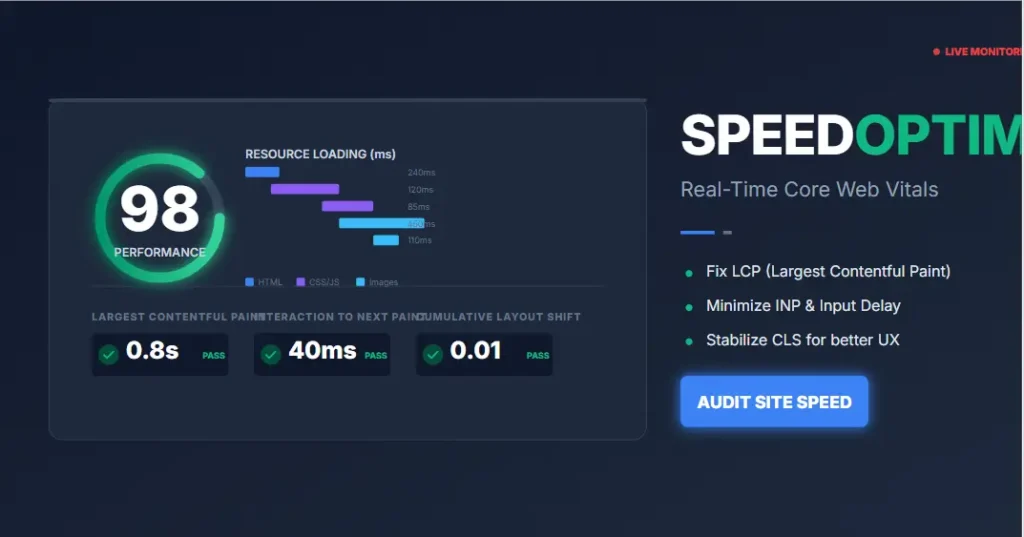
It is crucial to distinguish between “page speed” and “site speed.” Page speed refers to a specific sample view of a single page, while site speed is the aggregate speed of page samples across an entire site. Both are vital for website speed improvement. However, the ultimate objective of site speed optimization is not just to please algorithms; it is to serve the user instantly, eliminating friction and maximizing engagement.
The Four Pillars of Web Performance
- Network Speed: The connection speed between the user and the server, including latency and bandwidth.
- Server Speed: How fast the server hardware and software (Nginx, Apache, PHP) can process requests and generate HTML.
- Frontend Performance: How fast the browser can parse HTML, CSS, and JavaScript to build the DOM.
- Content Weight: The total bytes downloaded (images, videos, scripts, fonts). Reducing this is the core of site speed optimization.
By mastering these components, you lay the groundwork for a robust technical performance SEO strategy. If you are new to this process, you might want to review our technical SEO guide to understand how speed fits into the broader ecosystem of page experience SEO.
Why Site Speed Optimization Matters for SEO & ROI
Why invest hundreds of hours in site speed optimization? Because speed is a direct ranking factor. Google explicitly states that page speed is a signal used by their algorithms to rank pages. But the impact goes deeper than just rankings. It touches the very psychology of your users.

The Psychology of Latency and Bounce Rates
Human perception is incredibly sensitive to delays. Research shows that 0.1 seconds is the limit for users to feel that a system is reacting instantaneously. Up to 1.0 second, users still feel in control of the flow. Beyond 1.0 second, their mental flow is interrupted, and they lose focus. Effective site speed optimization respects this cognitive limit.
A study by Akamai found that a 100-millisecond delay in website load time can hurt conversion rates by 7%. This is massive. If you are doing $100,000 a month, poor site speed optimization could be costing you $84,000 annually in lost revenue purely due to impatience.
- User Experience (UX) & Trust: Users demand instant gratification. If your site is slow, users perceive it as low quality, outdated, or untrustworthy. Site speed optimization creates a smooth experience that builds trust.
- Mobile Performance & Indexing: With mobile-first indexing, Google predominantly uses the mobile version of your site for ranking and indexing. Mobile networks are often less stable than fiber connections, and mobile processors are weaker. This makes improve site speed initiatives critical for mobile users. A site that loads fast on WiFi might fail miserably on 4G.
- Core Web Vitals & Ranking: These metrics measure real-world user experience. Failing to meet the thresholds for these vitals can negatively impact your search visibility, regardless of how good your content is. Prioritizing site speed optimization is essential to passing these metrics.
- Crawl Budget Efficiency: A faster site allows Googlebot to crawl more pages within its allocated crawl budget. If your server responds slowly, Google may crawl fewer pages, leaving some of your content unindexed. This is a technical aspect of website performance optimization often overlooked. To identify these bottlenecks, use our SEO audit tool.
Core Web Vitals Optimization: The New Standard
At the heart of modern site speed optimization lies Google’s Core Web Vitals. To rank #1, you must design your site around these specific targets: LCP ≤ 2.5s, CLS ≤ 0.1, and INP ≤ 200ms. If your page doesn’t meet these metrics, ranking is impossible.
These are the specific subset of Web Vitals that impact all web pages. To dominate the rankings, you must master these three metrics. Unlike vanity metrics like “Time to Interactive,” Core Web Vitals correlate directly with user frustration.
1. Largest Contentful Paint (LCP)
LCP measures loading performance. Specifically, it reports the render time of the largest content element visible in the viewport. This is usually a hero image, a large heading, or a video. An LCP of 2.5 seconds or less is considered good. If your LCP is poor, your site speed optimization strategy is failing at the first impression.
To optimize LCP, you must understand the 4 phases of LCP: TTFB, Resource Load Delay, Resource Load Time, and Element Render Delay. Most delays happen in the first two phases.
Pro Tip: Prioritize LCP Resources
Use the <link rel="preload"> tag in your <head> to tell the browser to fetch the LCP image or font immediately. Do not lazy load the LCP element.
Optimization Tips: To improve LCP, you must optimize the element that takes the longest to load. This often involves image compression, using next-gen formats like WebP, and ensuring your server can deliver content quickly using a CDN. This is a pillar of page speed optimization. Avoid massive hero sliders which are notorious for killing LCP.
2. Cumulative Layout Shift (CLS)
CLS measures visual stability. Have you ever tried to click a button on your phone, only to have the page jump at the last second, causing you to click an ad? That is layout shift. A CLS score of less than 0.1 is required to pass. Good site speed optimization ensures a stable layout.
Steps to Reduce Layout Shift:
- Always include size attributes on your images and video elements (width and height).
- Reserve space for ads and embeds so they don’t push content down when they load.
- Avoid inserting content above existing content unless in response to a user interaction.
- Use
font-display: swaporoptionalto prevent invisible text (FOIT) or flash of unstyled text (FOUT).
3. Interaction to Next Paint (INP)
Replacing First Input Delay (FID), INP measures responsiveness. It assesses the latency from when a user interacts with your site (clicks, taps) to the time the browser is visually able to respond. A good INP score is 200ms or less. This is often the hardest metric to master in site speed optimization.
Optimization Tips: Long JavaScript tasks block the main thread. You must break up long tasks using code splitting, minimize unused JavaScript, and defer non-critical third-party scripts. Reducing the execution time of JavaScript is critical for Core Web Vitals optimization.
Understanding the Critical Rendering Path
To truly master site speed optimization, you must understand the Critical Rendering Path. This is the sequence of steps the browser goes through to convert the HTML, CSS, and JavaScript into pixels on the screen. Any delay in this chain results in a slow page.
- DOM Construction: The browser parses HTML tags to convert them into nodes in a tree called the DOM (Document Object Model).
- CSSOM Construction: The browser parses CSS to create the CSSOM (CSS Object Model).
- Render Tree: The browser combines DOM and CSSOM to create the Render Tree. This includes only visible nodes.
- Layout: The browser calculates the exact position and size of each element on the screen.
- Paint: The browser fills the pixels with color (drawing the background, text, shadows).
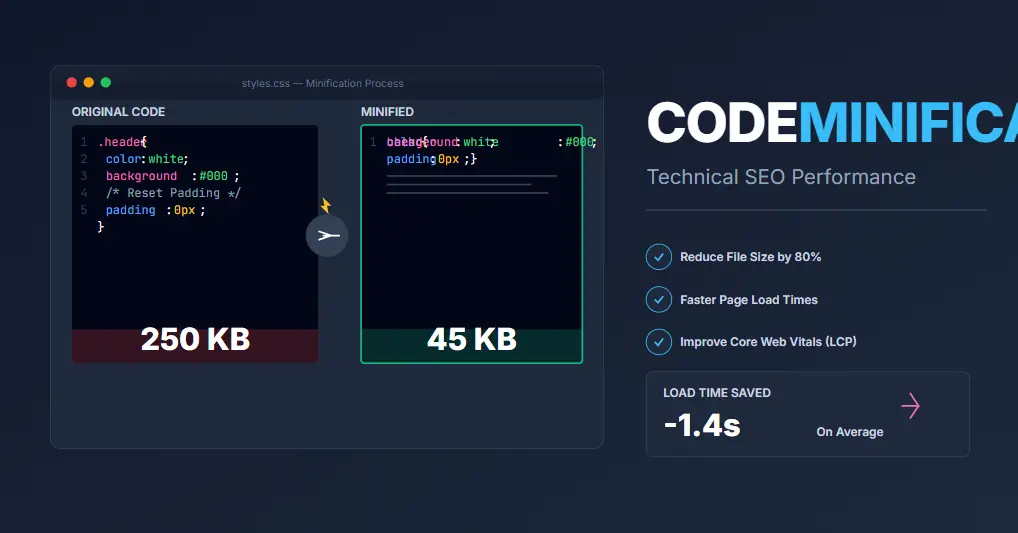
Render-blocking resources are those that pause this process. Large CSS files in the head, or JavaScript files without the defer or async attributes, stop the browser from painting the page. The goal of site speed optimization is to minimize the length of this critical path. You can achieve this by inlining critical CSS—putting the CSS needed for the “above-the-fold” content directly into the HTML—and deferring the rest.
The Common Causes of a Slow Website
To execute effective site speed optimization, you must identify the bottlenecks. In my experience auditing hundreds of sites, the same culprits appear repeatedly. Diagnosing the root cause is half the battle.
- Unoptimized Images: This is the #1 cause of slow sites. High-resolution images taken directly from cameras are too heavy for web use. If you ignore website speed improvement via images, you will fail.
- Bloated Code & Plugins: Unminified CSS and JavaScript files take longer to parse. On CMS platforms like WordPress, too many plugins or widgets add unnecessary code bloat, increasing DOM size. If you are unsure which plugins are slowing you down, our guide on Rank Math vs Yoast SEO can help you choose lighter alternatives.
- Poor Hosting: Cheap shared hosting cannot handle traffic spikes. Slow Time to First Byte (TTFB) is a major issue. If the server takes 1 second just to start sending data, you have already lost the battle for speed.
- Too Many HTTP Requests: In the HTTP/1.1 era, browsers limited requests per domain. While HTTP/2 allows multiplexing, too many separate files still create overhead.
- Excessive DOM Size: A massive DOM (e.g., 4,000+ nodes) requires more memory and more calculation time during layout. This leads to jank and slow interaction.
- External Scripts: Third-party trackers, chat widgets, and social media feeds are notorious for adding significant weight to the page and blocking the main thread. These are often outside your control, making site speed optimization tricky here.
- Lack of Caching: Without caching, the server has to rebuild the page from scratch for every single visitor. This destroys faster website performance.
Server Configuration and Hosting Tuning
You cannot optimize your way out of a bad server. The foundation of site speed optimization is infrastructure. If your TTFB (Time to First Byte) is over 600ms, you need to look at your hosting.

Choosing the Right Hosting
Shared hosting is budget-friendly but dangerous for performance. You are sharing resources with hundreds of other sites. If a neighbor gets a traffic spike, your site slows down. For serious site speed optimization, move to VPS (Virtual Private Server), Cloud Hosting (AWS, DigitalOcean, Google Cloud), or Managed WordPress Hosting (Kinsta, WP Engine).
HTTP/2 and HTTP/3
Ensure your server supports HTTP/2. Unlike HTTP/1.1, which limited browsers to 6 concurrent connections per domain, HTTP/2 allows multiplexing—sending multiple files over a single connection simultaneously. The newer HTTP/3 (QUIC) further reduces latency by running over UDP. These protocols are automatic wins for website speed improvement.
Database Optimization
For dynamic sites, the database is often the bottleneck. Regularly clean up post revisions, spam comments, and transients. If you use MySQL, ensure you are using InnoDB and run OPTIMIZE TABLE commands periodically. Indexing your database tables correctly is a hidden gem of site speed optimization.
Advanced Image Optimization Tactics
Since images account for more than 50% of the average page weight, they are the primary target for site speed optimization. Simply compressing them is no longer enough to rank #1.
1. Next-Gen Formats (WebP and AVIF)
JPEG and PNG are ancient formats by internet standards. WebP typically offers 30% better compression than JPEG. AVIF is even better, offering 50% better compression. Use the <picture> element to serve these formats to browsers that support them, falling back to JPEG for others. This is essential for modern website speed improvement.
2. Responsive Images with srcset
Never serve a 1200px wide image to a 375px wide mobile screen. It is a waste of bandwidth. Use the srcset and sizes attributes to let the browser choose the appropriate image size. This dramatically improves LCP on mobile devices.
3. Lazy Loading
Native lazy loading (loading="lazy") tells the browser to only load images when the user scrolls near them. This reduces the initial page weight significantly. However, ensure you do not lazy load the LCP element (your hero image), as it needs to load immediately.
Advanced Caching Strategies
Caching is the single most effective way to achieve faster website performance. It turns a dynamic request into a static one.
Browser Caching
Use Cache-Control and Expires headers to tell the user’s browser to store static assets (CSS, JS, Images) locally. If the user revisits your site, the browser won’t even ask the server for these files; it will load them from the disk instantly. This is a low-effort, high-reward site speed optimization tactic.
Server-Side Caching
For dynamic sites (WordPress, Magento), use server-side caching solutions like Varnish, NGINX FastCGI Cache, or Redis. This stores the fully generated HTML page in RAM or on disk. When a request comes in, the server serves the HTML instantly without querying the database or running PHP. This reduces TTFB to near zero.
Code Minification and Script Management
Efficient site speed optimization requires discipline with code.
Minification
Minification removes whitespace, comments, and newlines from code. While modern compression (GZIP/Brotli) handles whitespace well, minification still helps slightly and removes unnecessary bytes. Use tools like Autoptimize or WP Rocket to automate this.
Managing JavaScript Execution
JavaScript is expensive. It parses, compiles, and executes. To prevent it from blocking the main thread, use these attributes:
- Defer: Tells the browser to download the script in the background but execute it only after the HTML is fully parsed. Best for scripts that need the DOM.
- Async: Tells the browser to download the script in the background and execute it as soon as it is ready, regardless of parsing status. Best for independent scripts like analytics.
Reduce Third-Party Impact
Third-party scripts (Google Ads, Facebook Pixel, Hotjar) often bypass your own optimization efforts. Use the “defer” attribute on them where possible, or load them using a “tag manager” that allows you to fire them only after the page has become interactive. This is a crucial step in site speed optimization for marketing-heavy sites.
Essential Tools for Site Speed Optimization
You cannot improve what you do not measure. To outrank the competition, you need to use the best tools in the industry. Here are the authoritative resources I rely on for site speed optimization.
| Tool | Best For | Why Use It? |
|---|---|---|
| Google PageSpeed Insights | Field Data & Lab Data | Provides direct feedback on Core Web Vitals and specific recommendations. The standard for measuring site speed optimization. |
| web.dev | Comprehensive Audits | Deep dive into accessibility, SEO, and performance metrics. Excellent for detailed diagnostics. |
| GTmetrix | Waterfall Analysis | Visualizes the loading process, helping you identify exactly which heavy resource is slowing you down. |
| Google Lighthouse | Developer Audits | Automated auditing API for performance, accessibility, and best practices. Built into Chrome DevTools. |
| WebPageTest | Deep Technical Analysis | Allows testing from different locations and devices. Provides filmstrip views of the rendering process. |
Using these tools in tandem will give you a 360-degree view of your site speed optimization status. Remember to test both mobile and desktop versions. You can also explore our free SEO tools for more utilities.
Real-World Case Study: Site Speed Transformation
The Challenge
The client, a high-end fashion retailer, was suffering from a 4.8-second load time on mobile. Their bounce rate was 72%, and revenue was stagnant. They were failing all Core Web Vitals (LCP: 5.2s, CLS: 0.35, INP: 450ms). Their SEO rankings were dropping despite excellent content. They needed immediate site speed optimization to survive the holiday season.
The Audit
We identified that their hosting was the primary bottleneck (TTFB was 1.2s). Additionally, they were loading uncompressed PNGs and had 15 tracking scripts firing synchronously in the header. To see how they stacked up against market leaders, we first utilized a competitor analysis guide.
The Strategy
We implemented a comprehensive plan:
- Hosting Migration: Moved from cheap shared hosting to a managed Google Cloud Platform provider.
- Image Overhaul: Converted 5,000+ images to WebP, implemented lazy loading, and set up responsive
srcset. - Code Cleanup: Minified CSS/JS, removed 12 unused plugins, and deferred non-critical third-party scripts.
- CDN Integration: Configured a global CDN to serve static assets, reducing latency for international users.
The Results
Within 60 days, the results were transformative. The mobile load time dropped to 1.9 seconds. The bounce rate fell to 45%. Most importantly, organic traffic increased by 34% and revenue rose by 22%. This case study proves that website speed improvement directly impacts the bottom line.
Site Speed Optimization Checklist
Use this checklist to audit your own site. If you can check every box, you are ahead of 90% of your competitors in site speed optimization.
- Image Optimization: Are all images compressed and in next-gen formats (WebP/AVIF)?
- Responsive Images: Do you use
srcsetto serve appropriate sizes to mobile vs desktop? - Caching: Is browser caching enabled for static assets? Is server-side caching active?
- CDN: Are you using a Content Delivery Network to serve content closer to users?
- Hosting: Is your Time to First Byte (TTFB) under 200ms?
- Minify CSS: Are HTML, CSS, and JavaScript files minified?
- Lazy Loading: Are images and videos loading only when the user scrolls to them?
- Reduce Scripts: Have you reduced the number of third-party scripts and deferred them?
- Core Web Vitals: Do you pass LCP (<2.5s), CLS (<0.1), and INP (<200ms) thresholds?
- Compression: Is GZIP or Brotli compression enabled on the server?
Common Mistakes in Site Speed Optimization
Avoid these pitfalls to ensure your site speed optimization efforts succeed.
- Obsessing over Scores: Don’t chase a perfect 100 score. Focus on real user experience. A 95 score that feels fast is better than a 100 score that is jerky.
- Lazy Loading Hero Images: Never lazy load the Largest Contentful Paint (LCP) element. It must load immediately (eager loading).
- Neglecting Mobile: Testing only on desktop is a fatal error. Most traffic is mobile. Prioritize mobile page speed optimization.
- Blocking Rendering: Placing large CSS files in the head of your document blocks rendering. Inline critical CSS instead.
- Over-reliance on Plugins: Installing 10 different optimization plugins can conflict with each other and add more bloat. Choose one comprehensive solution.
Frequently Asked Questions
Here are answers to common questions regarding site speed optimization.
What is site speed optimization?
Site speed optimization is the process of refining a website’s technical and visual elements to reduce page load times and improve interactivity. It involves optimizing images, code, and server settings to deliver faster website performance.
How to improve website speed quickly?
The fastest ways to improve site speed are compressing images, enabling caching, using a CDN, and minifying code. These “low-hanging fruits” usually provide immediate results for website speed improvement.
Does site speed affect SEO?
Yes, speed is a direct ranking factor for Google. Slow sites have lower crawl budgets and higher bounce rates. Therefore, site speed optimization is essential for maintaining high search rankings.
What are Core Web Vitals?
Core Web Vitals are a set of metrics related to speed, responsiveness, and visual stability. They include Largest Contentful Paint (LCP), Cumulative Layout Shift (CLS), and Interaction to Next Paint (INP). Mastering Core Web Vitals optimization is key to modern SEO.
What are the best speed optimization tools?
Top tools include PageSpeed Insights, GTmetrix, and Lighthouse. These tools provide the data necessary for effective site speed optimization.
How does mobile speed optimization differ?
Mobile page speed optimization is often more critical due to slower hardware and network connections. Techniques like aggressive image compression and reducing JavaScript execution are vital for mobile site speed optimization.
Why is my site fast on desktop but slow on mobile?
This is usually due to unoptimized images, heavy JavaScript that struggles with mobile processors, or the lack of a CDN. Mobile networks introduce more latency, and mobile devices have less RAM. A dedicated site speed optimization strategy is required for mobile.
Conclusion
Site speed is not a luxury; it is a necessity. As we have covered in this pillar guide, site speed optimization influences every aspect of your digital presence, from SEO rankings to conversion rates. By understanding Core Web Vitals, leveraging the right tools, and implementing a rigorous website speed improvement strategy, you can build a site that outperforms the competition.
Don’t let a slow website hold you back. Start your loading speed optimization journey today. For more insights, check out our SEO blog resources or explore our technical guides to ensure you are covering all technical bases. Remember, in the world of SEO, speed wins.
Accelerate Your Performance Today (2026 Edition)
Ready to dominate the search results? You don’t have to do this alone. We have created the ultimate resources to help you master site speed optimization and boost your ROI.
Download Free Site Speed Audit Checklist (2026) Run Technical SEO Audit Now