
Technical SEO Guide: Fix Issues That Block Rankings
This Technical SEO Guide explains how to improve crawlability, clean up indexing, speed up important pages, fix duplicate URL signals, and build a stronger technical foundation for better search visibility.
Technical SEO is the process of improving the behind-the-scenes parts of a website so search engines can crawl, understand, and index pages more effectively. A strong Technical SEO Guide helps you fix issues like crawl barriers, indexing confusion, slow load times, weak internal linking, redirect problems, and duplicate page signals.
A practical Technical SEO Guide is not only for developers. It is for site owners, content teams, marketers, bloggers, and businesses that want strong pages to perform the way they should. Even great content can struggle if search engines cannot crawl it clearly, if the page loads too slowly, or if multiple versions of the same URL are sending mixed signals.
This Technical SEO Guide focuses on the areas that usually matter most: crawlability, indexing, site structure, page speed, mobile usability, canonicals, redirects, XML sitemaps, robots.txt, and structured data. It is written to help you understand what to check, what to fix first, and what often makes the biggest difference over time.
Once the foundation is stronger, your content has a better chance to rank, your important pages become easier to discover, and your site becomes more useful for both users and search engines.
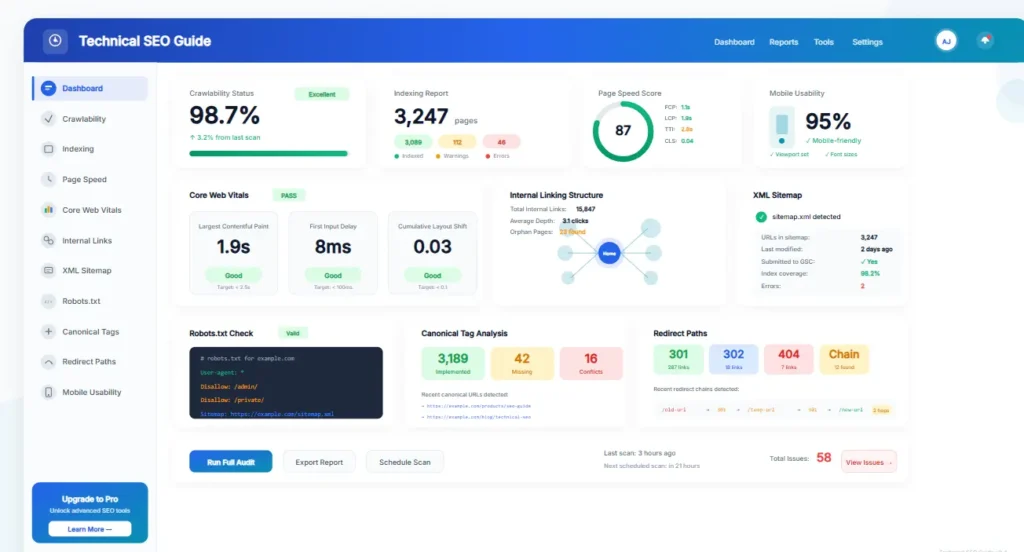
What Is a Technical SEO Guide and Why Does It Matter?
A Technical SEO Guide explains how to fix the technical website issues that can quietly reduce rankings and slow down growth.
Technical SEO covers the parts of a website that influence how well search engines can crawl, interpret, and index pages. It includes things like URL structure, internal linking, XML sitemaps, canonicals, redirects, mobile usability, HTTPS, structured data, and site speed. Many websites publish useful content but still struggle because technical issues create friction in the background.
A complete Technical SEO Guide helps you remove that friction. It shows how small technical problems can weaken otherwise strong pages and how simple technical improvements can make the whole site easier to understand and easier to use.
Better access
Search engines need to reach your important pages efficiently before those pages can perform well.
Better clarity
Cleaner technical signals reduce confusion around duplicate pages, low-value URLs, and indexing decisions.
Better experience
Fast, stable, and mobile-friendly pages improve the reading experience and reduce frustration for users.
That is why technical SEO matters. It creates the foundation that lets stronger content and better site structure work more effectively.
Why Technical SEO Matters for Rankings and Site Health
Technical SEO matters because it affects whether search engines can discover your pages, whether they can interpret the right versions of those pages, and whether users can interact with them smoothly. Good content helps a page deserve attention, but technical SEO helps remove the barriers that stop that page from performing well.
| Technical SEO area | Why it matters | What it improves |
|---|---|---|
| Crawlability | Helps search engines discover and revisit important pages | Better coverage and stronger visibility |
| Indexing control | Reduces duplicate, thin, or confusing URLs in the index | Cleaner ranking signals |
| Page speed | Improves usability and reduces page friction | Stronger page experience |
| Site structure | Makes important pages easier to find and understand | Better navigation and relevance flow |
| Mobile and security | Supports trust, accessibility, and modern site expectations | Better user confidence and usability |
A strong Technical SEO Guide helps you prioritize. Instead of trying to fix everything at once, it helps you focus on the issues that usually affect performance most clearly and most consistently.
Tip 1: Fix Crawlability and Indexing Problems First
Crawlability means search engines can access your pages. Indexing means they choose to store and potentially rank those pages. If these two foundations are weak, other SEO efforts often become less effective.
Common crawl and indexing issues include blocked URLs, orphan pages, broken internal links, thin archive pages, accidental noindex settings, duplicate URL versions, and weak sitemap coverage. These problems often stay hidden until rankings stall or important pages remain unseen.
Check important pages
Make sure key pages are crawlable, indexable, and linked clearly from relevant places on the site.
Control low-value pages
Keep low-value duplicates and unnecessary URLs from creating confusion in the index.
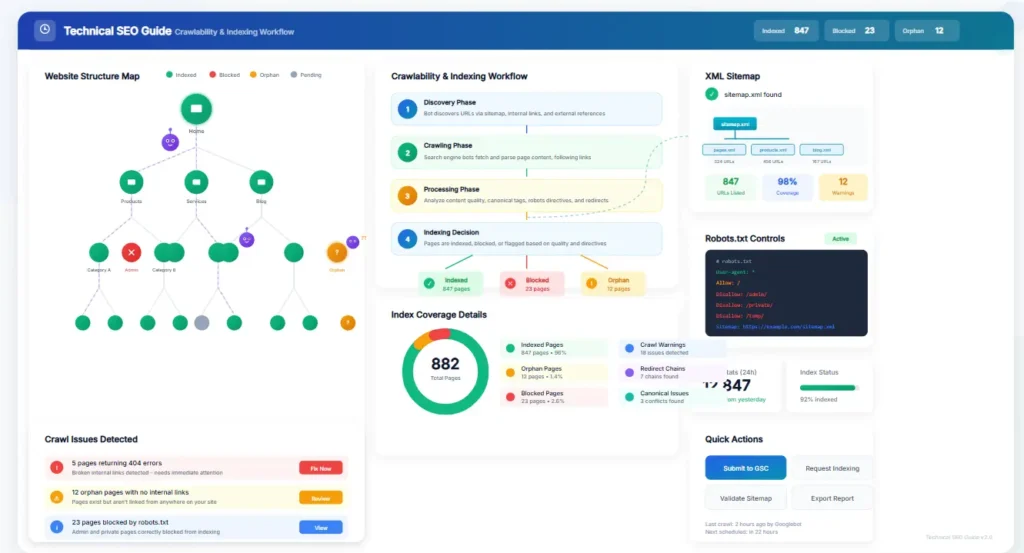
You can also review crawl and indexing status in Google Search Console, and you can use your sitemap to highlight the pages that matter most for discovery. For official documentation, Google Search Central explains the basics of crawling and indexing clearly.
Tip 2: Improve Site Architecture and Internal Linking
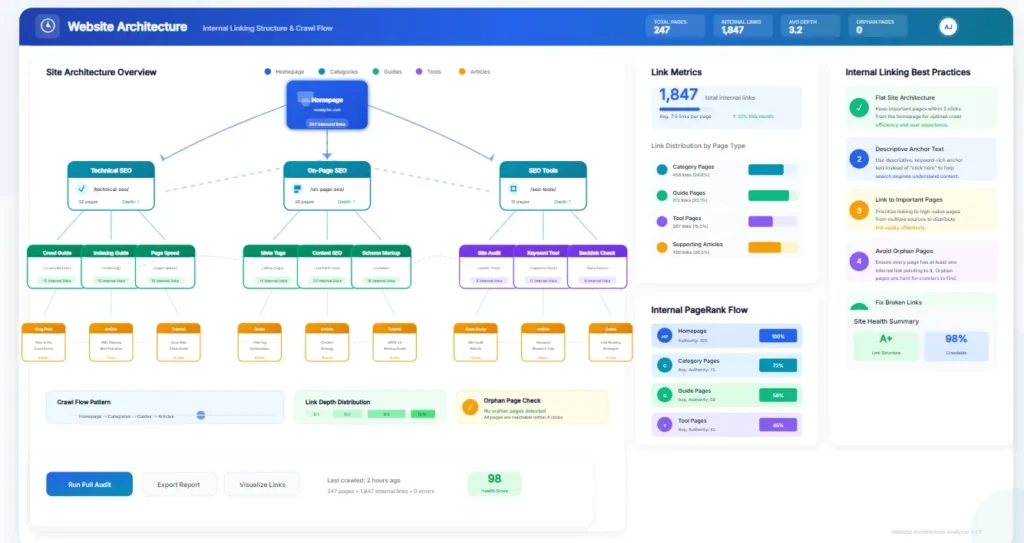
A clean site structure makes every important page easier to discover and understand. When your pages are logically grouped, clearly connected, and not buried too deep, search engines can move through the site more efficiently and users can navigate more confidently.
A useful Technical SEO Guide should always mention internal linking because weak architecture is one of the most common hidden reasons important pages underperform. Good internal links help search engines understand relationships between pages and help readers move naturally toward related guides, tools, and service pages.
Use clear hierarchies
Organize content into hubs, guides, tools, and supporting pages so topics feel connected and logical.
Link important pages often
Your strongest pages should receive internal links from other relevant sections of the website.
Fix orphan content
Every important page should be reachable through useful internal links, not hidden in isolation.
For example, this page can naturally link to your SEO Audit Guide, your SEO Audit Tool, your Best SEO Tools page, and your SEO Audit Service. That makes the guide more helpful without making it feel overly promotional.
Need a Faster Way to Spot Technical Problems?
Use a simple audit process to identify crawl issues, slow pages, weak internal links, and other technical blockers before they limit rankings further.
Tip 3: Improve Page Speed and Core Web Vitals
Page speed matters because slow pages create friction. Users are less patient, mobile connections vary, and slow-loading pages often feel weaker even when the content is strong. Technical SEO should include speed improvements on the pages that matter most.
Core Web Vitals focus on the user experience side of performance, including loading, interaction, and visual stability. You do not need to overcomplicate them. The goal is simple: your pages should load quickly, stay visually stable, and respond smoothly.
Optimize images and assets
Large image files, heavy scripts, and cluttered code often slow down content pages unnecessarily.
Test priority pages first
Start with the pages that matter most for traffic, conversions, and visibility instead of trying to optimize everything at once.
You can test page performance using PageSpeed Insights and use the results to identify layout shifts, unused assets, and slow-loading elements that may need attention.
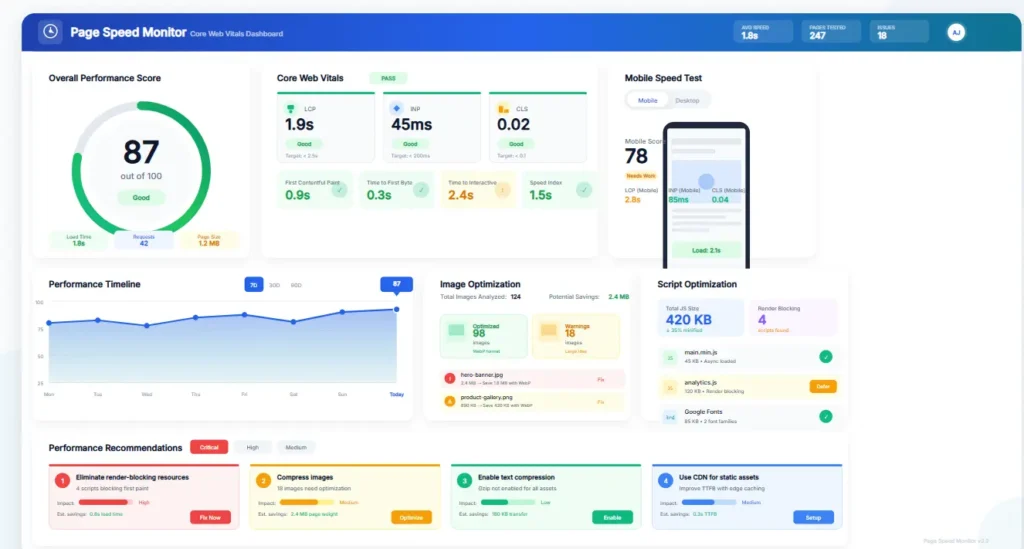
A Technical SEO Guide should not treat speed as the only ranking factor, but it should treat speed as an important part of a healthy, usable website.
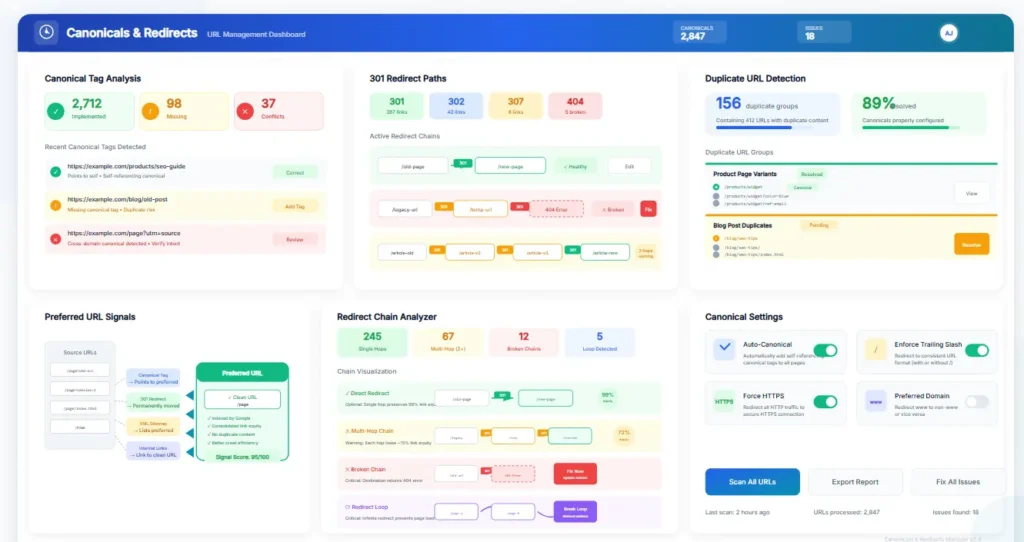
Tip 4: Clean Up Canonicals, Redirects, and Duplicate URLs
Canonicals help search engines understand which version of a page should be treated as the preferred one. Redirects help guide users and crawlers from old URLs to current destinations. Duplicate URLs, however, can create confusion that weakens page signals.
If your site creates multiple versions of similar content through tags, filtered URLs, trailing slashes, protocol variations, or parameter-based pages, it becomes harder for search engines to know which version matters most. That is why a Technical SEO Guide should always include canonical control and duplicate management.
- Make sure key pages point to the correct preferred URL.
- Use clean permanent redirects when pages move for good.
- Avoid redirect chains when a direct redirect will do.
- Reduce duplicate URL patterns where possible.
- Keep internal links pointing directly to the live page.
These fixes reduce confusion and strengthen the clarity of your most important pages.
Tip 5: Strengthen Mobile Usability and HTTPS Security
Technical SEO should support real users, not only crawlers. Most traffic now comes from mobile devices, so mobile experience has a direct influence on how useful your page feels. Pages that are hard to read, hard to tap, or unstable on phones often create weaker engagement.
At the same time, HTTPS remains a basic trust signal. A secure site does not guarantee rankings, but mixed content warnings, insecure forms, and inconsistent protocol handling create avoidable problems that weaken confidence.
Mobile readability
Text, buttons, menus, and images should all work smoothly without awkward zooming or crowding.
Site trust
HTTPS should be consistent across the site so users and search engines see one secure experience.
This Technical SEO Guide should always treat mobile and security basics as part of the foundation, not as optional extras.
Tip 6: Use XML Sitemaps, Robots.txt, and Structured Data Carefully
Your XML sitemap helps highlight important pages for discovery. Your robots.txt file helps guide crawl access. Structured data helps give search engines more context about the page. These are useful tools, but they must be used carefully.
If important pages are missing from your sitemap, if robots.txt blocks something valuable, or if structured data is added carelessly, clarity can suffer. That is why a good Technical SEO Guide should always recommend checking these configurations during regular audits.
Sitemaps
Include the pages that matter most and keep the sitemap clean and current.
Robots.txt
Use it to control crawl behavior carefully without blocking useful pages by mistake.
Structured data
Add markup where it adds helpful context and supports clear page meaning.
When these technical signals are clean, search engines can interpret the site with more confidence and less confusion.
Tip 7: Find Broken Links, Orphan Pages, and Thin Technical Problems
Some technical issues are easy to miss because they do not always break the page visibly. Broken internal links, orphan pages, empty archives, and weak template pages often sit quietly in the background while reducing overall site quality.
Important pages should have healthy incoming links from other relevant pages. Broken paths should be repaired. Low-value thin pages should be improved, merged, or controlled so they do not create extra noise across the site.
Tip 8: Review Templates, Archives, and System-Generated Pages
Not every page on a website deserves to rank. Some archive pages, filtered URLs, tag pages, search result pages, or weak template pages add clutter instead of value. A strong Technical SEO Guide helps you look beyond just blog posts and service pages to review the wider technical ecosystem of the site.
Ask a simple question: does this page help the user, and should search engines prioritize it? If the answer is no, the page may need to be improved, merged, blocked from indexation, or left out of your main focus.
Tip 9: Avoid the Most Common Technical SEO Mistakes
Technical SEO problems often compound quietly. The longer they stay unfixed, the more they can affect crawling, indexing, and page quality across the site.
Blocked important pages
Important pages should never be hidden from crawling by accident.
Weak internal linking
Pages that matter most should be supported with useful internal links from relevant content.
Duplicate versions
Too many page versions weaken clarity and split signals across similar URLs.
Slow core pages
Pages that load slowly create friction and can weaken the overall user experience.
Broken redirect paths
Redirect loops and long chains waste efficiency and frustrate both users and crawlers.
Ignoring audits
Technical issues often grow with site changes, plugin changes, and content expansion.
If you want faster improvement, fix crawlability, indexing, internal linking, and page speed first. Those areas usually create the clearest gains.
Tip 10: Follow a Practical Technical SEO Audit Workflow
Technical SEO becomes easier when you follow a repeatable process. Instead of jumping between random issues, work through the site in a consistent order.
Step 1: Check crawl access
Confirm that your important pages are reachable, linked, and not blocked unnecessarily.
Step 2: Review indexing
Check which pages are getting indexed and whether the right versions are being prioritized.
Step 3: Review structure
Improve internal linking, page hierarchy, and content pathways across the site.
Step 4: Test performance
Review speed and mobile usability for key pages that matter most to traffic and leads.
Step 5: Fix URL signals
Clean up canonicals, redirects, and duplicate patterns that weaken clarity.
Step 6: Recheck regularly
Run technical reviews after major site changes, new sections, or platform updates.
This Technical SEO Guide works best when it leads naturally into a practical audit process. That is why it makes sense to connect it with your SEO Audit Guide and your SEO Audit Tool.
Tip 11: Connect Technical SEO With Better Content Performance
Technical SEO is not separate from content quality. It supports content quality. When the technical foundation is weak, even strong content may struggle to be discovered, loaded, interpreted, or trusted. When the technical foundation is stronger, good content has a better chance to do its job.
That is why this Technical SEO Guide should not be seen as a developer-only checklist. It is part of a broader SEO system that supports content, internal links, better user journeys, and stronger search visibility over time.
Turn This Technical SEO Guide Into Action
Need help checking crawl issues, indexing confusion, site speed, or technical page quality? Start with a simple audit or get expert help.
Frequently Asked Questions About Technical SEO
What is technical SEO?
Technical SEO is the process of improving the technical parts of a website so search engines can crawl, understand, and index pages more effectively.
Why is technical SEO important?
Technical SEO matters because it removes hidden barriers like crawl issues, indexing confusion, slow load times, and duplicate URL problems that can weaken rankings.
What should I fix first in a Technical SEO Guide workflow?
Start with crawlability, indexing, internal linking, and page speed. These are often the most important areas to review first.
Does technical SEO help rankings?
Yes. Technical SEO does not replace great content, but it helps strong pages perform better by removing barriers that affect visibility and usability.
Is technical SEO only for developers?
No. A Technical SEO Guide is useful for site owners, content teams, marketers, and anyone responsible for site performance, even if some fixes need developer support.
How often should I review technical SEO?
Review technical SEO regularly, especially after site changes, redesigns, plugin changes, or major content growth.
Final Thoughts
A strong Technical SEO Guide helps you understand the hidden issues that often stop good pages from ranking well. It improves clarity, supports better crawling and indexing, and creates a cleaner foundation for stronger content performance.
If you want better results, focus on crawlability, indexing, site architecture, page speed, mobile usability, redirect quality, and duplicate URL control. When the technical foundation is stronger, your pages usually have a better chance to perform the way they should.