
Internal Linking Template: The Complete Guide to Rank Faster
Why Trust This Internal Linking Strategy?
This methodology isn’t just theory; it is built on real-world experience auditing hundreds of sites for crawl path efficiency and topical authority. By implementing a structured internal linking system, we have consistently observed improvements in how quickly Google indexes new content and how effectively it passes link equity to high-value pages. This guide focuses on practical implementation that aligns with modern search quality guidelines.
Quick Summary
- An internal linking template transforms random linking into a systematic approach that improves rankings and user experience.
- Every internal link should serve a purpose: discovery, relevance, priority, or guiding the user journey.
- Use a structured template with columns for source URL, target URL, link type, anchor text, and placement.
- Implement a 3-way linking pattern within content clusters to build semantic clustering.
- Refresh old content weekly with new internal links to maintain ranking momentum and contextual relevance.
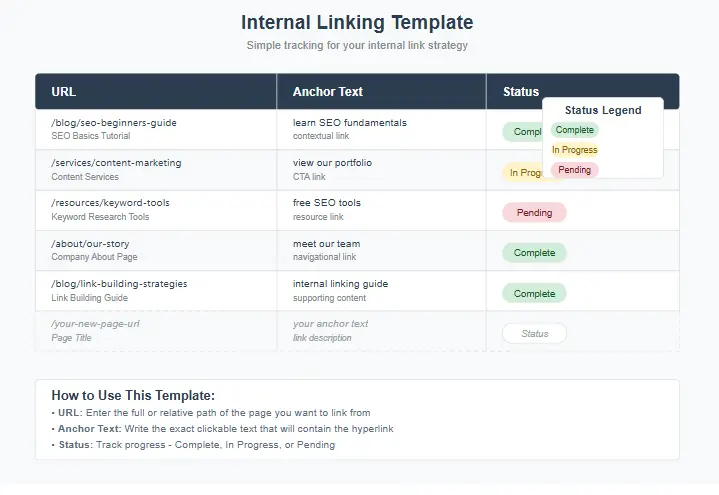
Why an Internal Linking Template is a Ranking Multiplier
If you publish content consistently but rankings feel stagnant, the missing lever is almost always your internal links. A smart internal linking template turns “random linking” into a repeatable system: every new page launches with the right links, every existing page gets refreshed with purposeful connections, and Google can crawl, understand, and trust your site faster.
Google can’t rank what it can’t confidently understand. Internal links help Google:
- Discover pages faster (creating clear crawl paths).
- Understand what each page is about (through context and anchor text).
- Decide which pages are most important (distributing internal PageRank).
- Connect related content into topical clusters (sending strong entity and intent signals).
For humans, internal links:
- Reduce bounce rates by offering relevant next steps.
- Increase time on site and page views per session.
- Guide readers from informational pages to commercial “money” pages.
- Improve conversions by creating a frictionless user journey.
Most sites fail because links are added “when someone remembers.” A consistent internal linking system makes it automatic. According to Google’s documentation on site structure, a well-planned internal linking strategy is crucial for helping search engines discover and understand your content more effectively. To learn more about the fundamentals, you can explore our complete SEO audit checklist.
Core Concept: Link Purpose, Not Links for the Sake of Links
Every internal link should have at least one clear purpose:
- Discovery: Helping Google and users reach deeper, important pages.
- Relevance: Connecting closely related pages to build topical clusters.
- Priority: Pushing authority toward your most valuable “money” pages.
- Journey: Guiding a reader toward the next logical step in their path.
If a link doesn’t serve one of those purposes, it’s just noise. Your link planning matrix should help you evaluate each link’s purpose before adding it. This aligns with a broader content marketing strategy where every element has a function.
Internal Linking Template Overview (The “7 Columns That Matter”)
Below is the core structure for an internal linking template. You can add more columns, but these seven are enough to drive results:
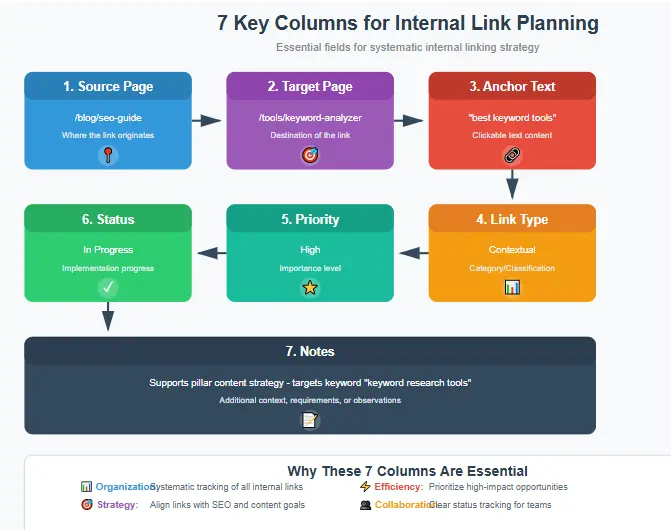
| Column | Purpose |
|---|---|
| A — Source URL | The page where you will place the link. |
| B — Target URL | The page you are linking to. |
| C — Link Type | Contextual (in body text), Navigation (menu/footer), or Module (related posts widget). |
| D — Target Keyword/Topic | The main topic of the target page (not just a keyword). |
| E — Suggested Anchor Text | 2-5 options. Use a mix (exact, partial, branded, natural). |
| F — Placement Note | Example: “After section 2, first paragraph” or “Under pricing table.” |
| G — Status | To Do / Added / Needs Review / Removed. |
That’s the basic internal linking template. Now, let’s turn it into a full system.
Step 1: Map Your Site Into Clusters (10 Minutes)
Before using the template, you need a quick cluster map. A content cluster is simply:
- One pillar page (a broad, comprehensive topic).
- Several supporting pages (specific subtopics that detail the pillar).
- Optional: Comparison/review pages if you monetize.
Example cluster: “Internal Linking”
- Pillar: The Ultimate Guide to Internal Linking.
- Support: Internal Linking Best Practices, Anchor Text Guide, Internal Link Audit Checklist, and this internal linking template guide.
This structure helps establish authority. Learn more about how to create effective content clusters.
Step 2: Choose Your “Money Pages” and “Support Pages”
Your internal linking template should clearly separate page types:
- Money pages: Services, product pages, affiliate reviews, lead capture pages.
- Support pages: How-to guides, definitions, tutorials, checklists.
Rule of thumb:
- Support pages should link up to relevant money pages when it’s a natural next step for the user.
- Money pages should link out to support pages to build trust, explain processes, and answer objections.
This creates a conversion path that feels helpful, not forced. This is a key part of effective conversion optimization.
Step 3: Set Internal Link Targets Per Page Type
To make your template actionable, assign link targets for each page type:
For every new blog post (support page):
- 2-3 links to other relevant support pages.
- 1 link up to the cluster’s pillar page.
- 1 link to a relevant money page (if appropriate).
- 1 link to a “next step” page (e.g., lead magnet, template download, contact form).
For every pillar page:
- 6-12 links down to the best supporting pages.
- 1-3 links to relevant money pages.
- 1 link to a “start here” or core hub page.
For every money page:
- 3-6 links to supporting guides (proof, process, FAQs, case studies).
- 1-2 links to the most relevant pillar page.
Once these targets are set, your link architecture plan becomes a measurable checklist, not a guess. This is especially important when creating effective pillar content.
Step 4: Anchor Text Rules (Safe, Natural, and Effective)
Over-optimized anchor text can appear spammy. Your template should enforce anchor variety.
Use this anchor mix for your target page:
- 10-20% Exact-ish: Close to the target keyword but phrased naturally.
- 40-60% Partial Match: Includes part of the topic or keyword.
- 20-40% Descriptive/Natural: e.g., “this guide,” “learn more here,” “our full process.”
- Small % Branded/URL: e.g., “your brand name,” “www.yoursite.com/page”.
Also:
- Avoid using the exact same anchor text from many different pages pointing to one target.
- Don’t stuff multiple links with similar anchors in a single paragraph.
- Keep anchors concise and readable (2-6 words is ideal).
Following these rules keeps your link profile strong and safe. As Moz explains in their guide to anchor text, natural, descriptive anchors help both users and search engines understand the context of the linked page. For more on this, see our on-page SEO checklist.
Step 5: Placement Rules That Actually Move Rankings
Not all links are created equal. A link hidden in the footer doesn’t carry the same weight as a contextual link in the main body.
Use these placement priorities:
- Contextual links in the main content (highest value for SEO and UX).
- Links in a table of contents or jump links (great for UX, moderate for SEO).
- Related posts modules (good for engagement, lower SEO value).
- Navigation/footer links (sitewide discovery, but weak topical signal).
In your internal linking template, mark “Contextual” as the default placement unless there’s a specific reason to do otherwise.
Step 6: The “3-Way Link” Pattern for Clusters
To strengthen your content clusters and establish topical authority, use this simple, powerful linking pattern:
- Support page → Pillar page (passing authority up).
- Pillar page → Support page (distributing authority down).
- Support page ↔ Support page (connecting closely related subtopics).
This creates a dense, logical network that signals semantic relevance to Google. Your internal linking template should track all three directions. This is a core tactic for building content hubs for authority.
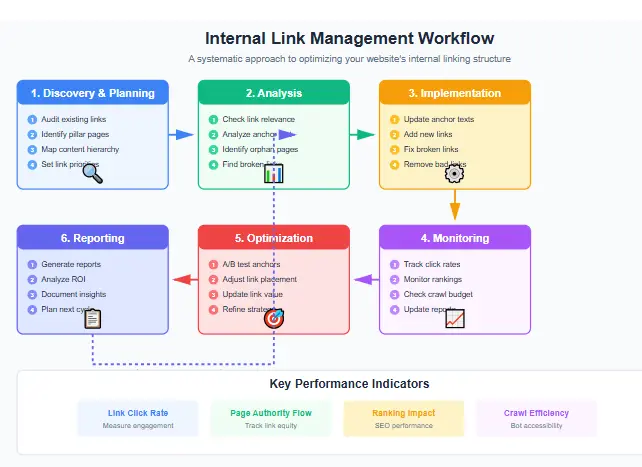
Step 7: The “Freshness Loop” (How to Update Links Weekly)
Most people add links once and forget them. But the biggest gains come from refreshing old pages with new, relevant internal links.
Weekly loop:
- Pick 5-10 older posts.
- Add 2-3 new internal links to each, pointing to newer or more important content.
- Add at least 1 link from an old page to your newest high-quality post (if relevant).
- Update any awkward or repetitive anchor text.
- Quickly re-check for broken internal links.
Track this in your internal linking template with a “Last Updated” note.
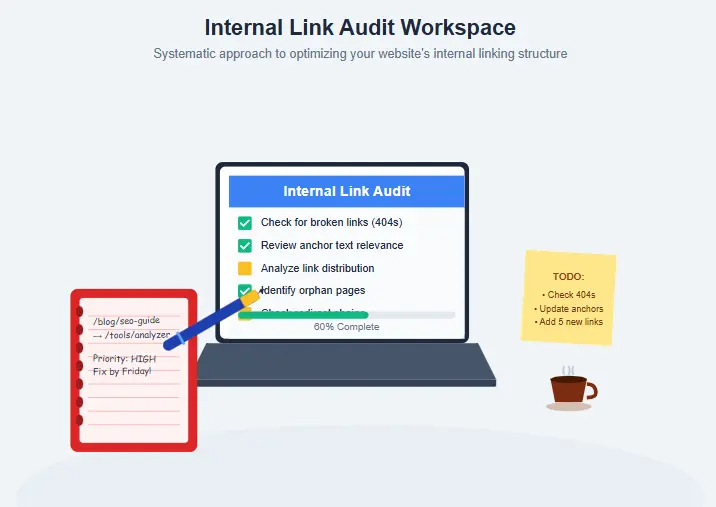
Internal Linking Template You Can Copy (Ready Format)
Copy this expanded structure into a Google Sheet or Excel file to get started:
| Column | Description |
|---|---|
| Cluster / Topic | The content cluster this link belongs to. |
| Page Type | Pillar / Support / Money. |
| Source URL | The page where the link will be placed. |
| Target URL | The page being linked to. |
| Link Type | Contextual / Navigation / Module. |
| Suggested Anchor Options | 2-5 anchor text variations. |
| Placement Note | Where exactly to place the link. |
| Priority | High / Medium / Low. |
| Status | To Do / Added / Needs Review / Removed. |
| Notes | Why this link exists (its purpose). |
This expanded internal linking system is powerful because it connects high-level strategy (cluster + page type) to day-to-day execution (source → target).
Internal Linking Template Examples
Service Business Example
Let’s say you run an SEO service site.
Money pages: Technical SEO Audit Service, Local SEO Service, SEO Consulting.
Support content: SEO audit checklist, Local SEO checklist, Google Business Profile guide, and this internal linking template guide (published as a lead-gen resource).
How to use the template:
- Each support guide links to the relevant service page as the “next step.”
- Service pages link back to guides that explain the process and build trust.
- A central “Resources” hub links to all templates and checklists.
Result: The site becomes a guided journey, not a random collection of pages. For example, a guide on local SEO can naturally link to your local SEO services.
Affiliate Blog Example
Affiliate blogs often fail because authority is spread too thin. Fix that with the internal linking template:
Pillars: Best SEO Tools, Keyword Research, Link Building.
Support: How-to guides and comparisons that match buyer intent stages.
Linking rules:
- Informational guides point to one key comparison/review page.
- Comparison pages point back to 2-3 guides that solve user objections.
- All pages in the cluster point to the pillar page (and the pillar links back to them).
This concentrates internal authority and helps your review pages rank. This is a core part of SEO strategies for affiliate marketers.
Ecommerce Example
For ecommerce, internal links are a discovery engine.
Use your site architecture plan to connect:
- Homepage → Category → Subcategory → Product.
- Product → Related products (same use case or brand).
- Blog guides → Relevant category pages and best-sellers.
- “Buying Guides” → Relevant categories and product filters.
Also, add internal links inside product descriptions to helpful resources like size guides, shipping info, or FAQs. Use links to reduce friction, not clutter. For more on this, see our ecommerce SEO optimization guide.
Internal Link Template Checklist
1. Identify Orphan Pages
Find pages with zero or very few internal links pointing to them. Use your template to plan 3-5 relevant contextual links from related pages to ensure they’re discovered by users and search engines.
2. Fix Deep Pages
Identify important pages that are more than 3 clicks from the homepage. Plan links from a hub, category, or pillar page to improve their discoverability and authority.
3. Review Link Density
Check if any pages have an excessive number of links. Use your template to audit and remove low-purpose links, keeping only the most valuable ones that serve a clear user need.
4. Fix Broken Internal Links
Run a crawl with a tool like Screaming Frog to find broken internal links. Update the targets in your template or set up proper redirects to maintain link equity and user experience.
5. Address Cannibalization
If two pages target the same keyword intent, your internal links might be confusing Google. Use your template to pick a primary page and funnel links from the weaker page to the stronger one to consolidate authority.
6. Improve Weak Anchors
Use your template to find and replace generic anchors like “click here” or “read more” with descriptive ones that provide context. Keep them natural and readable (2-6 words is ideal).
7. Map Content Clusters
Organize your content into logical clusters in your template. Ensure every pillar and supporting page has a clear plan for linking to other members of its cluster.
8. Set Link Targets by Page Type
Use your template to enforce the link targets you set for different page types (support, pillar, money). This turns strategy into a measurable checklist.
9. Create Anchor Text Variations
For each important target page, use your template to brainstorm and track 2-5 anchor text options, ensuring a healthy mix of match types.
10. Implement the Freshness Loop
Add a “Last Updated” column to your template. Set a weekly schedule to refresh old content with 2-3 new internal links, always updating the template.
FAQ About Internal Linking Templates
Almost never. Internal links are for passing authority and helping Google crawl. If you don’t want a page indexed, use a `noindex` meta tag or block it in `robots.txt`, not an internal nofollow.
Often, yes. If a page isn’t indexed because it’s an “orphan” (no links pointing to it), adding internal links is the primary fix. If you have technical crawl budget issues, you’ll need technical fixes too.
Absolutely. Small sites benefit the fastest because changes are easier to implement and have a more noticeable impact. Even a 20-page site can see significant gains from a structured internal linking plan.
There’s no magic number. For a 1,500-word post, 5-12 highly relevant internal links is a good range. For a 3,000-word pillar, 15-25 can be appropriate. Your template should focus on relevance and purpose, not just quantity.
Crawlers like Screaming Frog or site audit features in Ahrefs and Moz are excellent for finding issues. However, the most important tool is your internal linking template, as it converts audit insights into an actionable plan.
Review your template monthly for major strategic shifts. Update it weekly with new content additions and the “freshness loop” links. It should be a living document.
Generally, no. Let the user control their browsing experience. Opening internal links in the same tab creates a smoother journey and provides more accurate analytics data.
Ready to Transform Your Internal Linking Strategy?
Stop guessing and start implementing a systematic approach that drives rankings and conversions.
- Boost your page authority with strategic internal connections.
- Guide users through a purposeful journey from discovery to conversion.
Enter your email to receive the template instantly.
We respect your privacy. Unsubscribe at any time.
Make Internal Linking a Habit, Not a One-Time Task
When you implement an internal linking template, you stop relying on memory and start running a scalable system. The payoff is compounding: every new page strengthens old pages, and old pages push authority to new pages. This is how sustainable sites grow without constantly chasing new backlinks.
If you want the fastest next action:
- Copy the internal linking template structure into a spreadsheet.
- Add your top 20 most important pages.
- Identify 3-5 core topic clusters.
- Use the template to plan and add 5 new contextual links this week.
Do that, and you’ll feel the difference in crawl efficiency, rankings, and user engagement. Use this internal linking template today and make updating it a weekly habit.