
Best All-in-One SEO Tools: 10 Platforms Compared (2026)
By Mousume Akter, Founder & Editor, SEORAF · Plan and limit details last checked 15 November 2026
Disclosure: Some links in the Moz Pro, SE Ranking and Mangools sections are affiliate links, and SEORAF may earn a commission if you buy through them. Tools are organized by platform type and evidence coverage, not by commission. Affiliate relationships do not determine the capability descriptions or editorial conclusions.
If you are comparing SEO platforms before paying for one, the most useful question is not “which is best?” but “which one covers the work I actually do, within limits I won’t hit in the first month?” There is no single answer, because these ten products are not equally comprehensive. Ahrefs, Semrush and SE Ranking have the broadest combination of capabilities and the most detailed plan information in the material reviewed for this edition. Other products are more specialized, differently structured or have details that still need official confirmation.
This guide compares what each vendor’s official pages say about features, usage limits, trials and pricing. It separates vendor statements from third-party reports and flags information that could not be verified. It does not contain hands-on test results, and it makes no promises about rankings or traffic.
Quick decision summary: Consider Ahrefs if backlink and keyword research are central to your workflow; Semrush if you want a broad SEO platform with AI visibility features; and SE Ranking if multiple projects, team seats and a no-card trial matter. WebCEO and SEO PowerSuite have agency-oriented reporting options, while Mangools and SpyFu are more focused on particular research workflows. Treat Ubersuggest as a budget-oriented option whose limits need close attention. These are conditional matches, not a universal ranking.
What Are All-in-One SEO Tools?
An all-in-one SEO tool is a subscription platform that covers several recurring SEO jobs in one account, so you do not need a separate product for each task. “All-in-one” is a marketing label, not a standardized product category, and vendors define it differently. This guide covers SEO research and management platforms, not every product that includes SEO-related features. “All in One SEO” is separately the name of a WordPress plugin, which is a different kind of product.
The inclusion test used in this guide
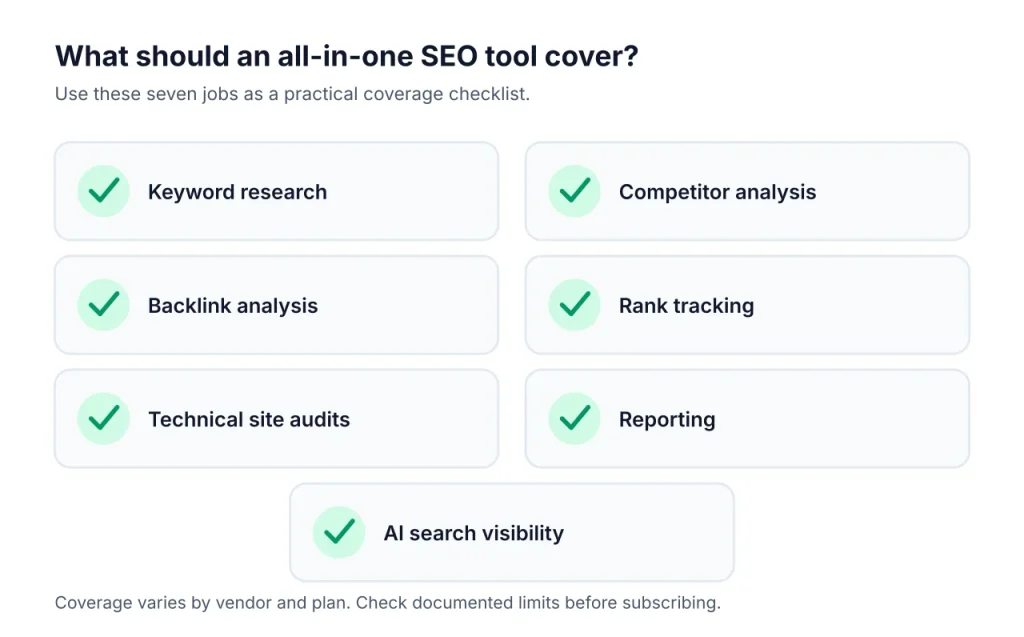
I looked for documented coverage of these jobs:
- Keyword research and search intent analysis.
- Competitor analysis for rankings and content gaps.
- Backlink analysis for your site and competitors.
- Rank tracking over time, by location and device where offered.
- Technical site audits that crawl a site and flag issues.
- Reporting for clients or stakeholders.
- AI search visibility tracking, where a vendor offers it.
Each tool is labeled according to the available evidence: documented by the vendor, reported by third parties, or not verified. A documented feature does not automatically mean that every plan includes it or that every platform offers the same depth.
Why some tools here are only partly all-in-one
Not every platform below covers the inclusion test equally. The list includes products with different strengths so readers can compare their actual workflows rather than assume that every product is a complete substitute for every other one.
- Mangools is a set of five focused tools. Third-party comparisons describe gaps in technical auditing and content optimization, so I treat it as a partial fit.
- SpyFu is built around competitor SEO and advertising research. Its backlink and site-audit coverage is not verified in the material reviewed for this edition.
- SEO PowerSuite is a modular toolkit of four applications, described by a third-party directory as desktop-based.
- Ubersuggest covers several SEO jobs, but its reported usage caps and plan restrictions need to be considered.
Best All-in-One SEO Tools at a Glance
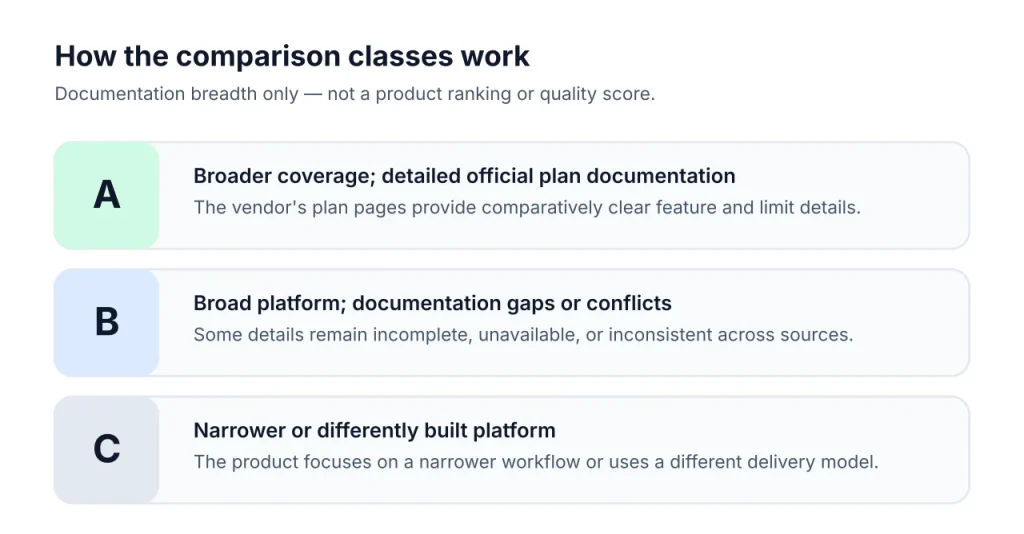
The class labels describe the amount and breadth of plan documentation reviewed for this edition. They are not product-quality scores, performance rankings or recommendations. Class A means detailed official plan information was available for several core capabilities. Class B means the products appear broad, but important official details are incomplete or conflicting. Class C includes narrower or differently structured products. Prices appear only where the source basis is stated; figures from owner-published articles or unclear billing periods are identified separately.
| Tool | Class | Platform focus | Fits when | Entry price information | Free option or trial |
|---|---|---|---|---|---|
| Ahrefs | A | Broad SEO research suite | Research- and link-led work with documented credit limits | Lite $129/month | Ahrefs Free (limited); no trial found |
| Semrush | A | Broad SEO and AI visibility suite | Broad coverage with AI visibility in the same subscription structure | SEO $139/month ($117.33 annual-equivalent) | Free plan; 7-day trial |
| SE Ranking | A | SEO and AI search platform | Several projects, seats and a no-card trial | Core $129/month ($103.20 annual-equivalent) | 14-day trial, no card |
| Moz Pro | B | SEO research and campaign tracking | Teams interested in Moz’s metrics (verify plan details) | Not verified | Trial reported; verify |
| Serpstat | B | SEO research and analytics suite | Credit-based research (verify plan and billing basis) | Not verified | Trial reported; verify |
| WebCEO | B | Agency-oriented SEO suite | Agencies needing branded reporting and usage-based pricing | Solo $36/month billed quarterly; annual-equivalent reported as $32/month | 14-day trial, no card |
| Mangools | C | Focused keyword and SERP toolkit | Keyword and SERP research without relying on a full site crawler | Not verified | Free plan reported; verify |
| SEO PowerSuite | C | Desktop SEO toolkit | Desktop software and annual licenses | Professional $349/year | Free edition (limited) |
| SpyFu | C | Competitor and advertising research | Competitor and ad research first | Not verified | Verify |
| Ubersuggest | C | Budget-oriented SEO toolkit | Lower entry-cost research and a lifetime-license option | $29/month listed in the owner’s article; checkout price not verified | Limited free version and trial reported |
How These Platforms Were Evaluated
I compared what each vendor says on its own plan and documentation pages, then checked those statements against third-party reports where available. I did not run these tools myself, and nothing here reflects personal testing or a benchmark of their data accuracy.
Source hierarchy and evidence labels
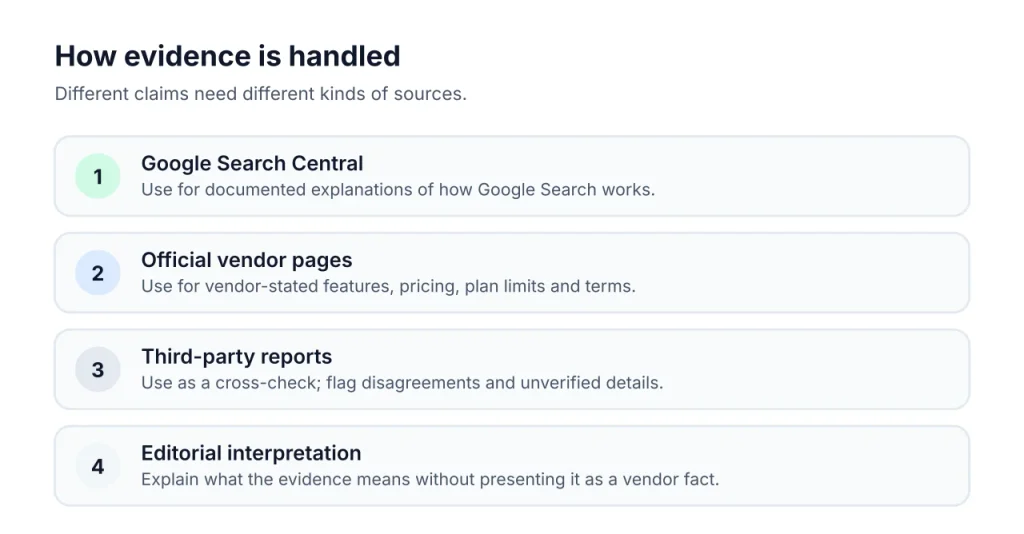
- Google Search Central for information about how Google Search works and Google’s published guidance.
- Official vendor pricing and documentation for features, limits, prices and billing terms. These are vendor-stated claims, not independent performance verification.
- Third-party reports as a cross-check only. Where they disagree with one another or with the vendor, I identify the disagreement instead of choosing an unsupported figure.
Criteria used for every platform: documented capabilities, usage limits and their measurement units, price transparency, trial and cancellation terms, AI visibility scope, team features and plan restrictions.
What this evaluation does not include
- No hands-on testing, benchmarks or accuracy comparisons of keyword, backlink or ranking data.
- No scores, star ratings or definitive product rankings.
- No unsupported prices presented as verified prices. Where the billing basis is unclear, the article says so.
- Official Moz Pro and SpyFu pricing details could not be retrieved for this edition. Mangools pricing information was also incomplete and conflicting.
All-in-One SEO Tool Reviews
The order is by documentation class (A, B, C) and alphabetical within each class. It is not a ranking of product quality. “Reported” means a third party said it; it does not mean the vendor confirmed it.
Ahrefs: Link Data and Research Depth With Credit-Based Limits
Overview. Ahrefs sells plans in which its core tools are bundled. Its pricing page says it does not sell its main tools separately, except Brand Radar, which is also available as a standalone product. Ahrefs describes its data as coming from its own crawler; that is a vendor statement I have not independently tested.
Main capabilities. Plans list Site Explorer, Keywords Explorer, Rank Tracker, Site Audit, Competitive Analysis, SERP history, Page Inspect, Web Analytics, Brand Radar, API access and an MCP server.
Important features. Keywords Explorer includes keyword clusters and search intents. Report Builder offers 5, 5, 15 and 25 reports across the four main tiers. Brand Radar tracks AI prompts, with 150, 300, 600 or 2,500+ checks per month depending on plan, and standalone packages are listed at $50, $100 or $250 per month. An optional Content Kit add-on starts at $99 per month. Looker Studio integration appears on higher tiers.
Pricing and plan considerations. Lite is $129, Standard $249 and Advanced $449 per month. Enterprise starts at $1,499 per month with an annual commitment. One user is included, and extra users cost $40, $60, $80 or $100 per month by tier. Lite gives 1,000 credits per user; higher plans are described as unlimited. Tracked keywords are 750, 2,000, 5,000 or 10,000+. Crawl credits per month are 100,000, 500,000, 1.5 million or 5 million+. Historical data runs 6 months, 2 years, 5 years or unlimited. Rank Tracker updates weekly on every plan, and daily updates require the Project Boost add-on. Ahrefs says it does not run discounts and generally does not issue refunds. A Starter plan appears on the page, but I could not confirm its price or scope.
Strengths.
- A detailed limits table makes plan comparison more transparent.
- AI prompt tracking and MCP/API access are listed in the plan information.
- Users can cancel, with downgrades taking effect at the end of the billing period.
Limitations.
- Weekly rank tracking is the default cadence described for the plans.
- Credits apply on Lite, with add-ons for content tools and daily tracking.
- No trial was found in the reviewed information; refund terms are limited.
Who should consider it. Teams whose work centers on backlink research, keyword research and competitor analysis, including freelance SEOs, consultants and lean in-house teams.
Who may prefer an alternative. Buyers who want daily rank tracking in the base plan, a free trial before paying or a lower per-seat cost may compare the other platforms below.
Official sources. Ahrefs plans and pricing.
For related comparisons see Mangools vs Ahrefs and SE Ranking vs Ahrefs.
Semrush: Wide Feature Coverage, Restructured Plans and New Ownership
Overview. Semrush’s plans combine its SEO Toolkit and AI Visibility Toolkit in a single subscription structure, with separate specialist toolkits for traffic and market data, local, content, social, advertising and PR. Adobe announced the completion of its acquisition of Semrush in April 2026. I report that as an ownership update and make no predictions about its effect on customers.
Main capabilities. The SEO plan includes keyword research and competitor analysis, Position Tracking, Site Audit and AI search performance tracking. A Backlink Analysis feature page is listed, though I did not retrieve plan-level backlink limits.
Important features. Starter adds fuller keyword and competitor tools and MCP access. Pro+ adds historical data, content optimization, keyword cannibalization analysis and multi-location and device tracking. Advanced adds Share of Voice and API data integration. My Reports add-ons are listed at $10 or $20 per report per month, with white-labeling on the Pro Report.
Pricing and plan considerations. SEO is $139 per month ($117.33 annual-equivalent), Starter $199 ($165.17), Pro+ $299 ($248.17), and Advanced and Enterprise are custom. Websites monitored are 5, 5, 15 and 40; keywords tracked daily are 500, 500, 1,500 and 5,000; prompts tracked daily are 50, 100 and 200 on Starter, Pro+ and Advanced. Additional users start at $45 per month. Annual billing is paid upfront, with savings listed as up to 17%. A Free plan and a 7-day trial are available in the reviewed plan information, but exports are disabled during trials. No lifetime plan is listed.
Strengths.
- Plan limits and tiers are documented.
- AI visibility is included in the same subscription structure as SEO tools.
- A modular structure lets buyers add specialist toolkits where needed.
Limitations.
- Several features are gated to higher tiers.
- Add-ons and extra seats can raise the total cost.
- The entry SEO plan does not list a dedicated prompt-tracking quota in the reviewed comparison.
- Plan names have changed, so older third-party articles may be out of date.
Who should consider it. Teams and agencies that want broad coverage and AI visibility in one subscription structure.
Who may prefer an alternative. Buyers who are very sensitive to per-seat pricing or who want a lifetime license may look elsewhere.
Official sources. Semrush pricing, Semrush subscriptions and toolkits, Adobe’s acquisition announcement.
For related reading see Semrush Site Audit.
SE Ranking: Core and Growth Plans for Multi-Project Work
Overview. SE Ranking’s pricing page frames its plans around SEO and AI search visibility. The plans reviewed for this edition are Core, Growth and Enterprise.
Main capabilities. A third-party fact sheet lists keyword research, rank tracking, site audit, backlink analysis and competitor research. The vendor’s trial description mentions AI competitive research for up to three domains.
Important features. Growth lists 250 AI prompts tracked daily, 15 domains in GEO research, 100K API credits and MCP access. Automations are described through Data Studio, n8n and Make. Growth adds historical project data, guest links and page-change monitoring. A third-party report mentions a separate Agency Pack for white-label reports, but I did not verify its price.
Pricing and plan considerations. Core is $129 per month ($103.20 annual-equivalent) and Growth is $279 ($223.20), with Enterprise custom. Core includes 10 projects and one manager seat. Growth includes 30 projects and three seats, 5,000 keywords tracked daily and 2 million pages per month in audit. Extra manager seats start at $16. Third parties report Core limits of 2,000 daily keywords and 250,000 audit pages, but I could not confirm these on the vendor page. The Core AI prompt quota also conflicts: the vendor page appears to show 25 daily, while one review reports 100. These figures are therefore not treated as confirmed plan limits. The trial is described as 14 days, with no card required, and includes starter usage of 10 projects, 750 keywords tracked daily and 20 AI prompts daily.
Strengths.
- A no-card trial with stated starter limits.
- Additional manager seats are listed from $16.
- Integrations and automation options are named in the plan information.
Limitations.
- Core quotas are not fully confirmed in this edition.
- A permanent free plan was not confirmed.
- White-label reporting appears to be a separate add-on, according to third-party reporting.
Who should consider it. Freelancers, small agencies and in-house teams managing several projects who want a trial before paying.
Who may prefer an alternative. Buyers who need a permanent free tier or fully published Enterprise limits may prefer another option.
Official sources. SE Ranking pricing. You can also visit SE Ranking (affiliate link).
Further reading: SE Ranking review, SE Ranking pricing and SE Ranking free trial.
Moz Pro: Campaign-Based Tracking and Domain Authority
Overview. Moz is a long-established SEO software brand. The details below come mainly from third-party reports because I could not retrieve Moz’s official pricing or documentation pages for this edition. Treat plan, pricing and feature details as unverified until you check Moz directly.
Main capabilities. Reviews describe Keyword Explorer, Link Explorer, Site Crawl, rank tracking organized in campaigns and an On-Page Grader.
Important features. Link Explorer uses Moz’s own Domain Authority, Page Authority and Spam Score. These are Moz metrics, not Google metrics. Third parties also report AI visibility dashboards and AI content briefs, though which plans include them differs between sources.
Pricing and plan considerations. Multiple third-party sources describe four plans (Starter, Standard, Medium and Large) with a discount for annual billing, and a trial that requires a card. Sources disagree on which plan the trial covers, so I am not stating prices or trial limits. Reports also say rank tracking updates weekly by default, keyword caps are lower on entry tiers, and Moz Local and the Moz API are separate products.
Strengths (reported).
- A campaign-based structure that may suit tracking several sites.
- Moz’s own authority metrics, which some teams use for reporting.
- A limited free account reported by third parties.
Limitations (reported).
- Weekly update frequency and modest entry-level keyword caps.
- Conflicting reports on AI visibility availability and crawl limits.
- Official pricing and plan limits were not verified for this edition.
Who should consider it. Small teams and solo marketers interested in Moz’s research tools and metrics, subject to confirming current plan details.
Who may prefer an alternative. Buyers who need daily tracking, verified limits or documented AI visibility quotas may prefer a platform with fuller official documentation.
Official sources. The official pricing page was not retrieved for this edition. Start at Moz Pro (affiliate link) and confirm details on Moz’s official pricing page before purchasing.
Further reading: Moz Pro review and Moz vs Semrush vs Ahrefs.
Serpstat: A Feature-Rich Toolkit With Plan Names to Re-Verify
Overview. Serpstat’s official plans page lists Individual, Team, Team x2 and Agency plans, and it publishes separate API pricing information.
Main capabilities. Its documentation describes a search analytics module covering domain analysis, URL analysis, keyword research and backlink analysis, plus a rank tracker and site audit.
Important features. Third-party reports say API access, AI visibility checks and an MCP server start at the Team plan, and that white-label reports are available on Agency. I could not confirm these details on the vendor pages reviewed for this edition.
Pricing and plan considerations. The official plans page lists two-year totals of $911 (Individual), $1,703 (Team) and $2,759 (Team x2). Monthly and annual list prices differ between third-party sources, and one source says the headline annual price is prepaid. Because the billing basis could not be reconciled, I am not presenting these totals as monthly or annual-equivalent prices. Serpstat’s limits article lists Team-plan allowances of 500 queries per day, 10,000 results per report, 250,000 export rows per month and 200,000 API requests per month. Confirm the current plan and billing terms directly.
Strengths.
- A published credit and limits system.
- Rank tracking, site audit and research are available within the platform.
- API access is reported from the Team plan.
Limitations.
- Plan structure and price basis conflict across sources.
- API and AI features are reported as absent on Individual, but the details need confirmation.
- Some third-party sources report a no-refund clause; check the current terms.
Who should consider it. Freelancers and small agencies comparing credit-based research tools, after checking the current plan limits.
Who may prefer an alternative. Buyers who want a plainly stated monthly list price and fully documented AI features.
Official sources. Serpstat plans, Serpstat API plans and Serpstat limits.
WebCEO: Agency-Oriented Suite Built Around Projects and Scans
Overview. WebCEO describes itself as an all-in-one SEO platform for beginners through agencies. Its pricing page provided detailed information about plans, usage and fees in the material reviewed for this edition.
Main capabilities. Listed tools include rank tracking, keyword research, site audit, an SEO content assistant, internal link analysis, a backlink checker, a toxic link checker, competitor backlink spy, traffic analysis, social analytics, competitor metrics, quick domain analysis and a task manager.
Important features. Branded reports are available from Startup upward. Plans list Google Analytics, Google Ads and Search Console integration. Agency Unlimited includes API functionality and can add white-label tools on a custom domain for $40 per month.
Pricing and plan considerations. Solo is $36 per month when billed quarterly, with a three-month minimum. The listed annual-billing equivalent is $32 per month. Startup is $119 monthly or $99 annual-equivalent, Corporate $299 or $251, and Agency Unlimited $99 or $83 plus usage fees. These figures use different billing commitments, so compare the upfront amount and contract period before choosing. Usage fees include $4 per 1,000 rank queries, $0.80 per 1,000 backlinks found and $2 per project per month. Keywords count as keyword, search engine, location and device combinations. Solo allows one project and 100 keywords, Startup five projects and 750 keywords, and Corporate 30 projects and 2,400 keywords. Fixed plans scan weekly; Agency Unlimited scans daily. A 14-day trial does not require a card. Auto-renewal can be canceled, after which the account becomes read-only.
Strengths.
- Detailed limits and a fee schedule on the official pricing page.
- Branded reporting and API access for agency workflows.
- A trial that does not require a credit card.
Limitations.
- Agency Unlimited costs vary with usage.
- Fixed plans use weekly scans according to the reviewed pricing information.
- I found no documented AI visibility features on the pages retrieved for this edition.
Who should consider it. Agencies and consultants who need branded client reporting and are comfortable with usage-based pricing.
Who may prefer an alternative. Buyers who want predictable flat pricing at scale or documented AI visibility tracking.
Official sources. WebCEO pricing.
Mangools: Five Focused Tools Under One Subscription
Overview. Third-party sources describe Mangools as KWFinder (keyword research), SERPChecker (SERP analysis), SERPWatcher (rank tracking), LinkMiner (backlink analysis) and SiteProfiler (site analysis), alongside a newer product called AI Search Watcher. The current bundle and availability of the newer feature need confirmation.
Main capabilities. Mangools’ help center documents lookup limits per 24 hours: keyword and SERP lookups are 100 on Basic, 500 on Premium and 1,200 on Agency, while site lookups are 20, 70 and 150. Third-party reports put tracked keywords at 200, 700 and 1,500 respectively; treat those tracking figures as reported rather than confirmed.
Important features. Third-party reports describe a beta MCP server that uses two lookups per request, and SERPWatcher updating weekly on lower plans and daily on Agency. Third-party comparisons also describe gaps in technical site auditing and content optimization. These are not presented here as independently tested findings.
Pricing and plan considerations. I could not retrieve Mangools’ current pricing page, and sources disagree after what appears to be a 2026 price change, so I am not stating prices. Sources also conflict on whether a free plan and a paid-plan trial are available; one reports a 48-hour refund window. Confirm current prices, trial availability, refund terms and included products on the official page before purchasing.
Strengths.
- A documented lookup meter in the help center.
- A focus on keyword and SERP research.
- An MCP server is reported in beta by third-party sources.
Limitations.
- Third-party reports describe gaps in technical auditing and content tools.
- Daily lookup caps may matter for frequent research.
- Weekly rank tracking is reported on lower plans.
- It is unclear whether AI Search Watcher is bundled or sold separately.
Who should consider it. Bloggers and freelancers whose work is mostly keyword and SERP research.
Who may prefer an alternative. Buyers who need site audits, content optimization or high-volume tracking should compare broader suites.
Official sources. Mangools plan comparison (help center). You can also visit Mangools (affiliate link).
Further reading: Mangools review, Mangools pricing and Mangools vs Semrush.
SEO PowerSuite: Desktop Software With License-Based Pricing
Overview. SEO PowerSuite bundles four applications: Rank Tracker, WebSite Auditor, SEO SpyGlass and LinkAssistant. It separately promotes an AI tool called RankDots. A third-party directory describes the suite as desktop-based, and its pricing page offers a downloadable free edition.
Main capabilities. The product information lists 20+ keyword research tools, a 216 million keyword database, a 6.5 trillion link index, unlimited site crawling on paid editions, in-app content optimization and Google AI Overviews tracking. The pricing card says 550+ search engines for rank tracking, while the comparison table says 400+. Because these figures conflict, I have not selected one as definitive. Google AI Overviews tracking is a specific feature claim; it should not be interpreted as proof of broad AI search visibility tracking across every AI platform.
Important features. Competitors per project are listed as 1, 5 or 40 depending on edition. Enterprise and Max add white-label reports, scheduled delivery and CSV, SQL and HTML export. Cloud storage allows 20 projects on Professional and 400 on Enterprise and Max. API or MCP access is not confirmed in the material reviewed for this edition.
Pricing and plan considerations. Subscriptions are billed annually: Professional is $349 per year, Enterprise $599 and Max $899, with discounted two- and three-year terms. The Free edition allows one project without saving, 500 URLs crawled, 1,100 backlinks and one competitor. Standalone modules are priced separately. The pricing information says refunds are not given for partial use and that subscriptions can be canceled.
Strengths.
- A free edition for evaluating the software.
- Paid editions list unlimited projects and keywords.
- Annual pricing instead of a monthly subscription structure.
Limitations.
- White-label reporting and exports require Enterprise or higher.
- The Free edition cannot save projects.
- A desktop workflow may be less convenient for teams that depend on shared browser-based dashboards.
- The search-engine count differs between two parts of the pricing information.
Who should consider it. Solo operators and agencies comfortable with installed software and annual licenses.
Who may prefer an alternative. Teams that want browser-based shared dashboards, month-to-month billing or clearly documented team seats.
Official sources. SEO PowerSuite pricing.
SpyFu: Competitor Research First, Suite Second
Overview. SpyFu is positioned around competitor SEO and advertising research. Its help center says paid plans have no cap on keyword or domain searches.
Main capabilities. The help center says the Basic plan shows current snapshots of competitors’ keywords and ads, while higher plans add historical data. Third parties report weekly rank tracking of 5,000, 15,000 and 50,000 keywords by plan, an API from Pro + AI upward and a ChatGPT integration. These tracking figures and plan details are third-party reports, not confirmed here as official plan limits. I could not verify backlink or site-audit coverage from official sources.
Important features. Team/Agency adds more user seats, according to the help center. Third parties report RivalFlow AI for content improvement on higher plans.
Pricing and plan considerations. Plan labels differ between the pricing page and help center (Basic, Professional and Team in one place; Basic, Pro + AI and Team/Agency in another), and third-party prices vary. I am not stating prices; check the live pricing page. A money-back guarantee and no free trial are reported, but confirm the current terms directly.
Strengths.
- Unlimited searching on paid plans, according to the vendor help center.
- Historical competitor data on higher plans, according to the help center.
Limitations.
- Weekly tracking cadence is reported by third parties.
- One tracking project on Basic is reported, but not confirmed here from the official plan page.
- Backlink and site-audit coverage is not verified in the official sources reviewed.
Who should consider it. Marketers whose priority is competitor and paid-search research.
Who may prefer an alternative. Buyers who need documented site audits, backlink coverage and daily rank tracking in one plan.
Official sources. SpyFu pricing and plans (help center).
Further reading: SpyFu review and SpyFu pricing.
Ubersuggest: Budget Toolkit With Monthly or Lifetime Options
Overview. Ubersuggest’s owner describes it as an all-in-one, budget-oriented SEO solution.
Main capabilities. The owner’s blog lists keyword suggestions, content ideas, a traffic analyzer, daily rank tracking (125, 150 or 300 keywords per project by plan), a backlinks overview with domain authority and site audits that crawl up to 10,000 pages per report weekly on the top plan. These are vendor-owner-published claims, not independent test results.
Important features. The pricing page lists add-ons for extra daily searches, projects, tracked keywords, competitor domains, users and AI prompts. Data export per report is capped at 2,000, 5,000 or 10,000 rows, and the pricing FAQ says API access plans are not available.
Pricing and plan considerations. The owner’s blog lists Individual at $29, Business at $49 and Enterprise/Agency at $99 per month, with lifetime options at $290, $490 and $990. These are owner-published figures; checkout prices may vary by region, and I did not verify the current checkout total. One listing shows $12, $20 and $40 without explaining the difference. Add-ons are listed from $5 per month. A one-time 7-day trial and a limited free version are reported. I could not verify lifetime-plan terms such as refundability and update scope.
Strengths.
- A relatively low entry price in the owner’s published plan information.
- A published add-on list.
- A lifetime option is advertised by the owner.
Limitations.
- Tracked-keyword caps are limited compared with higher-capacity plans from larger suites.
- No API access plans are listed in the reviewed pricing FAQ.
- A third-party comparison says rankings refresh about monthly, which conflicts with the vendor’s daily-tracking description. Confirm the update frequency for the exact plan.
Who should consider it. Beginners, bloggers and small businesses who want a lower-cost starting point and are comfortable checking usage limits carefully.
Who may prefer an alternative. Teams needing API access, larger keyword caps or fully documented AI visibility quotas.
Official sources. Ubersuggest pricing, Neil Patel on Ubersuggest plans.
All-in-One SEO Tools Compared Side by Side
This table shows how well each capability is documented in the sources reviewed, not how well a product performs. “Documented” means vendor-stated on an official page I retrieved. “Reported” means third-party sources describe it. “Not verified” means I could not confirm it from the reviewed material. A feature may still be restricted to certain plans.
| Tool | Keyword research | Competitor analysis | Backlinks | Rank tracking | Site audit | Content tools | Reporting | AI visibility | API / MCP |
|---|---|---|---|---|---|---|---|---|---|
| Ahrefs | Documented | Documented | Documented | Documented (weekly) | Documented | Documented (add-on) | Documented | Documented | Documented |
| Semrush | Documented | Documented | Documented (limits not retrieved) | Documented | Documented | Documented (Pro+ / toolkit) | Documented (add-on) | Documented | Documented |
| SE Ranking | Documented | Documented | Reported | Documented | Documented | Not verified | Reported (Agency Pack) | Documented | Documented |
| Moz Pro | Reported | Reported | Reported | Reported | Reported | Reported | Reported | Reported | Not verified |
| Serpstat | Documented | Documented | Documented | Documented | Documented | Reported | Reported | Reported | Documented (API) |
| WebCEO | Documented | Documented | Documented | Documented (weekly on fixed plans) | Documented | Documented | Documented | Not verified | Documented (API) |
| Mangools | Documented | Reported | Reported | Documented (limits) / Reported (cadence) | Reported as not offered | Reported as not offered | Not verified | Not verified | Reported (MCP beta) |
| SEO PowerSuite | Documented | Documented | Documented | Documented | Documented | Documented | Documented | Documented (Google AI Overviews only) | Not verified |
| SpyFu | Documented | Documented | Not verified | Reported (weekly) | Not verified | Reported | Not verified | Not verified | Reported |
| Ubersuggest | Documented | Documented | Documented | Documented (frequency needs confirmation) | Documented | Documented (ideas) | Documented (export limits) | Reported | No API plans listed |
Documented coverage is not equal coverage. The same label can describe a platform with generous limits and another with strict daily caps. It also does not mean that the feature is included in every plan. Read the pricing and plan restrictions before treating two “Documented” cells as equivalent.
Essential Features Explained
Keyword research and competitor analysis
These tools estimate which queries matter and what competitors rank for. Check how limits are counted: daily lookups, monthly credits or per-report rows. Third-party platforms estimate search volume and keyword difficulty with their own models, so treat these metrics as directional rather than as Google data. See the low-competition keyword guide for a workflow.
Backlink analysis and data depth
Backlink coverage depends on each vendor’s own index, which I could not compare independently. Ask what you can export, how far back history runs and whether disavow-related workflows are included. For quality context, read toxic backlinks.
Rank tracking: frequency, location and limits
Update frequency varies. Ahrefs describes weekly tracking by default, WebCEO lists weekly scans on fixed plans, and SE Ranking’s plan information describes keywords tracked daily. Third-party reports also describe weekly tracking on some SpyFu and Mangools plans. Confirm the frequency for the plan you intend to buy, plus whether location and device combinations count as separate keywords, as they do at WebCEO.
Technical site audits
Look at pages crawled per month, per project and per scan. Ahrefs lists crawl credits, SE Ranking lists audited pages, and WebCEO lists pages per project. Audit tools complement, not replace, Google’s own data. See the technical SEO audit guide and the SEO crawler guide.
Content optimization tools
Some platforms bundle content optimization, while others sell it separately: Ahrefs through a Content Kit add-on and Semrush through Pro+ and a separate Content Toolkit. Compare what is included rather than assuming it comes with the base plan. Content ideas, content briefs and full content optimization are not necessarily the same feature.
SEO reporting and white-label options
Agencies should check whether reports can be branded, scheduled and shared, and what those functions cost. Semrush lists report add-ons, WebCEO offers branded reports from Startup upward, and SEO PowerSuite reserves white-label reports for Enterprise and above. SE Ranking’s separate Agency Pack is reported by third parties, so confirm availability and price with the vendor.
AI visibility tracking and what Google says
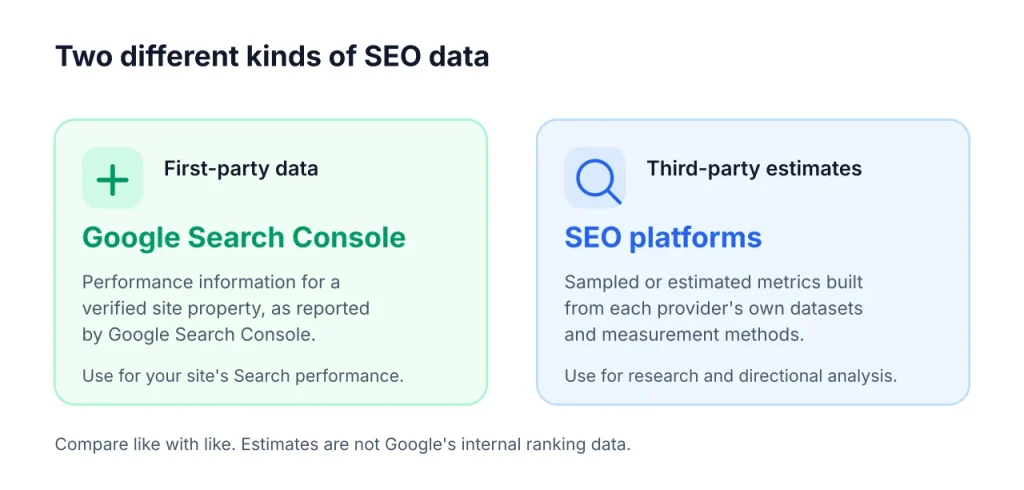
Several vendors now describe tools for measuring visibility in AI-generated search experiences. Google’s guidance is that optimizing for generative AI search is still SEO, and it does not require special markup or files. Third-party AI visibility tools sample outputs from external platforms; their measurements should not be treated as Google’s own ranking data or as a complete picture of search visibility. Google points site owners to Search Console for first-party Search performance data. See how to write SEO content using AI.
Integrations, API access and team seats
Check which integrations exist, who gets API or MCP access and the cost of additional users. Examples in the reviewed plan information include Semrush users from $45 per month, Ahrefs users from $40 to $100 per month by tier, SE Ranking extra manager seats from $16, and no API plans listed by Ubersuggest. These amounts and access rules can change, so confirm the exact plan before buying.
Best All-in-One SEO Tools by Use Case
These are conditional matches based on documented capabilities and stated limits, not endorsements or a universal ranking.
Beginners and small sites
Look first at free options and lower entry points: Ahrefs Free, the Semrush Free plan, SEO PowerSuite’s free edition and Ubersuggest’s owner-published entry price. Their caps may be restrictive, so check them against your site size and normal workflow. A broader comparison is in SEO tools for beginners.
Freelancers and consultants
Platforms with documented trials and several projects, such as SE Ranking, or research-focused platforms such as Ahrefs, may fit. Check reporting, project limits and per-seat costs if you collaborate with other people.
Agencies managing clients
Priorities are projects, seats, white-label reporting and cost predictability. WebCEO and SEO PowerSuite Enterprise document white-label options, while Semrush lists report add-ons. Check the price of each reporting feature before building it into a client workflow. See SEO software for agencies.
In-house teams
Look for seats, collaboration features and API or MCP access. Ahrefs, Semrush and SE Ranking list API or MCP access on at least some plans. Confirm whether the access level you need is included in the plan you are considering.
Tight budgets
Compare the cost of the first limit you will hit, not just the headline price. Ubersuggest advertises lifetime options, WebCEO has a $36-per-month Solo plan billed quarterly, and SEO PowerSuite uses annual licensing. Check the full payment commitment and any add-ons before comparing these prices directly.
Competitor and ad research
SpyFu is built around competitor SEO and advertising research and its help center describes unlimited searching on paid plans. If you also need technical audits and backlink analysis, confirm those separately or pair it with a broader suite. For local needs, see local SEO software.
Pricing and Plan Limitations
Plan ledger (checked 15 November 2026)
Prices are in US dollars and may vary by region or change over time. “Annual-equivalent” means the monthly equivalent when annual billing is selected; it does not mean the customer pays monthly. Where the source basis is unclear or the checkout price was not verified, the table says so. Do not treat owner-published or third-party figures as independently confirmed checkout prices.
| Tool | Monthly billing or published price | Annual-equivalent or annual term | Source status |
|---|---|---|---|
| Ahrefs | Lite $129; Standard $249; Advanced $449; Enterprise from $1,499 (annual commitment) | Not published on the retrieved page | Official page |
| Semrush | SEO $139; Starter $199; Pro+ $299; Advanced and Enterprise custom | $117.33; $165.17; $248.17 | Official page |
| SE Ranking | Core $129; Growth $279; Enterprise custom | $103.20; $223.20 | Official page |
| WebCEO | Solo $36 billed quarterly; Startup $119; Corporate $299; Agency Unlimited $99 plus usage fees | Solo $32; Startup $99; Corporate $251; Agency Unlimited $83 annual-equivalent | Official page; billing terms differ by plan |
| SEO PowerSuite | Annual licenses: Professional $349/year; Enterprise $599/year; Max $899/year | Discounted multi-year terms are listed | Official page |
| Ubersuggest | $29; $49; $99 per month in the owner’s published article; lifetime options $290; $490; $990 | Checkout and regional price basis not verified | Owner’s blog; checkout not verified |
| Serpstat | Not verified | Two-year totals listed: $911; $1,703; $2,759; billing basis needs confirmation | Official page excerpt; basis unclear |
| Moz Pro | Not verified | Not verified | Official page not retrieved |
| Mangools | Not verified | Not verified | 2026 price information conflicts |
| SpyFu | Not verified | Not verified | Plan labels and third-party prices differ |
What each platform meters
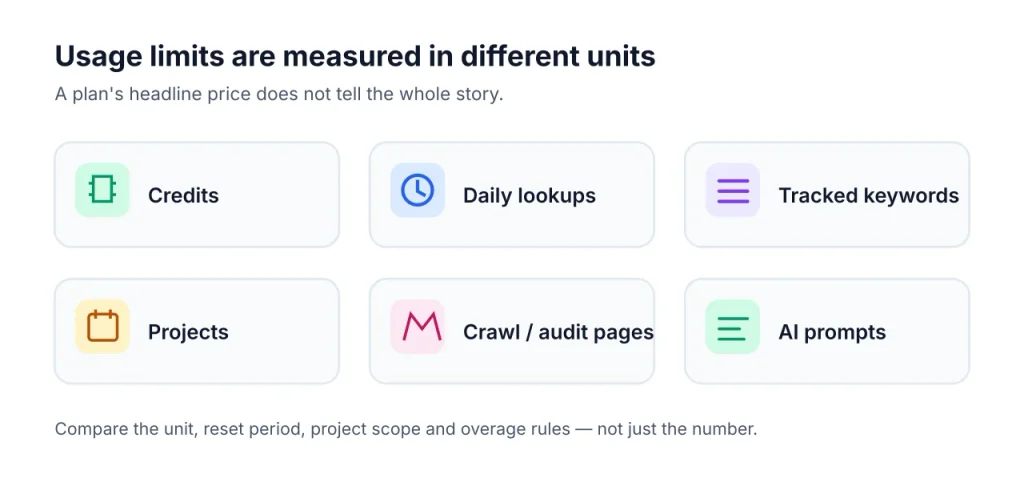
The unit that limits you often matters more than the sticker price. Check the exact plan because some limits apply per user, project, report, day or billing period.
| Tool | What limits you |
|---|---|
| Ahrefs | Credits per user, crawl credits, tracked keywords, AI prompt checks and users |
| Semrush | Websites, keywords tracked daily, prompts tracked daily and users |
| SE Ranking | Projects, manager seats, daily keywords, audited pages and API credits |
| WebCEO | Keyword/search-engine/location/device combinations, pages audited, backlinks and usage fees on Agency Unlimited |
| SEO PowerSuite | Free-edition caps, competitors per project and cloud storage |
| Mangools | Daily keyword, SERP and site lookups; tracked keywords are reported separately |
| Serpstat | Daily queries, results per report, export rows and API requests |
| SpyFu | Weekly tracked keywords, reported row caps on lower plans and tracking projects |
| Ubersuggest | Daily searches, tracked keywords per project, pages crawled and export rows |
| Moz Pro | Reported: campaigns, tracked keywords and users; not verified from official documentation |
Trials, billing and cancellation
- Semrush: a 7-day trial with exports disabled, annual billing paid upfront and no lifetime plan listed.
- Ahrefs: Ahrefs Free for site owners, no trial found in the reviewed information, cancel-any-time terms and limited refunds.
- SE Ranking: a 14-day trial described as fully functional, with no card required.
- WebCEO: a 14-day trial with no card and cancelable auto-renewal.
- SEO PowerSuite: a free edition instead of a conventional trial, annual billing and no refunds for partial use.
- Moz Pro, Mangools, Serpstat, SpyFu and Ubersuggest: trial, free-plan and refund terms are reported by third parties or differ between sources. Confirm the current terms directly before paying.
Free vs Paid SEO Platforms
Before paying, use Google’s own free tool. Google recommends Search Console whether or not you use a third-party tool, because it reports data directly from Google Search. See the Search Console guide and the broader free SEO tools hub.
| Option | What is free | Source status |
|---|---|---|
| Google Search Console | First-party Google Search data for sites you manage | |
| Ahrefs Free | Limited Site Explorer and Site Audit for site owners | Vendor |
| Semrush Free | One demo project, 10 reports per day and limited AI Visibility features, as listed in the reviewed plan information | Vendor |
| SEO PowerSuite Free | One project (no saving), 500 URLs crawled, 1,100 backlinks and one competitor | Vendor |
| SE Ranking trial | 14 days, starter limits, no card | Vendor |
| WebCEO trial | 14 days, no card | Vendor |
| Ubersuggest | Limited free version and one-time 7-day trial reported | Third-party / owner information; verify current terms |
| Moz, Mangools, Serpstat, SpyFu | Free accounts or trials reported; details conflict | Third-party reports; verify |
Free tiers are useful for evaluating an interface and basic data, but they have usage limits. Use them to test your actual workflow before committing to an annual plan. A free account is not necessarily equivalent to a paid trial.
All-in-One Platforms vs Specialized Tools
A comprehensive platform gives you one account, one set of reports and often one bill. A specialized tool usually goes deeper on a single job, such as crawling, content optimization or local listings. Neither is better in general. Specialists may be a better fit when one task dominates your work, while a broader platform may be more convenient when you need several tasks at moderate depth.
A layered approach is common: Search Console as the first-party baseline, one platform for research and tracking, and a specialist only when a job outgrows it. Google’s guidance supports using Search Console alongside third-party tools. For examples of lesser-known options, see SEO tools no one talks about, and for broader coverage best SEO software.
How to Choose the Right Platform
Questions to answer before comparing prices
- Which jobs do you do every week: keyword research, tracking, audits or reporting?
- How many sites or clients do you manage, and how many keywords do you need to track per site?
- How many people need seats, and do they need client-facing reports?
- Do you need API or MCP access, or AI visibility tracking?
- Do you prefer monthly billing, annual prepayment or a one-time license?
A short decision path
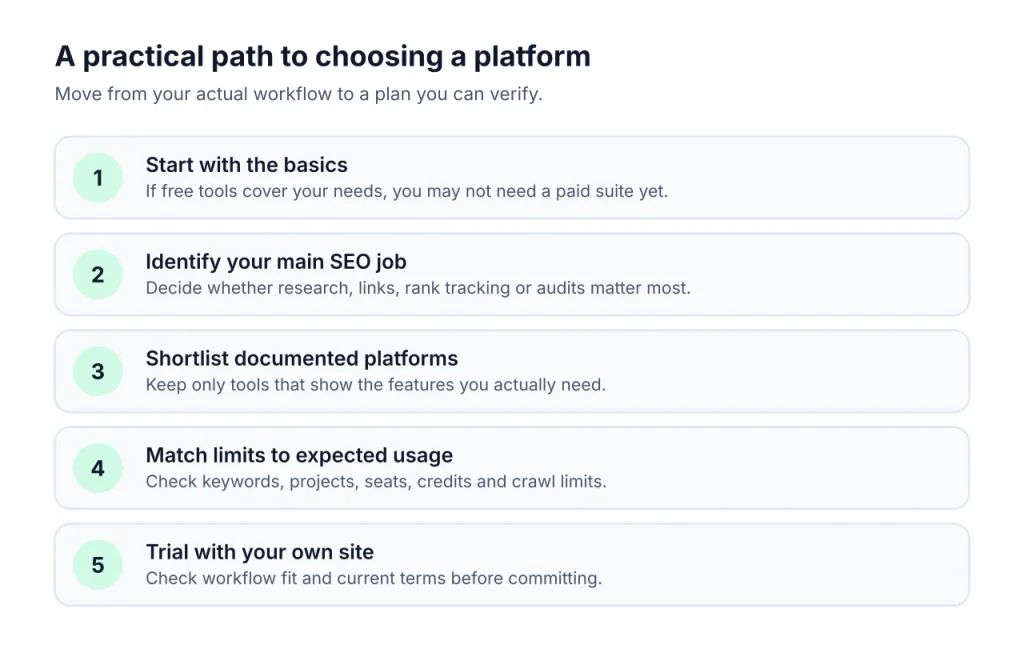
- Start with Search Console and one free edition to learn what you actually use.
- If one job dominates, shortlist a specialist or a partial-fit tool.
- If you need several jobs, shortlist platforms whose plans document those capabilities.
- Match the first limit you would hit, such as keywords, projects, crawl pages or seats, to a plan.
- Trial the shortlist with your own real site before committing.
What to check during a trial
- Whether the data for your own site and market looks plausible alongside Search Console.
- Whether exports work, since Semrush disables them during trials according to the reviewed plan information.
- How quickly you use up daily or monthly limits on a normal workday.
- How the platform counts keywords, projects, crawl pages and seats.
- What happens at renewal and how cancellation works.
Frequently Asked Questions
What is an all-in-one SEO tool?
It is a platform that combines several SEO jobs, such as keyword research, backlink analysis, rank tracking, site audits and reporting, in one subscription. The term is not standardized, so check what each plan actually includes.
Which all-in-one SEO tool fits a beginner or small business?
That depends on site size, workflow and budget. Free starting points include Ahrefs Free, the Semrush Free plan and SEO PowerSuite’s free edition. Ubersuggest’s owner-published article lists a $29 monthly entry plan, while WebCEO lists Solo at $36 per month billed quarterly. Confirm current prices and limits before choosing; all of these options have restrictions.
How much do all-in-one SEO tools cost?
Among the prices listed in the reviewed material, Ubersuggest’s owner-published article starts at $29 per month, while Semrush’s SEO plan is listed at $139 per month. WebCEO Solo is $36 per month when billed quarterly, and Ahrefs Enterprise starts at $1,499 per month with an annual commitment. These figures use different billing bases, and several vendors’ current prices could not be verified. See the plan ledger above.
Is there a free all-in-one SEO tool?
No platform is fully free at scale, but Ahrefs Free, the Semrush Free plan and SEO PowerSuite’s free edition are limited options. Google Search Console is free and provides first-party Google Search performance data for sites you manage.
Do I still need Google Search Console?
Yes, third-party SEO tools do not replace Search Console. Google recommends using Search Console whether or not you use third-party tools because it provides first-party reporting about your site’s performance in Google Search.
Can an SEO platform guarantee rankings?
No. A software subscription cannot guarantee rankings or traffic. Google explains that third-party SEO tools do not have access to Google’s internal ranking systems, and using a tool does not guarantee search performance.
Do I need special optimization for AI Overviews?
Google’s published guidance says its existing SEO fundamentals apply to AI features in Search and that special markup or files are not required. AI visibility tools measure sampled outputs from external platforms, so interpret their results as estimates rather than Google’s own ranking data.
Which usage limits should I check before buying?
Check the unit that limits you (credits, lookups, keywords, pages or reports), the number of projects and seats, rank-tracking frequency, export limits and crawl allowances. See the metering table above.
Do these tools offer free trials?
The reviewed information lists a 7-day Semrush trial, 14-day SE Ranking and WebCEO trials without a card, and a free edition of SEO PowerSuite. Ahrefs Free is available instead of a conventional free trial in the information reviewed. Terms for Moz, Mangools, Serpstat, SpyFu and Ubersuggest differ across sources or could not be verified. Check each vendor’s current terms before signing up.
Is SEO PowerSuite cloud-based or desktop software?
A third-party directory describes SEO PowerSuite as desktop-based, and its pricing page offers a downloadable free edition plus optional cloud storage. The reviewed pricing information lists 20 cloud projects on Professional and 400 on Enterprise and Max. Confirm the current product setup with the vendor.
What should I know before buying a lifetime SEO plan?
Ubersuggest’s owner advertises lifetime options at $290, $490 and $990. I could not verify the full lifetime terms, including refundability and which future updates are included. Read the current terms before paying. Semrush does not list a lifetime plan in the reviewed pricing information.
Does Adobe’s acquisition of Semrush affect buyers?
Adobe announced the completion of its acquisition of Semrush in April 2026. That confirms the ownership update, but I did not find official statements in the reviewed material about changes to plans, pricing or data for current customers. I therefore make no claims about the effect. Re-check Semrush’s plan pages before purchasing.
Final Verdict
The evidence supports a scenario-based conclusion, not a single winner. The most suitable platform depends on the work you need to do, the limits you will encounter and the total cost of the plan.
- Broad suites with detailed plan information: Ahrefs, Semrush and SE Ranking. Ahrefs publishes detailed credit and limit tables with weekly rank tracking by default. Semrush combines SEO and AI visibility features in its subscription structure. SE Ranking offers a no-card 14-day trial and additional manager seats, although some Core quotas still need confirmation.
- Agency reporting and usage-based pricing: WebCEO documents branded reports and a fee schedule, while SEO PowerSuite Enterprise documents white-label reports in a desktop product.
- Keyword and SERP-focused work: Mangools may fit this workflow, with the caveat that its current pricing and some product details need confirmation and third-party reports describe gaps in site auditing.
- Competitor and ad research: SpyFu is positioned around this work, but its backlink and site-audit coverage is not verified in the official sources reviewed.
- Budget-conscious research: Ubersuggest and the free editions may be starting points, but check their usage caps, billing terms and renewal conditions.
- Needs more verification: Moz Pro pricing and limits, Mangools pricing, Serpstat’s billing basis and AI scope, and SpyFu’s current plan prices. I would not choose among these products based on price until the official details are confirmed.
Before you pay, start with Search Console, shortlist two or three platforms whose documented limits match your first bottleneck, and trial them on your own site where a trial is available. You can begin with the official pages for Ahrefs, Semrush, SE Ranking (affiliate link) or WebCEO. No tool can promise rankings or traffic.
Sources, Gaps and Update Log
Sources
- Google Search Central: guidance on third-party SEO tools
- Google Search Central: optimizing for generative AI
- Ahrefs plans and pricing
- Semrush pricing and subscriptions and toolkits
- SE Ranking pricing
- WebCEO pricing
- SEO PowerSuite pricing
- Serpstat plans, API plans and limits
- Mangools plan comparison
- SpyFu pricing and plans
- Ubersuggest pricing and Neil Patel on Ubersuggest plans
What I could not verify in this edition
- Moz Pro’s official pricing, trial terms, plan limits and AI visibility scope.
- Current Mangools prices, free plan and trial status, and whether AI Search Watcher is bundled.
- Serpstat’s current price basis, AI visibility scope and trial terms.
- SpyFu’s official plan names, prices, backlink coverage and site-audit coverage.
- Ubersuggest’s checkout prices, lifetime terms and rank-update frequency.
- SE Ranking Core quotas for keywords, audit pages and AI prompts.
- Ahrefs Starter plan price and scope.
- SEO PowerSuite’s conflicting search-engine counts and whether any API or MCP access is available in the relevant plans.
Update log
- 15 November 2026: first edition. Plan and limit details were checked against the sources available on this date. Unverified and conflicting information is labeled in the article. Prices and features change often, so confirm them on the vendor’s page before buying.