
Complete Asana Pricing Guide 2026
Find the perfect Asana plan for your team with our comprehensive breakdown of features, costs, and value propositions. Make an informed decision about your project management investment.
Affiliate Disclosure
We may earn a commission when you purchase through links on our site. This doesn’t affect our editorial independence and helps us keep our content free for our readers.
Understanding Asana Pricing: A Comprehensive Overview
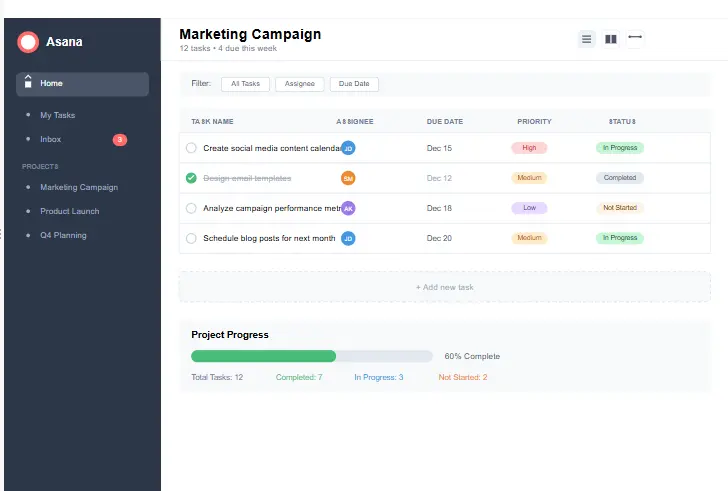
When it comes to project management tools, Asana stands out as one of the most popular and feature-rich options available. However, understanding Asana pricing can be complex with multiple tiers and options available. This comprehensive guide will break down everything you need to know about Asana pricing to help you make the best decision for your team or organization.
Asana offers a tiered pricing structure designed to accommodate everyone from individual users to large enterprises. The Asana pricing model is based on a per-user, per-month billing cycle, with discounts available for annual commitments. Each tier builds upon the previous one, adding more advanced features and capabilities as you move up the pricing ladder.
What makes Asana pricing particularly attractive is the availability of a robust free tier that can be sufficient for small teams or personal use. As your needs grow, you can scale up to paid plans that offer more advanced features like timeline views, custom fields, and enhanced security options.
In this guide, we’ll explore each Asana pricing tier in detail, compare it with competitors, and help you determine which plan offers the best value for your specific needs. Whether you’re a freelancer, small business owner, or enterprise manager, understanding Asana pricing will help you optimize your project management investment.
Asana Pricing Tiers: Complete Breakdown
Asana currently offers four main pricing tiers: Free, Premium, Business, and Enterprise. Each tier is designed to meet the needs of different types of users and organizations. Let’s examine each Asana pricing tier in detail to understand what you get at each level.
Free
- Up to 15 users
- Unlimited tasks
- Unlimited projects
- Basic timeline view
- List, board, and calendar views
- Mobile app
- Basic search functionality
Premium
- Everything in Free, plus:
- Timeline view (Gantt charts)
- Custom fields
- Advanced search & reporting
- Task dependencies
- Milestone tracking
- Time tracking
- Priority support
Business
- Everything in Premium, plus:
- Portfolios
- Workload management
- Custom rules builder
- Advanced integrations
- Proofing & approval
- Admin console
- SLA & SSO
Enterprise
- Everything in Business, plus:
- Advanced security features
- Dedicated customer success
- Custom branding
- Advanced admin controls
- Priority support
- Exportable data
- 99.9% uptime SLA
It’s important to note that the Asana pricing shown above is based on annual billing. If you choose to pay monthly, the costs are slightly higher: Premium is $13.49 per user per month, and Business is $30.49 per user per month. The Enterprise tier requires you to contact Asana for a custom quote based on your specific needs.
When considering Asana pricing, it’s also worth noting that they occasionally offer promotional discounts, especially for new customers or during special events. Keep an eye out for these opportunities to maximize your value.
Asana Free Plan: Is It Enough for Your Needs?
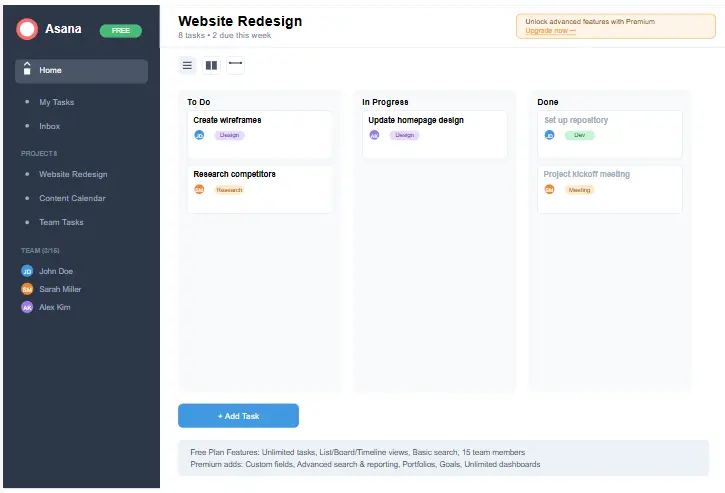
The Asana Free plan is an excellent starting point for individuals and small teams who are new to project management or have limited needs. Despite being free, this tier offers a robust set of features that can be sufficient for many users, making Asana pricing accessible to everyone.
With the Free plan, you can create unlimited tasks and projects, which means you’re not restricted in terms of organizing your work. You also get access to multiple view options including list, board, and calendar views, allowing you to visualize your work in the way that makes the most sense for your team.
The 15-user limit is the main constraint of the Free plan. If your team grows beyond this size, you’ll need to upgrade to a paid tier. However, for small teams or personal use, this limitation is rarely an issue. The Free plan also includes basic timeline views, which give you a simplified Gantt chart view of your projects.
One of the most valuable aspects of the Asana Free plan is that it includes the mobile app, allowing you to manage your tasks on the go. This feature alone makes it a powerful tool for freelancers and small teams who need flexibility in how and where they work.
When evaluating Asana pricing, the Free plan represents an excellent value proposition. It allows you to experience the core functionality of Asana without any financial commitment, making it a risk-free way to determine if the platform is right for your needs before upgrading to a paid plan.
Asana Premium Plan: Features and Value Analysis
The Asana Premium plan is the most popular tier for growing teams and small to medium-sized businesses. At $10.99 per user per month (billed annually), it offers a significant upgrade in functionality over the Free plan, making it a critical consideration in your Asana pricing evaluation.
Key Premium Features
The Premium plan unlocks several game-changing features that transform Asana from a simple task manager to a comprehensive project management tool. The timeline view (Gantt charts) alone can justify the upgrade for teams that need to visualize project dependencies and timelines.
Custom fields are another standout feature of the Premium tier. They allow you to add specific information to tasks that’s relevant to your workflow, such as priority levels, status updates, or any other custom data points your team needs to track. This flexibility makes Asana adaptable to virtually any industry or workflow.
Advanced search and reporting capabilities in the Premium plan help you gain insights into your team’s productivity and project progress. You can create custom reports, export data for further analysis, and search across all your projects with powerful filters.
Task dependencies and milestone tracking are crucial for complex projects, and these features are only available in the Premium tier and above. They allow you to create relationships between tasks and set important milestones, ensuring that your projects progress in the correct order and that everyone is aware of critical deadlines.
When evaluating Asana pricing, the Premium plan offers the best balance of features and cost for most growing teams. At just over $10 per user per month, it provides a significant upgrade in functionality without the higher costs associated with the Business and Enterprise tiers.
Asana Business Plan: Advanced Features for Larger Teams
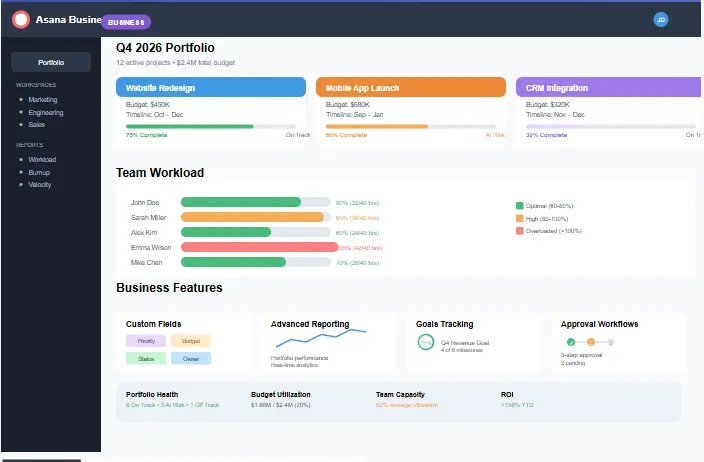
At $24.99 per user per month (billed annually), the Asana Business plan is designed for larger teams and organizations that need more advanced project management capabilities. This tier of Asana pricing includes all Premium features plus several additional tools that are essential for managing complex workflows and large teams.
Portfolios are one of the standout features of the Business plan. They allow you to group multiple projects together and track their progress collectively. This is particularly valuable for department heads or managers who need to oversee multiple initiatives simultaneously. With portfolios, you can get a high-level view of all projects under your purview, making it easier to identify bottlenecks and allocate resources effectively.
Workload management is another critical feature exclusive to the Business tier. It helps you visualize how work is distributed across your team, making it easy to identify who is overworked or underutilized. This feature is invaluable for ensuring balanced work distribution and preventing team burnout.
The custom rules builder in the Business plan allows you to automate repetitive tasks and workflows. You can create rules that trigger actions based on specific conditions, such as automatically assigning tasks, updating due dates, or sending notifications. This automation capability can save your team significant time and reduce the risk of human error.
Advanced integrations are also included in the Business plan, allowing you to connect Asana with more tools and customize those connections to better suit your workflow. Additionally, the proofing and approval features streamline the feedback process for creative teams, making it easier to request, provide, and implement feedback directly within Asana.
For organizations concerned with security and compliance, the Business plan includes SAML-based single sign-on (SSO) and service level agreements (SLAs), providing additional peace of mind when managing sensitive projects.
When considering Asana pricing, the Business plan represents a significant investment but offers substantial value for larger teams that need advanced project management capabilities. If your organization manages multiple complex projects simultaneously and requires more automation and oversight, the Business plan is likely the right choice.
Asana Enterprise Plan: Custom Solutions for Large Organizations
The Asana Enterprise plan is designed for large organizations with complex needs, high security requirements, and custom workflows. Unlike the other tiers, Enterprise Asana pricing is not publicly listed and requires contacting Asana’s sales team for a custom quote based on your specific requirements.
The Enterprise plan includes all features from the Business tier plus several additional capabilities tailored to large organizations. These include advanced security features like data encryption, user provisioning with SCIM, and audit logs to track changes and access.
One of the key benefits of the Enterprise plan is dedicated customer success support. Large organizations get a dedicated account manager and priority support, ensuring that any issues are resolved quickly and that you’re getting the most value from your Asana investment.
Custom branding options allow you to white-label Asana with your organization’s logo and colors, creating a more cohesive experience for your team. The Enterprise plan also offers advanced admin controls, giving you more granular control over user permissions and access.
For organizations with strict compliance requirements, the Enterprise plan offers additional features like HIPAA compliance options and exportable data capabilities. The 99.9% uptime SLA also ensures that Asana will be available when your team needs it, minimizing downtime and productivity loss.
When evaluating Asana pricing for large organizations, the Enterprise plan offers the most comprehensive solution but comes with a corresponding price tag. However, for organizations that need the advanced security, customization, and support features it provides, the investment can be well worth it.
Asana Pricing vs. Competitors: How Does It Compare?

When evaluating Asana pricing, it’s important to consider how it compares to other project management tools on the market. While Asana offers a robust set of features at each pricing tier, understanding how it stacks up against competitors can help you make a more informed decision.
| Feature | Asana | Wrike | ClickUp | Trello | Monday.com |
|---|---|---|---|---|---|
| Free Plan | Up to 15 users | Up to 5 users | Unlimited users | Unlimited users | Up to 2 users |
| Entry-level Paid Plan | $10.99/user/month | $9.80/user/month | $7/user/month | $5/user/month | $8/user/month |
| Gantt Charts | Premium+ | Professional+ | Business+ | Power-up only | Standard+ |
| Time Tracking | Premium+ | Professional+ | Unlimited | Power-up only | Pro+ |
| Custom Fields | Premium+ | Professional+ | Unlimited | Power-up only | Standard+ |
| Advanced Reporting | Business+ | Professional+ | Business+ | Power-up only | Pro+ |
As you can see from the comparison, Asana’s pricing is competitive in the market, especially when considering the features offered at each tier. While some competitors may offer lower entry-level pricing, they often have more limitations or require additional paid add-ons for features that are included in Asana’s standard pricing.
For a more detailed comparison between Asana and specific competitors, check out our in-depth articles on Wrike vs. Asana and our ClickUp review. These resources will help you understand the nuances between these platforms and make the best choice for your team.
When evaluating Asana pricing against competitors, it’s also important to consider the user experience and learning curve. Asana is widely regarded as one of the most intuitive project management tools, which can reduce training time and increase adoption rates across your team. This value isn’t reflected in the pricing but can have a significant impact on your overall return on investment.
Who Should Use Each Asana Pricing Tier?
Choosing the right Asana pricing tier depends on your specific needs, team size, and budget. Let’s break down who would benefit most from each plan to help you make an informed decision.
Asana Free Plan Best For:
- Individuals managing personal projects
- Freelancers with a small number of clients
- Small teams of 15 or fewer members
- Organizations new to project management tools
- Teams with basic project tracking needs
Asana Premium Plan Best For:
- Small to medium-sized businesses (15-100 employees)
- Teams that need timeline views and Gantt charts
- Organizations requiring custom fields and advanced reporting
- Teams managing multiple projects with dependencies
- Businesses that need priority support
Asana Business Plan Best For:
- Medium to large organizations (100-1000 employees)
- Companies managing multiple complex projects simultaneously
- Teams needing workload management capabilities
- Organizations requiring advanced automation and integrations
- Businesses with proofing and approval workflows
Asana Enterprise Plan Best For:
- Large enterprises (1000+ employees)
- Organizations with strict security and compliance requirements
- Companies needing custom branding options
- Businesses requiring dedicated customer success support
- Organizations with advanced admin control needs
When considering Asana pricing, it’s also worth thinking about your future needs. If you anticipate rapid growth or plan to implement more complex workflows in the future, it might be more cost-effective to start with a higher-tier plan rather than upgrading later.
Maximizing Value from Your Asana Investment
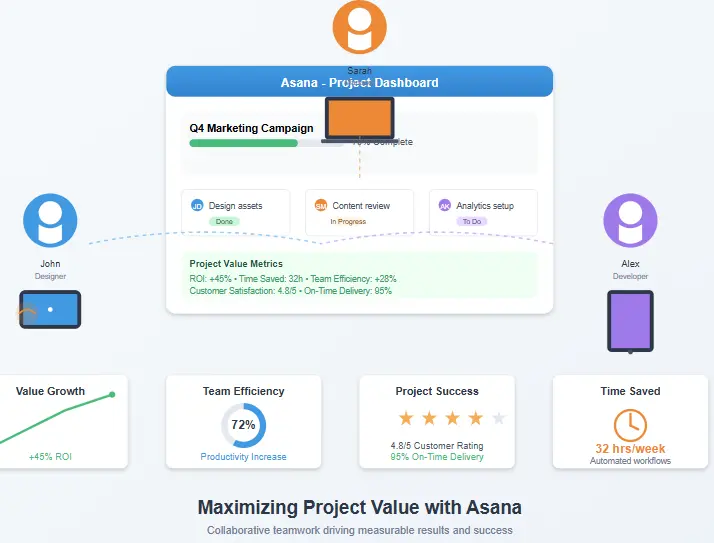
Regardless of which Asana pricing tier you choose, there are several strategies you can employ to maximize the value you get from your investment. By implementing these best practices, you can ensure that your team is using Asana to its full potential and getting the best possible return on your subscription cost.
1. Implement Proper Training
One of the most effective ways to maximize value from your Asana investment is to ensure your team is properly trained on how to use the platform. Asana offers a variety of training resources, including webinars, tutorials, and documentation. Investing time in training upfront can significantly improve adoption rates and ensure your team is using all the features available in your pricing tier.
2. Customize Workflows for Your Team
Asana is highly customizable, and taking the time to set up workflows that match your team’s specific processes can dramatically improve efficiency. Use custom fields, project templates, and automation rules to create a system that works seamlessly with your existing workflows rather than forcing your team to adapt to a generic structure.
3. Integrate with Other Tools
Asana integrates with hundreds of other tools, and leveraging these integrations can help you create a more cohesive ecosystem. Connect Asana with your communication tools, file storage systems, and other business applications to reduce context switching and improve information flow across your organization.
4. Regularly Review and Optimize
Set aside time regularly to review how your team is using Asana and identify areas for improvement. Are there features you’re not using that could benefit your workflow? Are there processes that could be automated? Continuous optimization ensures you’re getting the maximum value from your Asana pricing tier.
5. Scale Appropriately
As your team grows and your needs evolve, regularly reassess whether you’re on the right Asana pricing tier. Upgrading at the right time can provide your team with the tools they need to succeed, while downgrading if you’re not using certain features can help you optimize your spending.
By implementing these strategies, you can ensure that you’re getting the most value from your Asana investment, regardless of which pricing tier you choose.
Asana Pricing: Special Offers and Discounts
While Asana’s pricing structure is already competitive, there are several ways to get even more value from your subscription. Understanding these special offers and discounts can help you optimize your Asana investment and potentially save money in the process.
Annual Billing Discount
One of the most straightforward ways to save on Asana pricing is by opting for annual billing instead of monthly. Asana offers approximately a 15% discount for annual commitments across all paid tiers. For example, the Premium plan costs $13.49 per user per month when billed monthly but drops to $10.99 when billed annually.
Nonprofit and Educational Discounts
Asana offers special pricing for qualified nonprofit organizations and educational institutions. These discounts can be substantial, making Asana more accessible to organizations with limited budgets. To qualify, you’ll need to provide documentation proving your nonprofit or educational status.
Volume Discounts
For larger organizations, Asana may offer volume discounts for teams with a significant number of users. These discounts are typically negotiated on a case-by-case basis and are more common with the Business and Enterprise tiers. If you have a large team, it’s worth contacting Asana’s sales team to inquire about potential volume discounts.
Seasonal Promotions
Asana occasionally runs seasonal promotions, especially around holidays or during special events like their annual user conference. These promotions might include discounted pricing for the first few months of a subscription or other special offers. Keep an eye on Asana’s website and social media channels to stay informed about these opportunities.
Free Trial Periods
All paid Asana pricing tiers come with a 30-day free trial, allowing you to test the features before committing to a subscription. This is an excellent opportunity to determine if a particular tier is right for your team without any financial risk.
By taking advantage of these special offers and discounts, you can maximize the value you get from your Asana investment and potentially reduce your overall subscription costs.
Frequently Asked Questions About Asana Pricing
Yes, you can upgrade or downgrade your Asana pricing tier at any time. When you upgrade, you’ll be charged a prorated amount for the remainder of your billing cycle. When you downgrade, the change will take effect at the start of your next billing cycle, and you’ll receive a credit for the difference.
Asana doesn’t offer a traditional money-back guarantee, but they do provide a 30-day free trial for all paid plans. This allows you to test the features and functionality before committing to a subscription. Additionally, if you’re not satisfied with your purchase, you can contact Asana’s support team to discuss your options.
No, Asana’s pricing is transparent with no hidden fees. The price you see is what you pay per user per month (or per year with annual billing). However, certain advanced integrations or premium support options might incur additional costs, but these are clearly communicated before purchase.
Yes, you can add or remove users from your Asana plan at any time. When you add users, you’ll be charged a prorated amount for the remainder of your billing cycle. When you remove users, you’ll receive a credit that can be applied to future invoices.
Asana pricing is generally consistent worldwide, but there might be slight variations due to currency exchange rates and local taxes. The best way to see the exact pricing for your region is to visit Asana’s website and select your country from the dropdown menu.
Final Thoughts on Asana Pricing
Asana’s pricing structure offers flexibility and scalability for teams of all sizes, from individual users to large enterprises. The tiered approach ensures that you only pay for the features you need, with the ability to scale up as your requirements grow.
The Free plan provides an excellent entry point for small teams and individuals, while the Premium tier offers the best balance of features and cost for most growing businesses. The Business and Enterprise tiers provide advanced capabilities for larger organizations with more complex needs.
When evaluating Asana pricing, it’s important to consider not just the cost but also the value it brings to your organization in terms of improved productivity, better collaboration, and more efficient project management. The right Asana plan can transform how your team works and delivers significant returns on your investment.
By understanding the features and benefits of each Asana pricing tier, you can make an informed decision that aligns with your team’s needs and budget. Whether you’re just starting with project management or looking to upgrade your current system, Asana offers a solution that can grow with your organization.
To get started with Asana or upgrade your current plan, visit their pricing page to explore your options and start a free trial of the plan that best fits your needs.
Ready to Optimize Your Project Management?
Get started with Asana today and see how it can transform your team’s productivity and collaboration. Start with a free trial of the plan that best fits your needs.
Start Your Free TrialAdditional Resources
For more information about project management tools and how they compare, check out these additional resources: